
1. Ti pariview
The Hoco ES61 Manner Sports Wireless Bluetooth Headset is designed for active lifestyles, offering a blend of comfort, long battery life, and versatile connectivity. This manual provides detailed instructions to help you get the most out of your headset.
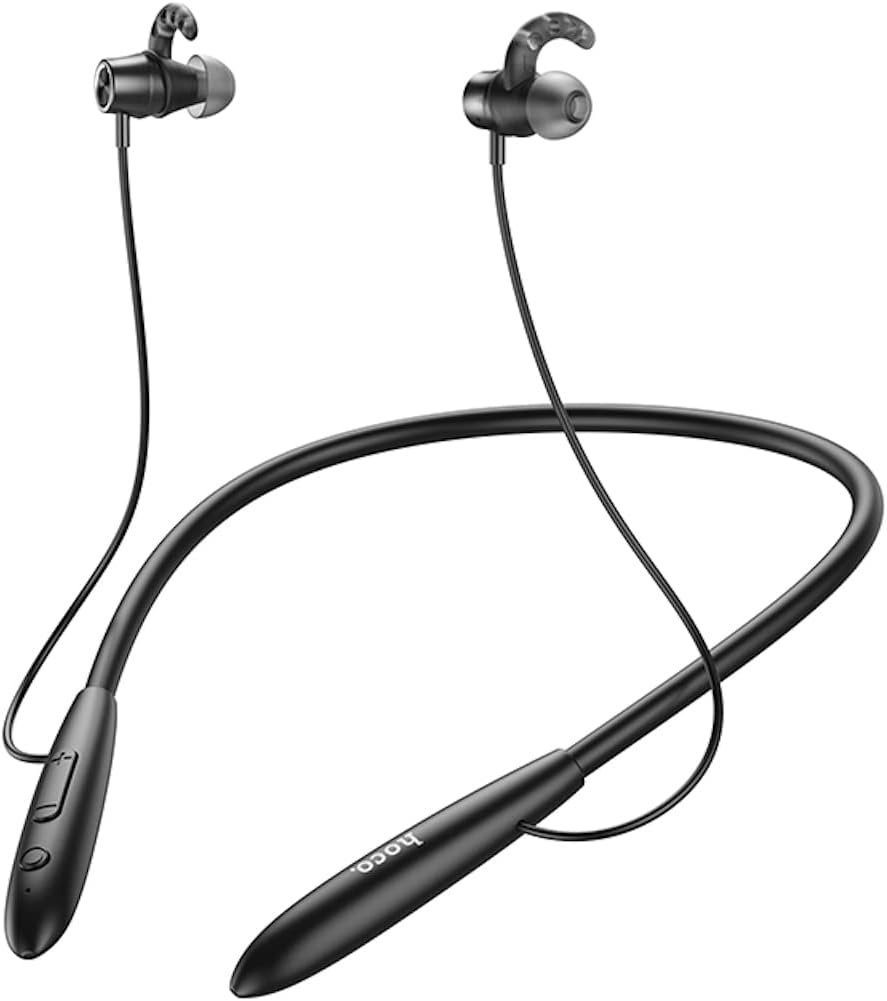
Aworan: Iwaju view of the Hoco ES61 headset, showcasing its neckband design and in-ear earbuds.
2. Awọn ẹya Ọja
- Bluetooth 5.1 Asopọmọra: Equipped with JL AC7006 chip for stable and efficient wireless connection.
- Igbesi aye batiri ti o gbooro sii: Features a 200mAh battery, providing up to 20 hours of music/talk time and an impressive 330 hours of standby time.
- Gbigba agbara ni kiakia: Gba agbara ni kikun ni isunmọ awọn wakati 2.
- Ìwúwo Fúyẹ́ àti Apẹrẹ Itunu: The earphone cord measures 85cm in length, and the headset weighs only 22g, ensuring comfort during extended wear.
- Awọn aṣayan Sisisẹsẹhin Wapọ: Supports Bluetooth audio streaming and TF card playback (up to 32GB) for direct music listening.
- Multi-language Voice Prompts: Offers voice prompts in both Chinese and English for user convenience.
- Ibamu gbooro: Compatible with a broad range of devices including iPhone, Samsung, OnePlus, Huawei, Xiaomi, and Oppo smartphones.

Aworan: Isunmọ view of the Hoco ES61 headset, highlighting the integrated TF card slot for direct music playback.
Fidio: Ifihan fidio ọja osise kanasing the Hoco ES61 Bluetooth Headset's features, including its 20-hour battery life, voice prompts, and compatibility with iOS and Android devices.
3. Eto Itọsọna
3.1 Ngba agbara si Agbekọri
Before first use, fully charge the headset. Use a standard USB charger (not included) to connect the charging port on the headset to a power source.
- Àmì LED náà sábà máa ń fi ìmọ́lẹ̀ pupa hàn nígbà tí a bá ń gba agbára.
- Nígbà tí ó bá ti gba agbára tán pátápátá (tó tó wákàtí 2), àmì LED náà yóò di bulu tàbí kí ó pa.
3.2 Sisopọ Bluetooth
To connect your Hoco ES61 headset to a Bluetooth-enabled device:
- Rii daju pe agbekari ti wa ni pipa.
- Press and hold the multi-function button (usually the power button) for approximately 3-5 seconds until the LED indicator flashes red and blue alternately. This indicates pairing mode.
- Lori ẹrọ rẹ (foonuiyara, tabulẹti, ati bẹbẹ lọ), mu Bluetooth ṣiṣẹ ki o wa awọn ẹrọ to wa.
- Select "Hoco ES61" from the list of found devices.
- Once connected, the LED indicator on the headset will typically flash blue slowly or turn off, and you will hear a voice prompt confirming the connection.
3.3 Sisisẹsẹhin Kaadi TF
The Hoco ES61 supports direct music playback from a TF (MicroSD) card.
- Carefully insert a TF card (up to 32GB) with your music files into the designated TF card slot on the headset.
- The headset will automatically switch to TF card playback mode if a card is detected and contains playable audio files.
- Use the headset controls to manage playback (play, pause, skip tracks).
4. Awọn ilana Iṣiṣẹ
4.1 Ipilẹ idari
| Bọtini / Action | Išẹ |
|---|---|
| Bọtini iṣẹ-ọpọlọpọ (MFB) | Tan/Pa, Mu ṣiṣẹ/Dúró, Dáhùn/Parí ìpè |
| Iwọn didun soke (+) | Increase Volume, Next Track (long press) |
| Iwọn didun isalẹ (-) | Decrease Volume, Previous Track (long press) |
4.2 Sisisẹsẹhin Orin
- Ṣiṣẹ/Daduro: Kukuru tẹ MFB.
- Orin t’okan: Tẹ bọtini iwọn didun Up (+) gun.
- Tẹlẹ Orin: Tẹ bọtini Iwọn didun isalẹ (-) gun.
- Atunse iwọn didun: Short press Volume Up (+) or Volume Down (-) buttons.
4.3 ipe Management
- Idahun/Ipe Ipari: Short press the MFB during an incoming call.
- Kọ Ipe: Long press the MFB during an incoming call.
- Nọmba Ikẹhin Tun Tun: Double-click the MFB when not on a call.

Image: The Hoco ES61 headset resting on a smartphone, illustrating its use with mobile devices for music and calls.
5. Itọju ati Itọju
- Keep the headset dry. Do not expose it to extreme temperatures or humidity.
- Clean the earbuds and charging port regularly with a soft, dry cloth to prevent dust and debris buildup.
- Yẹra fun lilo awọn kẹmika lile tabi awọn afọmọ abrasive.
- Tọju agbekari ni itura, aye gbigbẹ nigbati ko si ni lilo.
- Do not attempt to disassemble or modify the headset, as this will void the warranty and may cause damage.

Image: The Hoco ES61 headset shown with different sizes of silicone ear tips, emphasizing the importance of proper fit for comfort and sound quality.
6. Laasigbotitusita
6.1 Headset Not Turning On
- Ensure the headset is fully charged. Connect it to a charger and check the LED indicator.
- Press and hold the multi-function button for a few seconds to power on.
6.2 Ko le So pọ pẹlu Device
- Make sure the headset is in pairing mode (LED flashing red and blue alternately).
- Rí i dájú pé Bluetooth ṣiṣẹ́ lórí ẹ̀rọ rẹ àti pé ó wà láàrín ibi tí a lè gbé e dé (nígbà gbogbo, àwọn mítà 10).
- Forget/delete "Hoco ES61" from your device's Bluetooth list and try pairing again.
- Tun agbekari ati ẹrọ rẹ bẹrẹ mejeeji.
6.3 Ko si Ohun tabi Iwọn kekere
- Mu iwọn didun pọ si mejeeji agbekari ati ẹrọ ti o sopọ.
- Rii daju pe agbekari ti sopọ daradara si ẹrọ rẹ.
- If using TF card, ensure the card is inserted correctly and contains playable audio files.
- Check for any obstructions in the earbud nozzles and clean if necessary.
6.4 Igbesi aye Batiri Kukuru
- Rii daju pe agbekari ti gba agbara ni kikun ṣaaju lilo.
- Battery life can vary based on volume level and usage patterns.
- Yago fun ṣiṣafihan batiri si awọn iwọn otutu to gaju.
7. Awọn pato
| Ẹya ara ẹrọ | Ẹ̀kúnrẹ́rẹ́ |
|---|---|
| Ẹya Bluetooth | 5.1 |
| Chip Bluetooth | JL AC7006 |
| Agbara Batiri | 200mAh |
| Akoko gbigba agbara | Isunmọ. wakati meji 2 |
| Orin / Akoko Ọrọ | Titi di wakati 20 |
| Akoko Iduro | Titi di wakati 330 |
| Earphone Cord Length | 85cm |
| Iwọn | 22g |
| TF Card Support | Bẹẹni, to 32GB |
| Awọn Ipe ohun | Chinese ati English |
| Ibamu | iPhone, Samsung, OnePlus, Huawei, Xiaomi, Oppo |
8. Atilẹyin ọja ati Support
For warranty information and customer support, please refer to the product packaging or contact your retailer. Keep your purchase receipt as proof of purchase for any warranty claims.