
1. Ifihan
This manual provides instructions for the Eversame 60W USB C to USB C Right Angle Charging Cable. This product is designed for fast charging and efficient data transfer between compatible USB-C devices. The unique right-angle connector enhances usability and durability.
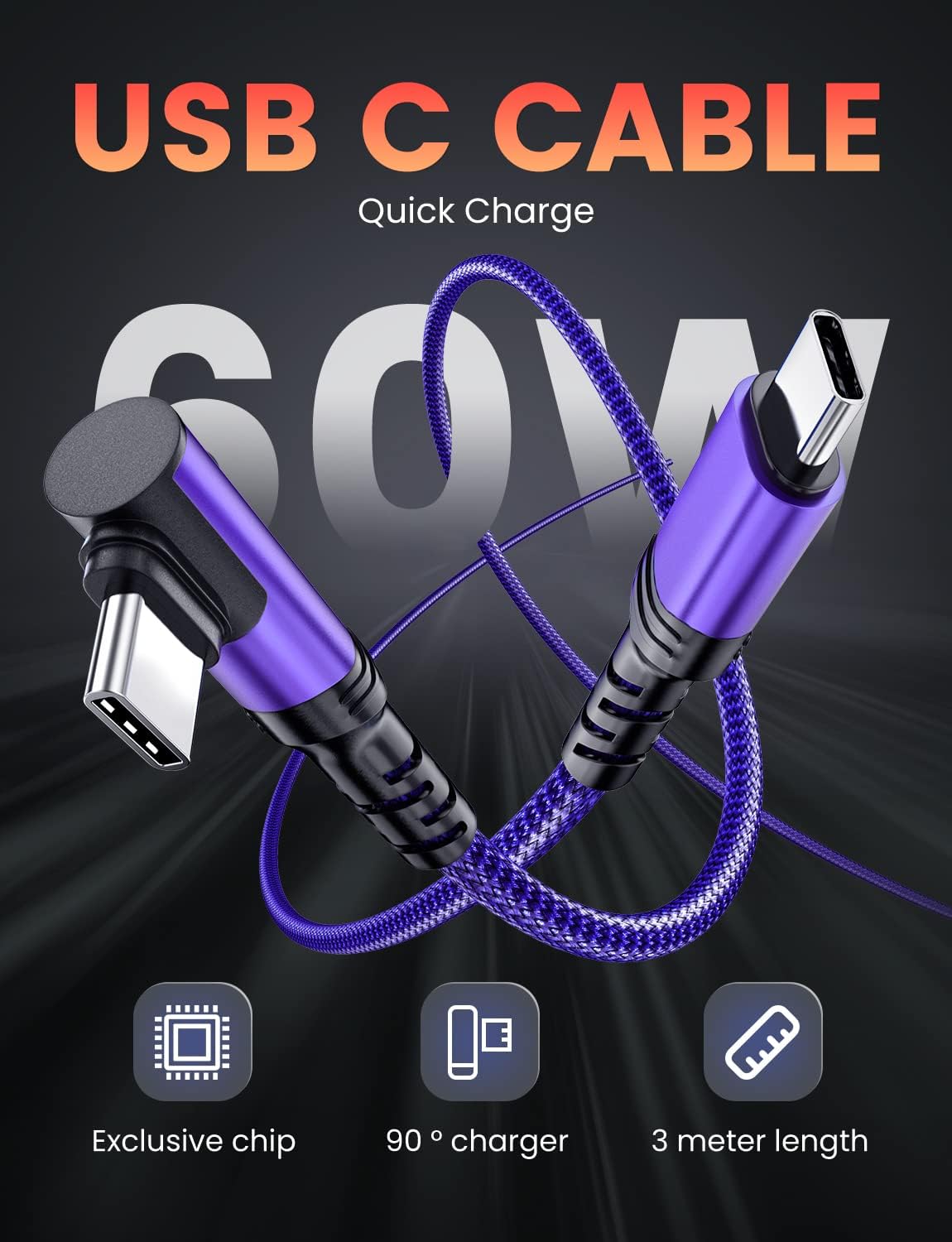
Olusin 1: Pariview of the Eversame 60W USB C to USB C Right Angle Charging Cable.
2. Awọn ẹya Ọja
- Apẹrẹ Igun Ọtun: Features an innovative 90-degree 'L' shaped connector to prevent cable bending and strain during device usage, offering a more comfortable grip while charging.
- Gbigba agbara iyara 60W: Supports fast charging up to 20V/3A (60W), enabling devices to charge up to 80% in approximately 30 minutes when used with a compatible power adapter.
- Gbigbe Dátà 480Mbps: Facilitates data transfer speeds up to 480 Megabits per second for efficient file synchronization and sharing.
- Imudara Itọju: Constructed with braided fabric nylon for increased strength and resistance to fraying. Designed to withstand over 100,000 bends and up to 70KG of pulling force.
- 10ft (3M) Length: Provides extended reach for convenient charging and usage in various environments.
- 2-Pack Lapapo: Includes two 10ft cables for multiple charging locations or backup.
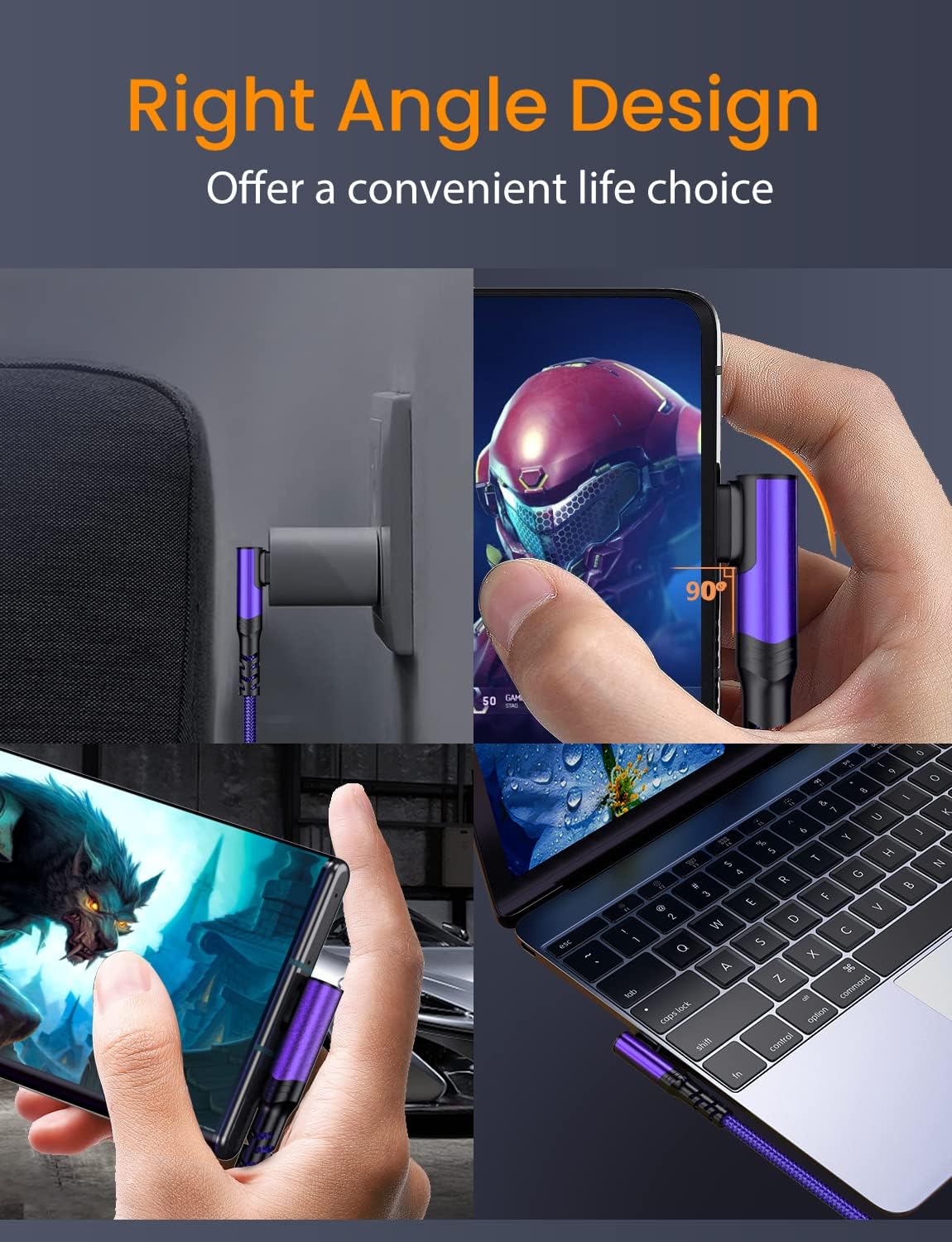
Figure 2: Right-angle connector in use with a smartphone.

Figure 3: Fast charging capability demonstration.

Figure 4: Durability features of the cable.

Figure 5: The 10ft cable in a typical usage scenario.
3. Eto
To set up your Eversame USB C to USB C cable for charging or data transfer, follow these steps:
- Ensure your device (smartphone, tablet, laptop) has a USB-C port.
- For charging, connect one end of the USB C cable to a compatible USB-C power adapter (not included).
- Connect the other end of the USB C cable to your device's USB-C port.
- For data transfer, connect one end of the USB C cable to your device and the other end to a computer or other data-transferring device with a USB-C port.
4. Awọn ilana Iṣiṣẹ
The Eversame USB C to USB C cable operates automatically once connected to compatible devices and power sources.
- Gbigba agbara: When connected to a power adapter and a device, the cable will initiate fast charging if both the adapter and device support 60W Power Delivery (PD) or Quick Charge (QC) protocols. The device's screen will typically indicate 'Fast Charging' or similar.
- Gbigbe Data: When connected between two compatible devices (e.g., phone to laptop), the devices should recognize each other for data transfer. You may need to select a data transfer mode on your device (e.g., 'File Transfer' or 'MTP') from the notification panel.
5. Itọju
To ensure the longevity and optimal performance of your Eversame USB C cables, please observe the following maintenance guidelines:
- Ibi ipamọ: Store cables in a cool, dry place away from direct sunlight and extreme temperatures. Avoid tightly coiling or bending the cable at sharp angles.
- Ninu: Gently wipe the cable and connectors with a soft, dry cloth to remove dust or debris. Do not use liquid cleaners or abrasive materials.
- Mimu: Always grasp the connector head when plugging or unplugging the cable. Avoid pulling directly on the cable itself, as this can damage the internal wires or connector.
- Ayewo: Periodically inspect the cable for any signs of wear, fraying, or damage to the connectors. Discontinue use if any damage is observed.
6. Laasigbotitusita
If you encounter issues with your Eversame USB C cable, refer to the following common troubleshooting steps:
| Isoro | Owun to le Fa | Ojutu |
|---|---|---|
| Ẹrọ ko gba agbara | Loose connection, incompatible power adapter, damaged cable/port | Ensure connections are secure. Use a compatible 60W (or higher) USB-C power adapter. Test with another cable or device to isolate the issue. |
| Gbigba agbara lọra | Power adapter not supporting fast charging, device limitations, background apps | Verify your power adapter supports 60W PD/QC. Close unnecessary background applications on your device. |
| Gbigbe data ko ṣiṣẹ | Incorrect device settings, incompatible ports, driver issues | Check device settings for data transfer mode (e.g., MTP). Ensure both devices have functional USB-C data ports. Update computer drivers if necessary. |
| Cable appears damaged | Ti ara yiya ati aiṣiṣẹ | Discontinue use immediately. Contact customer support for warranty information. |
7. Awọn pato
| Ẹya ara ẹrọ | Ẹ̀kúnrẹ́rẹ́ |
|---|---|
| Brand | Eversame |
| Nọmba awoṣe | ES182 |
| Asopọmọra Iru | Iru USB C (Ọkunrin-si-Ọkunrin) |
| USB Iru | USB |
| Wattage | 60W (O pọju) |
| O pọju Voltage | 20 Volts |
| AC Adapter Lọwọlọwọ | 5 Amps |
| Data Gbigbe Oṣuwọn | 480 Mbps |
| Gigun | ẹsẹ 10 (mita 3) |
| Ohun elo ita | Braided Fabric Nylon |
| Pataki Awọn ẹya ara ẹrọ | Braided, Data Transfer, Fast Charging, High Speed, Tangle Free |
| Àwọ̀ | eleyi ti |
| Iwọn Ẹka | 2 Iṣiro |
8. Ibamu
The Eversame USB C to USB C cable is compatible with a wide range of USB-C enabled devices, including but not limited to:

Olusin 6: Exampawọn ẹrọ ibaramu.
- Awọn ẹrọ Apple: iPhone 16/16 Plus/16 Pro/16 Pro Max/15/15 Pro/15 Plus/15 Pro Max, iPad Pro 2021/2020/2018, iPad Mini 6 2021, iPad Air 4th 2020, MacBook Air/Pro (13-inch, 15.4-inch, 16-inch models).
- Awọn ẹrọ Samusongi Agbaaiye: S24/S24+/S24 Ultra, S23/S23+/S23 Ultra, S22/S22+/S22 Ultra, S21/S21+/S21 Ultra, S20/S20+/S20 Ultra, S10/S10e/S10 Plus, S9/S9 Plus, S8/S8 Plus, Note 20/10/9/8, Galaxy Tab series.
- Awọn Ẹrọ Google Pixel: Pixel 4/4XL, 3/3XL, 2/2XL, XL, 3A, C Tab, Google Chromebook Pixel.
- LG Devices: G8/G7 ThinQ, V50/V40/V35/V30/V20, G6/G5.
- Motorola Devices: Moto X4/Z/Z2/Z3/Z4, G6/G7 series.
- Omiiran: PS5 Controller, Razer Phone, HTC U11, Sony Xperia XZ, and other USB-C enabled devices.
9. Fidio ọja
Wo fidio yii fun wiwo loriview of the Eversame Right-Angle Cable's features and benefits.
Video 1: Eversame Right-Angle Cable Product Overview.
10. Atilẹyin ọja ati Support
Eversame is committed to providing quality products and customer satisfaction. Your purchase includes the following:
- 365-Day Unconditional Replacement: Enjoy a full year of product replacement for any quality issues.
- 30-Day Product Trial: A trial period is provided to ensure your satisfaction with the product.
- 24-Hour Online After-Sales Support: Dedicated customer service is available to assist you with any questions or concerns within 24 hours.

Figure 7: Eversame After-Sales Services.
For further assistance, please contact Eversame customer support through the platform where you purchased the product.