
Ọrọ Iṣaaju
This manual provides essential information for the safe and efficient use of your SHARP 24EA4E 24-inch HD-Ready LED TV. Please read these instructions thoroughly before operating the television and retain them for future reference. This television is designed for use in living rooms, bedrooms, or guest rooms, offering an elegant design and intuitive operation.
Package Awọn akoonu
Before beginning installation, ensure all items listed below are present in your package:
- SHARP 24EA4E LED TV Unit
- Isakoṣo latọna jijin
- Awọn batiri 2 x AAA (fun isakoṣo latọna jijin)
- TV Stand Installation Kit
- Quick Bẹrẹ Itọsọna

Image: SHARP 24EA4E LED TV with its included stand.
Ṣeto
1. Fifi sori ti ara
Your television can be placed on a flat surface using the included stand or mounted on a wall using a VESA-compatible bracket (not included). The VESA standard for this model is 100 x 100 mm.
- Fifi sori imurasilẹ: Carefully attach the TV stand to the bottom of the television using the screws provided in the installation kit. Ensure the stand is securely fastened before placing the TV on a stable surface.
- Iṣagbede ogiri: If wall mounting, refer to the instructions provided with your VESA 100 x 100 mm wall mount bracket. Ensure proper ventilation around the TV.

Aworan: Apa view of the SHARP 24EA4E LED TV, illustrating the stand attachment.
2. Nsopọ Ita Awọn ẹrọ
The SHARP 24EA4E offers various connection options for your external devices:
- Awọn ibudo HDMI (x2): Connect Blu-Ray players, game consoles, satellite boxes, or other HDMI-enabled devices.
- Ibudo USB (x1): For playing media (music, movies, photos) from USB storage devices.
- SCART Input: Lati so awọn ẹrọ atijọ pọ.
- Satellite Input (DVB-S/S2): Connect your satellite dish.
- RF Input (DVB-T/T2/C): Connect your terrestrial antenna or cable TV.
- Headphone Jack (3.5mm Audio): Fun ikọkọ gbigbọ.
- CI Port: For Conditional Access Modules (CAM) to decrypt encrypted channels.
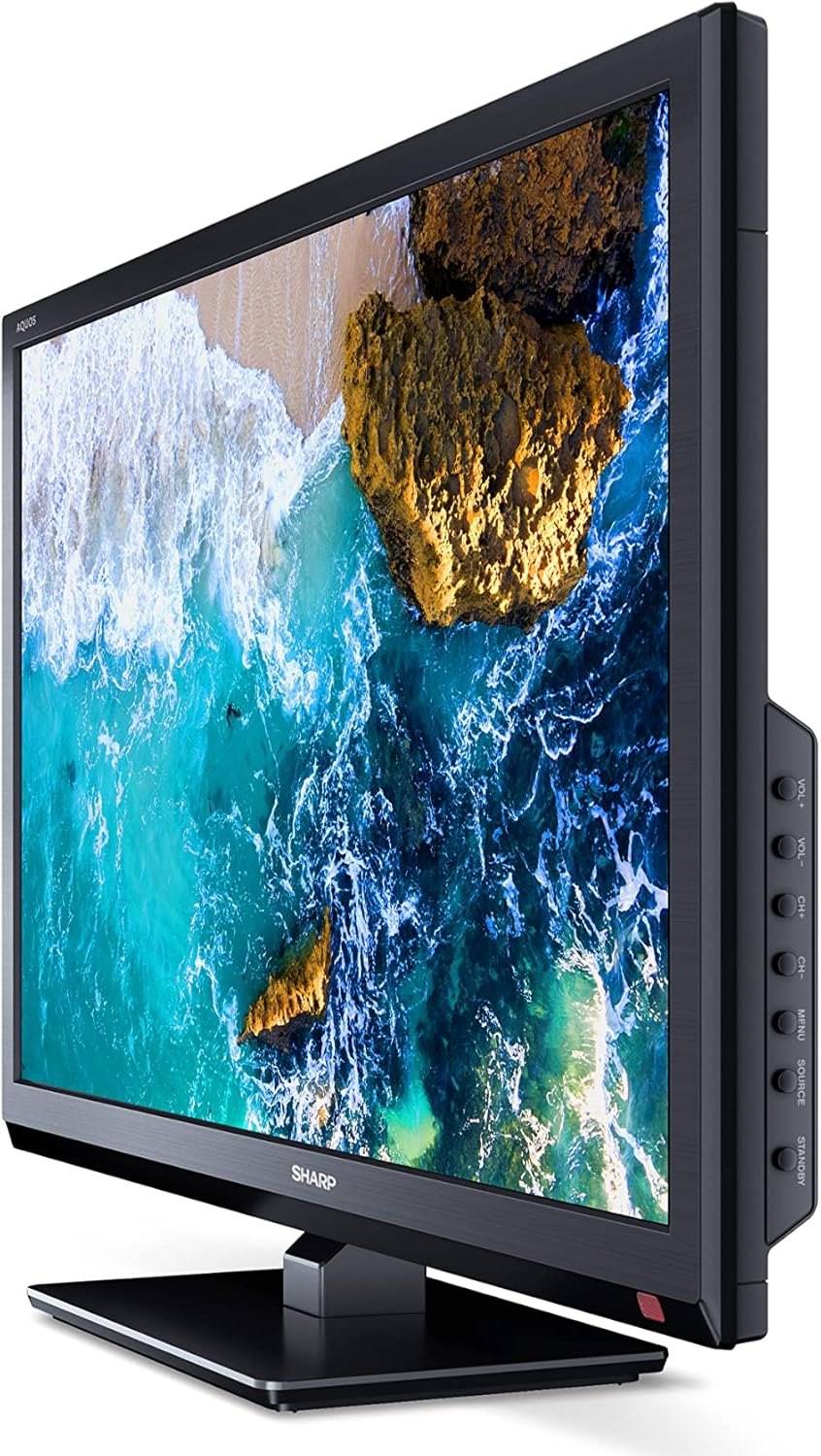
Aworan: Apa view of the SHARP 24EA4E LED TV, highlighting the various input ports.
After connecting all desired devices, plug the TV's power cord into a suitable electrical outlet (220V).
Awọn ilana Iṣiṣẹ
1. First-Time Setup and Channel Scan
Upon first power-on, the TV will guide you through an initial setup process. Follow the on-screen prompts to select your language, country, and perform a channel scan for DVB-T/T2 (terrestrial), DVB-C (cable), or DVB-S/S2 (satellite) signals.
2. Awọn iṣẹ Iṣakoso latọna jijin
The included infrared remote control allows full operation of your TV. Insert the 2 AAA batteries into the remote control, ensuring correct polarity.
- Bọtini agbara: Tan TV si tan tabi paa.
- Channel Buttons (CH+/-): Ayipada awọn ikanni.
- Àwọn bọ́tìnì ohùn (VOL+/-): Ṣe atunṣe ipele iwọn didun.
- Bọtini Orisun: Selects input sources (HDMI, AV, USB, TV).
- Bọtini Akojọ: Accesses the TV's main menu for settings adjustments.
- Awọn bọtini lilọ kiri: Lo lati lilö kiri ni awọn akojọ aṣayan ko si yan awọn aṣayan.
- Bọtini O dara: Jẹrisi awọn aṣayan.
- Bọtini Jade: Exits menus.
- Awọn bọtini nọmba (0-9): Aṣayan ikanni taara.

Aworan: Apa view of the SHARP 24EA4E LED TV, showing the physical control buttons on the side panel.
3. Sisisẹsẹhin Media nipasẹ USB
You can play various media files directly from a USB storage device:
- Insert your USB drive into the USB port on the TV.
- Select the USB input source using the remote control's Source button.
- Lilö kiri nipasẹ awọn files and folders using the remote control and select the desired media (music, video, or photo) to play.
Itoju
To ensure the longevity and optimal performance of your SHARP 24EA4E TV, follow these maintenance guidelines:
- Ninu iboju: Rọra nu iboju naa pẹlu asọ ti ko ni lint. Fun awọn ami alagidi, die-die dampen awọn asọ pẹlu omi tabi a specialized iboju regede. Maṣe fun omi sokiri taara sori iboju.
- Ninu Igbimọ Ile-igbimọ: Lo asọ asọ ti o gbẹ lati nu minisita TV nu. Yago fun lilo abrasive ose tabi epo.
- Afẹfẹ: Rii daju pe awọn ṣiṣi atẹgun lori ẹhin TV ko ni idinamọ lati ṣe idiwọ igbona.
- Okun Agbara: Máa ṣàyẹ̀wò okùn iná mànàmáná déédéé fún ìbàjẹ́ èyíkéyìí. Tí ó bá bàjẹ́, kàn sí àwọn òṣìṣẹ́ iṣẹ́ tó péye fún àtúnṣe.
Laasigbotitusita
Ti o ba pade awọn ọran pẹlu TV rẹ, tọka si awọn igbesẹ laasigbotitusita ti o wọpọ wọnyi:
| Isoro | Owun to le Solusan |
|---|---|
| Ko si agbara | Check if the power cord is securely plugged into both the TV and the wall outlet. Ensure the wall outlet is functional. |
| Ko si aworan, ṣugbọn ohun wa | Ṣayẹwo aṣayan orisun titẹ sii. Rii daju pe awọn ẹrọ ita ti wa ni titan ati ti sopọ ni deede. |
| Ko si ohun, ṣugbọn aworan wa | Check the volume level and mute status. Ensure audio cables are connected correctly for external devices. |
| Didara aworan ti ko dara | Check antenna/cable connections. Adjust picture settings in the TV menu. For external devices, check their output resolution. |
| Isakoṣo latọna jijin ko ṣiṣẹ | Rọpo awọn batiri AAA. Rí i dájú pé kò sí ìdènà láàárín remote àti sensọ IR ti TV. |
If the problem persists after trying these solutions, please contact SHARP customer support.
Awọn pato
Key technical specifications for the SHARP 24EA4E LED TV:
- Awoṣe: 24EA4E
- Imọ-ẹrọ Ifihan: LED
- Iwọn iboju: 24 inches (aguntan 60 cm)
- Ipinnu: 1366 x 768 awọn piksẹli (HD Ti ṣetan)
- Ipin Ipin: 16:9
- Oṣuwọn isọdọtun: 60 Hz (Active Motion 100)
- Ipin Itansan: 100000:1
- Akoko Idahun: 8 millise-aaya
- Viewigun Angle: 178 iwọn
- Ijade ohun: 2 x 5W speakers, Dolby Digital, Dolby Digital Plus, Surround Sound
- Imọ-ẹrọ Tuner: DVB-T/T2 (Terrestrial), DVB-C (Cable), DVB-S/S2 (Satellite) - MPEG4 + HEVC/H.265 (10-bit)
- Asopọmọra: 2 x HDMI, 1 x USB, 1 x SCART, RF Input, Satellite Input, 3.5mm Audio (Headphone Jack), CI Port
- Eto isesise: Lainos
- Lilo Agbara: 17 Watts (in SDR mode)
- Voltage: 220V
- Awọn iwọn (pẹlu iduro): 56 cm (W) x 38.5 cm (H) x 14 cm (D)
- Ìwúwo: 3.8 kg
- Standard VESA: 100 x 100 mm

Image: Diagram showing the dimensions of the SHARP 24EA4E LED TV.
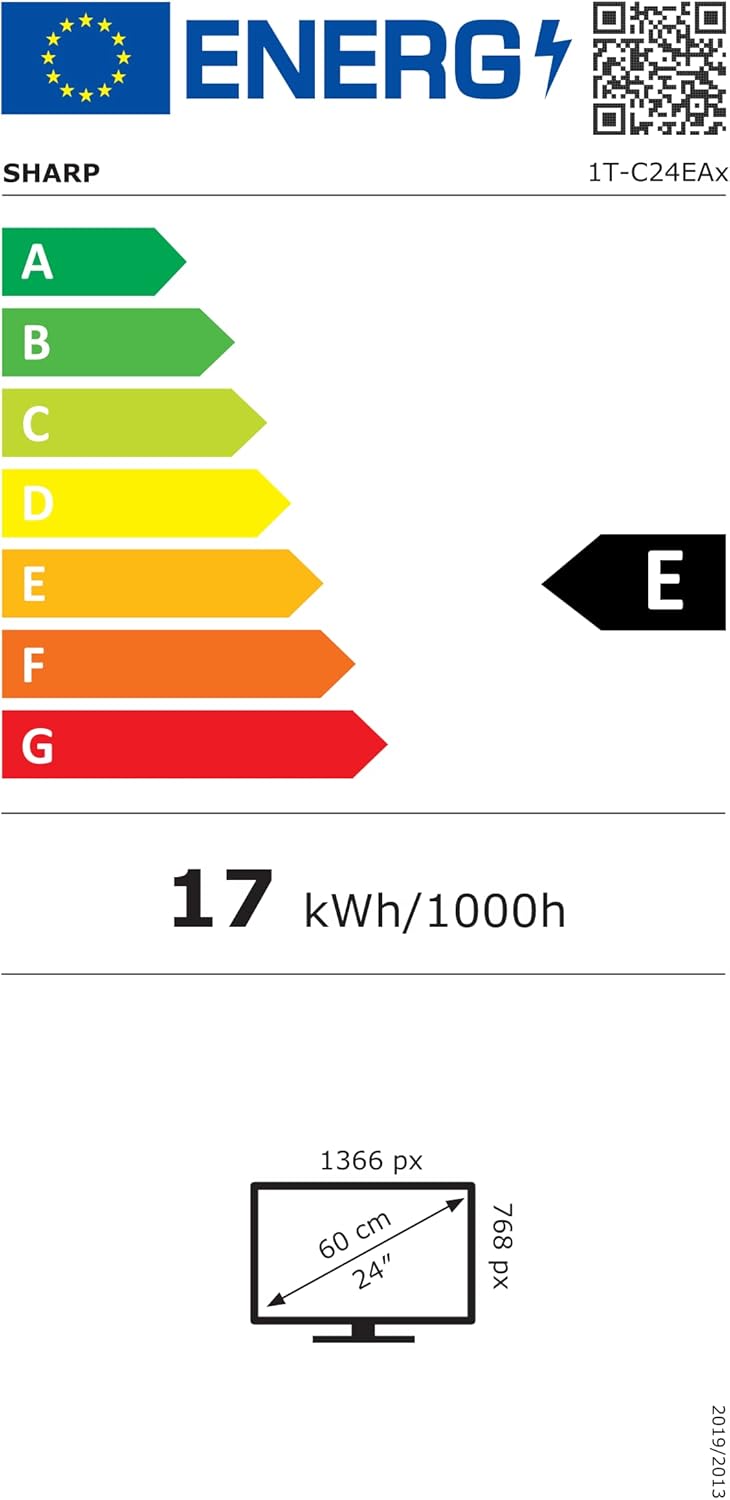
Image: EU Energy Label for the SHARP 24EA4E LED TV, indicating Energy Class E and 17 kWh/1000h consumption.
Fun alaye ọja diẹ sii, tọka si aaye data EU EPREL osise: https://eprel.ec.europa.eu/qr/1242293
Atilẹyin ọja ati Support
Your SHARP 24EA4E LED TV comes with a manufacturer's warranty. The minimum guaranteed product support is 2 years, and the minimum guaranteed availability of spare parts is 8 years from the date of market introduction.
For warranty claims, technical assistance, or further support, please contact your retailer or visit the official SHARP support webojula. Jeki ẹri rira rẹ fun ijẹrisi atilẹyin ọja.