
1. Ifihan
O ṣeun fun riraasing the MIFA Camping Lantern Speaker S2120. This device combines a portable Bluetooth speaker with an LED camping lantern, designed for outdoor activities. It features IPX7 waterproofing, dual pairing, deep bass, and a Micro SD card slot for versatile use. Please read this manual carefully before use to ensure proper operation and maintenance.

Figure 1: MIFA Camping Lantern Speaker in an outdoor setting, demonstrating its use as both a speaker and a lantern.
Fidio 1: Pariview of the MIFA Wildcamping Outdoor Speaker, showcasing its features and outdoor applications.
2. Awọn ẹya Ọja
- Camping Speaker with LED Lantern: Functions as both a portable Bluetooth speaker and a campatupa.
- Color Changing Lights and Tripod Installation: Offers white and warm white light, stepless dimmable, with a 1/4 inch screw hole for tripod mounting.
- MIFA Pro Sound: Equipped with 20W output, full-frequency dual speakers, dual bass radiators, Bluetooth 5.3, and DSP sound processing.
- TWS and PartyAdd: Connect two speakers for true wireless stereo or up to 100 speakers for simultaneous music playback and 360° sound.
- Long Battery Life and Portable Size: Built-in 9600mAh rechargeable battery provides up to 38 hours of playtime and can act as a power bank (5V/2A Max.). Compact dimensions (4.33''x9.98''x4.33'') and lightweight (1.8LB).
3. Package Awọn akoonu
- MIFA Camping Atupa Agbọrọsọ
4. Eto
4.1 Gbigba agbara akọkọ
Before first use, fully charge the speaker using the provided USB-C cable. Connect the cable to the charging port on the speaker and a compatible USB power adapter (not included). The charging indicator light will show the charging status.
4.2 Agbara Tan / Pa
Press and hold the power button located on the top of the speaker for approximately 3 seconds to power on or power off the device. A sound prompt will indicate the status.
5. Awọn ilana Iṣiṣẹ
5.1 Sisopọ Bluetooth
- Power on the MIFA Camping Lantern Speaker. It will automatically enter Bluetooth pairing mode, indicated by a flashing LED.
- Lori ẹrọ alagbeka rẹ, mu Bluetooth ṣiṣẹ ki o wa awọn ẹrọ to wa.
- Select "MIFA S2120" from the list. Once connected, a sound prompt will confirm successful pairing, and the LED will stop flashing.
5.2 Lantern Operation
The lantern features two light colors (white and warm white) and stepless dimming. Use the rotary knob on top of the speaker to adjust brightness and switch between light modes.
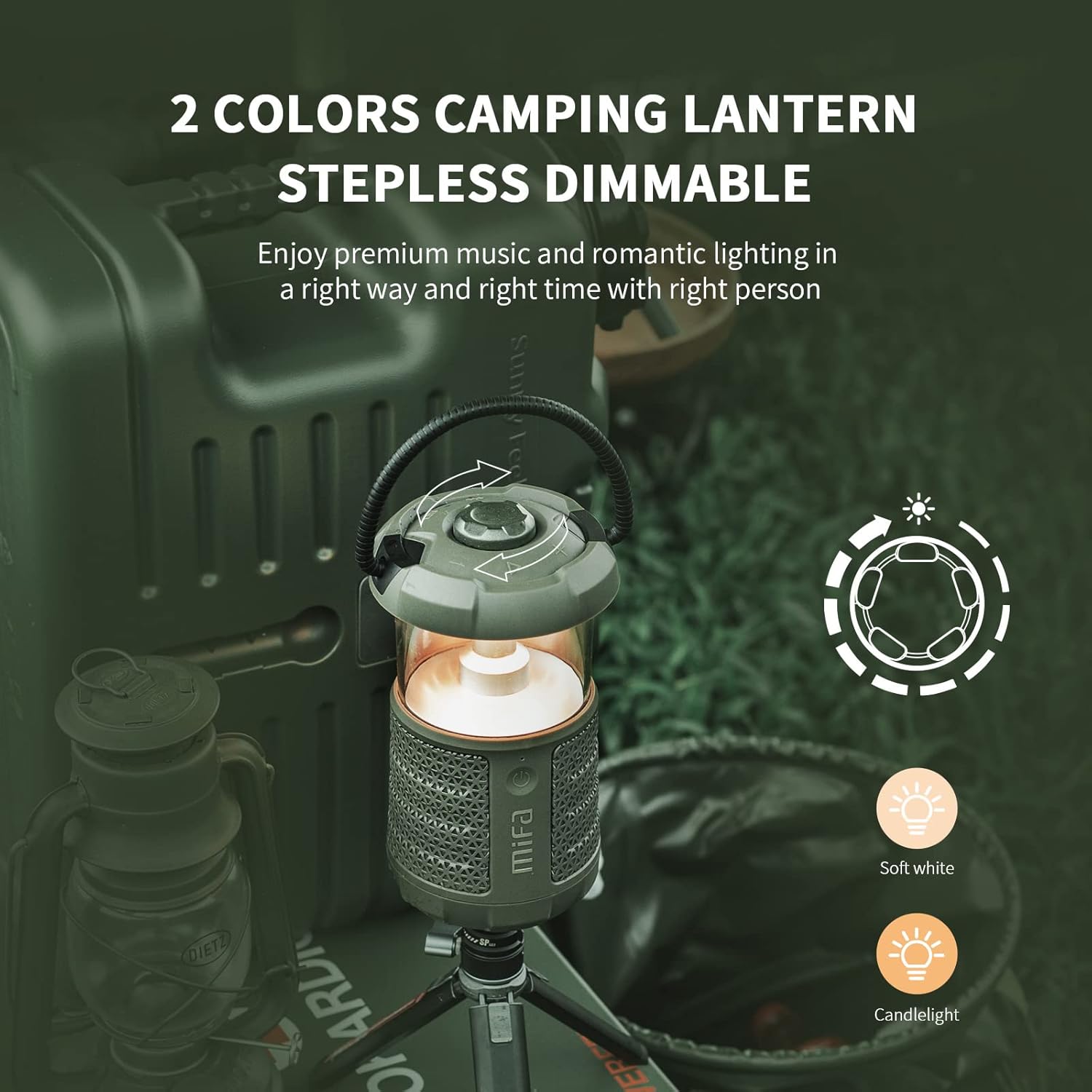
Figure 2: The lantern speaker demonstrating its two light color options and stepless dimming capability.
5.3 TWS (True Wireless Stereo) and PartyAdd Function
For an enhanced audio experience, you can connect two MIFA S2120 speakers for TWS or multiple speakers (up to 100) using the PartyAdd function.
- Power on both (or all) speakers.
- Ensure no speaker is currently connected to a Bluetooth device.
- On one speaker (the master), press the TWS/PartyAdd button (refer to the device for button location, typically indicated by a chain link icon). The speaker will search for other compatible speakers.
- Once connected, a sound prompt will confirm the connection. Your mobile device should then connect to the master speaker.
5.4 Power Bank Išė
The built-in 9600mAh battery allows the speaker to function as a power bank. Connect your mobile device or tablet to the USB-A output port on the speaker using a compatible charging cable. The speaker can provide up to 5V/2A Max. output.
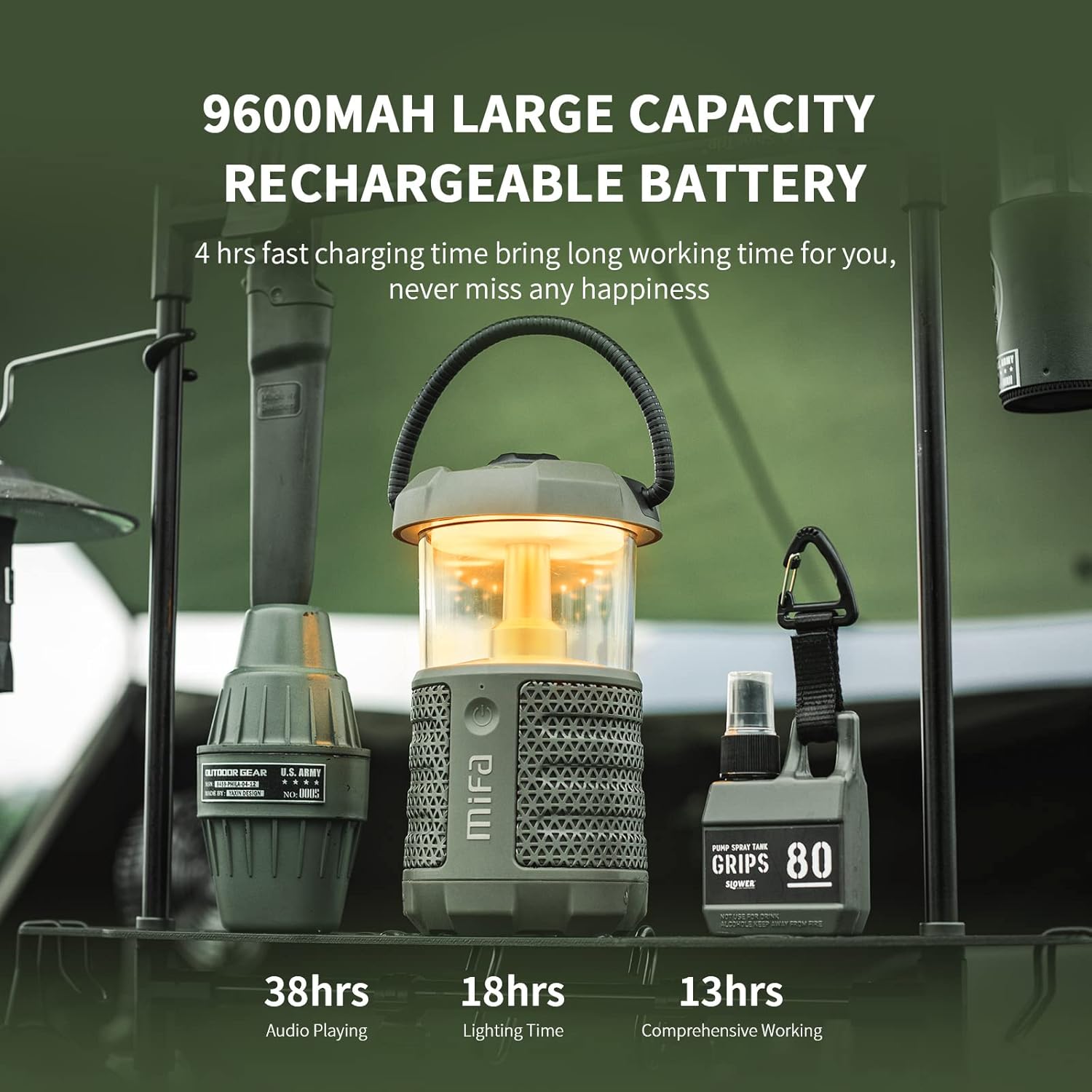
Figure 3: The speaker being used to charge a smartphone, demonstrating its power bank capability.
5.5 Micro SD Kaadi Sisisẹsẹhin
Insert a Micro SD card (up to 32GB, FAT32 format) loaded with audio files into the Micro SD card slot. The speaker will automatically switch to Micro SD card playback mode. Use the control buttons on the speaker to manage playback (play/pause, skip tracks).
6. Itọju
To ensure the longevity and optimal performance of your MIFA Camping Lantern Speaker, follow these maintenance guidelines:
- Ninu: Nu agbọrọsọ nu pẹlu asọ, damp asọ. Maṣe lo awọn kẹmika ti o lewu tabi awọn afọmọ abrasive.
- Waterproofing (IPX7): The speaker is IPX7 waterproof, meaning it can be submerged in up to 1 meter of water for 30 minutes. Ensure all port covers are securely closed before exposing the device to water. After exposure to water, dry the device thoroughly before charging or opening port covers.
- Ibi ipamọ: Tọju agbohunsoke ni itura, aye gbigbẹ kuro lati orun taara ati awọn iwọn otutu to gaju.
- Itọju Batiri: For long-term storage, charge the battery to approximately 50% every three months to prevent deep discharge.
Video 2: Demonstration of the speaker's outdoor waterproof capabilities.
7. Laasigbotitusita
| Isoro | Owun to le Fa | Ojutu |
|---|---|---|
| Agbọrọsọ ko ni agbara lori | Batiri kekere | Gba agbara si agbọrọsọ ni kikun. |
| Ko le so pọ nipasẹ Bluetooth | Speaker not in pairing mode; device too far; interference | Ensure speaker is in pairing mode (flashing LED). Move device closer. Restart both devices. |
| Ko si ohun lati agbọrọsọ | Volume too low; device not connected; incorrect source | Increase volume on both speaker and device. Re-pair Bluetooth. Check Micro SD card. |
| Atupa ko ṣiṣẹ | Low battery; light function off | Charge the speaker. Adjust the rotary knob to turn on/adjust light. |
| TWS/PartyAdd not connecting | Speakers already paired to other devices; out of range | Disconnect speakers from any other Bluetooth devices. Ensure speakers are within close proximity. Follow TWS/PartyAdd pairing steps carefully. |
8. Awọn pato
| Ẹya ara ẹrọ | Ẹ̀kúnrẹ́rẹ́ |
|---|---|
| Brand | MIFA |
| Nọmba awoṣe | S2120 |
| Imọlẹ Orisun Orisun | Diode Emitting Light (LED) |
| Orisun agbara | Agbara Batiri (Lithium-ion) |
| Awọn iwọn Ọja (L x W x H) | 4.33" x 4.33" x 9.98" |
| Omi Resistance Ipele | IPX7 mabomire |
| Light Orisun Special Awọn ẹya ara ẹrọ | Dimmable |
| Voltage | 5 Volts |
| Wattage | 20 watt |
| Battery Life (Audio Playing) | Titi di wakati 38 |
| Iṣagbesori Iru | Freestanding, Outside Mount |
9. Atilẹyin ọja ati Support
This MIFA Camping Lantern Speaker S2120 comes with a 1-year manufacturer's warranty. For technical support, warranty claims, or further assistance, please contact MIFA customer service through their official webaaye tabi alagbata ti o ti ra ọja naa. Jọwọ ṣe idaduro ẹri rira rẹ fun ijẹrisi atilẹyin ọja.