
1. Ifihan
Thank you for choosing the Calex Smart Ceiling Lamp. This 30cm smart ceiling light is designed for indoor use in spaces such as bedrooms and living rooms, offering versatile lighting options including 16 million colors and tunable white light. It can be controlled via the Calex Smart App and is compatible with popular voice assistants.

Figure 1: Calex Smart Ceiling Lamp (Awoṣe 5301000200)
2. Alaye Aabo
- Ọja yi jẹ ipinnu fun inu ile nikan. Do not install in wet or damp awọn ipo.
- Ensure the power supply is disconnected before installation, maintenance, or cleaning to prevent electric shock.
- Installation must be performed by a qualified electrician or in accordance with local electrical codes.
- Ṣiṣẹ lamp only within the specified voltage range of 230 Volts AC.
- Maṣe gbiyanju lati ṣajọpọ tabi ṣe atunṣe lamp. Ko si awọn ẹya ti olumulo-iṣẹ ninu.
- Pa lamp kuro lati awọn orisun ooru ati oorun taara.
3. Package Awọn akoonu
Jẹrisi pe gbogbo awọn paati wa ninu package:
- 1x Calex Smart Ceiling Lamp (Awoṣe 5301000200)
4. Eto ati fifi sori
The Calex Smart Ceiling Lamp requires ceiling mounting and assembly. Follow these steps carefully:
- Igbaradi: Turn off the main power supply at the circuit breaker before starting installation.
- Iṣagbesori: Ni aabo so lamp's mounting bracket to the ceiling using appropriate screws and anchors (not included, typically supplied by installer). Ensure the mounting surface can support the lamp's weight (934 grams).
- Asopọmọra: Connect the electrical wires from the ceiling to the lamp's terminals. Ensure correct polarity (Live, Neutral, Earth) as indicated in the lamp's wiring diagram.
- Apejọ: So lamp ara si akọmọ fifi sori ẹrọ, ni idaniloju pe o ni aabo daradara.
- Agbara Tan: Restore power at the circuit breaker. The lamp should turn on or enter pairing mode.
5. Ṣiṣẹda Lamp
The Calex Smart Ceiling Lamp is primarily controlled via the Calex Smart App. It offers a wide range of lighting options:
- Aṣayan awọ: Choose from 16 million colors to set the perfect mood.
- White Tunable: Ṣàtúnṣe ìmọ́lẹ̀ funfun náà láti àwọn ohùn gbígbóná sí àwọn ohùn tútù.
- Ti o le ṣe dimmable: Ṣatunṣe imọlẹ lati 0% si 100%.
- Awọn oju iṣẹlẹ ati Awọn iṣeto: Create custom lighting scenes and set timers for automated operation.
6. Calex Smart App Control
To unlock the full potential of your Calex Smart Ceiling Lamp, download and install the Calex Smart App on your smartphone or tablet. The app allows you to control your lamp lati ibikibi pẹlu isopọ Ayelujara.
- Ṣe igbasilẹ ohun elo naa: Wa fun "Calex Smart" in your device's app store (iOS or Android).
- Se akanti fun ra re: Open the app and follow the instructions to create a new user account or log in if you already have one.
- Fi ẹrọ kun: In the app, select "Add Device" or the "+" icon. Choose "Lighting" and then "Ceiling Lamp" or a similar option.
- Pipọpọ: Rii daju pe lamp is powered on and in pairing mode (it may flash). Follow the in-app instructions to connect the lamp to your 2.4 GHz Wi-Fi network.
- Iṣakoso: Once paired, you can control the lamp's color, brightness, and set schedules directly from the app.
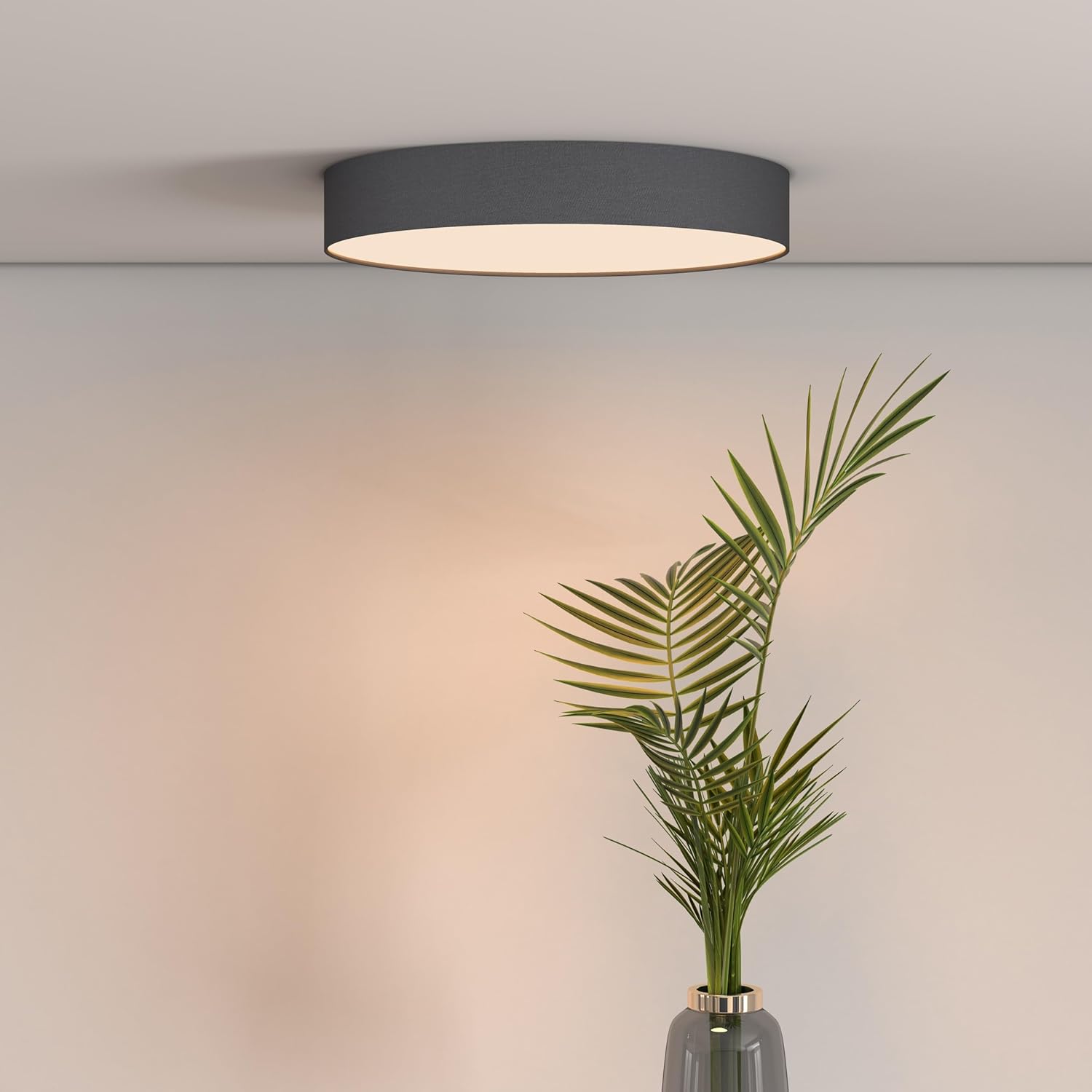
Figure 2: Calex Smart App Interface
7. Iṣakoso ohun
The Calex Smart Ceiling Lamp is compatible with leading voice assistants, allowing for hands-free control:
- Amazon Alexa: Link your Calex Smart account to Alexa through the Alexa app.
- Oluranlọwọ Ile Google: Link your Calex Smart account to Google Home through the Google Home app.
- Siri: Use Siri Shortcuts to control your lamp (setup via the Calex Smart App).
Once linked, you can use commands such as: "Alexa, turn on the ceiling lamp," "Hey Google, set the ceiling lamp to blue," or "Siri, dim the ceiling lamp si 50%.
8. Itọju
To ensure the longevity and optimal performance of your Calex Smart Ceiling Lamp, tẹle awọn itọsọna itọju ti o rọrun wọnyi:
- Ninu: Ge asopọ agbara ṣaaju ṣiṣe mimọ. Lo asọ, gbẹ, tabi die-die damp asọ lati nu dada ti lampMá ṣe lo àwọn ohun ìfọṣọ, àwọn ohun tí a fi ń yọ́ nǹkan, tàbí àwọn kẹ́míkà líle, nítorí pé wọ́n lè ba ìparí rẹ̀ jẹ́.
- Ayewo: Lorekore ṣayẹwo lamp for any signs of damage or loose connections. If any issues are found, disconnect power and consult a qualified technician.
- Ko si Awọn apakan Iṣẹ Olumulo: The LED light source is integrated and not replaceable by the user. Do not attempt to open the lamp.
9. Laasigbotitusita
If you encounter issues with your Calex Smart Ceiling Lamp, wo awọn ojutu ti o wọpọ wọnyi:
- Lamp ko tan:
- Ṣàyẹ̀wò bóyá agbára ìpèsè àkọ́kọ́ wà ní titan.
- Rii daju pe lamp is correctly wired and securely connected to the power source.
- Verify that the light switch (if applicable) is in the ON position.
- Lamp ko sopọ mọ Wi-Fi/App:
- Rí i dájú pé nẹ́tíwọ́ọ̀kì Wi-Fi rẹ jẹ́ 2.4 GHz.amp does not support 5 GHz Wi-Fi.
- Ṣàyẹ̀wò agbára àmì Wi-Fi rẹ ní iampipo.
- Tun olulana Wi-Fi rẹ bẹrẹ.
- Tun lamp to pairing mode (usually by cycling power ON/OFF several times). Refer to the Calex Smart App for specific reset instructions.
- Ensure your smartphone is connected to the same 2.4 GHz Wi-Fi network during the pairing process.
- Iṣakoso ohun ko ṣiṣẹ:
- Verify that your Calex Smart account is correctly linked to your voice assistant app (Alexa, Google Home).
- Ṣayẹwo asopọ intanẹẹti rẹ.
- Rii daju pe lamp is online and controllable via the Calex Smart App.
10. Awọn pato
| Ẹya ara ẹrọ | Sipesifikesonu |
|---|---|
| Brand | Calex |
| Nọmba awoṣe | 5301000200 |
| GTIN | 08712879151081 |
| Àwọ̀ | Black (exterior) |
| Awọn iwọn | 30cm diameter (approx.) |
| Iwọn | 934 giramu |
| Orisun agbara | AC |
| Voltage | 230 folti |
| Wattage | 16 Watt |
| Imọlẹ | 1500 Lumen |
| Orisun Imọlẹ | LED ti a ṣepọ |
| Awọ Imọlẹ | RGBW (16 million colors + Tunable White) |
| Dimmable | Bẹẹni |
| Asopọmọra | Wi-Fi (2.4 GHz) |
| Ọna Iṣakoso | Calex Smart App, Voice Control (Alexa, Google Home, Siri) |
| Iru fifi sori ẹrọ | Oke Oke |
| inu ile / ita gbangba Lo | Ninu ile Nikan |
| Agbara Agbara Kilasi | F |

Figure 3: Energy Label for Model 5301000200
Fun alaye alaye ọja, tọka si aaye data EPREL: https://eprel.ec.europa.eu/qr/711744
11. Atilẹyin ọja ati Support
Calex products are manufactured to high-quality standards and come with a manufacturer's warranty. For specific warranty terms and conditions, please refer to the documentation provided with your purchase or visit the official Calex webojula.
For technical support, troubleshooting assistance, or warranty claims, please contact Calex customer service through their official webaaye tabi alaye olubasọrọ ti a pese ninu apoti ọja rẹ.