

1. Ọja Ipariview
The FITNATION Treadwell is a compact and lightweight exercise device designed for seated use, allowing you to incorporate movement into your daily routine from the comfort of your home or office. Its design prioritizes convenience and ease of storage.

Aworan 1.1: Oke-isalẹ view of the FITNATION Treadwell with its remote control.
Awọn ẹya pataki:
- Compact and lightweight design, ideal for any space and easy storage under a bed or sofa.
- Features a 10-degree incline.
- Agbara iwuwo to pọ julọ ti 110 lbs.
- Includes a remote control for adjusting settings.
- Offers 10 speed settings ranging from 0.5 mph to 1.8 mph.
- Timer function adjustable up to 30 minutes.
2. Alaye Aabo
Please read all safety instructions carefully before using the Treadwell. Failure to follow these instructions may result in injury or damage to the product.
- PATAKI: This unit is designed exclusively for seated exercises. Do not use while standing.
- Ensure the user's weight does not exceed the maximum capacity of 110 lbs (approximately 50 kg).
- Place the Treadwell on a stable, level surface during use.
- Keep hands, feet, and loose clothing clear of all moving parts.
- Do not allow children or pets near the device during operation.
- Yọ ẹ̀rọ náà kúrò nínú ihò agbára nígbà tí o kò bá lò ó tàbí kí o tó sọ ọ́ di mímọ́.
- If you experience any pain, dizziness, or discomfort, stop exercising immediately and consult a physician.
3. Package Awọn akoonu
Daju pe gbogbo awọn paati wa ati pe ko bajẹ lori ṣiṣi package naa:
- FITNATION Treadwell Unit
- Isakoṣo latọna jijin
- Epo Litiro
- Power Adapter (attached or separate)
4. Eto
The FITNATION Treadwell requires minimal assembly. Follow these steps to prepare your unit for use:
- Unpack the Treadwell unit and all accessories from the packaging.
- Place the unit on a flat, stable surface where you intend to use it. Ensure there is adequate space around the unit for safe operation.
- Connect the power adapter to the Treadwell's power input port.
- Pulọọgi ohun ti nmu badọgba agbara sinu iṣan itanna boṣewa.
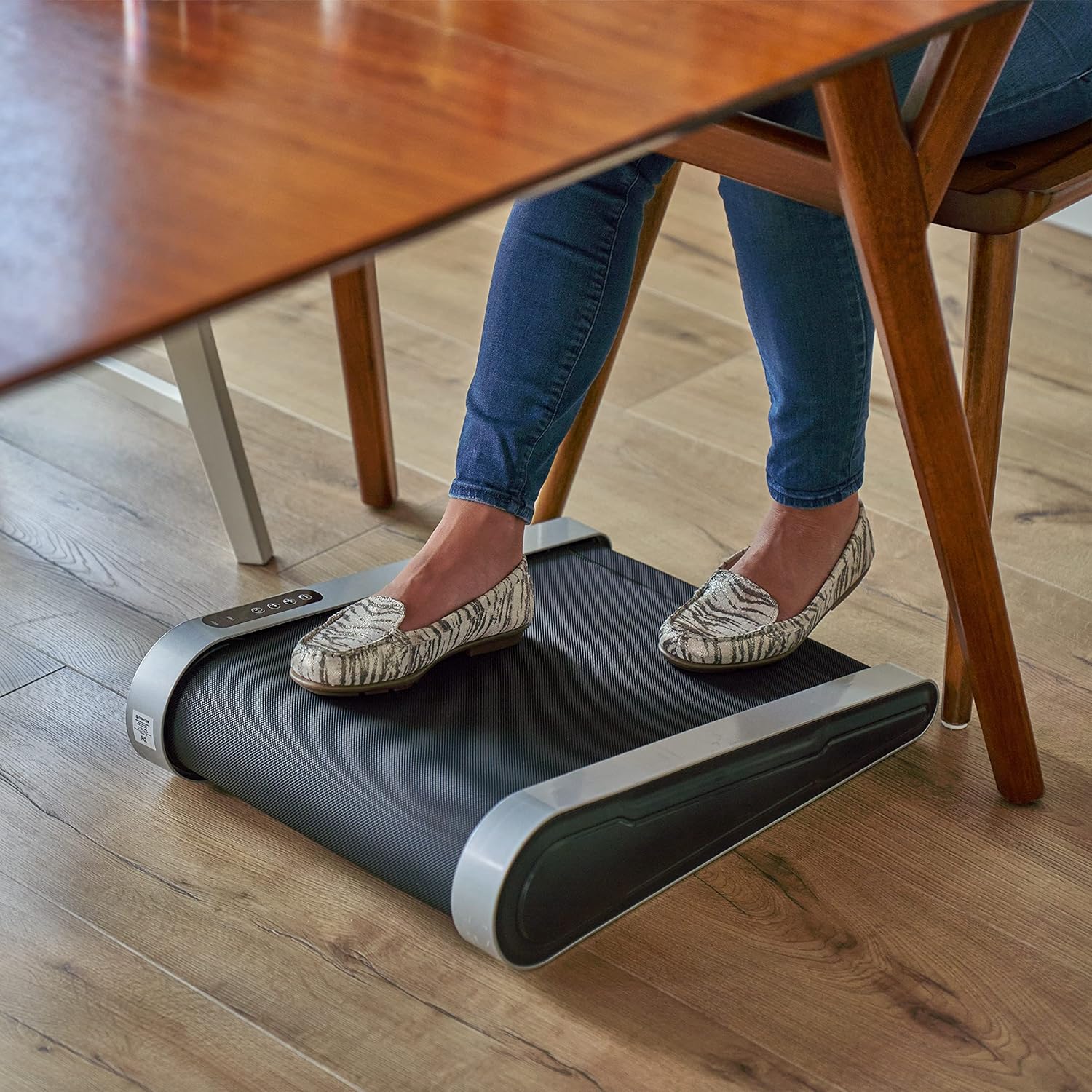
Image 4.1: The compact design allows for convenient placement, such as under a desk.
5. Awọn ilana Iṣiṣẹ
The Treadwell can be operated using the control panel on the unit or the included remote control.
Ibi iwaju alabujuto:
The control panel features push buttons and a digital display for speed and time.
Isakoṣo latọna jijin:
The remote control provides convenient access to all functions.

Image 5.1: The included remote control for easy operation.
Isẹ ipilẹ:
- Agbara Tan: Press the Power button (usually red or marked with a power symbol) on the unit's control panel or the remote. The display will illuminate.
- Bẹrẹ/Duro: Press the Start/Stop button (often green or with a play/pause symbol) to begin or pause the belt movement.
- Ṣatunṣe Iyara: Use the '+' and '-' buttons on the control panel or remote to increase or decrease the speed. The Treadwell offers 10 speed settings from 0.5 mph to 1.8 mph.
- Ṣeto Aago: The timer can be set for up to 30 minutes. Refer to the remote control or unit's display for specific timer adjustment buttons (often labeled 'Time' or 'T').
- Awọn eto: The unit may include pre-set programs. Use the 'P' or 'M' button on the remote to cycle through available programs or modes.
- Agbara Pa: Press the Power button again to turn off the unit. For complete power disconnection, unplug the unit from the wall outlet.

Image 5.2: The Treadwell is designed for comfortable use while seated, such as on a couch.
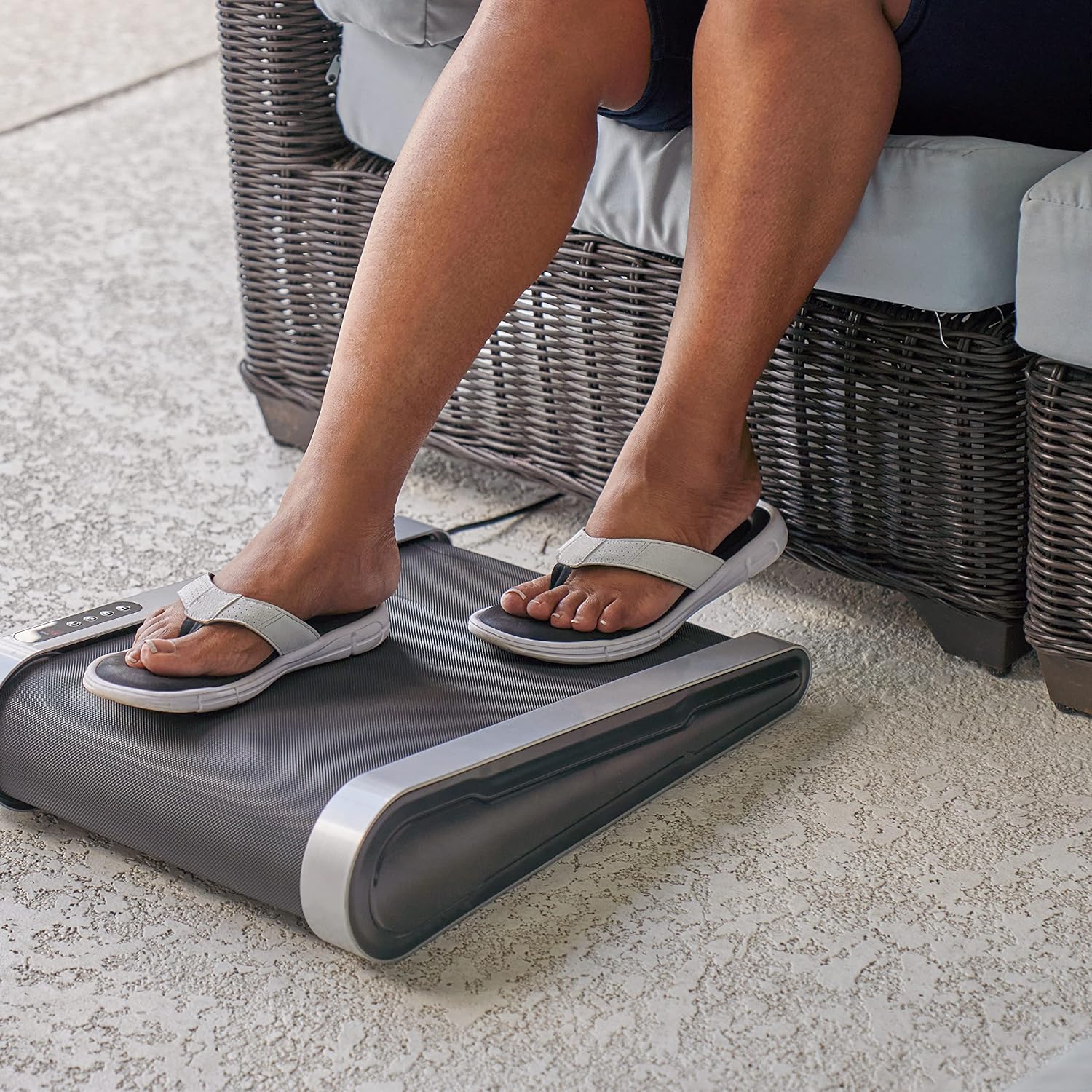
Aworan 5.3: Isunmọ view of feet properly positioned on the Treadwell's walking belt.
6. Itọju
Regular maintenance ensures the longevity and optimal performance of your Treadwell.
Ninu:
- Yọọ kuro ni gbogbo igba ṣaaju ṣiṣe mimọ.
- Mu ese ita ita pẹlu asọ, damp asọ. Yago fun abrasive ose tabi epo.
- Keep the walking belt clean and free of debris.
Lubrication:
The walking belt requires periodic lubrication to reduce friction and ensure smooth operation. Use the provided lubricant oil.
- Refer to the specific instructions in your quick start guide for the exact lubrication procedure, including frequency and application method.
- Typically, this involves lifting the edge of the belt and applying a small amount of lubricant to the deck underneath.
7. Laasigbotitusita
If you encounter issues with your Treadwell, try the following troubleshooting steps:
- Ẹka ko ni agbara lori: Ensure the power adapter is securely plugged into both the unit and a working electrical outlet. Check if the outlet is receiving power.
- Belt does not move: Verify the unit is powered on and not in pause mode. Check for any obstructions under or around the belt.
- Awọn ariwo ti ko wọpọ: Stop the unit immediately. Check for any foreign objects on the belt or under the motor cover. If the noise persists, contact customer support.
- Iṣakoso latọna jijin ko ṣiṣẹ: Check the battery in the remote control and replace if necessary. Ensure there are no obstructions between the remote and the unit's sensor.
If these steps do not resolve the issue, please contact FITNATION customer support.
8. Awọn pato
| Sipesifikesonu | Iye |
|---|---|
| Brand | IGBAGBÜ |
| Orukọ awoṣe | Treadwell |
| Àwọ̀ | Dudu |
| Ohun elo | Polypropylene (PP) |
| Iwọn Nkan | 26.5 iwon |
| Iṣeduro iwuwo ti o pọju | 110 iwon |
| Awọn iṣakoso Iru | Titari Bọtini |
| O pọju Idawọle Ogoruntage | 10 |
| Iyara ti o pọju | 1.8 km fun Wakati |
| Iyara ti o kere julọ | 0.5 km fun Wakati |
| Nọmba ti Awọn eto | 10 |
| Nọmba awọn ipele Resistance | 10 |
| Ipo Isẹ | Laifọwọyi |
| Awọn iwọn Package Nkan L x W x H | 23 x 18 x 8 inches |
| Package iwuwo | 14.42 kilo |
| Awọn olumulo ti o ni imọran | unisex-agbalagba |
| UPC | 850022706363 |
9. Atilẹyin ọja ati Support
Atilẹyin ọja:
The FITNATION Treadwell comes with a 1-year manufacturer's warranty. Please retain your proof of purchase for warranty claims.
Atilẹyin Onibara:
For technical assistance, warranty inquiries, or to order replacement parts, please visit the official FITNATION webojula tabi kan si wọn onibara iṣẹ Eka. Alaye olubasọrọ le ṣee rii ni igbagbogbo lori apoti ọja tabi osise ti ami iyasọtọ naa webojula.