
1. Ifihan
The Kingroon KP3S is a compact and efficient FDM (Fused Deposition Modeling) 3D printer designed for both beginners and experienced users. It features a direct drive extruder, dual linear guide rails for enhanced precision, and a flexible magnetic build plate for easy model removal. This manual provides essential information for setting up, operating, maintaining, and troubleshooting your KP3S 3D printer to ensure optimal performance and longevity.

Figure 1: Kingroon KP3S 3D Printer overview.
2. Alaye Aabo
Please read all safety warnings and instructions carefully before operating the printer. Failure to do so may result in injury or damage to the printer.
- Máa lo ẹ̀rọ ìtẹ̀wé náà nígbà gbogbo ní agbègbè tí afẹ́fẹ́ lè máa yọ́.
- Jeki ọwọ kuro ninu gbigbe awọn ẹya lakoko iṣẹ.
- The hot end and heated bed can reach high temperatures. Avoid direct contact during and immediately after printing.
- Do not leave the printer unattended while operating.
- Use only recommended power supplies and filaments.
- Keep the printer away from flammable materials and liquids.
3. Package Awọn akoonu
Rí i dájú pé gbogbo àwọn ẹ̀yà ara wà nígbà tí o bá yọ àpótí kúrò:

Figure 2: Included components in the Kingroon KP3S package.
- Kingroon KP3S 3D Printer (partially assembled)
- Agbara Ipese Unit
- Filament Spool dimu
- Sample PLA Filament
- Okun USB
- SD Kaadi ati Kaadi Reader
- Tools (wrenches, hex keys, pliers)
- Spare Nozzle and Thermistor
- Olumulo Afowoyi ati Kaadi atilẹyin ọja
4. Eto
4.1 Apejọ
The Kingroon KP3S is designed for quick assembly, typically requiring only a few screws to connect the main components. Refer to the included quick start guide for detailed visual instructions.
Video 1: Kingroon KP3S 3D Printer Show. This video provides an overview of the printer's features and a brief demonstration of its assembly process.
4.2 Ìwọ̀n Ìbùsùn Àkọ́kọ́
Accurate bed leveling is crucial for successful prints. The KP3S features manual bed leveling with four adjustment knobs under the print bed.
- Heat the print bed to your desired printing temperature (e.g., 60°C for PLA).
- Navigate to the 'Leveling' menu on the 2.4" LCD Touch Screen.
- Move the nozzle to each of the four corners and the center of the print bed.
- Adjust the bed leveling knobs until a piece of standard printer paper can slide with slight resistance between the nozzle and the print bed.
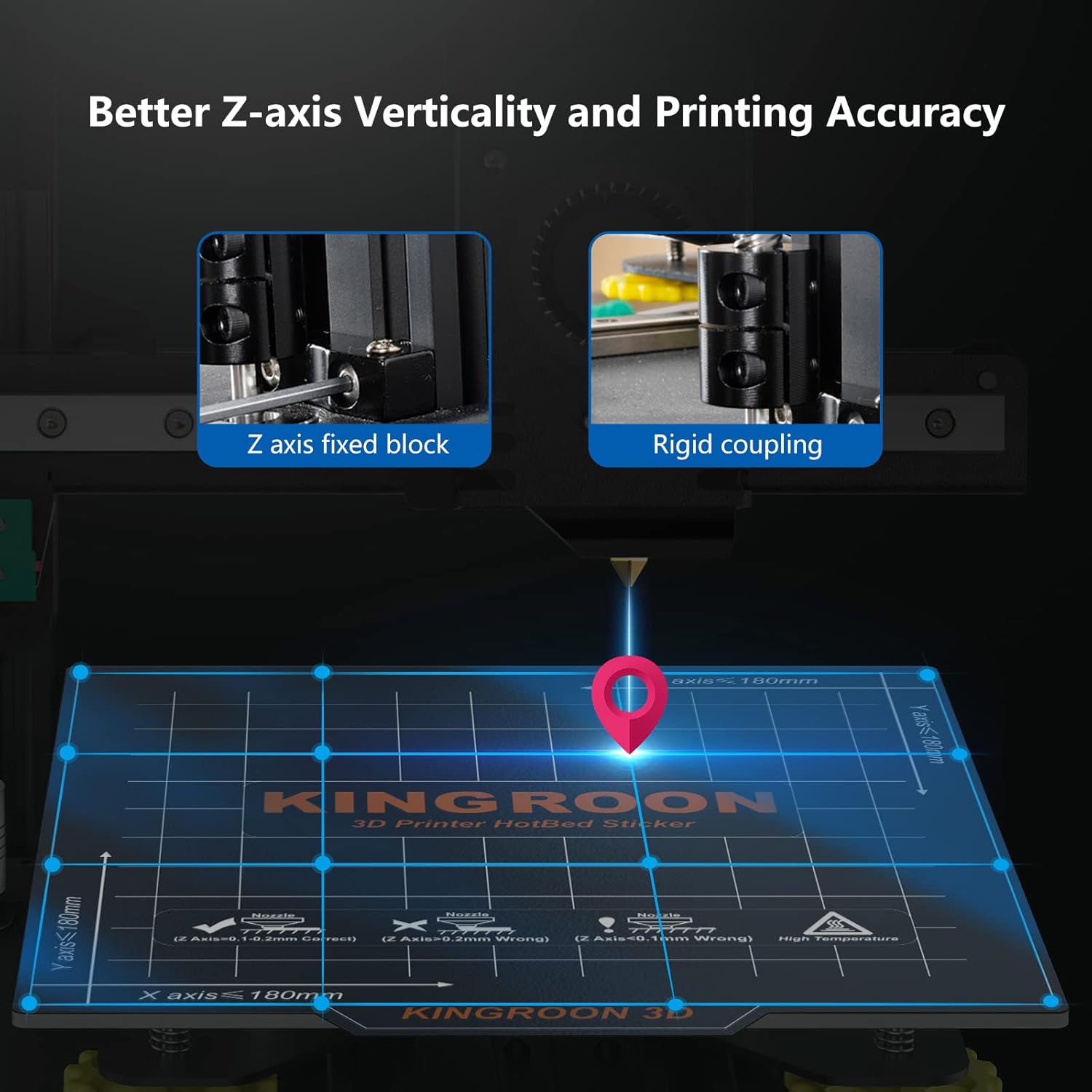
Figure 3: Illustration of Z-axis fixed block and rigid coupling for improved verticality and printing accuracy, which contributes to stable bed leveling.
4.3 Filament Ikojọpọ
Lati kojọpọ filamenti:
- Place the filament spool onto the spool holder.
- Preheat the hot end to the filament's recommended temperature (e.g., 200°C for PLA).
- Insert the filament into the direct drive extruder and push it through until it exits the nozzle.
- Ensure the filament flows smoothly and consistently.
5. Awọn ilana Iṣiṣẹ
5.1 User Interface: 2.4" LCD Touch Screen
The Kingroon KP3S features an intuitive 2.4-inch LCD touch screen for easy control and monitoring of your prints.

Figure 4: The 2.4-inch LCD touch screen displaying various control options including preheat, home, move, leveling, settings, and print functions.
5.2 Ilana titẹ sita
To begin a print:
- Prepare your 3D model using slicing software (e.g., Cura, PrusaSlicer) and save it to the SD card in G-code format.
- Insert the SD card into the printer's card slot.
- On the LCD screen, navigate to the 'Print' menu and select your desired G-code file.
- The printer will automatically preheat the hot end and bed, then begin printing.
5.3 Key Features for Enhanced Printing
- Direct Drive Extruder: Provides precise filament control, reducing stringing and improving print quality, especially for flexible filaments like TPU.
- Dual Linear Guide Rails: Enhances stability and accuracy of XZ-axis movement, leading to higher printing precision and smoother surface finishes.
- Flexible Magnetic Build Plate: Offers excellent adhesion during printing and allows for easy removal of finished models by simply flexing the plate.
- Iṣẹ́ ìtẹ̀wé àtúnṣe: In case of power loss, the printer can resume printing from where it left off, saving time and material.

Figure 5: The direct drive extruder ensures uniform and smooth filament output.

Figure 6: The XZ axis linear guide rail system for higher printing accuracy.

Figure 7: The flexible magnetic build plate provides great adhesion and easy model removal.
6. Itọju
Regular maintenance ensures the longevity and consistent performance of your Kingroon KP3S printer.
- Fọ Ibusun Titẹ: After each print, allow the bed to cool and gently remove any filament residue. Use isopropyl alcohol to clean the surface periodically.
- Extruder and Nozzle Cleaning: Regularly check the extruder gear for filament debris. If clogs occur, preheat the nozzle and use a needle or cleaning filament to clear it. Consider replacing the nozzle if print quality degrades significantly.
- Lubricate Linear Rails: Apply a small amount of lithium grease or machine oil to the linear guide rails every few months to ensure smooth movement.
- Ṣàyẹ̀wò àwọn bẹ́líìtì àti àwọn pulleys: Ensure all belts are properly tensioned and pulleys are free of debris.
7. Laasigbotitusita
Abala yii n ṣalaye awọn ọran ti o wọpọ ti o le ba pade.
| Isoro | Owun to le Fa | Ojutu |
|---|---|---|
| Poor First Layer Adhesion | Bed not level, incorrect bed temperature, dirty print surface, nozzle too far from bed. | Re-level the print bed, adjust bed temperature, clean the print surface, adjust Z-offset. |
| Filament Not Extruding | Clogged nozzle, tangled filament, incorrect temperature, extruder gear slipping. | Clear nozzle clog, untangle filament, verify hot end temperature, check extruder tension. |
| Layer Shifting | Loose belts, motor overheating, print speed too high, mechanical obstruction. | Check and tighten belts, ensure proper cooling, reduce print speed, clear obstructions. |
| Ariwo Pupọ | Loose components, worn bearings, fan noise. | Tighten screws, lubricate moving parts, consider replacing noisy fans if necessary. The KP3S uses a silent TMC2225 chip for quieter operation. |
8. Awọn pato
Detailed technical specifications for the Kingroon KP3S 3D Printer:

Figure 8: Print size dimensions of the Kingroon KP3S.
| Ẹya ara ẹrọ | Ẹ̀kúnrẹ́rẹ́ |
|---|---|
| Imọ-ẹrọ titẹ sita | FDM (Aṣeṣe Iṣagbepo Iṣagbepo) |
| Kọ Iwọn didun | 7.08 x 7.08 x 7.08 inches (180 x 180 x 180 mm) |
| Ọja Mefa | 11 x 15.8 x 14.6 inches |
| Iwọn Nkan | 15.42 iwon |
| Ohun elo ibaramu | Alloy Steel, Thermoplastic Polyurethane (PLA, PETG, TPU, ABS supported with proper hotend) |
| Extruder Iru | Wakọ taara |
| Modaboudu | Silent TMC2225 chip all-in-one motherboard |
| Build Surface | Flexible Magnetic Build Plate |
| Asopọmọra | SD Card, USB |
9. Atilẹyin ọja ati Support
Kingroon provides a warranty for the KP3S 3D Printer. Please refer to the warranty card included in your package for specific terms and conditions. For technical support, troubleshooting assistance, or to inquire about replacement parts, please visit the official Kingroon website or contact their customer service directly. Keeping your purchase receipt is recommended for warranty claims.