
Conambo K18
Conambo K18 Bluetooth Headset User Manual
Model: K18 (K10C) | Brand: Conambo
Ọrọ Iṣaaju
This manual provides detailed instructions for the Conambo K18 Bluetooth Headset, designed for clear and reliable communication. Please read this manual thoroughly before using the headset to ensure proper operation and to maximize its features.
Package Awọn akoonu
- Conambo K18 Bluetooth Headset
- Apoti ipamọ
- Eartips (oriṣiriṣi titobi)
- Okun USB (Iru-C)
- Afowoyi Olumulo (iwe-ipamọ yii)
Ọja Pariview

Figure 1: Conambo K18 Bluetooth Headset and its compact charging case.

Figure 2: The headset is designed for comfortable, hands-free communication.
The Conambo K18 is a single-ear Bluetooth headset featuring advanced V5.1 wireless technology, dual-mic CVC8.0 and ENC noise cancellation for superior call clarity, and aptX HD audio for high-quality sound. It offers multipoint connectivity, allowing connection to two devices simultaneously, and provides up to 16 hours of talk time.
Ṣeto
1. Ngba agbara si Agbekọri
Before first use, fully charge the headset. Connect the provided USB Type-C cable to the headset's charging port and a compatible USB power source. The charging time is approximately 1.5 hours.
2. Wọ Agbekọri
The headset is designed for comfortable wear over the ear. Adjust the ear hook and eartip to find the most secure and comfortable fit. The microphone boom can be rotated to position the microphone closer to your mouth for optimal voice pickup.
3. Sisopọ pẹlu Ẹrọ Rẹ
- Ensure the headset is charged and turned off.
- Press and hold the Multi-function button on the headset until the LED indicator flashes blue and red alternately, indicating pairing mode.
- Lori foonuiyara, tabulẹti, tabi kọǹpútà alágbèéká, mu Bluetooth ṣiṣẹ ki o wa awọn ẹrọ to wa.
- Select "Conambo K18" (or "K10C") from the list of found devices.
- Ni kete ti o sopọ, Atọka LED yoo tan buluu laiyara.

Figure 3: The headset supports multipoint technology, connecting to two devices at once.

Figure 4: Powered by a Qualcomm QCC3040 chip and Bluetooth 5.2 for stable connections.
4. Dual-Device Connectivity (Multipoint)
The Conambo K18 headset can be connected to two Bluetooth devices simultaneously. After pairing with the first device, disable Bluetooth on the first device, then pair the headset with the second device. Once the second device is paired, re-enable Bluetooth on the first device. The headset will automatically connect to both. You can effortlessly switch between calls or audio from either device.
Awọn ilana Iṣiṣẹ
1. Agbara Tan / Paa
- Agbara Tan: Slide the power switch to the "ON" position. The LED indicator will flash blue.
- Agbara Pa: Slide the power switch to the "OFF" position. The LED indicator will turn off.
2. Iṣakoso ipe
- Idahun/Ipe Ipari: Tẹ bọtini Olona-iṣẹ lẹẹkan.
- Kọ Ipe: Tẹ mọlẹ bọtini iṣẹ-ọpọlọpọ fun iṣẹju-aaya 2.
- Nọmba Ikẹhin Tun Tun: Tẹ bọtini Olona-iṣẹ lẹẹmeji.
- Pa ẹ / Mu Gbohungbohun dakẹ: Press the Mute button once during a call.
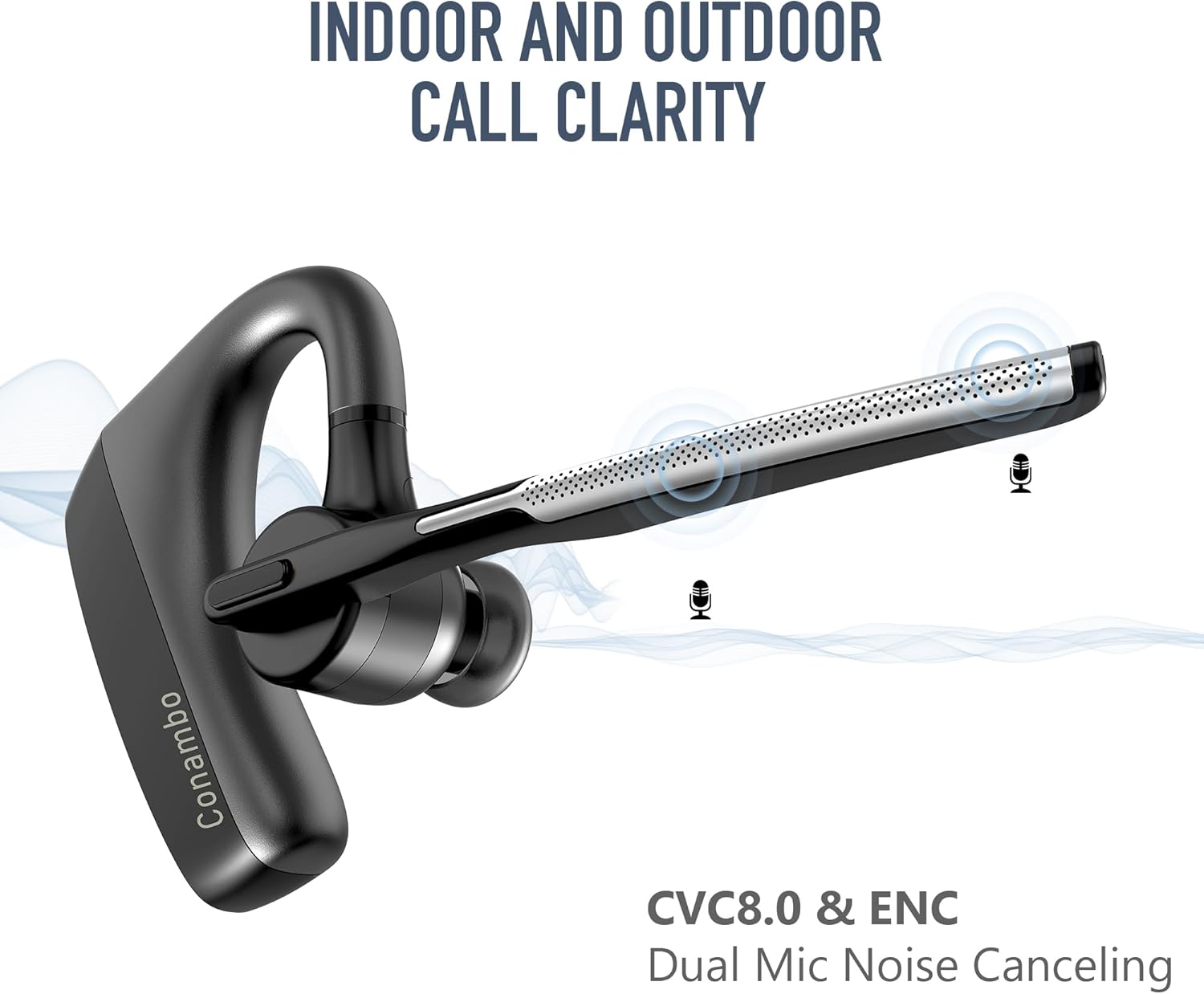
Figure 5: Dual-mic CVC8.0 and ENC technology ensures clear calls indoors and outdoors.

Figure 6: Enjoy up to 16 hours of talk time and a wireless range of up to 59 feet (18 meters).
3. Iṣakoso iwọn didun
- Iwọn didun Up: Press the Volume Up button (+).
- Iwọn didun isalẹ: Press the Volume Down button (-).
4. Ìmúṣiṣẹ́ Olùrànlọ́wọ́ Ohùn
Press and hold the Multi-function button for 2 seconds (when not on a call) to activate your device's voice assistant (Siri, Google Assistant, etc.).
Figure 7: Easily activate Siri or Google Assistant for hands-free commands.
5. Audio Quality Features
- Dual Mic Noise Cancellation: The headset utilizes CVC8.0 and ENC technology with dual microphones to effectively block out up to 96% of background noise, ensuring your voice is heard clearly even in noisy environments.
- aptX HD Audio: Experience CD-like sound quality with minimal compression and crystal-clear detail for both calls and media playback.
Itoju
1. Ninu
Wipe the headset with a soft, dry, lint-free cloth. Do not use harsh chemicals, cleaning solvents, or strong detergents. The headset is IPX4 water resistant, meaning it can withstand splashes, but it is not designed for submersion.
2. Ibi ipamọ
When not in use, store the headset in its provided storage box to protect it from dust and damage. Avoid storing in extreme temperatures or high humidity.
Laasigbotitusita
| Isoro | Owun to le Fa | Ojutu |
|---|---|---|
| Agbekọri ko ni agbara. | Batiri kekere. | Gba agbara si agbekari ni kikun. |
| Ko le so pọ pẹlu ẹrọ. | Agbekọri ko si ni ipo isopo; Bluetooth ti ku lori ẹrọ; ẹrọ naa ti jinna ju. | Ensure headset is in pairing mode (flashing blue/red). Turn on Bluetooth on your device. Move headset closer to device (within 1 meter). |
| Ko si ohun tabi didara ohun ti ko dara. | Volume too low; headset out of range; interference. | Increase volume on headset and device. Move closer to your device. Avoid strong electromagnetic interference. |
| Gbohungbohun ko ṣiṣẹ. | Microphone muted; incorrect audio input selected on device. | Press the Mute button to unmute. Check your device's audio settings to ensure the headset is selected as the input device. |
| Agbekọri ma n ge asopọ nigbagbogbo. | Kò sí ní ìpele tó yẹ; bátìrì kékeré; ìdènà. | Stay within the 18-meter (59 feet) wireless range. Charge the headset. Reduce interference from other wireless devices. |
Atunto Agbekọri
If you experience persistent issues, you may need to reset the headset. Consult the specific reset procedure in the full product manual or contact customer support for guidance.
Awọn pato
- Orukọ awoṣe: K18 (K10C)
- Imọ-ẹrọ Asopọmọra: Ailokun (Bluetooth)
- Ẹya Bluetooth: 5.2
- Ibiti Bluetooth: Titi de awọn mita 18 (59 ẹsẹ)
- Battery Life (Talk Time): Titi di wakati 16
- Akoko gbigba agbara: O fẹrẹ to awọn wakati 1.5
- Ìwọ̀n Nkan: 0.5 iwon (isunmọ 14g)
- Awọn iwọn ọja: 1.97 x 1.18 x 1.06 inches
- Ohun elo: Ṣiṣu
- Iṣakoso Ariwo: Active Noise Cancellation (CVC8.0 & ENC Dual Mic)
- Ipele Resistance Omi: IPX4 (Atako omi)
- Awọn ẹrọ ibaramu: Awọn foonu alagbeka, Awọn tabulẹti, Kọǹpútà alágbèéká
- Awọn eroja to wa: Storage box, Eartip, USB Cable
- UPC: 644925633341
Atilẹyin ọja ati Support
Conambo is committed to providing high-quality products and excellent customer service. For any questions, technical assistance, or support inquiries regarding your K18 Bluetooth Headset, please do not hesitate to contact our professional technology team. We are standing by to assist you within 24 hours.
Please refer to the product packaging or the official Conambo webaaye fun awọn alaye atilẹyin ọja pato ati alaye olubasọrọ.
Ask a question about this manual
Ask about setup, troubleshooting, compatibility, parts, safety, or missing instructions. Manuals+ will review the question and use this page’s manual context to help answer it.