
Ọrọ Iṣaaju
Welcome to the Shark WANDVAC System WS630/WS632 user manual. This guide provides essential information for the safe and efficient operation, maintenance, and troubleshooting of your new ultra-lightweight cordless 3-in-1 stick vacuum. The Shark WANDVAC System is designed for versatile cleaning, offering powerful suction in a compact and adaptable design.
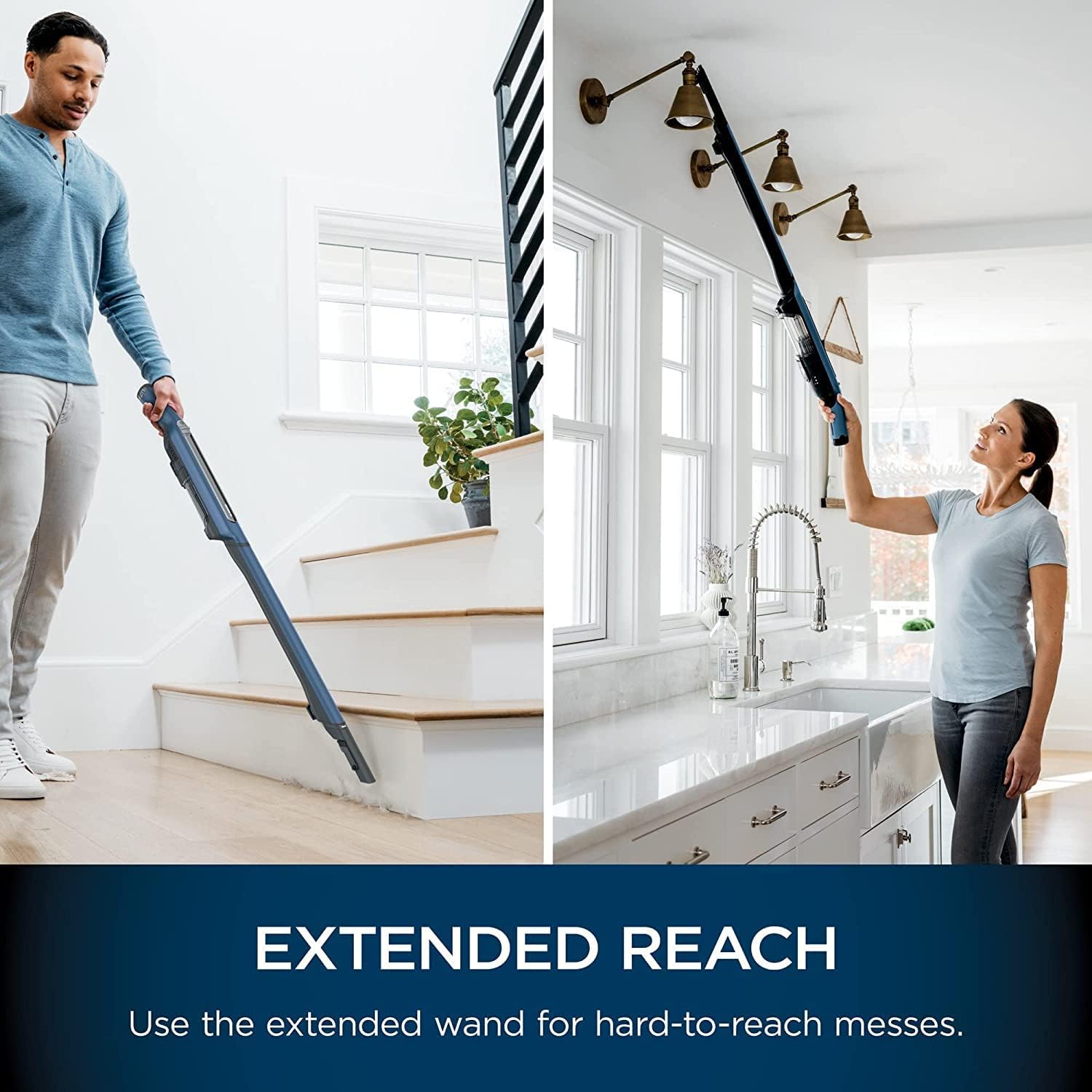
Figure 1: The Shark WANDVAC System WS630/WS632 in its full stick vacuum configuration.
Awọn Itọsọna Aabo pataki
Please read all instructions carefully before using your Shark WANDVAC System. Failure to follow these instructions may result in electric shock, fire, or serious injury.
- Always unplug the charger from the electrical outlet when not in use and before cleaning.
- Ma ṣe lo ita gbangba tabi lori awọn aaye tutu.
- Maṣe gba laaye lati lo bi nkan isere. Ifarabalẹ sunmọ jẹ pataki nigba lilo nipasẹ tabi sunmọ awọn ọmọde.
- Lo nikan gẹgẹbi a ti ṣalaye ninu itọnisọna yii. Lo awọn asomọ iṣeduro olupese nikan.
- Ma ṣe lo pẹlu okun ti o bajẹ tabi plug. Ti ohun elo ko ba ṣiṣẹ bi o ti yẹ, ti lọ silẹ, bajẹ, fi silẹ ni ita, tabi sọ sinu omi, da pada si ile-iṣẹ iṣẹ kan.
- Ma ṣe fa tabi gbe nipasẹ okun, lo okun bi imudani, ti ilẹkun kan lori okun, tabi fa okun ni ayika awọn egbegbe to mu tabi igun. Maṣe fi ohun elo ṣiṣẹ lori okun. Jeki okun kuro lati awọn aaye ti o gbona.
- Ma ṣe yọọ kuro nipa fifaa lori okun. Lati yọọ, di plug naa, kii ṣe okun naa.
- Ma ṣe mu plug tabi ohun elo pẹlu ọwọ tutu.
- Ma ṣe fi ohun kan sinu awọn ṣiṣi. Maṣe lo pẹlu eyikeyi ṣiṣi dina; pa eruku, lint, irun, ati ohunkohun ti o le dinku sisan afẹfẹ.
- Jeki irun, aṣọ alaimuṣinṣin, awọn ika ọwọ, ati gbogbo awọn ẹya ara kuro lati awọn ṣiṣi ati awọn ẹya gbigbe.
- Maṣe gbe ohunkohun ti o njo tabi ti nmu siga, gẹgẹbi awọn siga, awọn ere-kere, tabi eeru gbigbona.
- Ma ṣe lo lati gbe awọn olomi ina tabi ina, gẹgẹbi petirolu, tabi lo ni awọn agbegbe nibiti wọn le wa.
- Má ṣe gbé àwọn ohun tó léwu (fún àpẹẹrẹ, chlorine bleach, ammonia, drain cleaner).
- Ma ṣe lo laisi ife eruku ati/tabi awọn asẹ ni aaye.
- Lo nikan lori gbigbẹ, inu ile.
- Ṣe abojuto abojuto ni afikun nigbati o ba sọ di mimọ lori awọn pẹtẹẹsì.
- Tọju ohun elo inu ile. Fi kuro lẹhin lilo lati ṣe idiwọ awọn ijamba.
- Ohun elo yii kii ṣe ipinnu fun lilo nipasẹ awọn eniyan (pẹlu awọn ọmọde) pẹlu idinku ti ara, imọlara tabi awọn agbara ọpọlọ, tabi aini iriri ati imọ, ayafi ti wọn ba ti fun wọn ni abojuto tabi itọnisọna nipa lilo ohun elo nipasẹ eniyan ti o ni iduro fun aabo wọn.
Kini To wa
Your Shark WANDVAC System WS630/WS632 package includes the following components:
- Shark WANDVAC Amusowo igbale
- Wand
- PowerFins Floor Iho
- Ibi iduro gbigba agbara
- Batiri
- Ọpa Crevice

olusin 2: exploded view of the Shark WANDVAC System components, including the handheld unit, wand, floor nozzle, and charging dock.
Eto ati Apejọ
Follow these steps to assemble your Shark WANDVAC System and prepare it for first use.
- Ṣe apejọ Vacuum naa:
- Fi ọpa sii sinu PowerFins Floor Nozzle titi ti o fi tẹ ni aabo sinu aaye.
- Fi igbale amusowo sii sinu oke ọpá titi yoo fi tẹ ni aabo sinu aaye.
- Gba agbara si Batiri naa:
- Place the assembled vacuum onto the charging dock. Ensure the contacts align.
- Plug the charging dock into a standard electrical outlet.
- The battery indicator lights on the handheld unit will illuminate to show charging status. Allow for a full charge before first use.

Figure 3: The Shark WANDVAC System docked for charging, ready for use.
Ṣiṣẹ Igbale Rẹ
The Shark WANDVAC System offers versatile cleaning modes for various tasks.
Power On/Off and Suction Modes
- To turn on the vacuum, press the power button located on the handheld unit.
- The vacuum operates with Hypervelocity accelerated suction power for efficient cleaning.
- For tougher messes, press the Igbegasoke button to activate extra bursts of strong suction.
One-Touch Transitions (3-in-1 Functionality)
Easily switch between cleaning modes with a single touch:
- Full Stick Vacuum Mode: For floor cleaning, use the vacuum fully assembled with the wand and PowerFins floor nozzle. The PowerFins technology ensures continuous contact with surfaces, digging deep into carpets and directly engaging hard floors.
- Ipo Aṣọ Igbẹ Amọdaju: Detach the handheld unit from the wand for quick clean-ups on furniture, stairs, or in your car.
- Extended Reach Mode: Detach the handheld unit from the wand and attach it directly to the PowerFins floor nozzle, or use the wand with an accessory tool for cleaning high or hard-to-reach areas.
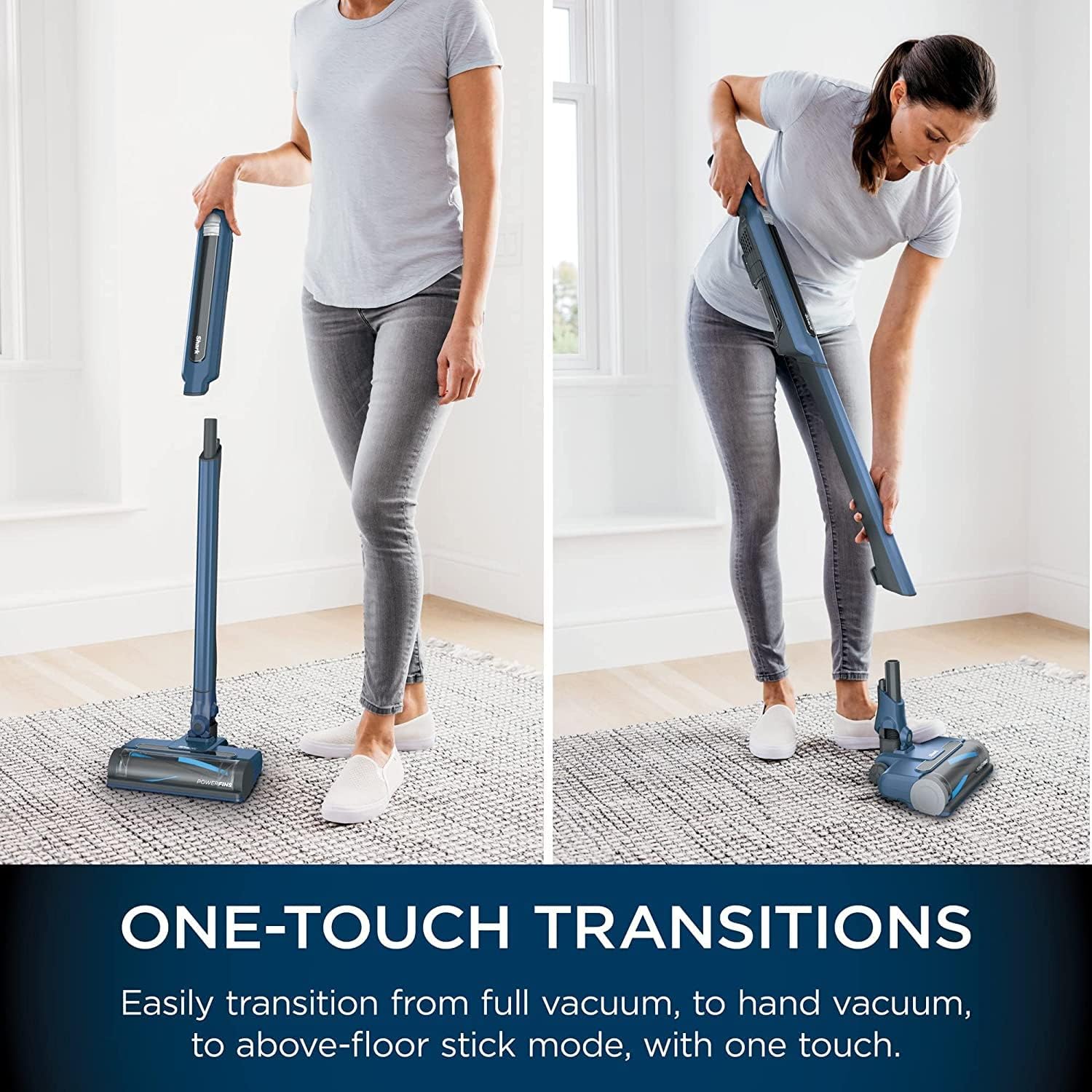
Figure 4: Demonstrating the one-touch transition feature, allowing quick conversion between cleaning modes.
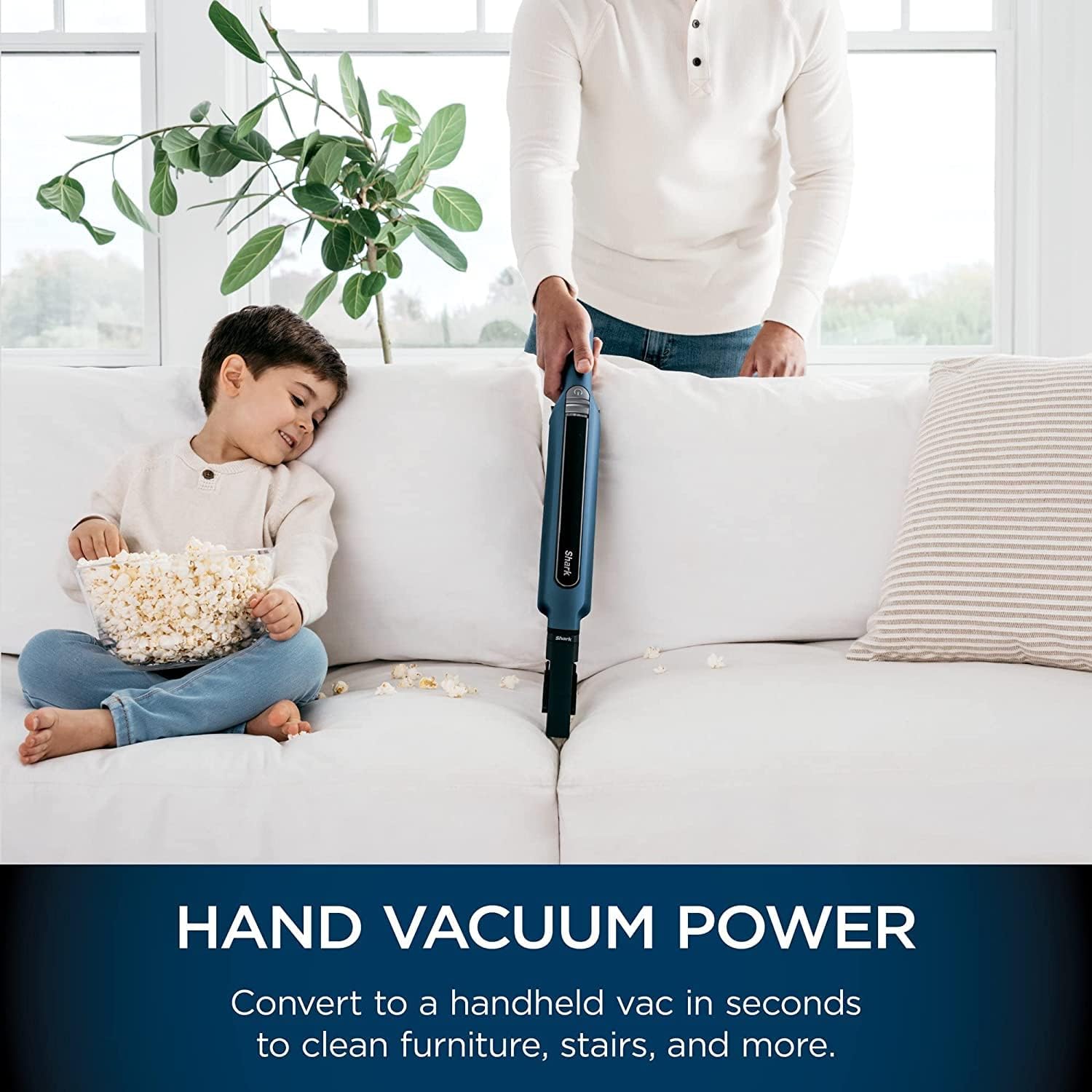
Figure 5: The handheld vacuum mode is ideal for cleaning upholstery and small spills.
Figure 6: The extended reach feature allows for cleaning high areas and stairs effectively.
Itoju
Regular maintenance ensures optimal performance of your Shark WANDVAC System.
Sofo Eruku Cup
Sofo ago eruku lẹhin lilo kọọkan tabi nigbati idoti ba de laini kikun MAX.
- Ensure the handheld vacuum is turned off.
- Di ohun elo afọmọ ọwọ mu lori apoti idọti kan.
- Press the One-Touch Hygienic Empty button to release the dust cup contents.
- Ti ideri ago eruku naa ni aabo titi ti yoo fi tẹ.

Figure 7: The one-touch hygienic empty feature allows for quick and mess-free disposal of debris.
Ninu awọn Ajọ
The vacuum uses a foam filter. Rinse filters regularly to maintain suction power. Refer to the full manual for specific filter removal and cleaning instructions.
- Fi omi ṣan awọn asẹ pẹlu omi tutu nikan.
- Gba awọn asẹ laaye lati gbẹ patapata fun o kere ju wakati 24 ṣaaju fifi sori ẹrọ.
- Ma ṣe ṣiṣẹ igbale pẹlu awọn asẹ tutu.
Itọju Brushroll
The PowerFins floor nozzle features a self-cleaning brushroll designed to prevent hair wrap. Periodically check the brushroll for any debris or blockages.

Figure 8: The vacuum is effective at picking up pet hair, and the self-cleaning brushroll helps manage hair wrap.
Laasigbotitusita
If you encounter issues with your Shark WANDVAC System, refer to the table below for common problems and solutions.
| Isoro | Owun to le Fa | Ojutu |
|---|---|---|
| Igbale ko ni titan. | Batiri ko gba agbara tabi ko fi sii daradara. | Ensure the battery is fully charged and correctly seated in the handheld unit. Check if the charging dock is plugged in. |
| Isonu ti afamora. | Dust cup is full; filters are dirty; blockage in nozzle, wand, or hose. | Empty the dust cup. Clean and dry the foam filter. Check for and clear any blockages. |
| Brushroll ko nyi. | Blockage in the brushroll; floor nozzle not properly connected. | Turn off the vacuum and remove any obstructions from the brushroll. Ensure the floor nozzle is securely attached to the wand. |
| Vacuum shuts off automatically. | Overheating due to blockage or dirty filters; low battery. | Check for and clear blockages. Clean filters. Allow the vacuum to cool down for at least 45 minutes. Recharge the battery. |
Awọn pato
| Ẹya ara ẹrọ | Ẹ̀kúnrẹ́rẹ́ |
|---|---|
| Brand | Eja Shaki |
| Awọn nọmba awoṣe | WS630, WS632 |
| Iru | Cordless 3-in-1 Stick Vacuum |
| Orisun agbara | Agbara Batiri |
| Voltage | 120 Volts |
| Pataki Awọn ẹya ara ẹrọ | Lightweight, Hypervelocity Motor, PowerFins Technology, One-Touch Hygienic Empty, Power Boost |
| Àlẹmọ Iru | Foomu |
| Dada iṣeduro | capeti, Awọn ipakà lile |
| Ariwo Ipele | 80 Decibels |
| Awọn irinše to wa | Battery, Crevice Tool (additional accessories may vary by model) |
| Ọna Iṣakoso | Fọwọkan, Titari Bọtini |
Atilẹyin ọja & Atilẹyin
Atilẹyin ọja olupese
Ọja yi wa pẹlu kan 90 ọjọ atilẹyin ọja to lopin from the manufacturer. Please retain your proof of purchase for warranty claims. The warranty covers defects in material and workmanship under normal household use.
For detailed warranty terms and conditions, please refer to the documentation included with your product or visit the official Shark webojula.
Onibara Support
For technical assistance, replacement parts, or any questions regarding your Shark WANDVAC System, please contact Shark customer service.
- Webojula: Ṣabẹwo www.sharkclean.com fun awọn FAQ, awọn nkan atilẹyin, ati alaye olubasọrọ.
- Foonu: Tọkasi apoti ọja rẹ tabi Shark webAaye fun julọ lọwọlọwọ onibara iṣẹ nọmba foonu.