
Ọrọ Iṣaaju
Thank you for choosing the Panacare Smart Night Light. This device combines a night light, white noise machine, and smart alarm clock, designed to create a comfortable and soothing environment for babies, children, and adults. It features smart app control, voice control compatibility with Alexa and Google Assistant, and a baby cry detection function. Please read this manual carefully before use to ensure proper operation and to fully utilize all features.
Alaye Aabo
- Pa ẹrọ naa kuro ninu omi ati ọrinrin.
- Ma ṣe tuka tabi gbiyanju lati tun ẹrọ naa ṣe funrararẹ.
- Use only the provided USB cable and a compatible DC5V/1A power adapter for charging.
- Ọja yii kii ṣe nkan isere. Jeki kuro ni arọwọto awọn ọmọde kekere.
- Rii daju pe fentilesonu to dara ni ayika ẹrọ lakoko iṣẹ.
Package Awọn akoonu
Jẹrisi pe gbogbo awọn ohun kan wa ninu package:
- 1 x Panacare Smart Night Light
- Okun USB 1 x (Iru-C)
- 1 x Pin (for reset, if applicable)
- 1 x Itọsọna olumulo
Ọja Pariview
The Panacare Smart Night Light offers a versatile range of features to enhance your environment:
- Ohun elo Smart Iṣakoso: Manage colors, brightness, sounds, and timers via your smartphone.
- Awọn aṣayan Awọ ti o gbooro: Choose from up to 16 million colors to set the perfect mood.
- Ẹrọ Alabalẹ: Features 34 types of calming sounds, including white noise, nature sounds, and lullabies.
- Iṣakoso ohun: Ibamu pẹlu Alexa ati Google Assistant fun iṣẹ ọwọ laisi ọwọ.
- Baby Cry Detection: Sends notifications to your smartphone when a baby's cry is detected.
- Iṣakoso Fọwọkan: Simple touch interface for basic light functions.
- Iṣẹ Aago: Create custom light alarms and sleep schedules.
- Apẹrẹ to gbe: Built-in 1800mAh battery for cordless use.
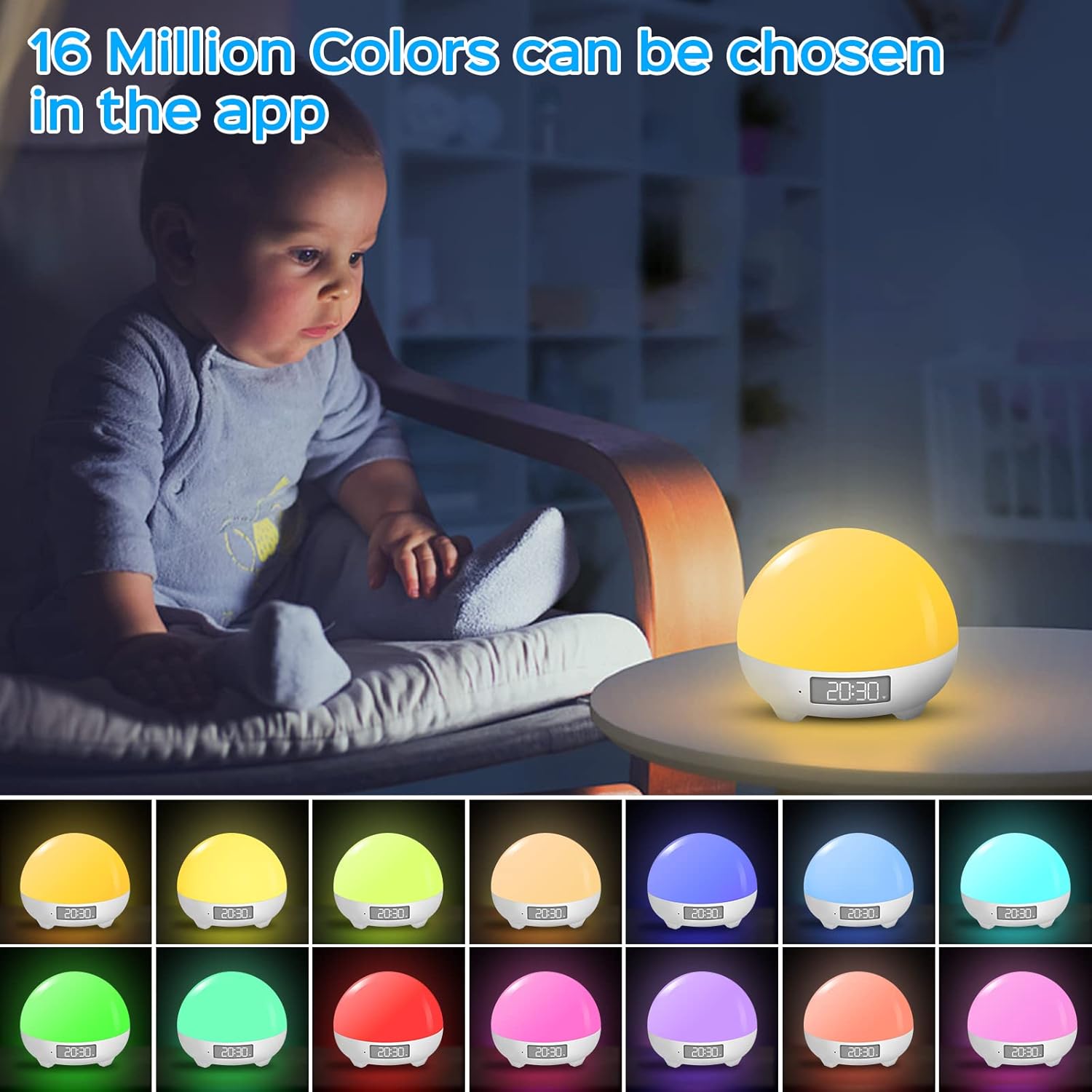
The Panacare Smart Night Light offers 16 million color options, controllable via the dedicated app. This image shows the night light in different hues, demonstrating its color-changing capabilities.

Voice control functionality allows users to manage the night light's power, colors, and brightness using Alexa or Google Assistant, as depicted by a user interacting with an Alexa device while holding a baby.

The night light includes 34 soothing sounds, such as white noise, wind, rain, water, and various nature sounds, designed to aid relaxation and sleep. This image shows a couple enjoying the calming atmosphere created by the device.
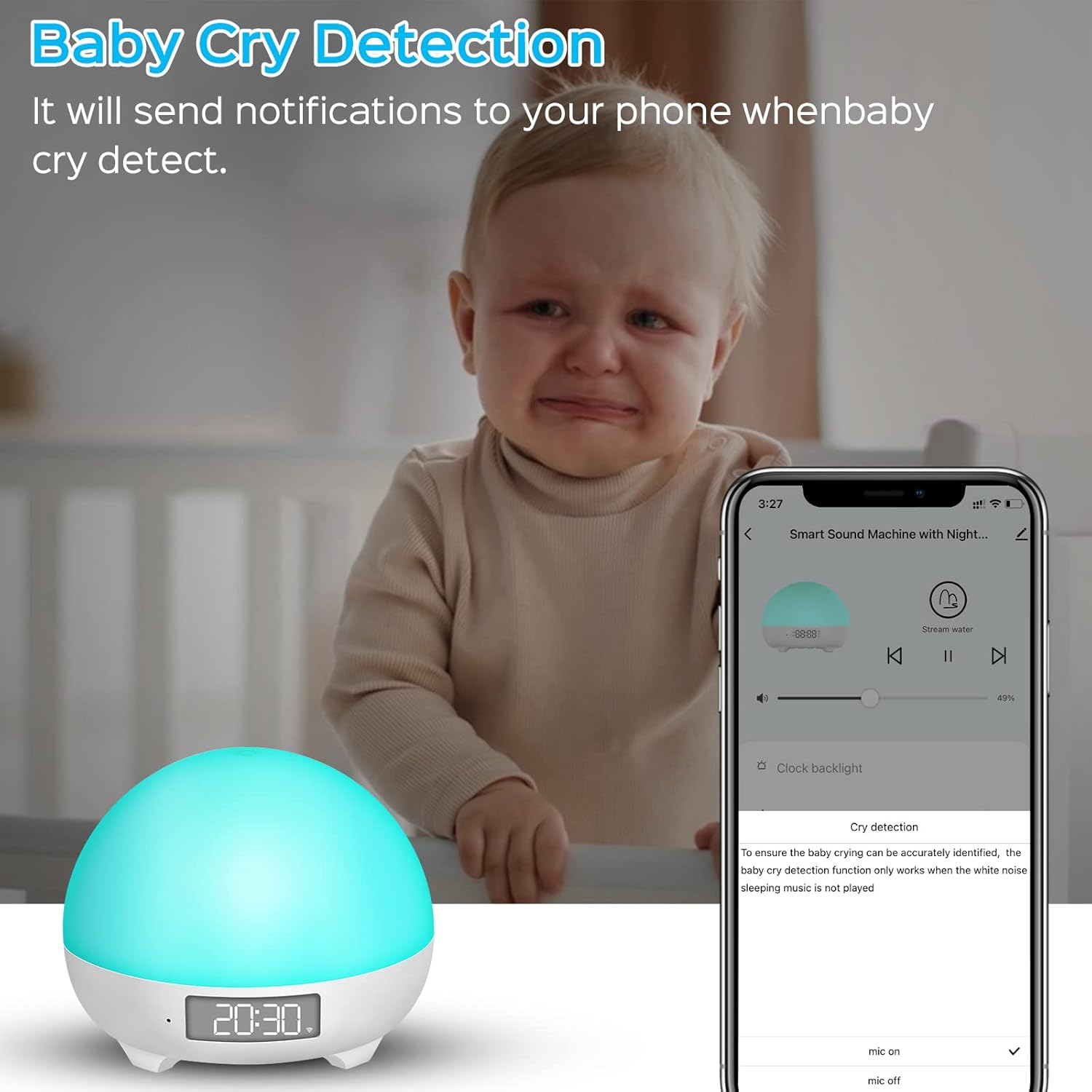
The baby cry detection feature sends notifications to your smartphone when the device detects a baby crying, providing peace of mind. Note that this feature is active only when no sleep music is playing.
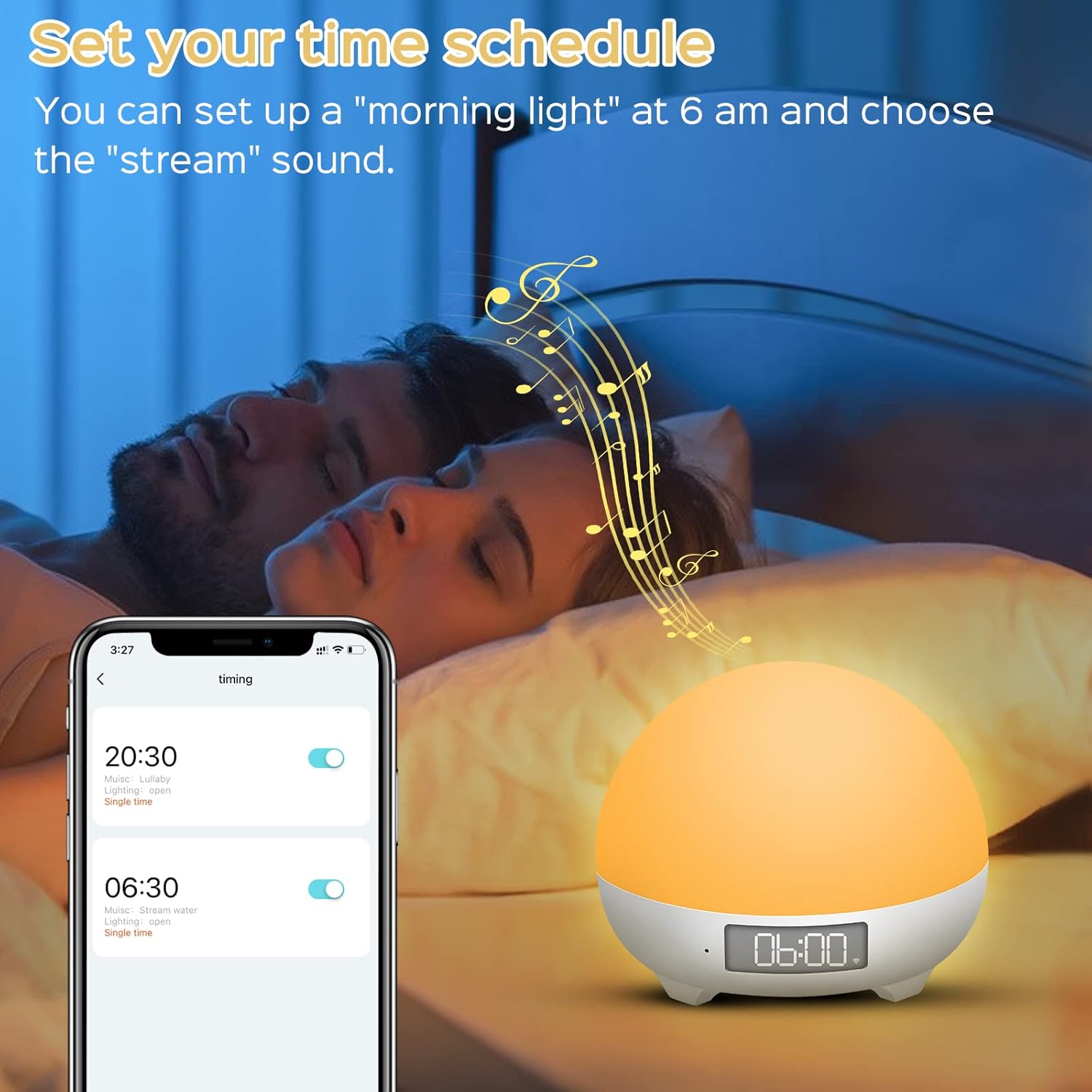
Users can set custom time schedules for the night light, such as a 'morning light' alarm at 6 AM with a preferred sound, to align with family sleep rhythms.
Awọn pato
| Nọmba awoṣe | MBZ212 |
| Iṣawọle | DC5V/1A |
| Ṣiṣẹ Voltage | 3.7V |
| Ti won won Agbara | 3 Wattis |
| Agbara Batiri | 1800 mAh Litiumu-dẹlẹ |
| Igbesi aye batiri | 4 to 10 hours (continuous use on full charge) |
| Awọn iwọn (L x W x H) | 8 x 10 x 10 cm |
| Iwọn | 450 giramu |
| USB Ipari | 1 mita |
| Pataki Awọn ẹya ara ẹrọ | Color Changing, Dimmable, Voice Control, Cry Detection |
| Asopọmọra | Wi-Fi (2.4GHz nikan) |
Ṣeto
1. Ngba agbara ẹrọ
Before first use, fully charge the Smart Night Light using the provided USB Type-C cable and a DC5V/1A power adapter. The charging indicator will show the charging status.
2. App sori
Gba awọn Smart Life app from your smartphone's app store (iOS/Android) or scan the QR code found on the product packaging. You can also visit http://e.tuya.com/smartlife.
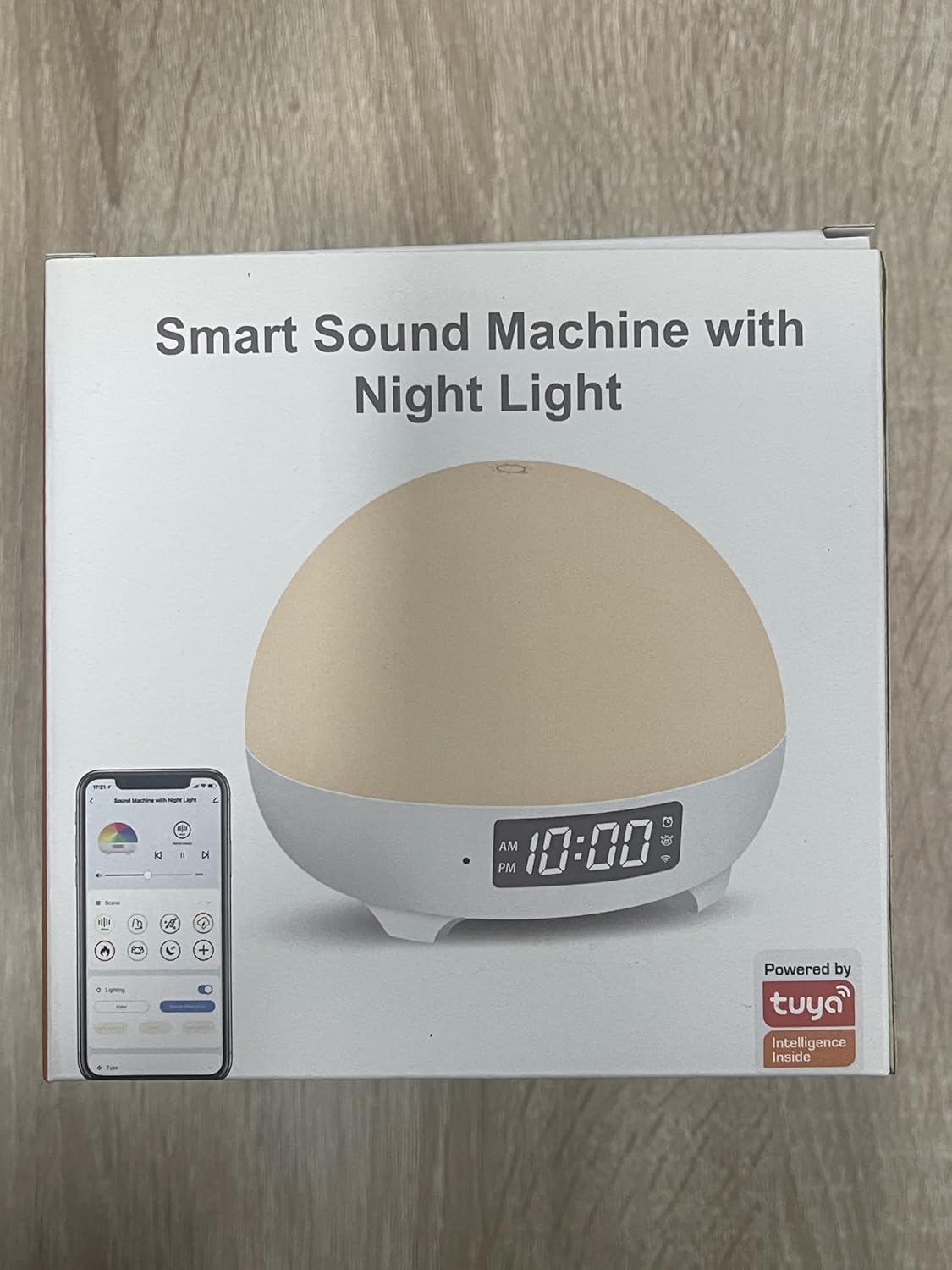
The product packaging highlights its smart features and Tuya integration, indicating app compatibility.
3. Device Pairing (Wi-Fi Connection)
- Rii daju rẹ foonuiyara ti wa ni ti sopọ si a Nẹtiwọọki Wi-Fi 2.4GHzẸ̀rọ náà kò ṣe àtìlẹ́yìn fún Wi-Fi 5GHz.
- Open the Smart Life app and create an account or log in.
- Press and hold the 'M' button on the back of the night light for approximately 5 seconds until the indicator light starts blinking, indicating pairing mode.
- In the Smart Life app, tap 'Add Device' or the '+' icon. The app should automatically detect the night light.
- Select the night light from the detected devices.
- Tẹ ọrọ igbaniwọle nẹtiwọọki Wi-Fi 2.4GHz rẹ sii nigbati o ba beere.
- Follow the on-screen instructions to complete the pairing process. Once connected, the indicator light will stop blinking.
Awọn ilana Iṣiṣẹ
1. Fọwọkan Iṣakoso
- Tan/Pa: Lightly tap the top surface of the night light to turn it on or off.
- Ṣatunṣe Imọlẹ: Press and hold the top surface to continuously adjust the brightness. Release when the desired brightness is reached.
2. App Iṣakoso
Once connected to the Smart Life app, you can access a full range of controls:
- Aṣayan awọ: Choose from 16 million colors and various lighting modes.
- Atunse Imọlẹ: Fine-tune the light intensity from 1% to 100%.
- Iṣakoso ohun: Select from 34 soothing sounds, adjust volume (0-100%), and set playback duration.
- Aago ati Iṣeto: Set custom on/off times, light alarms, and sleep routines.
- Baby Cry Detection: Enable or disable this feature and receive notifications.
3. Iṣakoso ohun (Alexa & Google Iranlọwọ)
Integrate your Panacare Smart Night Light with Alexa or Google Assistant for convenient voice commands. Ensure your smart assistant is linked to your Smart Life account.
- Tan/Pa: "Alexa, turn on the Baby Night Light." / "Hey Google, turn off the night light."
- Ṣatunṣe Imọlẹ: "Alexa, dim the Baby Night Light to 50%." / "Hey Google, brighten the night light."
- Yi Awọ: "Alexa, set the Baby Night Light to blue."
- Ṣatunṣe Iwọn didun: "Alexa, set the volume of the night light to 70%."
4. Sound Machine Features
The device offers 34 unique soothing sounds, including:
- 3 White Noise sounds
- 4 Wind sounds
- 4 Rain sounds
- 2 Water sounds
- 21 other sounds (e.g., fetal heart sound, crickets, lullabies, music box)
Adjust the volume via the app or voice commands to suit your preference.
5. Baby Cry Detection
When enabled in the app, the device will send a notification to your smartphone upon detecting a baby's cry. Pataki: Cry detection is only active when no sleep music or white noise is playing from the device to avoid interference.
6. Iṣẹ Aago
Use the app to set personalized schedules:
- Akoko oorun: Automatically turn off the light and/or sound after a set duration.
- Wake-up Light: Schedule the light to gradually brighten at a specific time, optionally accompanied by a chosen sound. For example, set a 30% brightness light at 6 AM with a 'wind chimes' sound.
Itoju
- Ninu: Fi aṣọ gbígbẹ tó rọ, tó sì gbẹ nu ẹ̀rọ náà. Má ṣe lo àwọn ohun ìfọṣọ tàbí kí o fi omi wẹ̀ ẹ́.
- Itọju Batiri: To prolong battery life, avoid fully discharging the device frequently. Recharge when the battery is low.
- Ibi ipamọ: Tọju ẹrọ naa ni itura, aye gbigbẹ nigbati o ko ba wa ni lilo fun awọn akoko gigun.
Laasigbotitusita
- Ẹrọ ti ko tan: Ensure the device is charged. Connect it to a power source using the USB cable.
- Ko le sopọ si Wi-Fi:
- Confirm your Wi-Fi network is 2.4GHz. The device does not support 5GHz networks.
- Rii daju pe ọrọ igbaniwọle Wi-Fi rẹ ti wa ni titẹ ni deede.
- Gbe ẹrọ naa sunmọ olutọpa Wi-Fi rẹ.
- Restart your router and the night light, then try pairing again.
- Ohun èlò náà kò dáhùn tàbí kò wó lulẹ̀:
- Ensure your Smart Life app is updated to the latest version.
- Pa ati tun app naa ṣii.
- Tun foonu rẹ bẹrẹ.
- Iṣakoso ohun ko ṣiṣẹ:
- Verify that your Alexa or Google Assistant account is correctly linked to your Smart Life account.
- Ṣayẹwo asopọ intanẹẹti rẹ.
- Ensure the device name used in voice commands matches the name set in the Smart Life app.
- Baby Cry Detection not working: Ensure no sleep music or white noise is playing from the device, as this feature is disabled when sounds are active.
- Igbesi aye batiri kukuru: The 1800mAh battery provides 4-10 hours of continuous use depending on brightness and sound usage. If battery life is significantly shorter, ensure it is fully charged and consider reducing brightness or sound volume.
Atilẹyin ọja ati Support
Panacare provides 24/7 online customer service and a 12-month quality warranty for this product. If you encounter any quality issues or require assistance, please do not hesitate to contact our customer support team. Refer to your purchase documentation for contact details.