
1. Ti pariview
This manual provides essential information for the proper use and care of your OLEVS Men's Business Quartz Watch, Model YPF-G2859GH-HL. This watch features a precise Japanese quartz movement, a durable stainless steel construction, and multiple functions including a chronograph, date display, and luminous hands.

Figure 1: OLEVS Men's Business Quartz Watch (Model YPF-G2859GH-HL)
2. Key Awọn ẹya ara ẹrọ
- Analog Quartz Movement: Equipped with an imported Japanese quartz movement and a high-quality battery for accurate timekeeping.
- Multifunctional Chronograph: Features three sub-dials displaying 60 seconds, 60 minutes, and a calendar window for the date.
- Irin Alagbara ti o tọ: Constructed with a 316L stainless steel strap, suitable for various wrist sizes. Includes a free band adjustment tool.
- Ifihan Imọlẹ: Hands and markers are luminous, allowing for easy time reading in low-light conditions.
- Omi Resistance: Rated 3ATM (30 meters or 100 feet) for daily waterproof needs, suitable for splashes and brief immersion, but not for swimming or diving.

Nọmba 2: Alaye view of watch face and features.
3. Eto ati Atunṣe
3.1 Eto Aago ati Ọjọ
- Atunse akoko: Pull the crown (main knob on the side) out to the second click position. Rotate the crown to set the hour and minute hands to the desired time. Push the crown back in to start the watch.
- Àtúnṣe Ọjọ́: Pull the crown out to the first click position. Rotate the crown to adjust the date. Push the crown back in to secure the date.
3.2 Ṣíṣe àtúnṣe ẹ̀gbẹ́ aago
Your OLEVS watch comes with a stainless steel band and a complimentary adjustment tool. To adjust the length of the band, use the provided tool to remove or add links as necessary. If you are unsure, it is recommended to seek professional assistance to avoid damage to the band or watch.
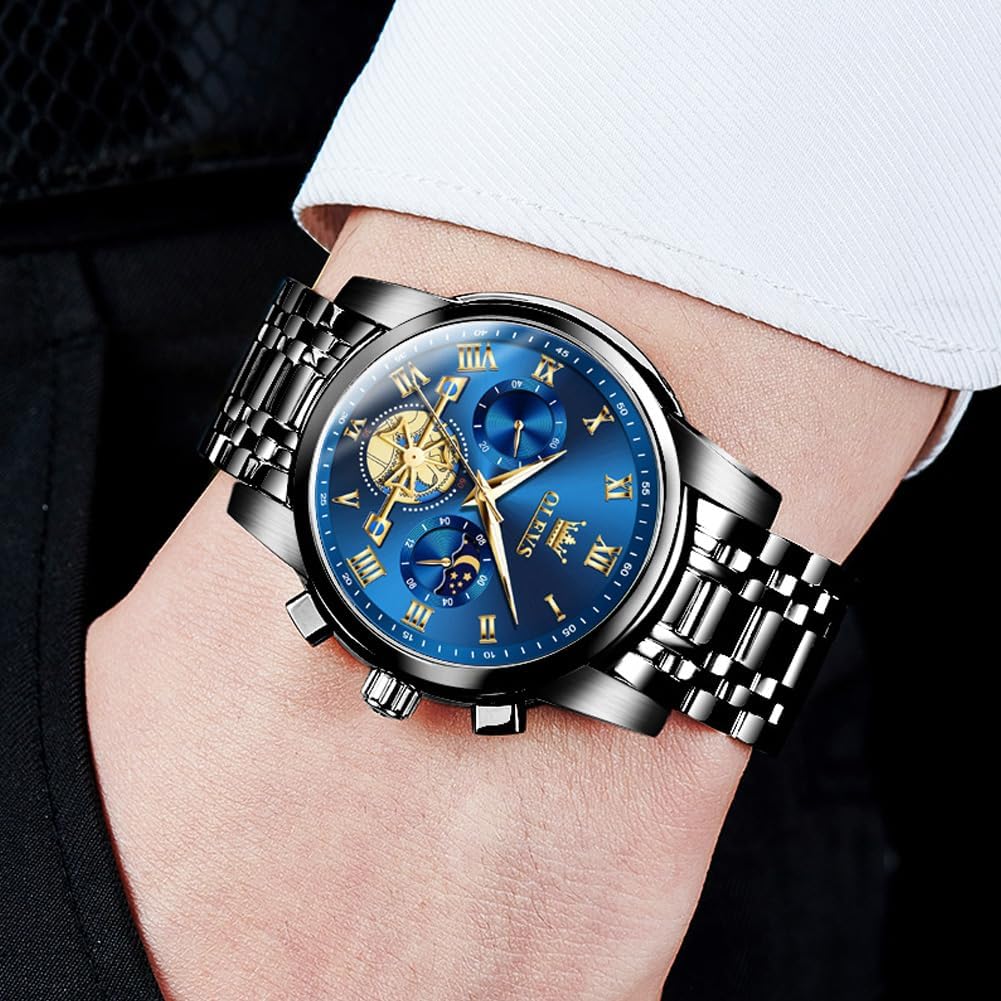
Figure 3: Watch crown and push buttons for time and chronograph functions.
4. Awọn ilana Iṣiṣẹ
4.1 Chronograph Išė
The chronograph function allows for precise timing. The watch features three sub-dials: a 60-second counter, a 60-minute counter, and a 24-hour display (often integrated with the moon phase or day/night indicator).
- Bẹrẹ/Duro: Press the upper push button to start the chronograph. Press it again to stop the timing.
- Tun: After stopping the chronograph, press the lower push button to reset all chronograph hands to their zero positions.
4.2 Imọlẹ Ifihan
The watch hands and hour markers are coated with a luminous material. Exposure to light (natural or artificial) will charge this material, allowing it to glow in the dark for a period, enhancing readability at night.
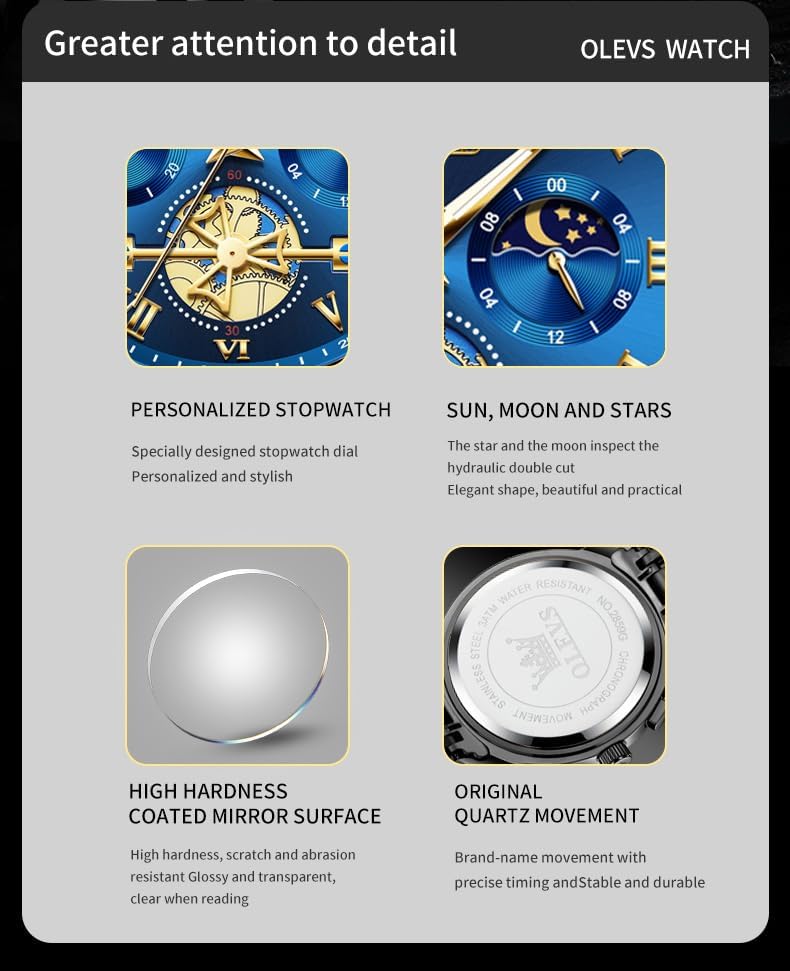
Figure 4: Luminous feature for visibility in low light.
5. Itọju ati Itọju
- Omi Resistance: This watch is 3ATM (30 meters/100 feet) water-resistant. It is suitable for daily use, such as hand washing or rain exposure. It is not recommended for showering, swimming, or diving. Ensure the crown is fully pushed in to maintain water resistance.
- Ninu: Mu aago naa nu nigbagbogbo pẹlu asọ ti o gbẹ, asọ ti o gbẹ lati yọ eruku ati eruku kuro. Fun okun irin alagbara, irin damp asọ le ṣee lo, atẹle nipa gbigbe lẹsẹkẹsẹ.
- Yago fun Kemikali: Ma ṣe fi aago han si awọn kẹmika lile, awọn nkanmimu, tabi awọn ohun ọṣẹ, nitori iwọnyi le ba ọran naa jẹ, okun, tabi awọn paati inu.
- Awọn iwọn otutu: Avoid exposing the watch to extreme temperatures (hot or cold) or sudden temperature changes, which can affect its accuracy and longevity.
- Awọn aaye oofa: Jeki iṣọ kuro ni awọn aaye oofa to lagbara, nitori wọn le dabaru pẹlu gbigbe kuotisi.

Àwòrán 5: Àfihàn ìdènà omi.
6. Laasigbotitusita
- Wo Ko Ṣiṣe: Check if the crown is fully pushed in. If the watch still does not run, the battery may need replacement. Contact customer support or a qualified watch technician.
- Àkókò/Ọjọ́ tí kò tọ́: Refer to Section 3.1 for instructions on setting the time and date. Ensure the crown is securely pushed back in after adjustment.
- Chronograph Malfunction: If the chronograph hands do not reset to zero or function incorrectly, try resetting them by pressing the lower push button after stopping the chronograph. If the issue persists, contact customer support.
- Wiwo inu omi inu: If moisture appears inside the watch, immediately take it to a qualified watch technician for inspection and repair to prevent further damage.
7. Awọn pato
| Ẹya ara ẹrọ | Ẹ̀kúnrẹ́rẹ́ |
|---|---|
| Nọmba awoṣe | YPF-G2859GH-HL |
| Brand | OLEVS |
| Gbigbe | Japanese Quartz |
| Ifihan Iru | Analog |
| Ohun elo ọran | Irin ti ko njepata |
| Ohun elo Band | Irin ti ko njepata |
| Kiakia Awọ | Buluu |
| Case Opin | 41 mm |
| Ọran Sisanra | 11 mm |
| Iwọn Iwọn | 18 mm |
| Band Gigun | 200 mm |
| Ohun elo Crystal | Synthetic Sapphire |
| Omi Resistance | 3ATM (mita 30 / ẹsẹ 100) |
| Awọn iṣẹ afikun | Chronograph, Date, Luminous |
| Kilasi Iru | Titari Bọtini Farasin Kilaipi |
| Iwọn Nkan | 130 giramu |
8. Awọn fidio ọja
8.1 OLEVS Men's Chronograph Watch Overview
Yi fidio pese a okeerẹ loriview of the OLEVS Men's Chronograph Business Casual Watch, showcasing apẹrẹ rẹ̀, awọn ẹya ara rẹ̀, ati iṣẹ rẹ̀.
8.2 OLEVS Men's Chronograph Watch Features
A detailed look at the chronograph and other features of the OLEVS Men's Business Casual Quartz Watch, highlighting its intricate design and practical applications.
8.3 OLEVS Men's Chronograph Dress Watch Showcase
This video presents the OLEVS Men's Chronograph Business Dress Quartz Watch, focusing on its elegant appearance and suitability for formal and business settings.
9. Atilẹyin ọja ati Support
Your OLEVS watch comes with a 2-year after-sales service warranty. If you encounter any issues or have questions regarding your product, please contact OLEVS customer support for assistance. Ensure you retain your proof of purchase for warranty claims.


