
1. Ifihan
This manual provides essential information for the proper use and maintenance of your OUKITEL WP18 Pro Rugged Smartphone. Please read it carefully to ensure optimal performance and longevity of your device. The OUKITEL WP18 Pro is designed for durability and extended use, featuring a large battery and robust construction.
2. Ọja Ipariview
Familiarize yourself with the physical components and controls of your OUKITEL WP18 Pro smartphone.

Nọmba 2.1: Iwaju View ti Ẹrọ

Nọmba 2.2: Pada View ti Ẹrọ

Nọmba 2.3: Apa View with Buttons and Ports
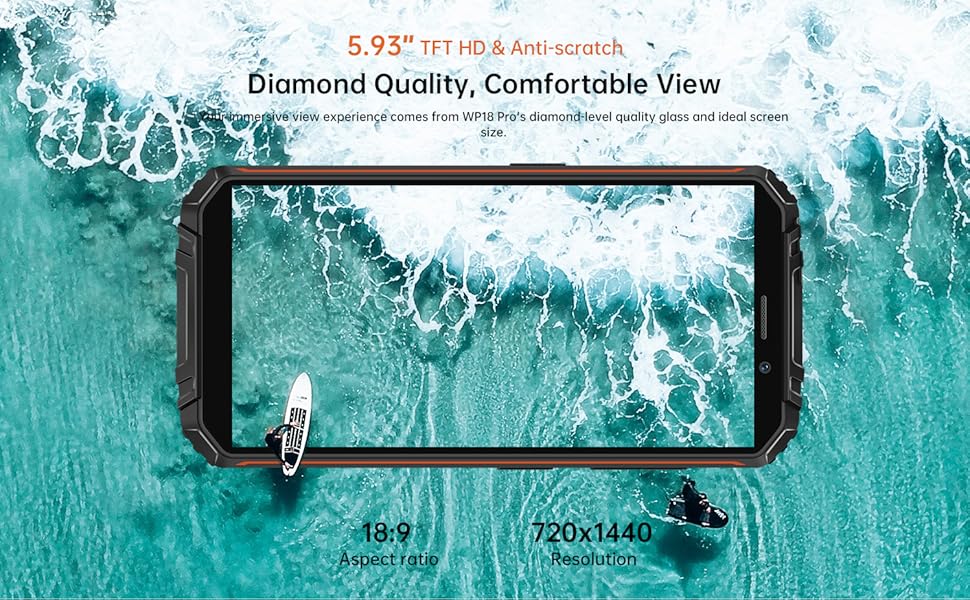
The device features a 5.93-inch HD+ display on the front. The rear houses the camera module and the OUKITEL branding. On the sides, you will find the power button, volume controls, and a customizable button, along with the SIM/SD card slot and charging port.
3. Eto
3.1. Fifi Kaadi SIM ati Kaadi SD sori ẹrọ
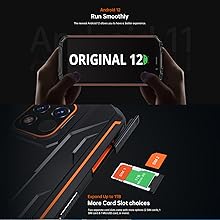
The OUKITEL WP18 Pro supports dual Nano SIM cards or one Nano SIM card and one TF (microSD) card for expandable storage up to 1TB.
- Wa atẹ kaadi SIM ni ẹgbẹ ti ẹrọ naa.
- Lo ohun elo ejector SIM ti a pese lati ṣii atẹ.
- Carefully place your Nano SIM card(s) and/or TF card into the designated slots. Ensure the gold contacts are facing down.
- Rọra Titari atẹ naa pada sinu ẹrọ naa titi ti yoo fi fọ pẹlu ẹgbẹ.
Nọmba 3.1: SIM/SD Card Tray
3.2. Gbigba agbara akọkọ ati Agbara Tan
Ṣaaju lilo akọkọ, o niyanju lati gba agbara si ẹrọ rẹ ni kikun.
- So okun USB Iru-C pọ si ibudo gbigba agbara ni isalẹ foonu naa.
- Connect the other end of the cable to a compatible power adapter and plug it into a wall outlet.
- Àmì ìgbaradì yóò hàn lójú ìbòjú. Jẹ́ kí fóònù náà gba agbára títí yóò fi dé 100%.
- To power on, press and hold the Power button (usually on the right side) until the OUKITEL logo appears.

Nọmba 3.2: Ngba agbara si Ẹrọ
4. Awọn ilana Iṣiṣẹ
4.1. Awọn Iṣẹ́ Foonu Ipilẹ
- Titan/Apapa: Tẹ bọtini agbara ki o si di mu. Yan 'Pa agbara' tabi 'Tun bẹrẹ' lati inu akojọ aṣayan.
- Iṣakoso iwọn didun: Use the Volume Up and Volume Down buttons on the side to adjust media, call, and alarm volumes.
- Titiipa iboju/Ṣi silẹ: Briefly press the Power button to lock or unlock the screen.
- Ṣii silẹ Atẹtẹ ika: Register your fingerprint in the Security settings to unlock the device using the side-mounted fingerprint sensor.
4.2. Isẹ kamẹra
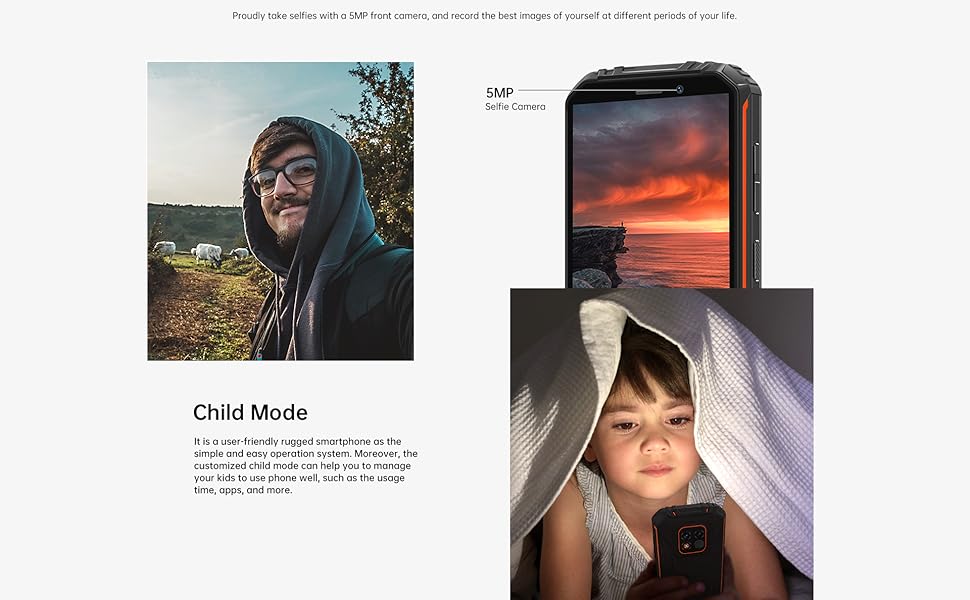
The OUKITEL WP18 Pro is equipped with a 13MP main camera, a 5MP auxiliary camera, and a 5MP front camera. It also features an underwater mode.
- Ṣii ohun elo kamẹra lati iboju ile rẹ tabi duroa app.
- Select your desired mode (Photo, Video, Portrait, Underwater, etc.).
- Fọwọ ba iboju lati dojukọ agbegbe kan pato.
- Press the Shutter button to capture a photo or start/stop video recording.

Nọmba 4.1: Camera Module Details

Nọmba 4.2: Kamẹra Sample Images
4.3. gaungaun Awọn ẹya ara ẹrọ
The OUKITEL WP18 Pro is built to withstand harsh environments, meeting IP68, IP69K, and MIL-STD-810G standards for water, dust, and drop resistance.
- Mabomire: Can be immersed in up to 1.5 meters of water for 30 minutes. Ensure all port covers are securely closed before exposure to water.
- Eruku: Ni aabo ni kikun lodi si eruku eruku.
- Idaabobo fun fifọ silẹ: Ti ṣe apẹrẹ lati koju awọn silė lati to awọn mita 1.5.
- Atako iwọn otutu: Operates in temperatures ranging from -10°C to 70°C.

Nọmba 4.3: Agbara mabomire

Nọmba 4.4: Atako otutu
Fidio 4.1: Demonstrating the Ruggedness of OUKITEL WP18 Pro. This video shows the phone being subjected to water, dust, and drop tests, highlighting its durable design.
Fidio 4.2: OUKITEL WP18 Pro Rugged Phone Features. This video provides a detailed overview of the phone's robust construction and features designed for extreme conditions.
4.4. Battery and OTG Functionality
The device is powered by a massive 12500mAh battery, offering extended usage times. It also supports OTG (On-The-Go) functionality, allowing it to act as a power bank for other devices.
- Igbesi aye batiri: Up to 37 days standby, 70 hours calling, 48 hours music, and 22 hours video playback.
- Gbigba agbara pada OTG: Connect other devices via a compatible OTG cable to charge them using your WP18 Pro's battery.

Nọmba 4.5: 12500mAh Battery Performance
Nọmba 4.6: Gbigba agbara pada OTG
4.5. Ètò Android 12
The OUKITEL WP18 Pro runs on Android 12, offering a clean interface, enhanced privacy features, and a smooth user experience.
Nọmba 4.7: Android 12 Interface
5. Itọju
To ensure the longevity and optimal performance of your OUKITEL WP18 Pro, follow these maintenance guidelines:
- Ninu: Lo asọ, damp cloth to wipe the device. Avoid harsh chemicals or abrasive materials.
- Itọju ibudo: Ensure all port covers (USB, SIM tray) are securely closed, especially before exposing the phone to water or dust. Regularly check ports for debris and clean gently with a soft brush if necessary.
- Idaabobo iboju: While the screen is made of Corning Gorilla Glass, using an additional screen protector can provide extra defense against scratches.
- Awọn imudojuiwọn sọfitiwia: Ṣayẹwo nigbagbogbo fun ati fi awọn imudojuiwọn eto sori ẹrọ lati rii daju pe ẹrọ rẹ ni awọn abulẹ aabo tuntun ati awọn ilọsiwaju iṣẹ.
6. Laasigbotitusita
If you encounter issues with your OUKITEL WP18 Pro, try the following solutions:
- Ẹrọ ti ko ni agbara: Rii daju pe batiri ti gba agbara. So ṣaja pọ ki o duro fun iṣẹju diẹ ṣaaju igbiyanju lati tan-an lẹẹkansi.
- Iboju ti ko dahun: Try restarting the device by holding down the Power button for about 10-15 seconds until it reboots.
- Ifihan Nẹtiwọọki Ti Ko Dara: Check if your SIM card is correctly inserted. Move to an area with better network coverage.
- Awọn ohun elo gbigbi / didi: Nu àkójọpọ̀ ohun èlò tó ní ìṣòro náà kúrò nínú Ètò > Àwọn ohun èlò. Tí ìṣòro náà bá ń bá a lọ, gbìyànjú láti tún ohun èlò náà ṣe.
- Sisun Batiri Ni kiakia: Close unused apps running in the background. Reduce screen brightness. Check battery usage in Settings to identify power-hungry apps.
- Water/Dust Exposure: If the device has been exposed to water or dust, ensure all ports are dry before charging. Do not open the device.
If these steps do not resolve the issue, please contact OUKITEL customer support.
7. Awọn pato
| Ẹya ara ẹrọ | Sipesifikesonu |
|---|---|
| Brand | OUKITEL |
| Awoṣe | WP18 Pro |
| Agbara Ibi ipamọ Iranti | 64 GB (faagun soke si 1TB nipasẹ microSD) |
| Àgbo | 4 GB |
| Iwon iboju | 5.93 Inches HD+ (720*1440 resolution, 400NIT brightness) |
| Ibamu Olugbe Alailowaya | T-Mobile, Metro by T-Mobile, Mint Mobile, Republic Wireless (4G Dual SIM) |
| Cellular Technology | 4G |
| Asopọmọra Technology | Bluetooth, NFC, USB |
| Àwọ̀ | ọsan |
| Awọn Iwọn Nkan (L x W x H) | 6 x 3 x 0.8 inches |
| Eto isesise | Android 12 |
| Agbara Batiri | 12500mAh |
| Kamẹra ẹhin | 13MP Main Camera + 5MP Auxiliary Camera |
| Kamẹra iwaju | 5MP |
| Awọn Iwọn Agbara Iwaju | IP68, IP69K, MIL-STD-810G |
8. Atilẹyin ọja ati Support
OUKITEL provides comprehensive support for your WP18 Pro device:
- Ilana Ipadabọ Ọjọ 30: Gbadun akoko ipadabọ ọjọ 30 laisi idi lati ọjọ rira naa.
- Atilẹyin ọja ọfẹ ọdun kan: Your device is covered by a one-year warranty for manufacturing defects.
- Atilẹyin Imọ-ẹrọ Igba pipẹ: OUKITEL offers ongoing technical assistance for your product.
- Iṣẹ́ Oníbàárà lórí ayélujára fún wákàtí 24: Dedicated customer service is available 24/7 to address your inquiries and concerns.
For warranty claims or technical assistance, please visit the official OUKITEL webojula tabi kan si wọn onibara iṣẹ taara.