
1. Ifihan ati Loriview
This manual provides instructions for the safe and efficient use of your CJP-Geek AC-DC Adapter, model CJP-Geek-PSA-20221025-CA227. This adapter is specifically designed to power and charge the RP-PB054 RAVPower 20100mAh Portable Powerstation.
Key features of this adapter include a wide input voltage range of 100-240V AC, ensuring compatibility with various power outlets worldwide. It is designed for portability and includes multiple safety protections to ensure reliable operation.

Image 1: The CJP-Geek AC-DC Adapter, showing the main power brick, detachable AC input cable, and DC output cable with connector.
2. Package Awọn akoonu
Jẹrisi pe package rẹ ni awọn nkan wọnyi ninu:
- 1 x AC / DC Power Supply Charger (CJP-Geek AC-DC Adapter)
3. Awọn ilana iṣeto
- Jẹrisi Ibamu: Ensure that the output specifications of this CJP-Geek AC-DC Adapter match the power input requirements of your RP-PB054 RAVPower 20100mAh Portable Powerstation. Refer to your power station's manual for specific input voltage ati lọwọlọwọ awọn ibeere.
- Sopọ si Ẹrọ: Insert the DC output plug of the adapter firmly into the charging port of your RP-PB054 RAVPower 20100mAh Portable Powerstation.
- Sopọ si Ile-iṣẹ Agbara: Plug the AC input cable into a standard 100-240V AC wall outlet.
- Jẹrisi gbigba agbara: Observe your power station's charging indicator to confirm that it has begun charging.
4. Awọn ilana Iṣiṣẹ
- The adapter is designed for continuous use when charging compatible devices.
- Always operate the adapter in a well-ventilated area to prevent excessive heat buildup.
- Do not cover the adapter with cloths or other materials during operation, as this can impede heat dissipation.
- Disconnect the adapter from the power outlet and your device when it is not in use for extended periods.
5. Itọju
- Ninu: Keep the adapter clean and free from dust. Use a dry, soft cloth for cleaning. Do not use liquid cleaners or solvents.
- Ibi ipamọ: Tọju ohun ti nmu badọgba ni itura, aye gbigbẹ kuro lati orun taara ati ọrinrin nigbati ko si ni lilo.
- Ayẹwo USB: Regularly inspect the power cables for any signs of damage, such as fraying, cuts, or exposed wires. If any damage is observed, discontinue use immediately and replace the adapter.
- Awọn ipo Ayika: Avoid exposing the adapter to extreme temperatures, high humidity, or corrosive environments.
6. Alaye Aabo
Akiyesi Aabo pataki: Before connecting, always double-check that the adapter's output specifications (voltage and current) are compatible with your device's input requirements. Using an incompatible adapter can damage your device or the adapter itself.
This CJP-Geek AC-DC Adapter is CE certified and incorporates multiple protection features to ensure safe operation:
- Idaabobo Circuit Kukuru: Idilọwọ ibajẹ lati awọn kukuru itanna.
- Idabobo ti o ti lọ lọwọlọwọ: Awọn aabo lodi si sisan lọwọlọwọ pupọju.
- Lori-Voltage Idaabobo: Aabo lodi si voltage gbooro.
- Idaabobo Apọju: Ó ń dènà ìbàjẹ́ láti fa agbára púpọ̀ jù.
- Idaabobo lori idiyele: Helps prevent overcharging of connected devices.
- Idaabobo iwọn otutu: Ó ń ṣe àkíyèsí àti ṣàtúnṣe ìwọ̀n otutu inú.
Awọn iṣọra Aabo Gbogbogbo:
- Ma ṣe tuka tabi yi ohun ti nmu badọgba pada.
- Jeki ohun ti nmu badọgba kuro ni arọwọto awọn ọmọde.
- For indoor use only. Do not expose to rain or moisture.
- Do not use the adapter if it has been dropped or damaged.
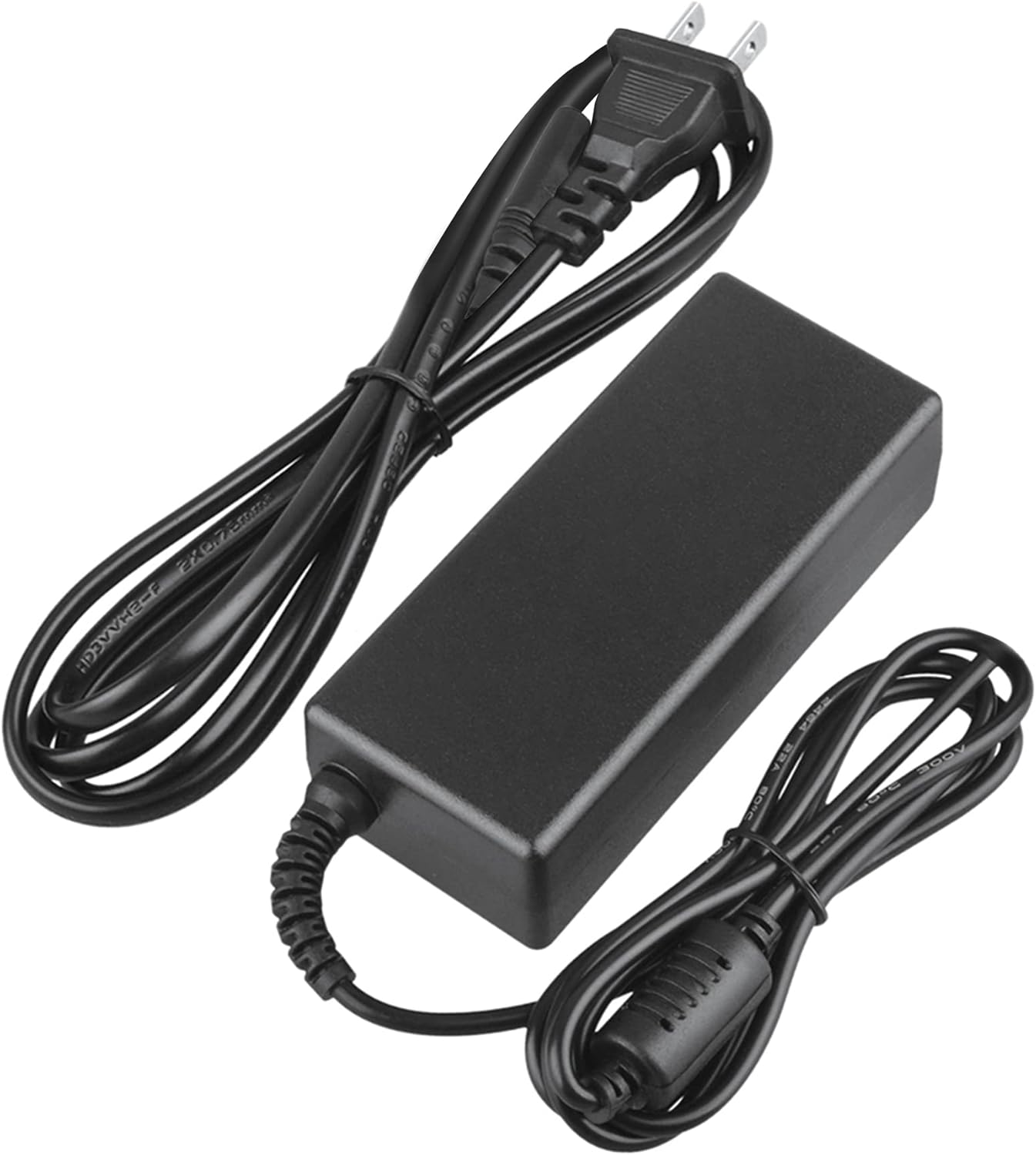
Image 2: Visual representation of the safety features, including overload, over voltage, over charge, over current, short circuit, and temperature protection.
7. Laasigbotitusita
- Ohun elo Ko Ngba agbara:
- Ensure the adapter is securely plugged into both the wall outlet and your device.
- Check if the wall outlet is functional by plugging in another appliance.
- Verify that the adapter's output specifications are correct for your device.
- Inspect the adapter and cables for any visible damage.
- Adapter gbigbona:
- Rii daju pe ohun ti nmu badọgba wa ni agbegbe ti o ni afẹfẹ daradara ko si bo.
- Disconnect the adapter and allow it to cool down before resuming use.
- Tí ìgbóná bá ń pọ̀ sí i, dáwọ́ lílò dúró kí o sì kan sí ìrànlọ́wọ́ àwọn oníbàárà.
- Ko si Atọka Agbara lori Ẹrọ:
- Rii daju pe gbogbo awọn asopọ wa ni aabo.
- Test with a different wall outlet.
- If possible, test the device with another compatible power source to rule out a device issue.
8. Awọn pato
| Iwa | Sipesifikesonu |
|---|---|
| Nọmba awoṣe | CJP-Geek-PSA-20221025-CA227 |
| Iṣagbewọle Voltage | 100-240V AC, 50/60Hz |
| Abajade | Refer to device requirements for RP-PB054 RAVPower 20100mAh Portable Powerstation |
| Awọn iwọn Ọja (L x W x H) | 5 x 3 x 8 inches |
| Iwọn Nkan | 9 iwon |
| AC Cable Ipari | Isunmọ 47 inches (mita 1.2) |
| DC Cable Ipari | Isunmọ 47 inches (mita 1.2) |
| Total Cable Length (approx.) | 7.87 feet (2.4 meters) including adapter body |

Aworan 3: alaye view of the adapter's dimensions and features, including cable lengths and a 'Copper interface' for stable output.
9. Atilẹyin ọja ati Support
Alaye Atilẹyin ọja:
- 30 Ọjọ Owo Pada Garanti
- 60 Days Free Exchange with Paid Return Label
- 2 Years Worry-Free Warranty
Atilẹyin Onibara:
For any product-related issues or inquiries, please contact CJP-Geek customer service. We are committed to assisting you in resolving any problems you may encounter. If the item is found to be defective within the 2-year warranty period, a replacement will be provided without the need to return the defective unit.