
Ọrọ Iṣaaju
This manual provides detailed instructions for the setup, operation, maintenance, and troubleshooting of your STEELPLAY Wireless Controller, model LA-0HNY-U4YG. Please read this manual carefully before using the product to ensure proper functionality and to prevent damage.
Ṣeto
Package Awọn akoonu
Jẹrisi pe gbogbo awọn ohun kan wa ninu package:
- STEELPLAY Wireless Controller (LA-0HNY-U4YG)
- Okun Ngba agbara USB
- Afowoyi Olumulo (iwe-ipamọ yii)
Gbigba agbara Alakoso
Before first use, fully charge the controller. Connect the USB charging cable to the controller's charging port and the other end to a powered USB port (e.g., gaming console, PC, USB wall adapter).
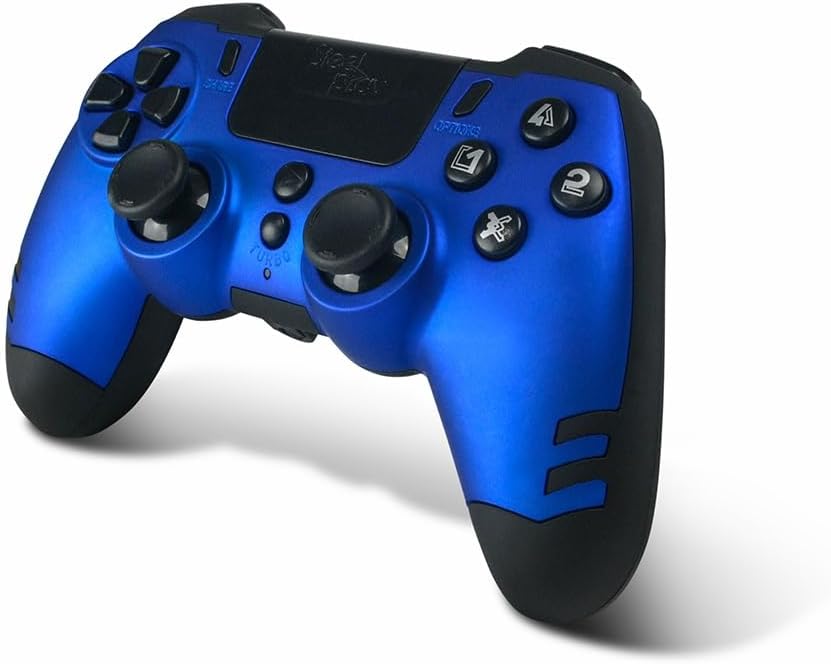
Image: The STEELPLAY Wireless Controller with a charging cable connected. This image illustrates the controller's design and potential charging port location.
Sopọ pẹlu Ẹrọ kan
Follow these steps to pair your wireless controller with your gaming console or PC:
- Rii daju pe oludari ti gba agbara.
- Turn on your gaming console or PC.
- Lori oluṣakoso, tẹ mọlẹ Pinpin bọtini ati awọn PS button simultaneously until the light bar begins to flash.
- On your device, navigate to Bluetooth settings and select the "STEELPLAY Wireless Controller" from the list of available devices.
- Once paired, the light bar will stop flashing and remain lit, indicating a successful connection.
Awọn ilana Iṣiṣẹ
Awọn iṣakoso ipilẹ
The STEELPLAY Wireless Controller features standard gamepad controls. Familiarize yourself with the button layout:
- Paadi itọsọna (D-paadi): Fún ìtẹ̀síwájú ìtọ́sọ́nà tó péye.
- Osi/Ọtun Analog Sticks: Fun gbigbe ati iṣakoso kamẹra.
- Awọn bọtini iṣe (Igun mẹta, Circle, Cross, Square): Fun awọn iṣe inu ere.
- Àwọn bọ́tìnì èjìká (L1, R1) àti àwọn ohun tí ń fa (L2, R2): Fun awọn iṣẹ oriṣiriṣi ninu ere.
- Bọtini PIN: To share gameplay content.
- Bọtini Aṣayan: To access in-game menus or pause.
- Bọtini PS: To access the console's home menu or power on/off the controller.
- Paadi Fọwọkan: For additional input, often used for navigation or specific game mechanics.
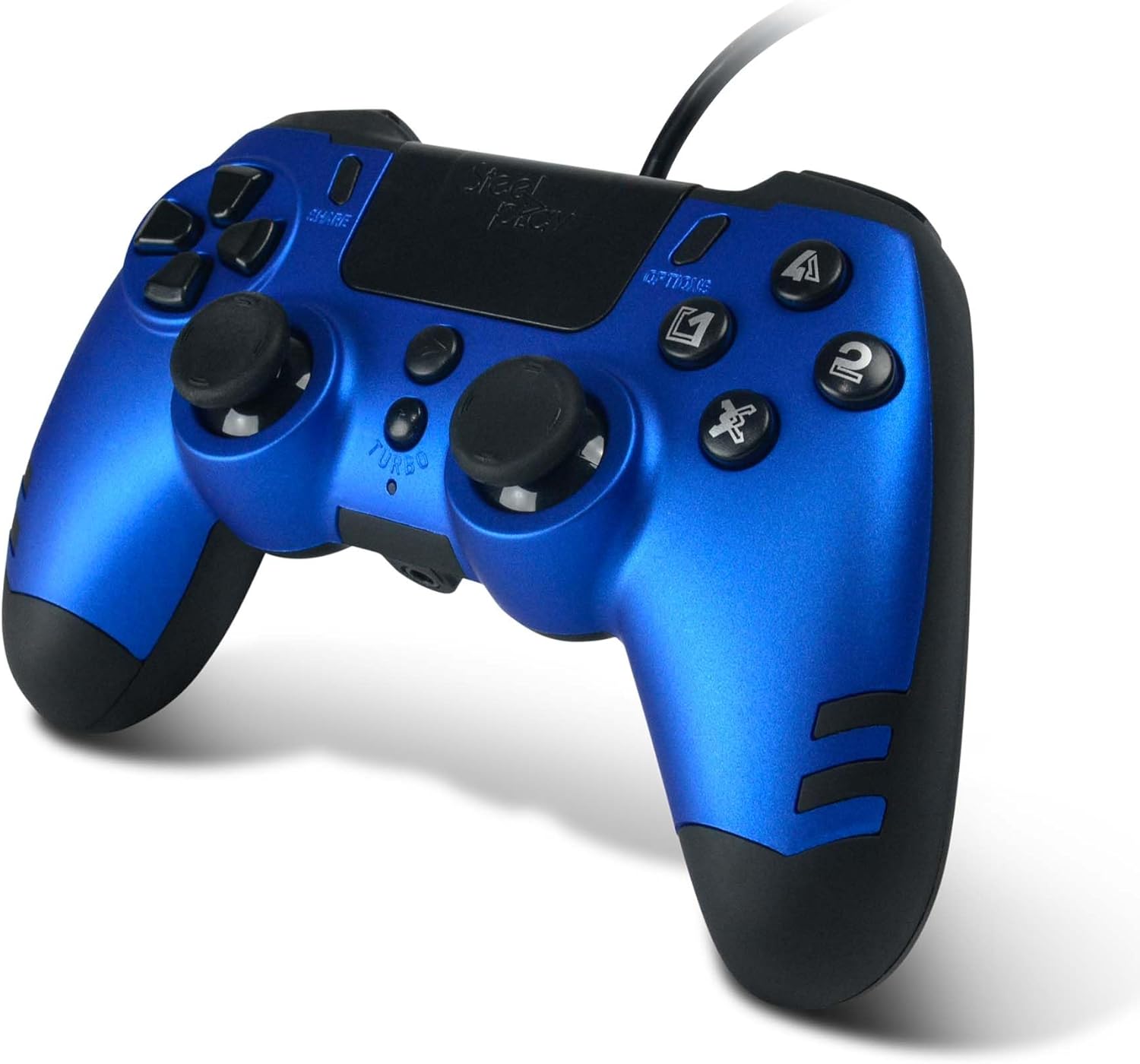
Aworan: A alaye view of the STEELPLAY Wireless Controller, highlighting the layout of its 14 buttons, D-pad, and analog sticks.
Titan / Pipa agbara
- Lati fi agbara si: Tẹ bọtini naa PS bọtini.
- Lati fi agbara si pipa: Tẹ mọlẹ PS button for approximately 10 seconds until the controller powers down.
Atunsopọ
Once paired, the controller should automatically reconnect to the last paired device when powered on. If it does not, press the PS button to initiate reconnection.
Itoju
Ninu
Lati nu oludari naa, lo asọ ti o tutu, ti o gbẹ. Fun idoti alagidi, die-die dampen the cloth with water. Do not use harsh chemicals, solvents, or abrasive cleaners, as these can damage the controller's finish and internal components.
Ibi ipamọ
Tọju olutọju naa ni itura, aye gbigbẹ kuro lati orun taara ati awọn iwọn otutu to gaju. Yago fun gbigbe awọn nkan ti o wuwo sori oludari.
Itọju Batiri
The controller contains a rechargeable battery. To prolong battery life:
- Yago fun gbigba agbara si batiri ni kikun nigbagbogbo.
- Charge the controller regularly, even if not in use for extended periods.
- Do not expose the controller to temperatures above 60°C (140°F).
Laasigbotitusita
- Controller does not power on:
- Ensure the controller is fully charged. Connect it to a power source using the USB cable and allow it to charge for at least 30 minutes before attempting to power it on again.
- Controller does not connect or pair:
- Ensure the controller is in pairing mode (light bar flashing).
- Verify that the device you are trying to connect to has Bluetooth enabled.
- Yọ gbogbo awọn asopọ ti o ti so tẹlẹ ti oludari kuro ninu eto Bluetooth ti ẹrọ rẹ ki o gbiyanju lati so pọ mọ lẹẹkansi.
- Move the controller closer to the device to ensure a strong signal.
- Restart both the controller and the device.
- Input lag or unresponsive buttons:
- Ensure the controller is fully charged. Low battery can affect performance.
- Reduce interference by moving away from other wireless devices (Wi-Fi routers, other Bluetooth devices).
- If possible, try connecting the controller via a USB cable to see if the issue persists (if wired mode is supported).
Awọn pato
| Ẹya ara ẹrọ | Ẹ̀kúnrẹ́rẹ́ |
|---|---|
| Orukọ awoṣe | LA-0HNY-U4YG |
| Orúkọ ọjà (Olùpèsè) | STEELPLAY |
| Brand (Retail) | Lexip |
| Asopọmọra | Ailokun |
| Nọmba ti Awọn bọtini | 14 |
| Awọn iwọn | 17.5 x 13 x 8.3 cm |
| Iwọn | 350 g |
| Awọn batiri To wa | No (Features an internal rechargeable battery) |
Atilẹyin ọja ati Support
Specific warranty information is not provided in this manual. Please refer to the retailer's purchase terms or the manufacturer's official website for detailed warranty policies and support contact information.
For further assistance, please contact STEELPLAY customer support through their official channels.