
Ọrọ Iṣaaju
This manual provides detailed instructions for the assembly, operation, and maintenance of your VIVO DESK-E3CVC Electric 2-Tier Corner L-Shaped Standing Desk. This desk, featuring a light wood top and white frame with light gray drawers, is designed to offer a versatile and ergonomic workspace with electric height adjustment and integrated storage. Please read this manual thoroughly before assembly and use to ensure safe and efficient operation.
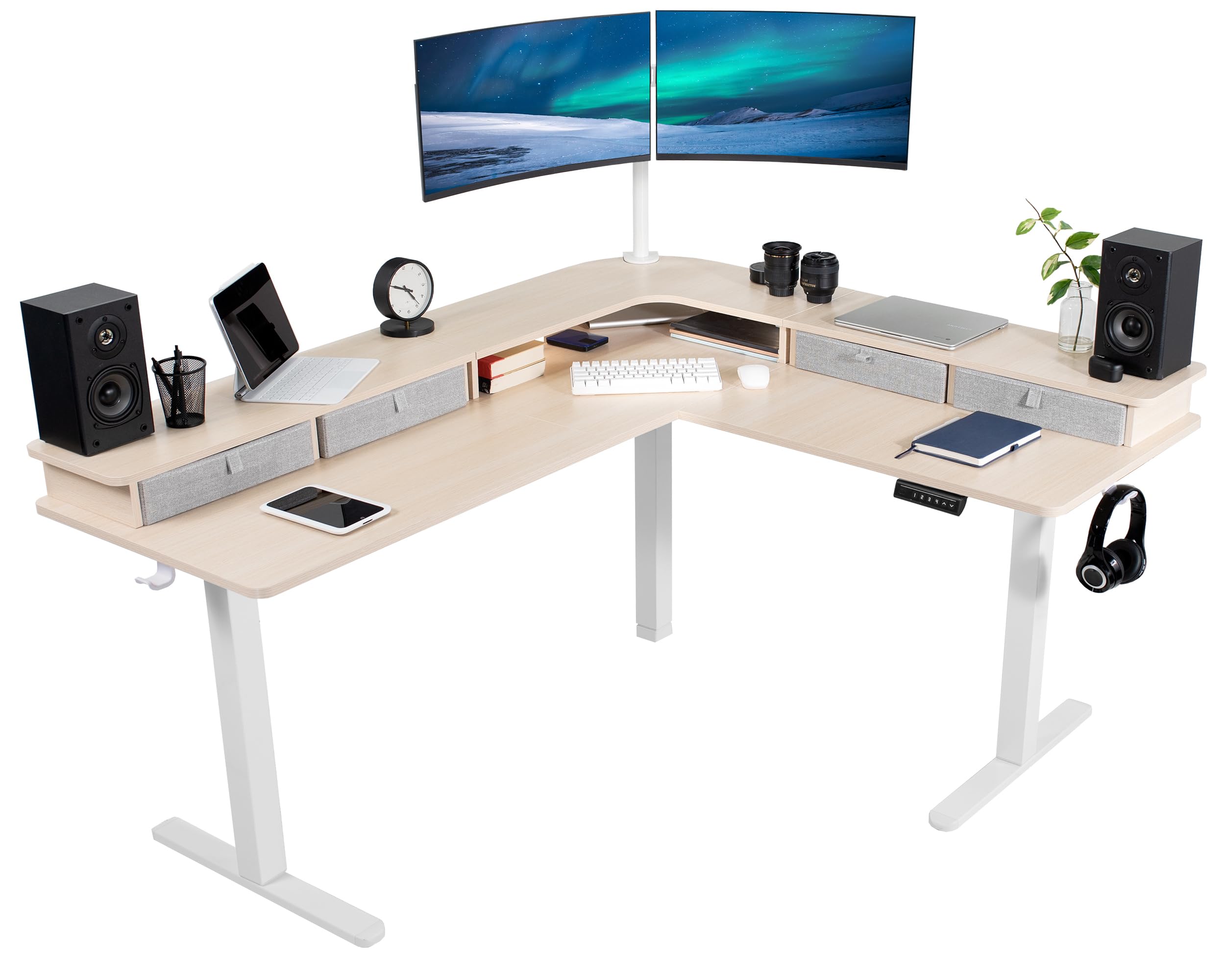
Image: The VIVO DESK-E3CVC Electric 2-Tier Corner L-Shaped Standing Desk in a light wood finish with a white frame, shown in a modern office setting.
Alaye Aabo
Always ensure the desk is properly assembled and the casters are securely attached. When adjusting the height, use the memory controller carefully to maintain stability. Keep the desk away from heat sources and do not place heavy objects on the desk that could cause it to tip over. Always follow the manufacturer's instructions for assembly, use, and maintenance.
- Rii daju pe gbogbo awọn paati ti wa ni ṣinṣin ni aabo ṣaaju lilo.
- Do not overload the desk; the maximum weight capacity is 225 lbs.
- Keep children and pets away from the desk during height adjustments.
- Avoid placing liquids directly on the desk surface to prevent damage to electronic components.
- Ge asopọ agbara ṣaaju ṣiṣe mimọ tabi ṣiṣe itọju eyikeyi.
Package Awọn akoonu
Verify that all components are present and undamaged before beginning assembly. The package includes:
- L-Shaped 3-Part Desktop (Light Wood Top)
- Electric Desk Frame (White)
- Memory Adarí
- 4 x Storage Drawers (Light Gray)
- 4 x 2" Casters
- 2 x Awọn agekuru Cable
- 2 x Accessory Hooks
- Apejọ Hardware ati Irinṣẹ

Aworan: Isunmọ view of the included accessories: four light gray storage drawers, four 2-inch casters, two cable clips, and two accessory hooks.
Awọn ilana Apejọ
Assembly requires two people for optimal safety and ease. Follow the included printed instructions for detailed steps. An official assembly video is also available to guide you through the process.
Video: Official VIVO assembly guide for the 2-Tier 63 x 55 Inch Corner Electric Desk with Storage (DESK-E3CVB, similar to DESK-E3CVC). This video demonstrates the step-by-step process for setting up the desk frame and attaching the desktop sections.
- Yọ awọn ohun elo kuro: Fi iṣọra yọ gbogbo awọn ẹya kuro ninu apoti ki o si gbe wọn si ori mimọ, dada rirọ lati ṣe idiwọ awọn itọ.
- Ipejọpọ Iduro Iduro: Follow the instructions to connect the leg columns, feet, and crossbars to form the electric desk frame. Ensure all screws are tightened securely.
- Attach Desktop Sections: Position the L-shaped desktop sections onto the assembled frame. Secure them using the provided screws. Note that some holes may require self-tapping.
- Fi sori ẹrọ Igbimọ Iṣakoso: Mount the memory controller to the underside of the desk in an easily accessible location. Connect the motor and power cables as directed.
- Ṣafikun Awọn ẹya ẹrọ: Attach the storage drawers, casters (if desired), cable clips, and accessory hooks according to your preference.
- Iṣakoso USB: Use the included cable clips to organize and secure power cords and other cables, preventing entanglement during height adjustments.
Iṣeduro: It is often easier to assemble the desk right-side-up and then carefully attach the top sections, even if it requires lying on your back for some steps, rather than assembling upside-down and attempting to flip the heavy desk.
Awọn ilana Iṣiṣẹ
Atunṣe Giga
The VIVO DESK-E3CVC features a powerful electric motor for smooth height adjustments. The desk can be adjusted from a minimum height of 30.4 inches to a maximum height of 48.5 inches (main desktop).
- Lo awọn Oke (▲) ati Isalẹ (▼) arrows on the memory controller to manually adjust the desk height.
- The digital display will show the current height.

Image: Diagram illustrating the height adjustment range of the VIVO standing desk, from 30.4 inches to 48.5 inches, highlighting the powerful motor and collision protection.
Awọn tito iranti
The memory controller allows you to save up to four preferred height settings for quick adjustments.

Image: Close-up of the desk's control panel, showing the digital height display and four numbered memory preset buttons, along with up and down adjustment arrows.
- Lati Ṣafipamọ Tito tẹlẹ:
- Ṣatunṣe tabili naa si giga ti o fẹ nipa lilo awọn itọka oke/isalẹ.
- Tẹ awọn "S" button (Set). The display will flash.
- Immediately press one of the numbered preset buttons (1, 2, 3, tabi 4) to save the current height to that position.
- Láti lo Tẹ́lẹ̀tẹ́lẹ̀:
- Simply press the corresponding numbered preset button (1, 2, 3, tabi 4). Iduro yoo gbe laifọwọyi si giga ti o fipamọ.
Idaabobo ijamba
The desk is equipped with a collision protection feature. If the desk encounters an obstruction during height adjustment, it will automatically stop and reverse slightly to prevent damage.
Itoju
- Ninu: Pa dada tabili nu pẹlu asọ, damp cloth. Avoid abrasive cleaners or harsh chemicals. For the frame, use a mild detergent if necessary.
- Awọn iṣayẹwo deede: Periodically check all screws and connections to ensure they remain tight. Retighten if any looseness is detected.
- Iṣakoso USB: Rii daju pe awọn kebulu ti ṣeto daradara ati pe wọn ko pin tabi nà lakoko awọn atunṣe giga.
- Itọju mọto: The electric motor is designed for long-term use and requires minimal maintenance. Avoid obstructing the motor or forcing adjustments.
Laasigbotitusita
| Isoro | Owun to le Fa | Ojutu |
|---|---|---|
| Iduro ko gbe. | Power cable disconnected; motor overload; control panel issue. | Check power connections. Reduce weight on the desk. Reset the system by unplugging for 10 seconds and plugging back in. |
| Àtúnṣe gíga tí kò dọ́gba. | Uneven weight distribution; loose connections. | Distribute weight evenly. Check and tighten all frame connections. |
| Tabili naa duro nigba atunṣe. | Collision detection activated; motor overheating. | Remove any obstructions. Allow motor to cool down for 20 minutes before resuming operation. |
| Awọn tito iranti ko ṣiṣẹ. | Ilana fifipamọ ti ko tọ. | Refer to the "Memory Presets" section for correct saving steps. |
Awọn pato
| Ẹya ara ẹrọ | Ẹ̀kúnrẹ́rẹ́ |
|---|---|
| Nọmba awoṣe | DESK-E3CVC |
| Apẹrẹ Iduro | L-Shape, 2-Tier |
| Awọn iwọn tabili | 63"W x 55.2"D |
| Giga tolesese Range | 30.4" to 48.5" (main desktop) |
| Agbara iwuwo | 225 lbs |
| Motor Iru | Electric Nikan Motor |
| Awọn tito iranti | 4 |
| Ohun elo ti o ga julọ | Engineered Wood (Light Wood Finish) |
| Ohun elo fireemu | Alloy Steel (White Finish) |
| Ibi ipamọ to wa | 4 Light Gray Drawers |
| Apejọ ti a beere | Bẹẹni (Eniyan 2 niyanju) |

Image: Overhead diagram of the L-shaped desk, showing key dimensions such as 63" and 55.2" lengths, 23.5" depth, and 27.8" corner depth. Also indicates the 225 lbs weight capacity.
Atilẹyin ọja ati Support
The VIVO DESK-E3CVC Electric 2-Tier Corner L-Shaped Standing Desk comes with a 3-odun lopin atilẹyin ọja covering parts and labor. For technical assistance, troubleshooting, or warranty claims, please contact VIVO customer support.
- Olupese: VIVO
- Iru atilẹyin ọja: Limited (3 years)
- Olubasọrọ Support: Refer to the VIVO official website or the contact information provided with your purchase for customer service details.