
Ọrọ Iṣaaju
Thank you for choosing the VGR V-315 5-in-1 Waterproof Men's Grooming Kit. This versatile device is designed to meet various personal grooming needs, offering a comfortable and efficient experience. Please read this instruction manual carefully before using the product to ensure proper operation, maintenance, and safety.
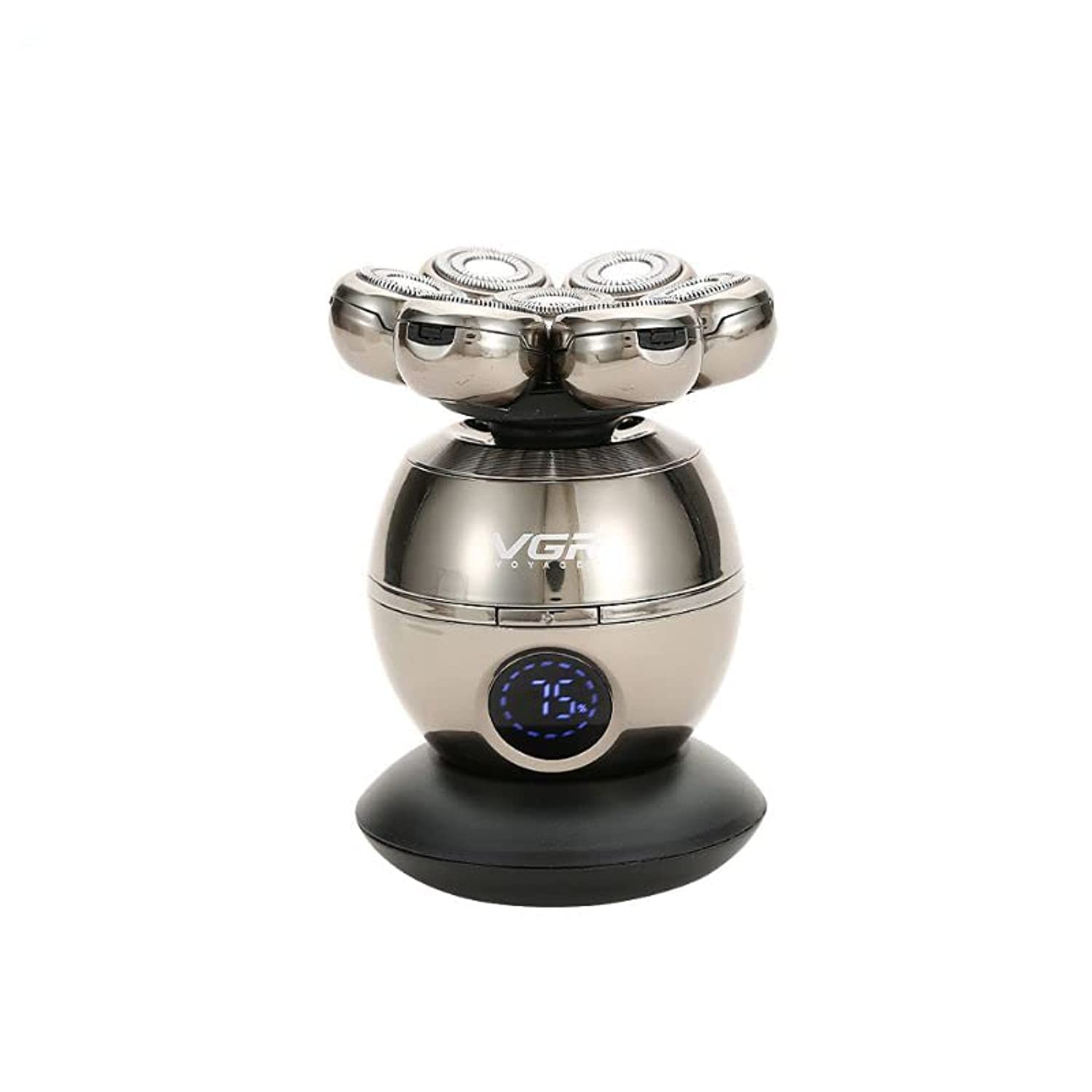
Image: The VGR V-315 5-in-1 Grooming Kit, showcasing its sleek design and multiple functionalities.
Kini To wa
Your VGR V-315 grooming kit comes with the following components:
- Main Shaver Body (with 7-head rotary shaver attachment)
- Hair Trimmer Attachment
- Nose Trimmer Attachment
- Facial Cleaning Brush Attachment
- Silicone Massage Brush Attachment
- Limiting Combs (3mm, 6mm, 9mm, 12mm)
- Gbigba agbara Mimọ
- Okun Ngba agbara USB
- Fifọ Fẹlẹ

Image: All included accessories for the VGR V-315 grooming kit, laid out clearly with labels for each component.
Key Awọn ẹya ara ẹrọ
- 5-ni-1 Iwapọ: Includes shaver, hair trimmer, nose trimmer, facial cleaning brush, and silicone massage brush.
- 7-Head Rotary Shaving: Provides a smooth and efficient shave.
- Apẹrẹ ti ko ni omi: Allows for convenient wet and dry use, including in the shower.
- Ifihan LED Smart: Fihan percen batiritage ati ipo gbigba agbara.
- Batiri gbigba agbara: Offers approximately 50 minutes of cordless operation on a full charge.
- Automatic Sharpening Blades: Ensures long-lasting sharpness and performance.

Image: Graphic illustrating key features such as seven-head shaving, fully washable design, lasting battery life, and multifunctional grooming kit.
Ṣeto
Ngba agbara si Ẹrọ
- Rii daju pe ẹrọ ti wa ni pipa ṣaaju gbigba agbara.
- So okun gbigba agbara USB pọ mọ ipilẹ gbigba agbara.
- So opin keji okun USB sinu adapter agbara USB ti o yẹ (ko si ninu rẹ) tabi ibudo USB kan.
- Place the shaver body onto the charging base. The LED display will indicate the charging status and battery percentage.
- A full charge typically takes approximately 2 hours and provides about 50 minutes of operating time.
- Do not charge the device in wet conditions or near water. Ensure the charging port is dry before connecting the cable.
Isẹ
Attaching and Detaching Heads
To change attachments, hold the main body firmly and gently twist the current head counter-clockwise to unlock and remove it. Align the desired attachment with the main body and twist clockwise until it clicks into place securely.
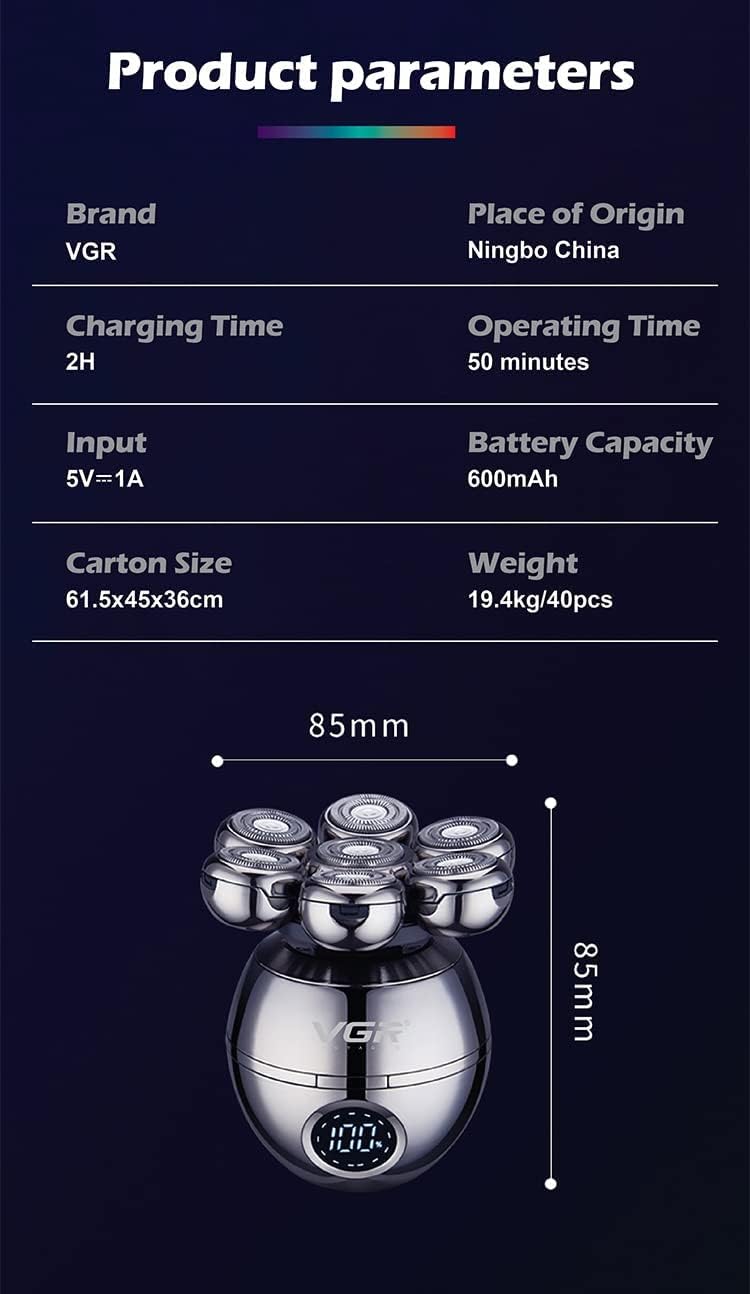
Image: The VGR V-315 main unit shown with the facial cleaning brush, silicone massage brush, and hair trimmer attachments.
Lilo awọn Asomọ
- Rotary Shaver Head: For a close shave on the face and head. Move the shaver in small, circular motions against the direction of hair growth. Can be used wet or dry.
- Hair Trimmer Head: For trimming longer hair, shaping beards, or detailing. Attach the desired limiting comb (3mm, 6mm, 9mm, or 12mm) for specific hair lengths. Move the trimmer against the direction of hair growth.
- Nose Trimmer Head: For safely trimming nose and ear hair. Insert the trimmer tip gently into the nostril or ear canal and move it slowly.
- Facial Cleaning Brush: For deep cleansing of the face. Apply your preferred facial cleanser to your face or the brush head, then gently move the brush in circular motions across your face.
- Silicone Massage Brush: For gentle facial massage and exfoliation. Use with or without cleanser, moving in circular motions to stimulate skin.
Itọju ati Cleaning
Regular cleaning ensures optimal performance and extends the lifespan of your grooming kit.
Gbogbogbo Cleaning
- Lẹ́yìn gbogbo lílò, pa ẹ̀rọ náà.
- Detach the used head from the main body.
- Rinse the head under running water to remove hair and debris. For the shaver head, you may need to open it for thorough cleaning.
- Use the small cleaning brush to remove stubborn hair from the blades or internal components.
- Ensure no water enters the charging port on the main body.
- Jẹ́ kí gbogbo àwọn ẹ̀yà ara gbẹ pátápátá kí o tó tún so wọ́n pọ̀ tàbí kó o tọ́jú wọn.
Shaver Head Opening Steps
For a more thorough cleaning of the rotary shaver head:
- Gently pry open each of the seven individual rotary blade covers.
- Once all covers are open, the entire top section of the shaver head can be removed by twisting it off the main body.
- Rinse the individual blades and the shaver head under running water.
- Gba gbogbo awọn ẹya laaye lati gbẹ patapata ṣaaju iṣakojọpọ.

Image: A step-by-step visual guide demonstrating how to open the rotary shaver head for detailed cleaning and how to remove the entire head from the main unit.
Laasigbotitusita
- Ẹrọ ti ko tan: Ensure the battery is charged. Connect to the charger and check the LED display.
- Iṣẹ ṣiṣe ti o dinku: Clean the shaver head and blades thoroughly. Ensure no hair or debris is obstructing the moving parts.
- Awọn iṣoro gbigba agbara: Verify the USB cable and charging base are correctly connected. Ensure the power adapter is functional.
- Ibinu lẹhin irun: Ensure blades are clean and sharp. Shave on clean skin. Consider using a pre-shave oil or post-shave balm.
Awọn pato
| Brand | VGR |
| Orukọ awoṣe | V-315 |
| Orisun agbara | Agbara Batiri |
| Batiri Iru | Atunṣe Lithium-Ion |
| Akoko gbigba agbara | Isunmọ. wakati meji 2 |
| Akoko Iṣiṣẹ | Isunmọ. 50 iṣẹju |
| Pataki Awọn ẹya ara ẹrọ | Waterproof, LED Display |
| Blade elo | Irin ti ko njepata |
| Ori Oriṣi | Rotari |
| Niyanju Lilo | Beard, Face, Body |
| Package Mefa | 17.09 x 14.91 x 8.61 cm |
| Iwọn Nkan | 422 giramu |
Alaye Aabo
- Jeki ẹrọ naa kuro ni arọwọto awọn ọmọde.
- Má ṣe tú ẹ̀rọ náà ká tàbí gbìyànjú láti tún un ṣe fúnra rẹ. Pe àwọn òṣìṣẹ́ tó mọ̀ nípa rẹ̀ fún iṣẹ́ náà.
- Yago fun awọn iwọn otutu to gaju ati imọlẹ orun taara.
- Ma ṣe lo ẹrọ naa ti o ba bajẹ tabi ti ko ṣiṣẹ.
- Always ensure the charging port is dry before connecting the charger.
- Fun lilo ita nikan. Yago fun olubasọrọ pẹlu awọn oju.
Atilẹyin ọja ati Support
Fún àlàyé nípa àtìlẹ́yìn tàbí ìrànlọ́wọ́ ìmọ̀ ẹ̀rọ, jọ̀wọ́ wo àpótí ọjà náà tàbí kí o kàn sí olùtajà rẹ. Pa ìwé ẹ̀rí ìrajà rẹ mọ́ gẹ́gẹ́ bí ẹ̀rí ìrajà náà.