
Ọrọ Iṣaaju
Welcome to the world of space exploration with Charlie The Astronaut! This manual provides essential information for setting up, operating, and maintaining your Xtrem Bots Charlie robot. Please read these instructions carefully before use to ensure proper function and safety.
Alaye Aabo
- IKILO: Ko dara fun awọn ọmọde labẹ ọdun 3 nitori awọn ẹya kekere.
- A ṣe iṣeduro fun ọjọ-ori 6 ati ju bẹẹ lọ.
- Ṣe abojuto awọn ọmọde nigbagbogbo lakoko ere.
- Maṣe dapọ atijọ ati awọn batiri titun. Maṣe dapọ ipilẹ, boṣewa (carbon-zinc), tabi awọn batiri gbigba agbara (nickel-cadmium).
- Remove batteries if the robot will not be used for an extended period.
- Mu awọn batiri kuro ni ojuse.
Package Awọn akoonu
Rii daju pe gbogbo awọn nkan wa ninu package:
- 1 x Charlie The Astronaut Robot
- 1 x Ilana itọnisọna (iwe yii)
- Additional accessories (if applicable, check packaging)
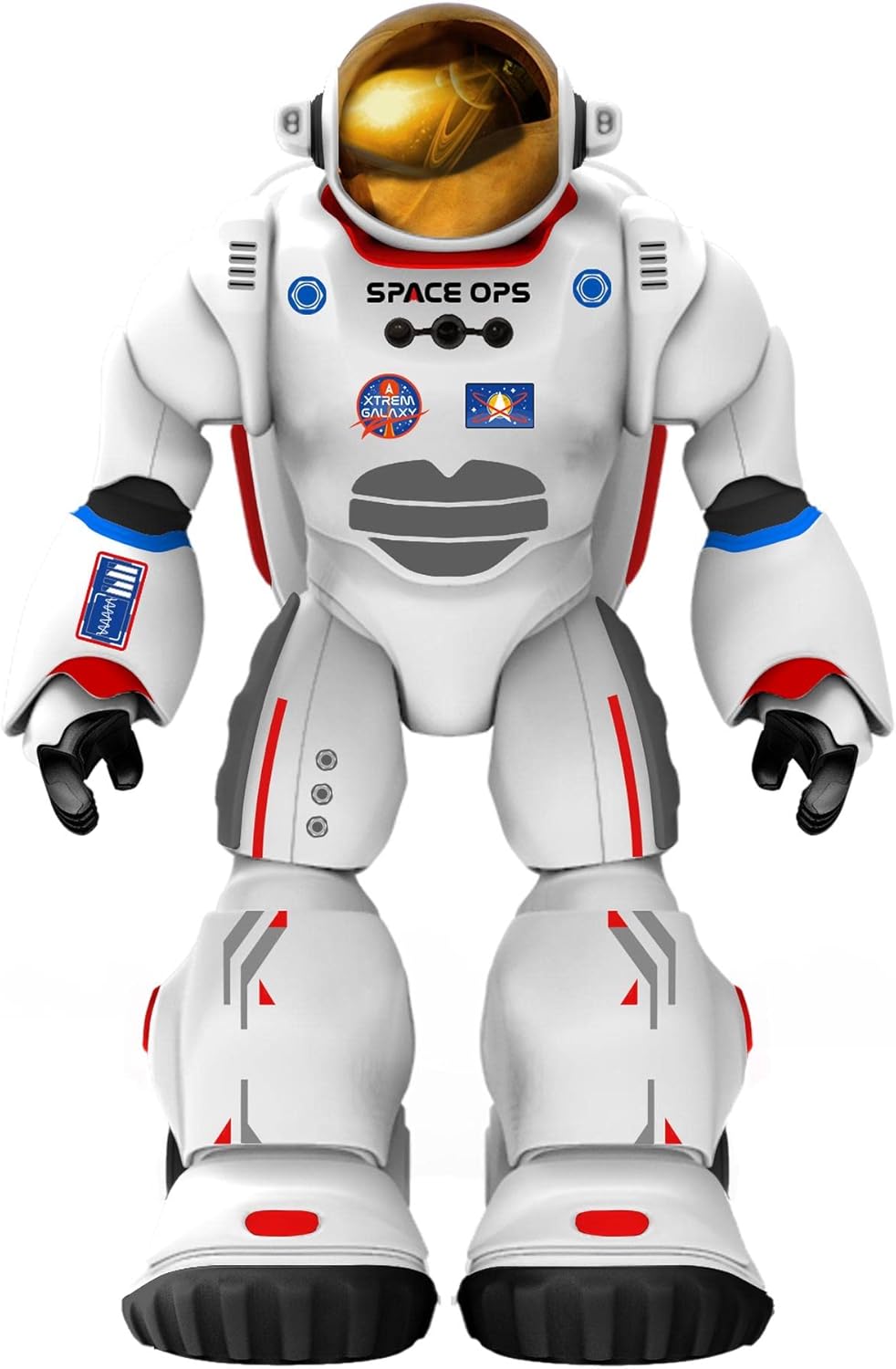
Aworan 1: Iwaju view of Charlie The Astronaut robot, showcasing its white astronaut suit with red and blue accents, a gold visor, and "SPACE OPS" branding.
Ṣeto
1. Fifi sori batiri
Charlie The Astronaut requires 3 x AA 1.5V batteries (not included).
- Locate the battery compartment on the back of the robot.
- Lilo screwdriver, ṣii ideri iyẹwu batiri naa.
- Insert 3 AA 1.5V batteries, ensuring correct polarity (+/-).
- Rọpo ideri kompaktimenti batiri ki o ni aabo pẹlu dabaru.

Aworan 2: Apa view of Charlie The Astronaut robot, showing its profile and the details of its suit.
2. Fifi sori App ati Asopọ
To unlock Charlie's full potential, download the official Xtrem Bots app on your mobile device.
- Wa fun "Xtrem Bots" in your device's app store (Google Play Store for Android or Apple App Store for iOS).
- Ṣe igbasilẹ ati fi sori ẹrọ ohun elo naa.
- Turn on Charlie The Astronaut by pressing the power button (location may vary, refer to robot for specific button).
- Mu Bluetooth ṣiṣẹ lori ẹrọ alagbeka rẹ.
- Open the Xtrem Bots app and follow the on-screen instructions to connect to Charlie via Bluetooth.
Awọn ilana Iṣiṣẹ
Charlie The Astronaut offers over 200 actions and 20 functions, controllable through the dedicated app.
1. Module siseto
Use the programming module within the app to create custom sequences of actions for Charlie.
- Open the app and navigate to the "Programming" section.
- Drag and drop action blocks to build your desired program.
- Execute the program to watch Charlie perform the programmed actions.
2. Ètò Ìṣàkóso Láàrin Ọ̀nà
Control Charlie's movements and actions in real-time using the app's remote control interface.
- Access the "Remote Control" section in the app.
- Use the on-screen joysticks and buttons to guide Charlie.
3. Smart Control (Hand Movements)
Charlie features advanced technology allowing control via hand gestures.
- Activate "Smart Control" mode in the app.
- Follow the app's instructions for specific hand gestures to control Charlie's movements.
4. Gyroscope Control
Control Charlie by tilting your mobile device.
- Enable "Gyroscope Control" in the app.
- Tilt your device forward, backward, left, or right to direct Charlie.
Spacepedia and Space Quiz
Discover the universe with Charlie's integrated "Spacepedia" and test your knowledge with the space quiz.
- Spacepedia: Access the "Spacepedia" section in the app to learn about the universe, solar system, space vehicles, and more.
- Space Quiz: Challenge yourself with over 300 questions in the space quiz module to test your astronomical knowledge.
Itoju
- Ninu: Wipe the robot with a soft, dry cloth. Do not use harsh chemicals or immerse in water.
- Ibi ipamọ: Store Charlie in a cool, dry place away from direct sunlight when not in use.
- Itọju Batiri: Remove batteries if the robot will be stored for an extended period to prevent leakage.
Laasigbotitusita
| Isoro | Owun to le Fa | Ojutu |
|---|---|---|
| Robot ko ni tan-an. | Awọn batiri ti ku tabi fi sii lọna ti ko tọ. | Rọpo awọn batiri pẹlu awọn batiri AA 1.5V tuntun, ki o rii daju pe o peye polarity. |
| Cannot connect to the app via Bluetooth. | Bluetooth is off on the device; robot is off; app is not updated. | Ensure Bluetooth is enabled on your mobile device. Turn the robot off and on again. Update the Xtrem Bots app to the latest version. |
| Robot is unresponsive or moves erratically. | Low battery power; interference; app glitch. | Replace batteries. Move away from other electronic devices that may cause interference. Restart the app and the robot. |
Awọn pato
- Awoṣe: 3803085
- Brand: Xtrem Bots
- Awọn iwọn: 4.72 x 10.83 x 13.78 inches (12 x 27.5 x 35 cm)
- Giga: 29 cm (isunmọ 11.4 inches)
- Ìwúwo: 1.3 poun (0.59 kg)
- Orisun Agbara: 3 x AA 1.5V batiri (ko si)
- Asopọmọra: Bluetooth
- Ọjọ ori ti a ṣeduro: 6 ọdun ati si oke
- Ohun elo: Ṣiṣu
Atilẹyin ọja ati Support
For warranty information and technical support, please refer to the official Xtrem Bots webAaye ayelujara tabi kan si iṣẹ alabara wọn. Awọn ofin atilẹyin ọja pato le yatọ nipasẹ agbegbe ati alagbata.
Olupese: BR Toys Limited
Fun iranlọwọ siwaju sii, ṣabẹwo: www.xtrembots.com