
1. Ti pariview
The ZTW Beatles G2 40A Electronic Speed Controller (ESC) is designed for RC fixed-wing airplanes, multi-copters, and DIY projects. It features a 32-bit microprocessor for enhanced computing ability and faster running speed, ensuring stable and efficient performance. This ESC includes multiple protection features and offers programmable functions for precise control.
Awọn ẹya pataki:
- 32-bit microprocessor for stronger computing ability and faster running speed.
- Awọn aabo pupọ: ibẹrẹ, igbona, kekere-voltage cutoff, isonu ifihan agbara, alakoso pipadanu.
- Stronger BEC output up to 4A/5V, 6V continuous and peak to 8A.
- Super smooth, accurate, and programmable throttle linearity and response.
- Supports high RPM motors and is programmable by LCD card or transmitter.
- Synchronous rectification for energy-saving and high efficiency.

Image: ZTW Beatles G2 40A ESC with XT60 power connector and 3.5mm bullet motor connectors.
2. Alaye Aabo
Always exercise caution when operating RC equipment. Improper use can lead to serious injury or damage. Please observe the following safety guidelines:
- Rii daju pe gbogbo awọn asopọ wa ni aabo ṣaaju ṣiṣe agbara.
- Never operate the ESC with damaged wiring or connectors.
- Keep hands and loose clothing away from rotating propellers and motors.
- Use appropriate battery types and voltages as specified in the product specifications.
- Avoid operating in wet conditions or extreme temperatures.
- Perform throttle calibration before first use or when changing transmitters.
- Always disconnect the battery after use.
3. Package Awọn akoonu
Package pẹlu awọn nkan wọnyi:
- 1 x ZTW Beatles G2 40A ESC
- 1 x Itọsọna olumulo

Image: ZTW Beatles G2 40A ESC in its retail packaging, showing the ESC and user manual.
4. Awọn pato
| Ẹya ara ẹrọ | Ẹ̀kúnrẹ́rẹ́ |
|---|---|
| Awọn iwọn (LxWxH) | 68mm x 25mm x 10mm (2.4 x 0.98 x 0.39 inches) |
| Iwọn | 37g (2.08 iwon) |
| Atilẹyin batiri | 2-4S Lipo / 5-12NC |
| Voltage Ibiti | 7.6V - 15.8V |
| Ilọsiwaju lọwọlọwọ | 40A |
| Oke Lọwọlọwọ | 55A (fún ìṣẹ́jú-àáyá mẹ́ta) |
| Ijade ti BEC | 4A/5V or 6V (peak 8A) |
| Motor Iru | Aini fẹlẹ |
| RPM Support | 200,000 for 2-Pole, 82,000 for 6-Pole, 42,000 for 12-Pole |
| Awọn asopọ agbara | XT60 |
| Motor Asopọ | 3.5mm bullet female |
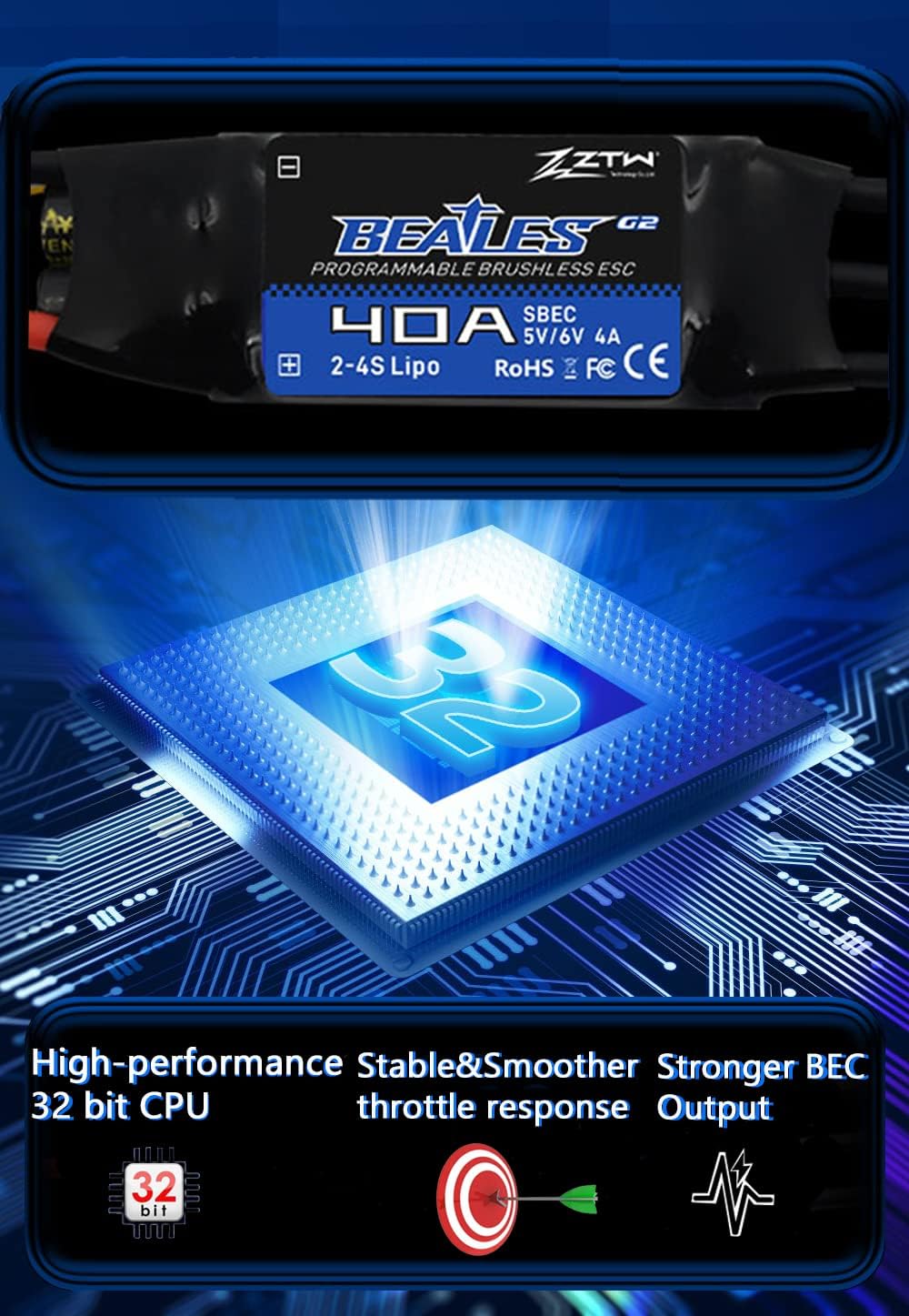
Image: Internal diagram illustrating the 32-bit CPU, stable performance, and strong BEC output.
5. Eto & Fifi sori
Proper installation of the ESC is crucial for safe and optimal performance. Follow these steps for connecting your ZTW Beatles G2 40A ESC:
- So awọn okun mọto pọ: Connect the three black motor wires from the ESC to your brushless motor's connectors. The order of connection determines the motor's rotation direction. This can be adjusted later during commissioning.
- Connect Receiver Signal Wire: Connect the ESC's black-red-white 3-pin signal wire to your receiver's throttle channel.
- Secure ESC: Secure the ESC and its XT60 power connector to the arm of your RC model using zip ties or other appropriate fasteners. Ensure they are firmly secured to prevent movement during operation.
- Ibi ti ina elekitiriki ti nwa: Connect the XT60 plug from the ESC to your battery.
Video: This video demonstrates the installation process of a Brushless ESC for a drone or RC plane, including connecting motor wires and securing the ESC.
6. Isẹ
6.1. Throttle Calibration
Throttle calibration is essential for the ESC to correctly recognize the throttle range of your transmitter. This procedure should be performed before the first use or if you change your transmitter.
- Turn on your transmitter and move the throttle stick to the highest position.
- Connect the ESC's power wires to the battery.
- Listen for two beeps from the ESC.
- Immediately move the transmitter's throttle stick to the lowest position.
- Listen for a confirmation tone from the ESC. This indicates successful calibration.
- Disconnect the battery and then reconnect it. If the throttle responds normally, calibration is complete.
Video: This video demonstrates the throttle calibration procedure for the Mantis Slim G2 ESC series.
Video: A general guide on how to calibrate an ESC, applicable to the ZTW Beatles G2 40A ESC.
6.2. Programming the ESC
The ZTW Beatles G2 40A ESC offers several programmable functions such as brake type, cut-off voltage, soft start, and motor direction. Programming can be done using your transmitter or an optional LCD Program Card G2.
Programming via Transmitter:
- Tan atagba ki o gbe ọpá finasi si ipo oke.
- So batiri pọ mọ ESC.
- Listen for a series of beeps indicating entry into programming mode. Each beep sequence corresponds to a specific parameter.
- Move the throttle stick to the bottom position to enter the corresponding parameter item.
- Move the throttle stick to the top position to save the selected parameter value. Programming is completed.
- Disconnect the battery to exit programming mode.
Video: This video demonstrates how to program your ESC using the transmitter.
Programming via LCD Program Card G2:
- Unplug the ESC throttle cable from the receiver.
- Insert the LCD Program Card G2 into the ESC's throttle cable.
- Connect the ESC to the battery.
- Wait for the LCD screen to display the power-on interface.
- Press the "ITEM" or "OK" button to select parameters and program.
- Upon completion of programming, press the "OK" button to save the parameters.
Video: This video shows how to set parameters for the Mantis Slim G2 ESC using an LCD Program Card.
6.3. SMR (Switch Motor Rotation) Function
The SMR function allows you to change the motor rotation direction. This is particularly useful for aircraft landing, as it can effectively shorten the landing distance.
- Ensure the SMR function is set to "ON" in the ESC programming.
- With the throttle below 50%, flip the 2-stage switch on your transmitter to change the motor rotation.
Note: The SMR function is only effective when the throttle is below 50% and is primarily intended for use during aircraft landing to shorten the landing distance.
Video: This video demonstrates how to set and use the SMR (Switch Motor Rotation) function of your ESC.
7. Itọju
To ensure the longevity and optimal performance of your ZTW Beatles G2 40A ESC, follow these maintenance tips:
- Keep the ESC clean and free from dust, dirt, and moisture.
- Regularly inspect all wires and connectors for signs of wear, fraying, or damage. Replace any damaged components immediately.
- Ensure adequate airflow around the ESC during operation to prevent overheating.
- Store the ESC in a dry, cool place away from direct sunlight and extreme temperatures.
8. Laasigbotitusita
If you encounter issues with your ZTW Beatles G2 40A ESC, consider the following common troubleshooting steps:
- Mọ́tò náà kò yípo:
- Check all power connections (battery to ESC, ESC to motor).
- Ensure the throttle is calibrated correctly.
- Verify that the receiver is properly bound to the transmitter.
- Inspect motor wires for loose connections or damage.
- Motor stutters or runs irregularly:
- Check motor timing settings (can be adjusted via programming).
- Ensure motor phase wires are correctly connected.
- Daju batiri voltage wa laarin awọn pàtó kan ibiti o.
- ESC overheating:
- Ensure adequate ventilation around the ESC.
- Check for excessive current draw (e.g., oversized propeller, motor issues).
- Verify motor timing is not set too aggressively.
- No response from ESC after power-on:
- Ṣayẹwo asopọ batiri ati iwọn diduntage.
- Ensure the ESC's signal wire is correctly plugged into the receiver.
- Re-perform throttle calibration.
9. Atilẹyin ọja & Atilẹyin
ZTW and HAWK HOBBY offer a 100% free warranty for this ESC. For warranty claims or technical support, please contact your retailer or the manufacturer directly with your proof of purchase.
For further assistance, refer to the official ZTW webojula tabi kan si wọn onibara iṣẹ.