
1. Ifihan
The SIIG Thunderbolt 4 Docking Station (Model: JU-DK0U11-S1) is designed to expand the connectivity of your laptop, providing a comprehensive workstation solution. This docking station offers 15 ports, enabling connections for multiple displays, peripherals, network, and power through a single Thunderbolt 4 cable. It supports high-speed data transfer and versatile display configurations for both Mac and Windows systems.

Image 1.1: SIIG Thunderbolt 4 Docking Station (JU-DK0U11-S1) overview.
2. Package Awọn akoonu
Daju pe gbogbo awọn nkan wa ninu apo rẹ:
- SIIG Thunderbolt 4 Docking Station (JU-DK0U11-S1)
- Oluyipada Agbara 150W
- Thunderbolt 4 USB
- Itọsọna olumulo

Image 2.1: Contents included in the SIIG Thunderbolt 4 Docking Station package.
3. Ọja Ipariview
3.1 Àwọn Ibudo Pánẹ́lì Iwájú
- 3.5mm Stereo Out: Fun olokun tabi ita agbohunsoke.
- SD 3.0 Card Slot: Supports SD 3.0 UHS-1 memory cards up to 2TB.
- USB-A 3.2 Gen 1 (5Gbps) Ports (x2): For connecting USB-A peripherals, supporting 5V/0.9A charging.
- Thunderbolt 4 Port: For connecting Thunderbolt 4 devices or displays.
- Bọtini agbara: Lati tan ibudo ibi iduro si tan tabi paa.

Aworan 3.1: alaye view of the front panel ports.
3.2 Ru Panel Ports
- DC Power Jack (20V/7.5A): Connects to the included 150W power adapter.
- Thunderbolt 4 Port (Host PD 60W): Connects to your laptop via the Thunderbolt 4 cable, providing up to 60W power delivery.
- 3.5mm Mic In: Fun sisopọ gbohungbohun ita.
- Micro SD (TF) 3.0 Card Slot: Supports Micro SD (TF) 3.0 UHS-1 memory cards up to 2TB.
- USB-A 2.0 (480Mbps) Ports (x2): For connecting USB-A peripherals, supporting 5V/1.5A charging.
- Ibudo Ethernet Gigabit: Fun asopọ nẹtiwọki ti firanṣẹ.
- DisplayPort Jade: Fun pọ ohun ita àpapọ.
- HDMI Jade: Fun pọ ohun ita àpapọ.
- Thunderbolt 4 Ports (x2): For connecting additional Thunderbolt 4 devices or displays, providing 45W power delivery.

Aworan 3.2: alaye view of the rear panel ports.
4. Awọn ilana iṣeto
- So agbara: Plug the included 150W power adapter into the DC Power Jack on the rear of the docking station, then connect it to a power outlet.
- Sopọ mọ Kọǹpútà alágbèéká Alejo: Use the provided Thunderbolt 4 cable to connect the Thunderbolt 4 Host port (60W PD) on the rear of the docking station to your laptop's Thunderbolt 4 or USB-C port.
- Agbara Tan: Press the power button on the front panel of the docking station. The power indicator LED should illuminate.
- Sopọ Awọn ifihan: Connect your monitors to the available DisplayPort, HDMI, and Thunderbolt 4 output ports on the docking station. Refer to the 'Display Configuration' section for supported setups.
- Awọn Agbeegbe Sopọ: Connect your USB devices, Ethernet cable, and audio devices to the corresponding ports on the docking station.
5. Awọn ilana Iṣiṣẹ
5.1 Ifihan iṣeto ni
The docking station supports various display setups, including single 8K or quad 4K displays, utilizing Thunderbolt 4 and DisplayLink technology. Ensure DisplayLink drivers are installed for optimal performance, especially for additional displays beyond native Thunderbolt outputs.
- Ifihan Kanṣoṣo: Supports up to 8K resolution.
- Ifihan Meji: Supports up to 2x 4K resolution via two Thunderbolt 4 ports.
- Quad Display Output: Achieved by combining two Thunderbolt 4 ports with the DisplayPort and HDMI ports, enabling four 4K displays.

Aworan 5.1: Example of a quad display setup using the docking station.

Image 5.2: Display compatibility and resolution matrix for Windows and Mac M1/M2 systems.
5.2 Ifijiṣẹ agbara
The docking station provides power to your connected devices:
- Gbigba agbara Kọǹpútà alágbèéká: Up to 60W Power Delivery (PD) to the host laptop via the Thunderbolt 4 host port.
- Thunderbolt 4 Awọn ibudo: Each of the three downstream Thunderbolt 4 ports provides up to 45W of power.
- Gbigba agbara iyara USB-A: Two USB-A 5Gbps ports support 5V/0.9A charging, and two USB-A 2.0 ports support 5V/1.5A charging.

Image 5.3: Power delivery capabilities of the docking station.
5.3 Data Gbigbe
Experience high-speed data transfer for efficient workflow:
- Thunderbolt 4: Up to 40Gbps data transfer speed, 8 times faster than USB 3.0.
- USB-A 3.2 Jẹn 1: Up to 5Gbps data transfer speed.
- Olùka Kaadi Iranti: Supports SD 3.0 UHS-1 and Micro SD (TF) 3.0 UHS-1 with data transfer rates up to 104MB/s.
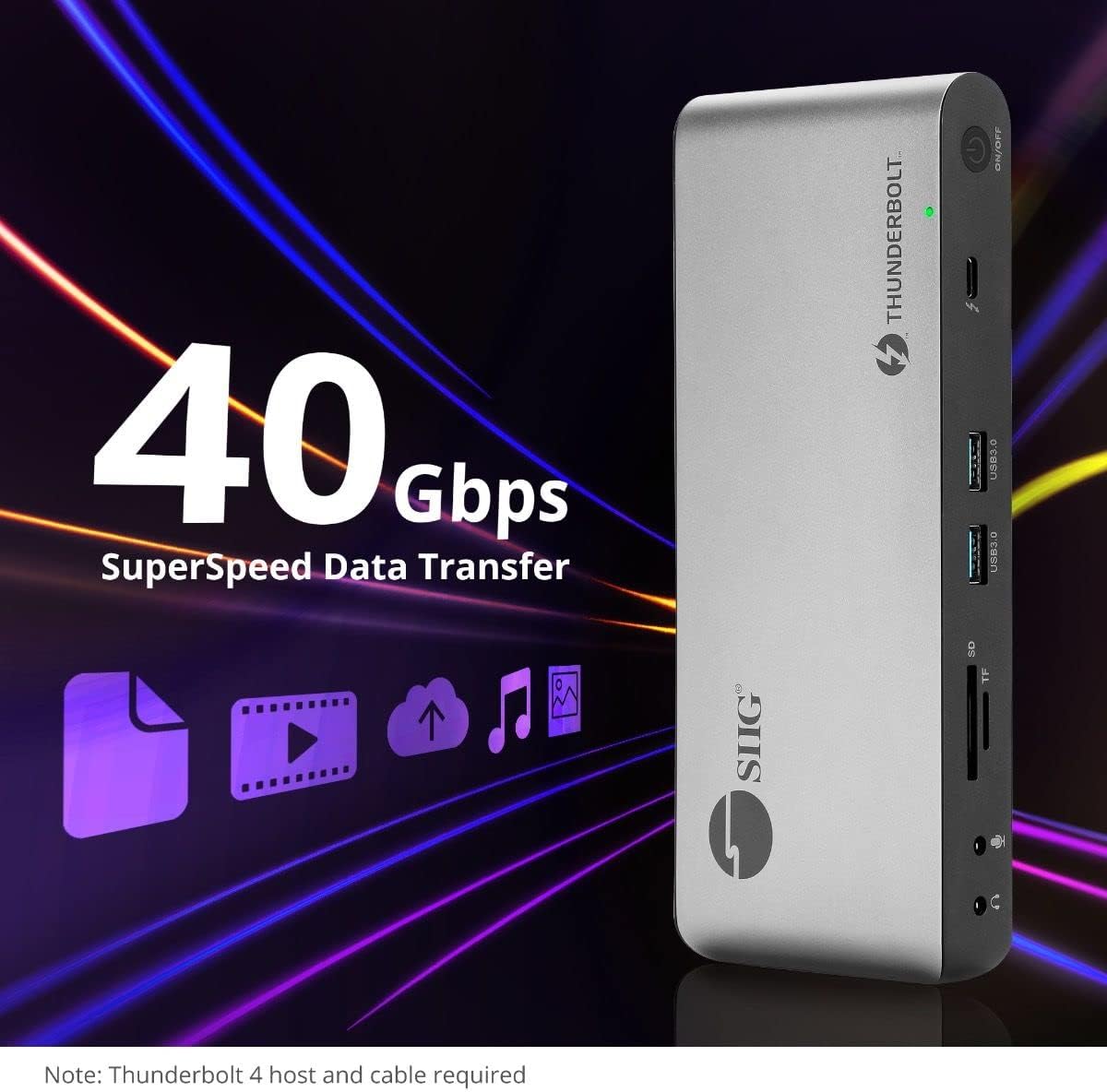
Image 5.4: High-speed data transfer capabilities.
6. Ibamu
The SIIG Thunderbolt 4 Docking Station is broadly compatible with various systems:
- Awọn ọna ṣiṣe: Mac M1/M2/M3 Pro & Max, Intel chip Macs, Windows PCs (Intel/AMD/Snapdragon), and Chromebooks.
- Ibamu sẹhin: Fully compatible with Thunderbolt 3, USB4, and USB-C equipped computers.
7. Itọju
Lati rii daju igbesi aye gigun ati iṣẹ to dara julọ ti ibudo docking rẹ, tẹle awọn itọnisọna itọju wọnyi:
- Ninu: Lo aṣọ rírọrùn tí ó gbẹ láti nu ìta ẹ̀rọ náà. Yẹra fún àwọn ohun èlò ìfọmọ́ omi tàbí àwọn ohun èlò ìfọ́mọ́.
- Afẹfẹ: Rí i dájú pé ibùdó ìdúró ọkọ̀ náà wà ní ibi tí afẹ́fẹ́ ti ń fẹ́ kí ó má baà pọ̀ jù. Má ṣe dí àwọn ihò afẹ́fẹ́ kankan.
- Ibi ipamọ: Tọju ẹrọ naa ni itura, aye gbigbẹ kuro lati orun taara ati awọn iwọn otutu to gaju.
- Mimu: Yago fun sisọ silẹ tabi tẹriba ẹrọ si awọn ipa to lagbara.
8. Laasigbotitusita
If you encounter issues with your SIIG Thunderbolt 4 Docking Station, refer to the following common problems and solutions:
- Ko si Agbara:
- Rí i dájú pé ohun tí a fi ń ṣe àtúnṣe agbára náà so mọ́ ibùdó ìdókòwò àti ibi tí agbára ń ṣiṣẹ́ dáadáa.
- Verify the power button on the docking station is pressed and the power indicator LED is on.
- Àwọn Ìṣòro Ìfihàn (Kò sí Àmì/Ìpinnu Tí Kò Tọ́):
- Check all display cables (HDMI, DisplayPort, Thunderbolt) are securely connected to both the docking station and the monitors.
- Ensure your laptop's display settings are configured correctly to detect and extend/mirror displays.
- For multi-display setups, especially beyond two monitors, ensure DisplayLink drivers are installed and up to date on your operating system.
- Verify your monitors support the selected resolution and refresh rate.
- A ko ṣe awari Agbeegbe:
- Ensure USB devices are properly connected to the docking station's USB ports.
- Try connecting the peripheral directly to your laptop to confirm it is functional.
- Restart the docking station and your laptop.
- Igbóná púpọ̀:
- Ensure the docking station is placed in an area with adequate airflow and not covered.
- Reduce the number of high-power devices connected if possible, or consider using a cooling pad if persistent.
- Gbigbe Data lọra:
- Ensure you are using Thunderbolt 4 certified cables for Thunderbolt connections.
- Verify the connected device supports the expected transfer speeds.
9. Awọn pato
| Ẹya ara ẹrọ | Ẹ̀kúnrẹ́rẹ́ |
|---|---|
| Nọmba awoṣe | JU-DK0U11-S1 |
| Ọja Mefa | 3.27 x 7.8 x 1.14 inches |
| Iwọn Nkan | 15.4 iwon (0.96 iwon) |
| Lapapọ Awọn ibudo | 15 (including 7 USB ports) |
| Asopọ Gbalejo | Thunderbolt 4 (USB-C) |
| Awọn abajade fidio | 1x HDMI, 1x DisplayPort, 3x Thunderbolt 4 (USB-C) |
| Ìpinnu Ìfihàn Púpọ̀ Jùlọ | Single 8K@30Hz, Quad 4K@60Hz |
| Ifijiṣẹ Agbara (Olugbalejo) | Titi di 60W |
| Power Delivery (Downstream TB4) | Up to 45W fun ibudo |
| Iyara Gbigbe Data | Thunderbolt 4: 40Gbps, USB-A 5Gbps: 5Gbps |
| Àjọlò | Gigabit àjọlò |
| Oluka kaadi | SD 3.0 UHS-1, Micro SD (TF) 3.0 UHS-1 (up to 2TB) |
| Awọn ibudo ohun | 3.5mm Stereo Out, 3.5mm Mic In |
| OS ibaramu | Mac M1/M2/M3 Pro & Max, Intel Macs, Windows, Chromebooks |
| Àwọ̀ | Dudu |
| UPC | 662774045689 |
10. Atilẹyin ọja ati Support
SIIG products are designed for reliability and performance. For warranty information and technical support, please refer to the documentation included with your product or visit the official SIIG webojula. Tọju iwe-ẹri rira rẹ fun awọn ẹtọ atilẹyin ọja.