
1. Ifihan
Thank you for choosing the Ekrist 10800mAh Portable Charger. This manual provides essential information for the safe and efficient use of your power bank. Please read it thoroughly before operation and retain it for future reference.
This portable charger is designed to provide convenient power on the go for your USB-C compatible devices, featuring a built-in USB-C cable, additional USB-A and USB-C ports, and an LCD display for battery status.

Image 1.1: Ekrist Portable Charger in use with a smartphone.
2. Ọja Ipariview
2.1 Package Awọn akoonu
- Ekrist 10800mAh Portable Charger (Model HX90X1)
- USB-A si okun gbigba agbara USB-C
- Afowoyi Olumulo (iwe-ipamọ yii)
2.2 Awọn ẹya ara ẹrọ
- Agbara giga 10800mAh: Pese awọn idiyele pupọ fun ọpọlọpọ awọn fonutologbolori.
- Okun USB-C ti a ṣe sinu rẹ: Conveniently charge compatible devices without carrying an extra cable.
- 15W PD Gbigba agbara Yara: Supports Power Delivery for rapid charging and recharging.
- Ifihan oni-nọmba LCD: Ó hàn kedere pé ìpín ogorun batiri tó kùtage.
- Ngba agbara ẹrọ pupọ: Charge up to three devices simultaneously using the built-in USB-C cable, USB-A output, and USB-C input/output port.
- Ṣe-Nipasẹ Gbigba agbara: Recharge the power bank while it charges your devices.
- Iwapọ ati Apẹrẹ to gbe: Credit card-sized for easy carrying.
- Ètò Ààbò Onírúurú: Includes over-charge, over-voltage, over-current, short-circuit, and over-discharge protection.

Aworan 2.1: alaye view of the Ekrist Portable Charger's features and ports.
3. Eto
3.1 Ni ibẹrẹ idiyele
Before first use, fully charge your Ekrist portable charger. This ensures optimal battery performance and accuracy of the LCD display.
- Connect the provided USB-A to USB-C cable to a compatible USB wall adapter (not included).
- Insert the USB-C end of the cable into the USB-C Input/Output port on the portable charger.
- The LCD display will show the charging progress, indicating 100% when fully charged. A full recharge typically takes less than 4 hours with a 5V-2A wall adapter.
4. Awọn ilana Iṣiṣẹ
4.1 Charging the Portable Charger
Lati saji banki agbara:
- Use the provided USB-A to USB-C cable or any compatible USB-C cable.
- Connect the cable to the USB-C Input/Output port on the power bank and a power source (e.g., wall adapter, computer USB port).
- Ifihan LCD yoo fihan ipin ogorun batiri naatage pọasing bí ó ṣe ń gba owó.
4.2 Ngba agbara si Awọn ẹrọ rẹ
The Ekrist portable charger offers multiple ways to charge your devices:
Lilo okun USB-C ti a ṣe sinu:
- Pull out the built-in USB-C cable from its storage slot.
- Connect the USB-C connector directly to your USB-C compatible device.
- Báńkì agbára yóò bẹ̀rẹ̀ sí í gba agbára lórí ẹ̀rọ rẹ láìfọwọ́sí. Ìfihàn LCD yóò fi agbára tí ó kù nínú báńkì agbára hàn.

Image 4.1: Charging a device using the built-in USB-C cable.
Using the USB-A Output Port:
- Connect your device's USB charging cable (USB-A end) to the USB-A Output port on the power bank.
- So opin keji okun waya rẹ mọ ẹrọ rẹ.
- Gbigba agbara yoo bẹrẹ laifọwọyi.
Using the USB-C Input/Output Port:
- Connect your device's USB-C charging cable to the USB-C Input/Output port on the power bank.
- So opin keji okun waya rẹ mọ ẹrọ rẹ.
- Gbigba agbara yoo bẹrẹ laifọwọyi.
4.3 Ngba agbara Multiple Devices
The power bank can charge up to three devices simultaneously using the built-in USB-C cable, the USB-A output port, and the USB-C input/output port.

Àwòrán 4.2: Gbígba agbára púpọ̀ sí i ní àkókò kan náà.
4.4 Pass-Nipasẹ gbigba agbara
The power bank supports pass-through charging, allowing you to recharge the power bank itself while it is simultaneously charging your devices.

Image 4.3: Pass-through charging in action.
Ifihan LCD 4.5
The integrated LCD display shows the remaining battery percentage of the power bank. This allows you to monitor the charge level and know when to recharge the unit.
5. Itọju
- Ninu: Lo asọ ti o rọ, ti o gbẹ lati nu dada ti banki agbara. Yago fun lilo awọn kẹmika lile tabi awọn ohun elo abrasive.
- Ibi ipamọ: Tọju banki agbara ni itura, aye gbigbẹ kuro lati orun taara, awọn iwọn otutu to gaju, ati ọriniinitutu.
- Itọju Batiri: Láti mú kí batiri pẹ́ sí i, gba agbára bank agbára náà ní kíkún lẹ́ẹ̀kan ní oṣù mẹ́ta tí kò bá sí ní lílò déédéé.
- Yago fun awọn isọ silẹ: Maṣe ju silẹ tabi tẹ banki agbara si awọn ipa to lagbara.
6. Laasigbotitusita
- Ẹrọ ko gba agbara:
- Ensure the power bank has sufficient charge (check LCD display).
- Verify that the cable connections are secure.
- Gbiyanju okun gbigba agbara ti o yatọ tabi ibudo.
- Confirm your device is compatible with the power bank's output.
- Ile-ifowopamọ agbara ko gba agbara:
- Ensure the charging cable is properly connected to a working power source.
- Try a different USB wall adapter or power source.
- Use the provided USB-A to USB-C cable for recharging.
- Gbigba agbara lọra:
- Ensure your device and cable support fast charging.
- Avoid charging multiple devices simultaneously if faster charging for one device is critical.
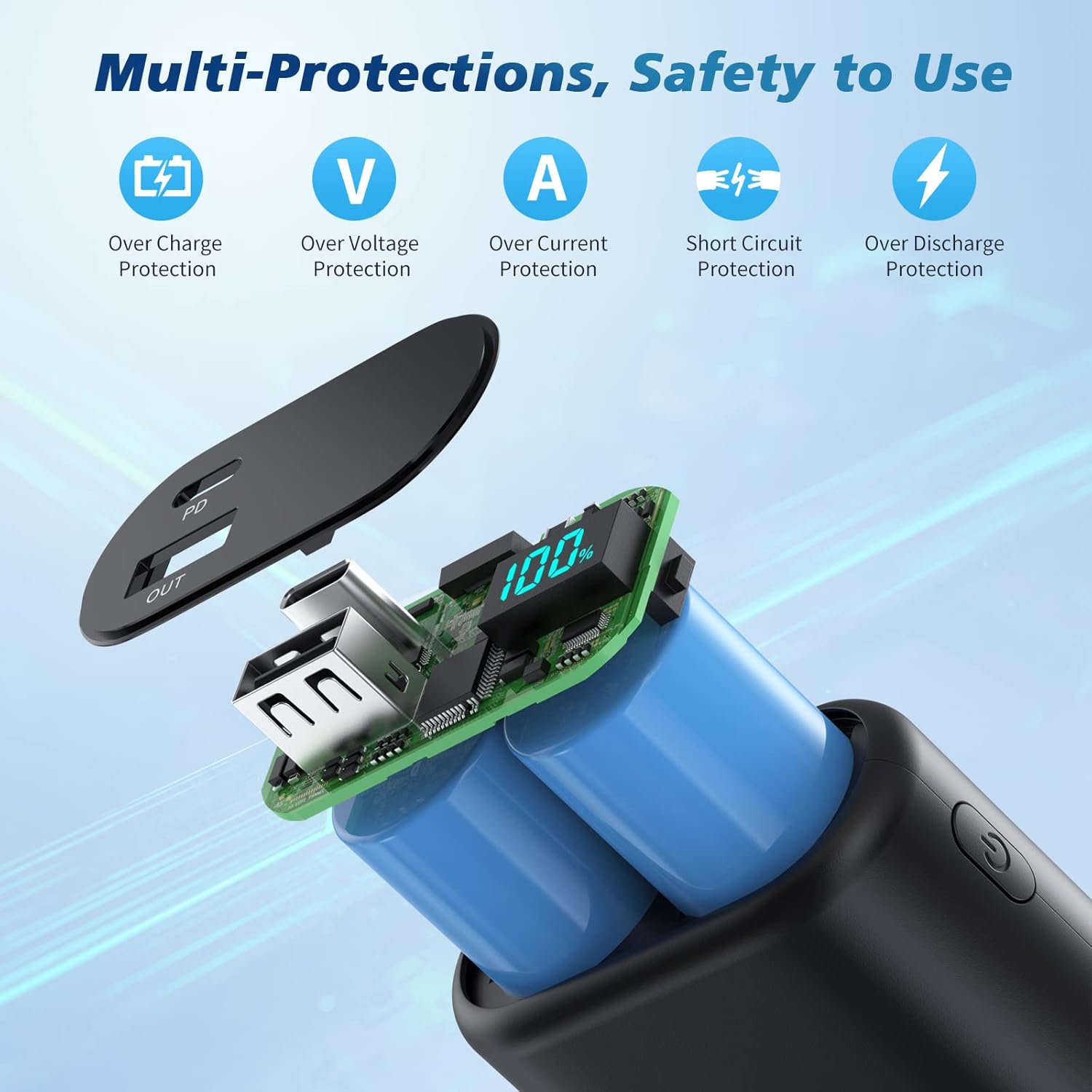
Image 6.1: Multi-protection features for safe operation.
7. Awọn pato
| Ẹya ara ẹrọ | Sipesifikesonu |
|---|---|
| Nọmba awoṣe | HX90X1 |
| Agbara Batiri | 10800mAh |
| USB-C Input / o wu | 5V/3A (15W PD) |
| Itumọ ti ni USB-C USB wu | 5V/3A |
| Ṣiṣejade USB-A | 5V/2.1A |
| Ọja Mefa | 3.66 x 2.16 x 0.86 inches |
| Iwọn Nkan | 6.8 iwon |
| Batiri Iru | Litiumu polima |
8. Atilẹyin ọja ati Support
Your Ekrist portable charger comes with a 90-ọjọ ni kikun agbapada imulo ati a 3-year worry-free replacement warranty.
If you encounter any issues or have questions regarding your product, please do not hesitate to contact our customer support team. We are committed to providing prompt assistance.
For support, please refer to the contact information provided on the product packaging or the official Ekrist webojula.