
1. Ọja Ipariview
The OREiN OL003 Bathroom Exhaust Fan with Light is designed to enhance air quality and illumination in your bathroom. This unit features a powerful 160 CFM fan for effective ventilation in rooms up to 160 sq. ft., operating at a quiet 1.0 sones. It includes a bright 1500lm LED light with selectable color temperatures (3000K/4000K/5000K) and a 2200K nightlight. A built-in humidity sensor automatically activates the fan when humidity levels exceed 60%, ensuring a comfortable and moisture-free environment.

Figure 1: OREiN OL003 Bathroom Exhaust Fan with Light. This image shows the complete unit, featuring a square white housing with a central circular LED light.
2. Alaye Aabo pataki
Please read and understand all instructions before attempting to assemble, install, operate, or maintain this product. Failure to follow these instructions may result in electric shock, fire, property damage, or personal injury.
- Máa yọ agbára kúrò ní ibi tí ẹ̀rọ ìfọ́mọ́ra náà ti ń bàjẹ́ kí o tó fi sori ẹrọ tàbí ṣe iṣẹ́.
- Gbogbo wiwa gbọdọ wa ni ibamu pẹlu awọn koodu itanna agbegbe ati awọn ilana.
- Apẹrẹ yii jẹ apẹrẹ fun lilo ninu ile nikan.
- Rii daju pe afẹfẹ ti wa ni ilẹ daradara.
- Do not use this fan in a kitchen.
- This fan includes a light that must be operated separately with an additional switch or double switch.
3. Awọn ẹya Ọja
3.1 High Performance Ventilation
The OREiN OL003 fan provides powerful and quiet ventilation, effectively removing moisture and odors from your bathroom.
- Agbara Afẹfẹ: 160 Cubic Feet Per Minute (CFM), suitable for rooms up to 160 sq. ft.
- Ipele Ariwo: Ultra-quiet 1.0 Sones, ensuring minimal disturbance.
- Agbara: 40W for the fan, 18W for the light.

Figure 2: This image highlights the fan's quiet operation (Sone < 1.0), high airflow (160 CFM), humidity sensor, and 40W power consumption.
Video 1: OREiN Bathroom Exhaust Fan With Humidity Sensor. This video demonstrates the fan's features, including its quiet operation and humidity sensing capabilities.
3.2 Humidity Sensing Technology
The integrated humidity sensor automatically detects high moisture levels and activates the fan to prevent steam buildup and maintain a healthy bathroom environment.
- The fan automatically turns on when the humidity level in the room exceeds 60%.
- An LED indicator light changes color to show the current mode:
- LED pupa: Manual Mode (fan runs continuously).
- Green Green: Humidity Sensing Mode (fan activates automatically).

Figure 3: This image illustrates the two operating modes of the humidity sensor: Manual Mode (red LED) and Humidity Sensing Mode (green LED). It also shows how to cycle between modes using the wall switch.

Figure 4: This image shows a bathroom "Before" and "After" using the exhaust fan, demonstrating its effectiveness in clearing steam and fog.
3.3 3CCT Selectable LED Light & Nightlight
The integrated LED light offers versatile illumination options to suit your preference and needs.
- Selectable Color Temperatures: Choose between 3000K (soft white), 4000K (bright white), or 5000K (daylight) by sliding a toggle switch on the back of the bath fan shade.
- Ẹya Imọlẹ Alẹ: A 2200K nightlight provides soft illumination for nighttime use. To activate the nightlight while the main light is on, switch the light switch off then back on again within 2 seconds.
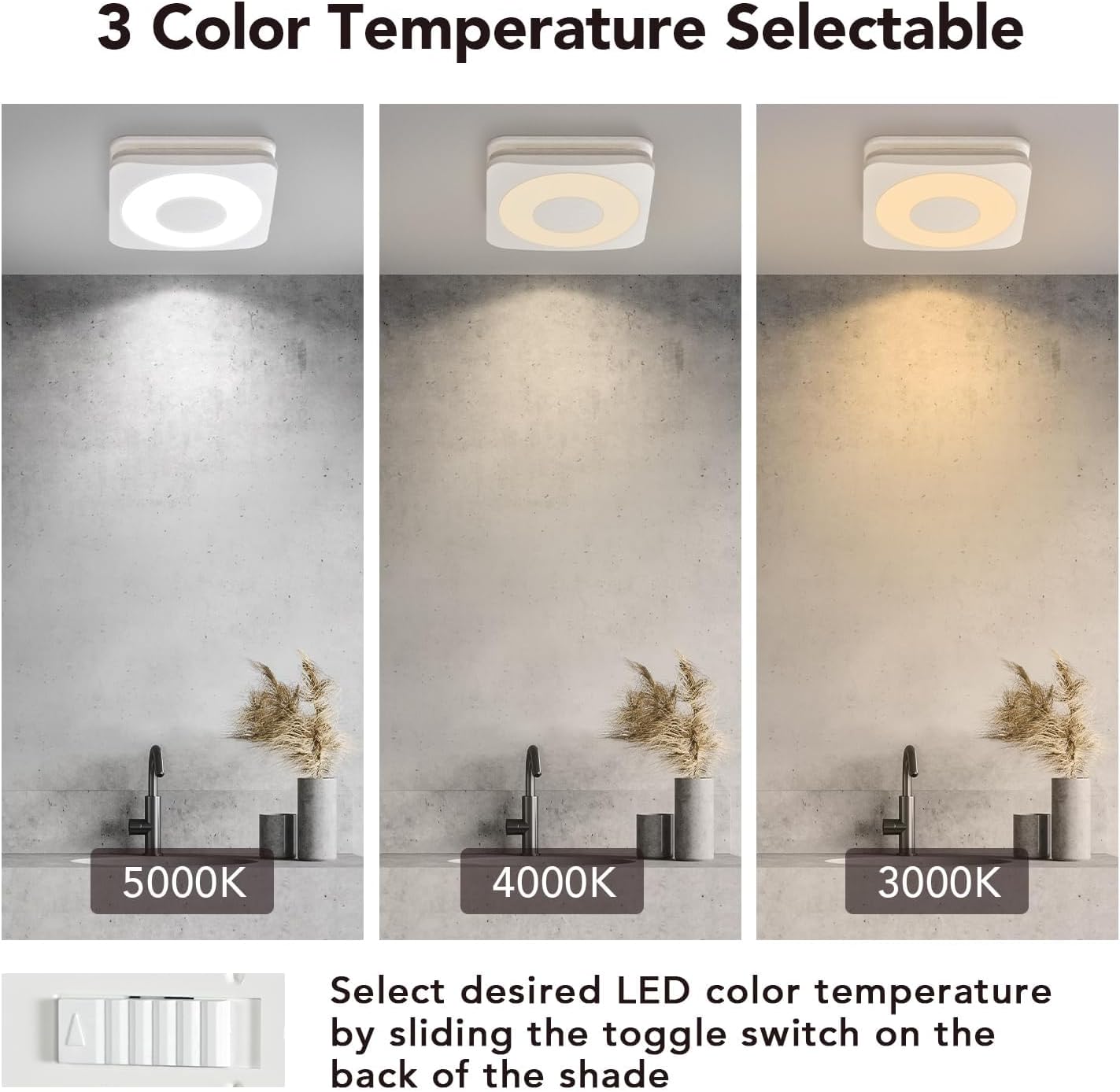
Figure 5: This image displays the three selectable color temperatures (3000K, 4000K, 5000K) and indicates the toggle switch location for selection.
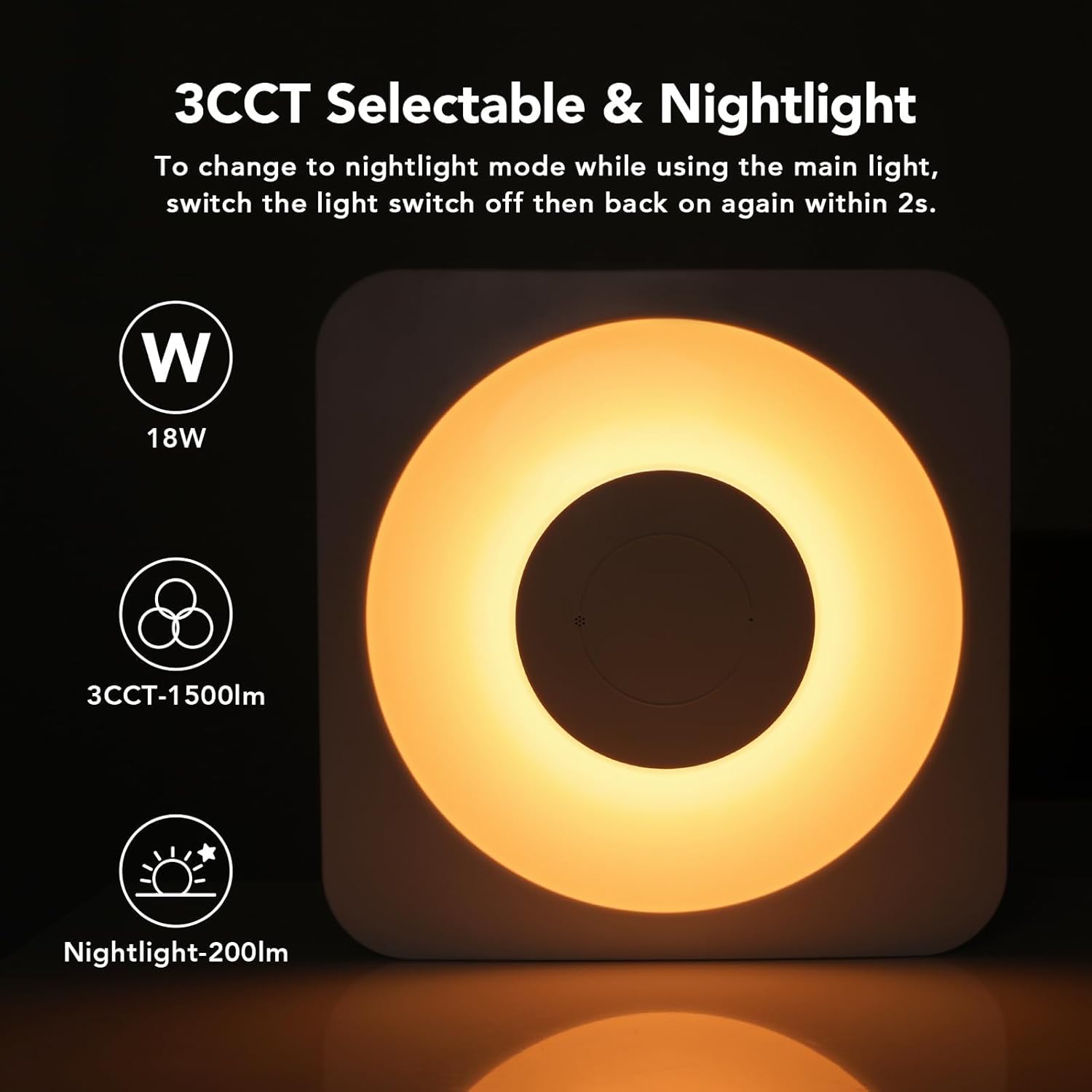
Figure 6: This image shows the fan operating in nightlight mode, providing a soft 2200K illumination.
4. Eto & Fifi sori
The OREiN OL003 exhaust fan is designed for easy installation in new construction or as a replacement unit. It fits 11.81" x 11.02" x 9" ceiling construction with a 6-inch duct.
- Awọn iwọn: Housing Dimensions 12.87" x 10.59" x 7.91". Light cover size is 13.1'' x 13.1''. Duct Diameter: 6 inch.
- Iṣagbesori: Comes with a fast bracket for secure and easy installation. Mount the exhaust fan between ceiling joists with the fast bracket, or nail/screw it directly to the joist.
- Asopọmọra: The light and fan functions require separate wiring or a double switch for independent operation.

Figure 7: This image provides detailed dimensions of the fan unit and its recommended installation size for ceiling construction.

Figure 8: This image shows the various components included for easy installation, such as the fast bracket and wiring connectors. It also notes the requirement for a separate switch for the light.

Figure 9: This image provides a wiring diagram and shows the quick connectors for electrical hookup. It emphasizes that the light requires separate operation.
Video 2: How to Install OREiN Humidity Sensing Bathroom Fan? This video provides a step-by-step guide on the installation process of the fan.
5. Awọn ilana Iṣiṣẹ
5.1 Humidity Sensor Operation
The fan can operate in two modes: Manual and Humidity Sensing.
- Awọn ọna Yipada: To switch between modes, cycle the wall switch of the fan to the "OFF" position then back to "ON" position.
- Ipo afọwọṣe: When the red LED indicator light is on, the fan will run continuously.
- Humidity Sensing Mode: When the green LED indicator light is on, the fan will automatically turn on when the humidity level in the room is above 60%.
5.2 LED Light isẹ
The LED light offers adjustable color temperature and a nightlight function.
- Yiyan Iwọn otutu Awọ: Before installation, preset your desired LED color temperature (3000K, 4000K, or 5000K) by sliding the toggle switch located on the back of the bath fan shade.
- Activating Nightlight: To change to nightlight mode (2200K) while using the main light, switch the light switch off then back on again within 2 seconds.
6. Itọju
Regular maintenance ensures optimal performance and longevity of your OREiN exhaust fan. Always disconnect power at the circuit breaker before performing any maintenance.
- Cleaning the Grille/Cover: Periodically wipe the light cover and fan grille with a soft, damp asọ. Maṣe lo awọn afọmọ abrasive.
- Fífọ Àwọn Abẹ́ Fáàn: If accessible, gently clean the fan blades to remove dust and debris that may accumulate over time.
- Ayewo ductwork: Annually inspect the ductwork for any blockages or disconnections to ensure proper airflow.
7. Laasigbotitusita
If you experience issues with your OREiN exhaust fan, refer to the following common problems and solutions:
| Isoro | Owun to le Fa | Ojutu |
|---|---|---|
| Afẹ́fẹ́ kò tan. | No power, faulty wiring, humidity sensor not triggered. | Check circuit breaker. Verify wiring connections. Cycle wall switch to Manual Mode (red LED) to test fan. Ensure humidity is above 60% for auto mode. |
| Light not working or blinking. | Loose connection, LED failure. | Ensure LED wire is securely plugged into the fan housing. If issue persists, contact customer support. |
| Fan jẹ alariwo. | Obstruction in fan/duct, loose mounting, worn motor. | Check for debris in fan or ductwork. Ensure unit is securely mounted. If noise persists, contact customer support. |
| Fan not clearing steam effectively. | Room size too large, ductwork issues, humidity sensor setting. | Verify room size is within 160 sq. ft. Check duct for blockages or proper sealing. Ensure fan is in Humidity Sensing Mode or Manual Mode. |
8. Awọn alaye ọja
| Iwa | Iye |
|---|---|
| Brand | OREiN |
| Orukọ awoṣe | OL1700376 |
| Àwọ̀ | Funfun |
| Electric àìpẹ design | eefi Fan |
| Orisun agbara | AC |
| Ara | Igbalode |
| Ọja Mefa | 10.59"D x 12.87"W x 7.91"H |
| Yara Iru | Yara iwẹ |
| Pataki Ẹya | Ọriniinitutu Sensọ |
| Niyanju Lilo Fun Ọja | Nmuwẹsi |
| Ariwo Ipele | 1 Awọn ọmọ |
| Wattage | 40 watts (Fan) / 18 watts (Light) |
| Pari Iru | Matte White |
| Nọmba ti Blades | 7 |
| Air Sisan Agbara | 160 Onigun Ẹsẹ Fun iseju |
| Iyara | 800 RPM |
| Voltage | 120 Volts |
| Yipada Iru | Titari Bọtini |
| Iwọn Nkan | 17.63 iwon |
| Awọn irinše to wa | Bath Fan/ LED Light |
| inu ile / ita gbangba Lilo | Ninu ile |
| Pato sipesifikesonu | FCC, RoHS |
| Ọna Iṣakoso | Fọwọkan |
| Imọlẹ Iru | LED |
| Asopọmọra Iru | Standard AC power plug |
| Blade elo | Ṣiṣu |
| Fọọmù ifosiwewe | Aja-agesin |
| Ọjọ Akọkọ Wa | Oṣu kejila ọjọ 1, ọdun 2022 |
9. Atilẹyin ọja & Onibara Support
For warranty information or technical support, please contact OREiN customer service. Keep your purchase receipt as proof of purchase.
- Awọn orisun Ayelujara: Refer to the official OREiN website for FAQs and additional support documents.
- Ibi iwifunni: (Please refer to your product packaging or the official OREiN website for the most current contact details.)