
DOOGEE DOOGEE T20
Ìwé Àgbékalẹ̀ Olùlò Tábìlẹ́ẹ̀tì Android DOOGEE T20
Model: DOOGEE T20
Ọrọ Iṣaaju
The DOOGEE T20 Android Tablet is designed for versatile use, offering a high-resolution display and robust performance for both productivity and entertainment. Key features include a 10.4-inch 2K display, Hi-Res Quad Speakers, an Octa-core processor, and a long-lasting 8300mAh battery. It also features T ÜV S ÜD Low Bluelight certification for eye comfort and Widevine L1 DRM support for high-definition streaming.
Ṣeto
Ṣíṣí àpótí àti Agbára Àkọ́kọ́
Upon unboxing, ensure all components are present: the DOOGEE T20 tablet, a protective case, a stylus, a USB-C charging cable, and a power adapter. The tablet comes with a pre-installed screen protector. To power on, press and hold the power button located on the side until the DOOGEE logo appears.
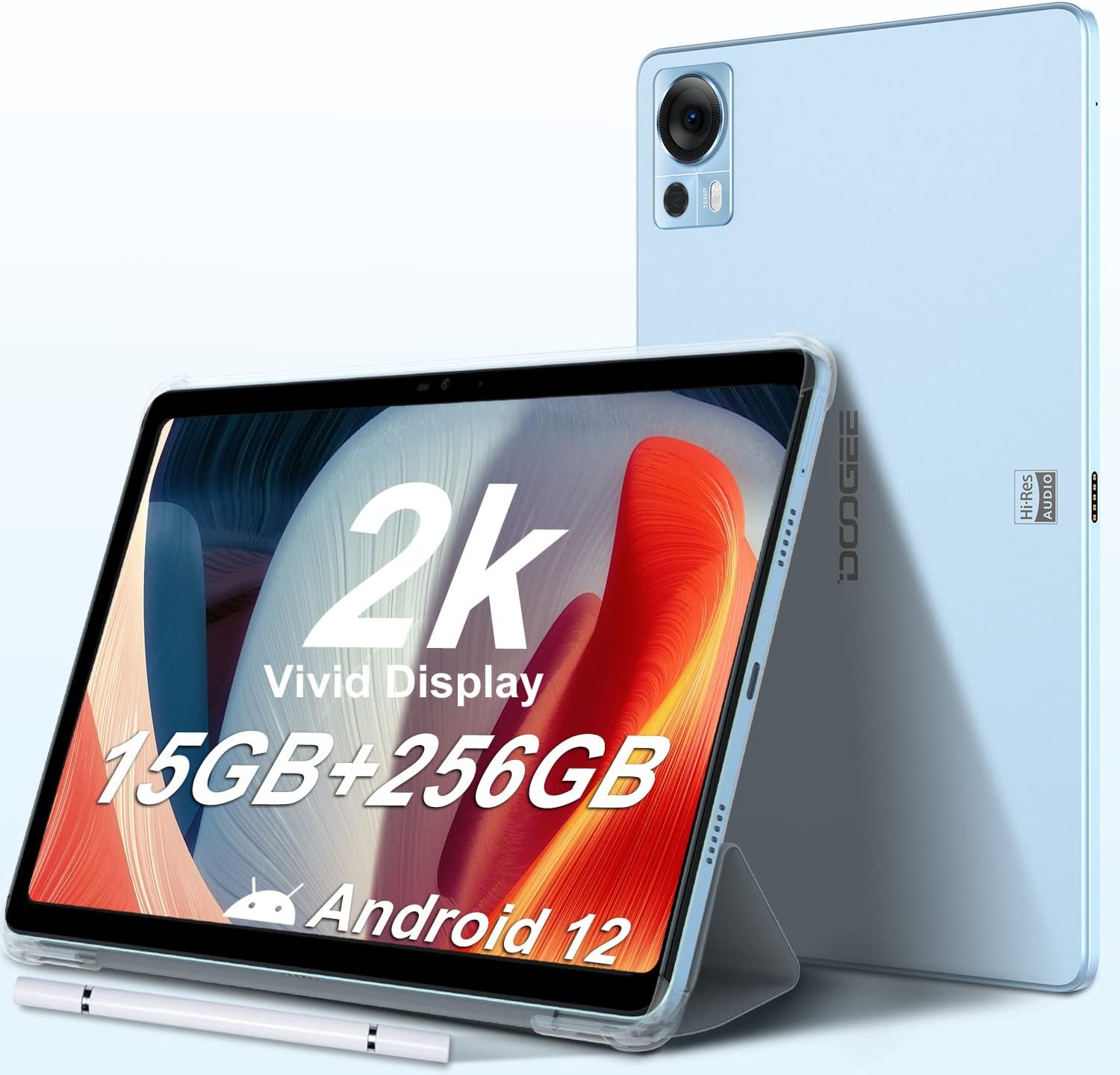
Image: DOOGEE T20 Tablet in its packaging, highlighting the 2K display and storage capacity.
First-Time Setup (Android 12)
The tablet runs on Android 12. During the initial setup, you will be guided through connecting to a Wi-Fi network, logging into your Google account, and setting up basic preferences. You have the option to transfer data from another Android device during this process.
Video: Official DOOGEE T20 Tablet overview, ifihanasing design and key features.
The setup process is intuitive, allowing you to customize settings such as notifications, sound profiles, and display options. The tablet also features a RAM Expand option, allowing you to utilize up to 7GB of virtual RAM from storage for a total of 15GB RAM, enhancing performance for demanding applications and games.
Ṣiṣẹ tabulẹti
Ifihan ati Visuals
The 10.4-inch 2K FHD+ display (2000x1200 resolution) provides vivid visuals. It features T ÜV S ÜD eye safety certification to reduce blue light exposure, making it comfortable for extended use. Widevine L1 DRM support ensures high-definition content streaming from platforms like Disney+, Hulu, HBO Max, and Amazon Prime Video.

Image: DOOGEE T20 Tablet showcasing its T ÜV S ÜD Eye Safety Certified screen, emphasizing blue light reduction.
Iriri ohun
Equipped with Hi-Res Quad Speakers, the tablet delivers an immersive audio experience. Sound quality is clear and robust, suitable for media consumption and gaming.
Video: Official DOOGEE T20 Tablet overview, highlighting the 2K display and Hi-Res Quad Speakers.
Asopọmọra
The DOOGEE T20 supports 2.4G/5G Dual-band Wi-Fi and Bluetooth 5.0 for efficient and fast wireless transmission. It also features dual SIM 4G support for mobile connectivity.

Image: DOOGEE T20 Tablet highlighting its 2.4G/5G Dual Band Wifi, 4G Dual Sim, and Bluetooth 5.0 capabilities.
Stylus and Keyboard Support
The tablet comes with an Ultra-Smart Stylus, offering 2048 pressure levels for precise input, ideal for drawing or note-taking. It also supports an optional wireless keyboard case for enhanced productivity.

Image: A user drawing on the DOOGEE T20 Tablet with the included stylus.
Itoju
Iṣakoso batiri
The 8300mAh battery supports up to 12 hours of online video streaming or 6 hours of online gameplay. It also supports 18W fast charging. Monitor battery usage through the Battery Manager in settings to optimize power consumption by various apps.

Image: DOOGEE T20 Tablet highlighting its 8300mAh battery and 18W fast charging capability.
Ibi ipamọ Management
The tablet comes with 256GB of internal storage, expandable up to 1TB via an external TF card. Utilize the storage manager to free up space and manage installed applications.

Image: DOOGEE T20 Tablet showing its 15GB RAM and 256GB ROM, expandable up to 1TB.
Awọn imudojuiwọn Software
Keep your tablet's software updated to ensure optimal performance and security. System updates can be checked and installed via the settings menu.
Video: Official DOOGEE T20 Tablet promotional video, showcasing various features including software performance.
Laasigbotitusita
Performance Issues (Lag, App Crashes)
If you experience lag or app crashes, ensure your tablet's software is up to date. Utilize the Battery Manager to identify and manage apps consuming excessive resources. Activating the RAM Expand feature (Settings > RAM Expand) can also improve performance by utilizing virtual RAM.
Sisan batiri ni kiakia
Check the Battery Manager in settings to see which applications are using the most power. Close unnecessary background apps and consider enabling power-saving modes to extend battery life.
Display or Sound Problems
For display issues, check brightness settings and ensure Eye Comfort mode is configured correctly. For sound problems, verify volume levels for media, calls, and alarms in the Sound settings. Ensure no external devices are interfering with audio output.
Awọn pato
| Ẹya ara ẹrọ | Ẹ̀kúnrẹ́rẹ́ |
|---|---|
| Iwọn ifihan iboju duro | 10.4 inches |
| Ipinnu iboju | 2000x1200 |
| Ipinnu Iboju ti o pọju | 2000 * 12000 awọn piksẹli |
| Brand | DOOGEE |
| jara | DOOGEE T20 tabulẹti |
| Nọmba awoṣe ohun kan | DOOGEE T20 |
| Eto isesise | Android 12 |
| Iwọn Nkan | 15.2 iwon |
| Ọja Mefa | 9.67 x 6.12 x 0.31 inches |
| Nkan Dimensions LxWxH | 9.67 x 6.12 x 0.31 inches |
| Àwọ̀ | Buluu |
| Ẹyìn WebKame.awo-ori Ipinnu | 8 MP |
| isise Brand | Samsung |
| Flash Memory Iwon | 256 GB |
| Batiri Iru | Litiumu-polima |
| Orisun agbara | Agbara Batiri |
| Awọn batiri | 2 Litiumu Ion batiri ti a beere. (pẹlu) |
| Ọjọ Akọkọ Wa | Oṣu kejila ọjọ 14, ọdun 2022 |
Ohun ti o wa ninu Apoti
- DOOGEE T20 Android Tablet
- Stylus
- USB-C Ngba agbara Cable
- Adapter agbara
- Ọran Idaabobo
- Ọpa Ijade SIM
- Itọsọna olumulo
Atilẹyin ọja ati Support
The DOOGEE T20 tablet comes with a two-year warranty service. For any issues or support inquiries, please contact DOOGEE customer service. You can find contact information in the included User Manual or on the official DOOGEE webojula.
Fun awọn orisun afikun ati awọn FAQ, ṣabẹwo si Ile itaja DOOGEE lori Amazon.
Ask a question about this manual
Ask about setup, troubleshooting, compatibility, parts, safety, or missing instructions. Manuals+ will review the question and use this page’s manual context to help answer it.