
Sharp CP-SS30(BK)
Sharp CP-SS30(BK) Active Bookshelf Speakers User Manual
Model: CP-SS30(BK)
1. Ifihan
O ṣeun fun riraasing the Sharp CP-SS30(BK) Active Bookshelf Speakers. These speakers are designed to provide superior sound reproduction with versatile connectivity options. Please read this manual carefully before using the product to ensure proper operation and to maximize your listening experience.
The CP-SS30(BK) features a robust plywood cabinet, 60W RMS (2 x 30W) two-way active sound, and multiple input options including Bluetooth v5.0, USB, Optical, Auxiliary, and RCA. It also includes an equalizer with preset and custom bass/treble adjustments, and a full-function remote control for convenience.
2. Alaye Aabo
Please observe the following safety precautions to prevent damage to the product and to ensure your safety:
- Ma ṣe fi awọn agbohunsoke han si ojo tabi ọrinrin.
- Ma ṣe dina eyikeyi awọn ṣiṣi atẹgun.
- Maṣe fi sori ẹrọ nitosi awọn orisun ooru gẹgẹbi awọn imooru, awọn iforukọsilẹ ooru, awọn adiro, tabi awọn ohun elo miiran (pẹlu ampliifiers) ti o gbe ooru jade.
- Dabobo okun agbara lati ma rin lori tabi pin, ni pataki ni awọn pilogi, awọn ohun elo irọrun, ati aaye nibiti wọn ti jade kuro ninu ohun elo naa.
- Lo awọn asomọ/awọn ẹya ara ẹrọ ti olupese pato.
- Yọọ ohun elo yi nigba iji manamana tabi nigba lilo fun igba pipẹ.
- Tọkasi gbogbo iṣẹ si awọn oṣiṣẹ iṣẹ ti o peye. Iṣẹ nilo nigbati ohun elo ba ti bajẹ ni ọna eyikeyi, gẹgẹbi okun ipese agbara tabi plug ti bajẹ, omi ti ta silẹ tabi awọn nkan ti ṣubu sinu ẹrọ, ohun elo naa ti farahan si ojo tabi ọrinrin, ko ṣiṣẹ deede. , tabi ti lọ silẹ.
3. Package Awọn akoonu
Jọwọ ṣayẹwo pe gbogbo awọn nkan wa ati ni ipo to dara:
- 2 x Sharp CP-SS30(BK) Bookshelf Speakers
- 1 x Iṣakoso latọna jijin (awọn batiri ti o wa pẹlu)
- 1 x RCA Audio Cable (3 meters)
- 1 x AUX Audio Cable (1.2 meters)
- 1 x Power Cable (1.2 meters)
- 1 x Okun Asopọ Agbọrọsọ
- Akosile olumulo

Image: All components included in the Sharp CP-SS30(BK) package, including two speakers, remote control, and various cables.
4. Awọn ẹya Ọja
The Sharp CP-SS30(BK) speakers offer a range of features for an enhanced audio experience:
- Ijade Olohun ti o lagbara: 60W RMS (2 x 30W) two-way active speakers for clear and dynamic sound.
- Ikole Ere: Plywood cabinet design ensures superior sound reproduction and durability.
- Asopọ Alailowaya: Seamless audio streaming with Bluetooth v5.0.
- Awọn igbewọle pupọ: Connect various devices via Bluetooth, USB, Optical, Auxiliary (AUX), and RCA inputs.
- Ohun Isese: Built-in equalizer with five preset settings and independent bass and treble adjustment.
- Apẹrẹ ode oni: Removable speaker grilles allow for a contemporary aesthetic.
- Iṣakoso Rọrun: Full-function remote control for easy operation from a distance.

Aworan: Iwaju view of the Sharp CP-SS30(BK) speakers with the remote control, showcasing their design and compact size.

Aworan: A sunmọ-soke view of the front panel of one Sharp CP-SS30(BK) speaker with the grille removed, highlighting the tweeter, woofer, indicator light, and volume/input knob.
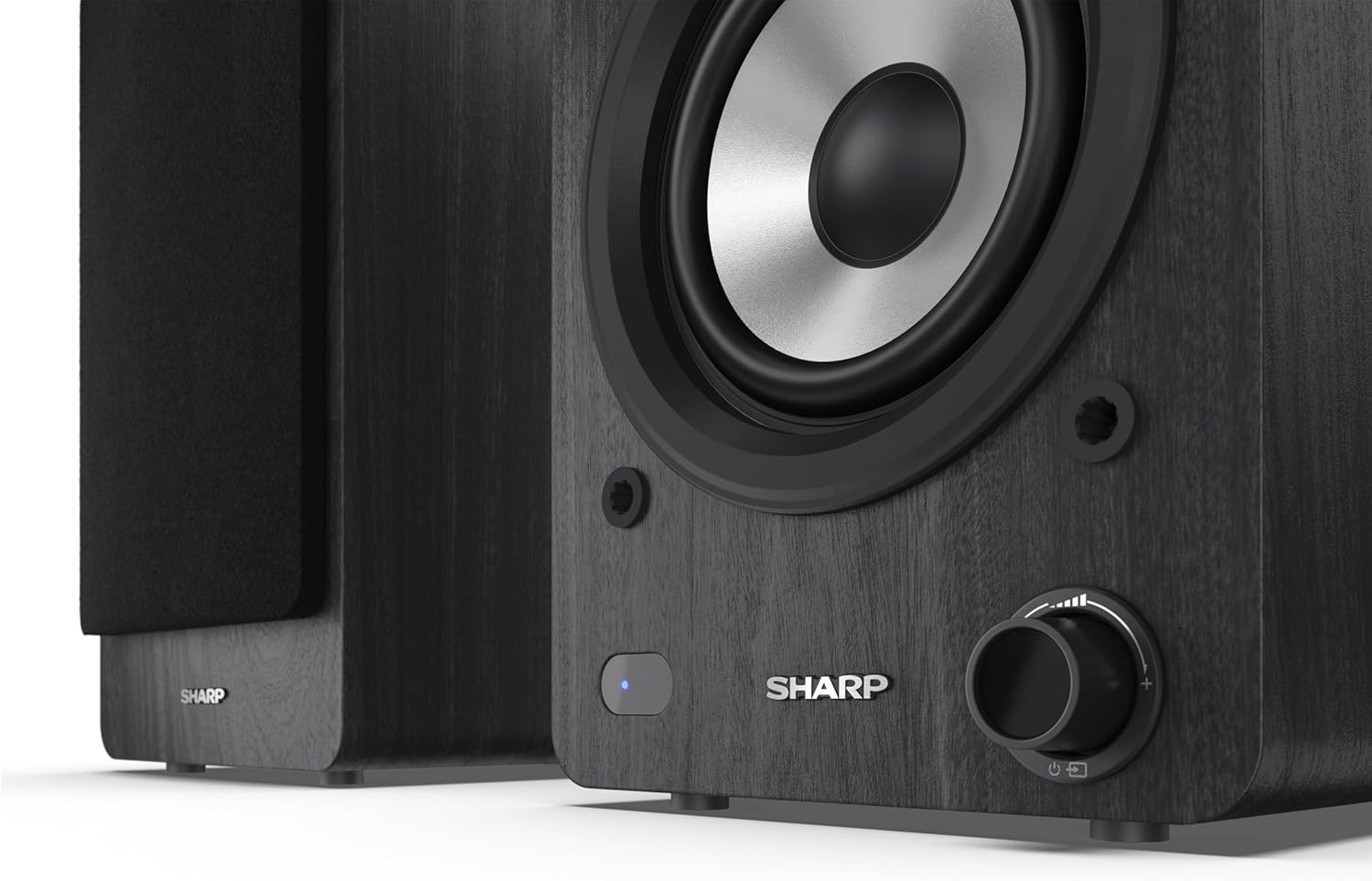
Image: A detailed shot of the control knob and the blue indicator light on the Sharp CP-SS30(BK) speaker, showing the subtle branding.
5. Eto
5.1 Agbọrọsọ Placement
For optimal sound quality, place the speakers on a stable, flat surface. Position them at an equal distance from your listening position, forming an equilateral triangle for the best stereo imaging. Ensure there is adequate space behind the speakers for ventilation and cable connections.
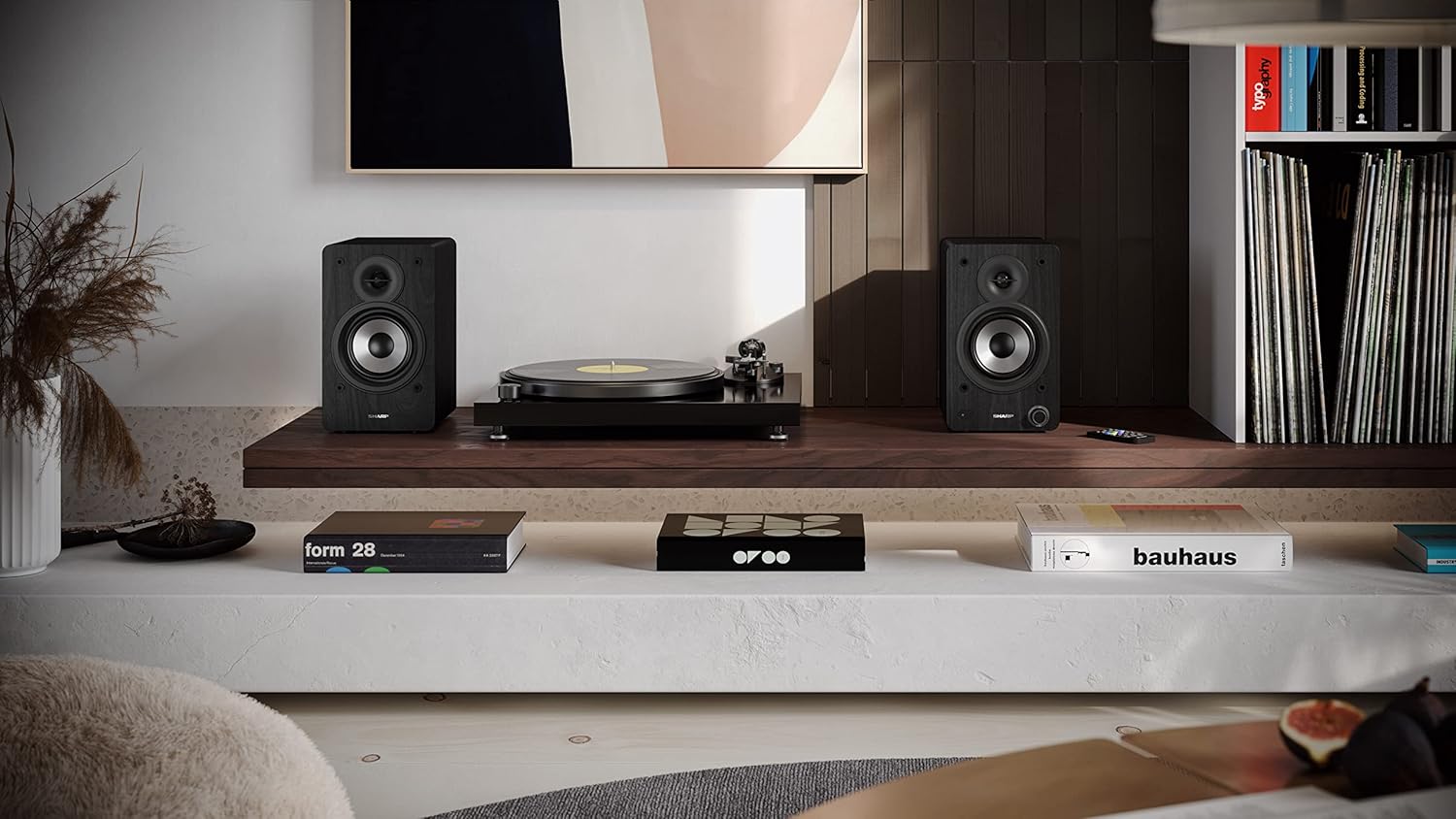
Image: The Sharp CP-SS30(BK) speakers positioned on a shelf in a living room setting, demonstrating a typical setup with a turntable.
5.2 Nsopọ awọn Agbọrọsọ
The CP-SS30(BK) consists of one active (main) speaker and one passive (secondary) speaker. Connect them using the provided speaker connection cable.
- Identify the active speaker (with controls and input ports) and the passive speaker.
- Connect one end of the speaker connection cable to the speaker terminals on the active speaker, ensuring correct polarity (+ to + and - to -).
- Connect the other end of the speaker connection cable to the speaker terminals on the passive speaker, maintaining correct polarity.

Image: The rear panel of the Sharp CP-SS30(BK) speakers, illustrating the various input ports (USB, Optical, RCA, AUX) and the speaker connection terminals.
5.3 Asopọ agbara
- Ensure the power switch on the active speaker is in the OFF position.
- Connect the provided power cable to the AC input on the active speaker.
- So opin keji okun ina sinu ibudo ogiri ti o yẹ.
6. Awọn ilana Iṣiṣẹ
6.1 Titan / Pa a
To power on the speakers, flip the power switch on the active speaker to the ON position. The indicator light on the front will illuminate. To power off, flip the switch back to OFF.
6.2 Aṣayan titẹ sii
You can select the input source using the remote control or the knob on the front of the active speaker. Available inputs include Bluetooth, USB, Optical, Auxiliary (AUX), and RCA.
- Bluetooth: Select Bluetooth input. The indicator light will flash, indicating pairing mode. Wa fun "SHARP CP-SS30(BK)" on your device and connect. The light will become solid once paired.
- USB: Fi okun USB sii pẹlu ohun files into the USB port on the active speaker.
- Ojú: Connect an optical cable from your audio source (e.g., TV, game console) to the Optical input.
- AUX: Connect an AUX cable from your audio source (e.g., smartphone, tablet) to the AUX input.
- RCA: Connect RCA cables from your audio source (e.g., turntable, CD player) to the RCA inputs.
6.3 Iṣakoso iwọn didun
Adjust the volume using the remote control's volume buttons or by rotating the knob on the front of the active speaker.
6.4 Ètò Ìṣètò Ìṣètò
The speakers feature an equalizer to tailor the sound to your preference. Use the remote control to:
- Select from five preset equalizer modes (e.g., Flat, Rock, Pop, Classical, Jazz).
- Adjust bass and treble levels independently for a customized sound profile.
7. Itọju
To ensure the longevity and optimal performance of your Sharp CP-SS30(BK) speakers, follow these maintenance guidelines:
- Ninu: Lo aṣọ rírọrùn tí ó gbẹ láti nu àwọn àpótí agbọ́hùnsọ̀. Má ṣe lo àwọn ohun ìfọṣọ omi tàbí àwọn ohun ìfọṣọ aerosol, nítorí wọ́n lè ba ìparí tàbí àwọn ohun èlò inú jẹ́.
- Grilles: The speaker grilles are removable for cleaning. Gently pull them off to clean any dust accumulation on the drivers. Reattach them carefully.
- Afẹfẹ: Ensure that the ventilation openings on the back of the active speaker are not obstructed to prevent overheating.
- Ibi ipamọ: If storing the speakers for an extended period, disconnect them from power and store them in a cool, dry place away from direct sunlight and extreme temperatures.
8. Laasigbotitusita
If you encounter any issues with your speakers, please refer to the following common problems and solutions:
| Isoro | Owun to le Fa | Ojutu |
|---|---|---|
| Ko si agbara | Power cable not connected; Power outlet not active; Power switch off. | Ensure power cable is securely connected. Check power outlet with another device. Flip power switch to ON. |
| Ko si ohun | Incorrect input selected; Volume too low; Cables not connected properly; Source device issue. | Select the correct input source. Increase volume. Check all audio cables (RCA, AUX, Optical, USB) and speaker connection cable for secure fit and correct polarity. Test with a different audio source. |
| Sisopọ Bluetooth kuna | Àwọn agbọ́rọ̀sọ kò sí ní ipò ìsopọ̀; Ẹ̀rọ ti jìnnà jù; Ìdádúró. | Ensure Bluetooth input is selected and indicator light is flashing. Move device closer to speakers. Avoid strong electromagnetic interference. Try unpairing and re-pairing. |
| Ohun ti o daru | Volume too high; Source audio quality is poor; Speaker placement. | Reduce volume. Check the audio source quality. Adjust speaker placement to avoid reflections or resonance. |
| Isakoṣo latọna jijin ko ṣiṣẹ | Batteries depleted; Obstruction between remote and speaker; Remote not pointed correctly. | Replace remote control batteries. Remove any obstructions. Point the remote directly at the active speaker's sensor. |
9. Awọn pato
| Ẹya ara ẹrọ | Ẹ̀kúnrẹ́rẹ́ |
|---|---|
| Nọmba awoṣe | CP-SS30(BK) |
| Agbara Ijade | 60 Watts RMS (2 x 30W) |
| Agbọrọsọ Iru | Active Bookshelf, 2-Way |
| Ohun elo minisita | Wood (Plywood) |
| Asopọmọra Technology | Bluetooth v5.0, USB, Optical, Auxiliary (AUX), RCA |
| Ẹya Bluetooth | v5.0 |
| Ipo Ijade Ohun | Sitẹrio (ikanni 2.0) |
| Idahun Igbohunsafẹfẹ | 60 Hz |
| Adarí Iru | Bọtini, Isakoṣo latọna jijin |
| Awọn iwọn ọja (agbohunsoke kọọkan) | 19D x 15.8W x 24.8H cm (7.5D x 6.2W x 9.8H inches) |
| Iwọn Nkan | 4.3 kilogram (9.5 lbs) |
| Àwọ̀ | Dudu |
| Niyanju Lilo | Gaming console, Music player, Smartphone/Tablet, Ambient sound system, Television |
| Awọn ẹrọ ibaramu | Kọǹpútà alágbèéká, Foonuiyara, Tabulẹti |

Image: Diagram showing the dimensions of one Sharp CP-SS30(BK) speaker (Height: 248mm, Width: 158mm, Depth: 190mm).
10. Atilẹyin ọja ati Support
Atilẹyin ọja: This product comes with a 1-year warranty for spare parts availability from the date of purchase. Please retain your proof of purchase for warranty claims.
For technical support, troubleshooting assistance beyond this manual, or warranty inquiries, please contact Sharp customer service. Refer to the contact information provided in the user documentation included in your package or visit the official Sharp webojula.
Note: Software updates guaranteed until information is not available.
Ask a question about this manual
Ask about setup, troubleshooting, compatibility, parts, safety, or missing instructions. Manuals+ will review the question and use this page’s manual context to help answer it.