
PRORECK SP-15
PRORECK SP-15 Powered PA Speaker & Stage Atẹle olumulo Afowoyi
Awoṣe: SP-15
Ọrọ Iṣaaju
Thank you for choosing the PRORECK SP-15 15-inch 1400W P.M.P.O Stereo Powered Stage Monitor and PA Speaker. This versatile audio system is designed to deliver powerful and clear sound for a wide range of applications, including churches, weddings, conferences, ballrooms, and live performances. Featuring a built-in Digital Signal Processor (DSP), Bluetooth 5.0 connectivity, and multiple input channels, the SP-15 offers exceptional flexibility and control over your audio. Please read this manual thoroughly before operating the unit to ensure proper use and to maximize its performance and longevity.
Alaye Aabo
Nigbagbogbo ṣe akiyesi awọn iṣọra ailewu atẹle lati ṣe idiwọ mọnamọna, ina, tabi ipalara:
- Orisun Agbara: So ẹrọ pọ nikan si awọn pàtó kan ipese agbara voltage. Rii daju pe okun agbara ko bajẹ tabi pin.
- Afẹfẹ: Má ṣe dí àwọn ihò afẹ́fẹ́. Rí i dájú pé afẹ́fẹ́ tó wà ní àyíká agbọ́hùnsọ̀ náà tó láti dènà kí ó má baà gbóná jù.
- Omi ati Ọrinrin: Ma ṣe fi ẹrọ naa han si ojo tabi ọrinrin. Ma ṣe gbe awọn nkan ti o kun fun awọn olomi, gẹgẹbi awọn vases, sori ẹyọ.
- Awọn orisun Ooru: Jeki ẹyọ kuro lati awọn orisun ooru gẹgẹbi awọn imooru, awọn iforukọsilẹ ooru, awọn adiro, tabi awọn ohun elo miiran (pẹlu ampliifiers) ti o gbe ooru jade.
- Ninu: Yọ ẹ̀rọ náà kúrò nínú ibi tí agbára ń gbé jáde kí o tó sọ ọ́ di mímọ́. Lo aṣọ gbígbẹ nìkan.
- Ṣiṣẹ: Maṣe gbiyanju lati ṣe iṣẹ ọja yii funrararẹ. Tọkasi gbogbo iṣẹ si awọn oṣiṣẹ iṣẹ ti o peye. Iṣẹ nilo nigbati ohun elo ba ti bajẹ ni ọna eyikeyi, gẹgẹbi okun ipese agbara tabi plug ti bajẹ, omi ti ta silẹ tabi awọn nkan ti ṣubu sinu ẹrọ, ohun elo naa ti farahan si ojo tabi ọrinrin, ko ṣiṣẹ deede, tabi ti lọ silẹ.
- Ibi: Place the speaker on a stable, flat surface or a suitable speaker stand. Avoid placing it in unstable positions where it could fall and cause injury or damage.
Package Awọn akoonu
Jọwọ ṣayẹwo pe gbogbo awọn nkan wa ninu package:
- PRORECK SP-15 Powered PA Speaker
- Power Cord (5-inch, 3-prong)
- Afowoyi Olumulo (iwe-ipamọ yii)
Ọja Pariview
Iwaju ati Apa View
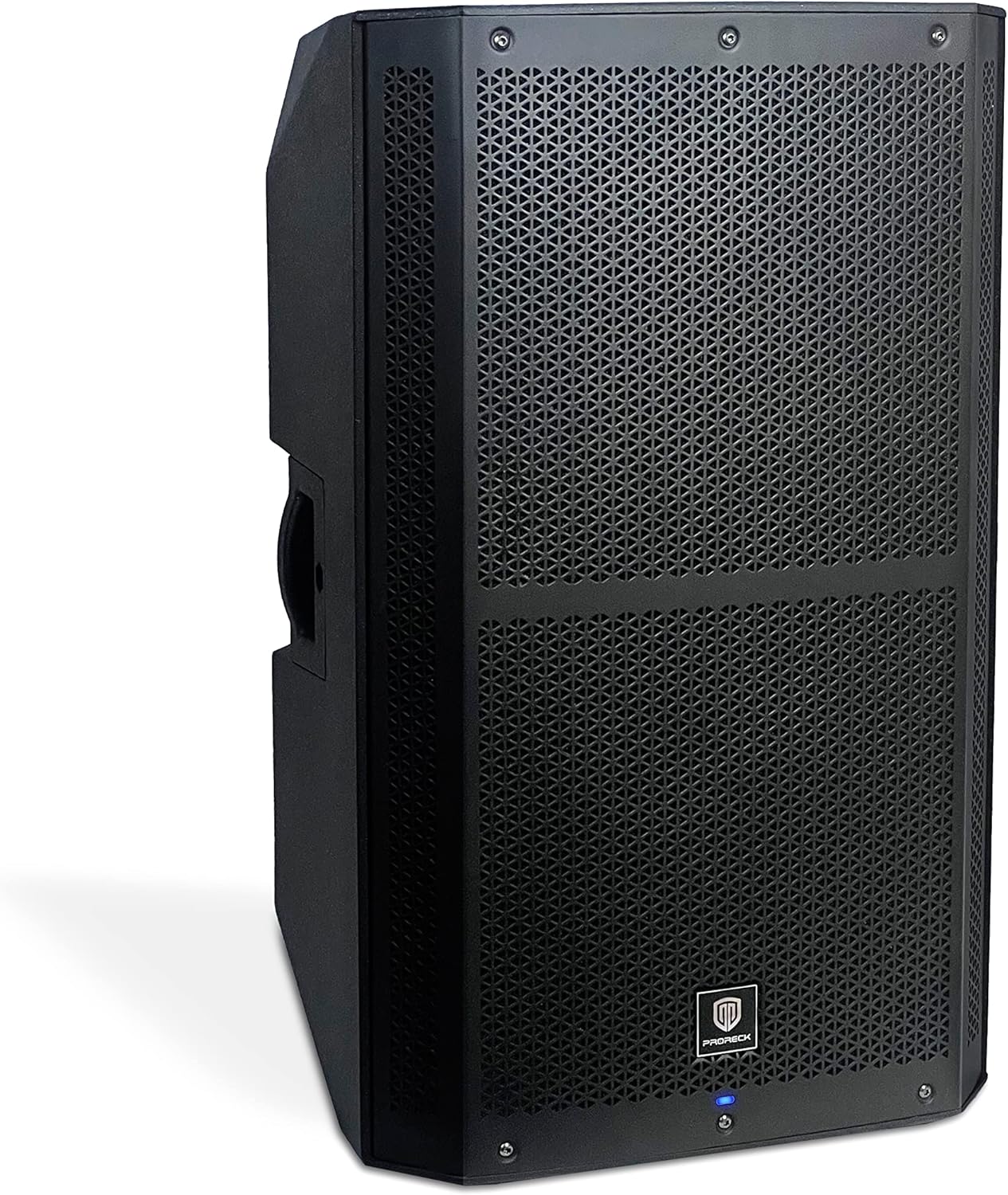
Nọmba 1: Iwaju ati ẹgbẹ view of the PRORECK SP-15 speaker, showcasing its robust polypropylene enclosure and front grille.

olusin 2: Apa view of the PRORECK SP-15, highlighting the integrated handle for easy transport.
The PRORECK SP-15 features a durable polypropylene construction designed to reduce resonance and enhance sound quality. It includes an integrated handle for convenient portability. The front grille protects the 15-inch woofer and 1.75-inch horn coil, which are engineered for powerful and clear audio output.

Figure 3: Illustration of the 15-inch woofer with 3-inch voice coil and 1.75-inch horn coil for enhanced sound.
Rear Panel and Controls (4-Channel Mixer)

Nọmba 4: Alaye view of the PRORECK SP-15's rear panel, showing the 4-channel mixer and DSP controls.

Àwòrán 5: Pánẹ́lì ẹ̀yìn gbogbo view, including power input and switch.
The rear panel houses all the essential inputs, outputs, and controls for the SP-15. It features a comprehensive 4-channel mixer with a built-in Digital Signal Processor (DSP) for precise audio adjustments.
- DSP USB SET: USB port for DSP settings and updates.
- Bluetooth Switch Button: Activates/deactivates Bluetooth pairing mode.
- Stereo RCA Input: For connecting devices with RCA outputs.
- XLR Mix Output: For connecting to another speaker or mixer.
- Iboju Ifihan LED: Shows DSP menu, levels, and settings.
- Function Selection Knob (DSP CONTROL): Navigates and selects options within the DSP menu.
- 1/4"/XLR Combo Aux/Line Input: Versatile input for auxiliary or line-level signals.
- 1/4"/XLR Combo Mic/Line Input: Versatile input for microphone or line-level signals.
- Line/Mic Switch button: Toggles input sensitivity between line and microphone levels for the combo inputs.
- Gba Iṣakoso Iṣakoso: Adjusts the input gain for connected devices.
Ṣeto
Ibi Ibẹrẹ
The PRORECK SP-15 can function as both a traditional PA speaker and a stage monitor. Its design allows for flexible placement:
- PA Speaker Mode: For general sound reinforcement, place the speaker upright on a flat, stable surface or mount it on a compatible speaker stand.
- Stage Monitor Mode: For use as a floor monitor, position the speaker on its side, utilizing its angled design to direct sound towards the performer.

Figure 6: The PRORECK SP-15 configured as a PA speaker (left) and a stage monitor (right).
Asopọ agbara
- Rii daju pe iyipada agbara lori nronu ẹhin wa ni ipo "PA".
- Connect the provided 3-prong power cord to the AC inlet on the rear panel of the speaker.
- Pulọọgi opin miiran ti okun agbara sinu iṣan itanna ti o wa lori ilẹ.
Nsopọ Awọn orisun ohun
The SP-15 offers multiple input options:
- Microphones/Line-level Instruments: Use the 1/4"/XLR Combo Mic/Line Input (8). Ensure the Line/Mic Switch button (9) is set appropriately for your source.
- Auxiliary/Line-level Devices: Use the 1/4"/XLR Combo Aux/Line Input (7).
- Àwọn Ẹ̀rọ RCA: Connect devices like CD players or DJ mixers to the Stereo RCA Input (3).
- Awọn ẹrọ Bluetooth: For wireless audio streaming, refer to the "Bluetooth Pairing" section under Operating Instructions.
After connecting your sources, you can use the XLR Mix Output (4) to link the SP-15 to another powered speaker or a main mixer, expanding your sound system.
Awọn ilana Iṣiṣẹ
Titan / Pipa agbara
- Before powering on, ensure all gain control knobs are turned down to their minimum setting.
- Flip the power switch on the rear panel to the "ON" position. The LED display screen (5) will illuminate.
- Slowly increase the Gain Control Knob (10) for your active input to the desired listening level.
- To power off, turn down all gain controls, then flip the power switch to the "OFF" position.
Using the DSP Processor
The built-in Digital Signal Processor (DSP) allows for advanced sound customization:
- Press the Function Selection Knob (DSP CONTROL) (6) to enter the DSP menu on the LED Display Screen (5).
- Rotate the knob to navigate through the menu options (e.g., EQ settings, crossover, delay, presets).
- Press the knob again to select an option.
- Rotate the knob to adjust the selected parameter.
- Press the knob to confirm the setting or exit the sub-menu.
- The DSP allows you to set up your speaker with personal sound styles, optimizing it for different environments or audio content.
Asopọ Bluetooth
The SP-15 features Bluetooth 5.0 for wireless audio streaming:
- Press the Bluetooth Switch Button (2) on the rear panel. The LED display will indicate Bluetooth pairing mode (e.g., "BT Pairing").
- Lórí ẹ̀rọ Bluetooth rẹ (fún àpẹẹrẹ, fóònù alágbèéká, tábìlẹ́ẹ̀tì), lọ sí àwọn ètò Bluetooth rẹ̀ kí o sì wá àwọn ẹ̀rọ tó wà.
- Select "PRORECK SP-15" from the list.
- Once connected, the LED display will confirm the successful pairing.
- You can now stream audio wirelessly from your device to the SP-15.

Figure 7: Illustrates Bluetooth connectivity between a smartphone and the PRORECK SP-15 speaker.
Using as PA Speaker or Stage Atẹle
The SP-15 is designed for dual functionality:
- PA Speaker: Apẹrẹ fun amplifying sound to a large audience. Position upright on a stand or flat surface.
- Stage Atẹle: Perfect for musicians to hear themselves on stage. Position on its side with the angled design facing the performer.
The 1400W peak power and 3-inch voice coil ensure penetrating sound, capable of accommodating up to 100 persons in a typical setting.
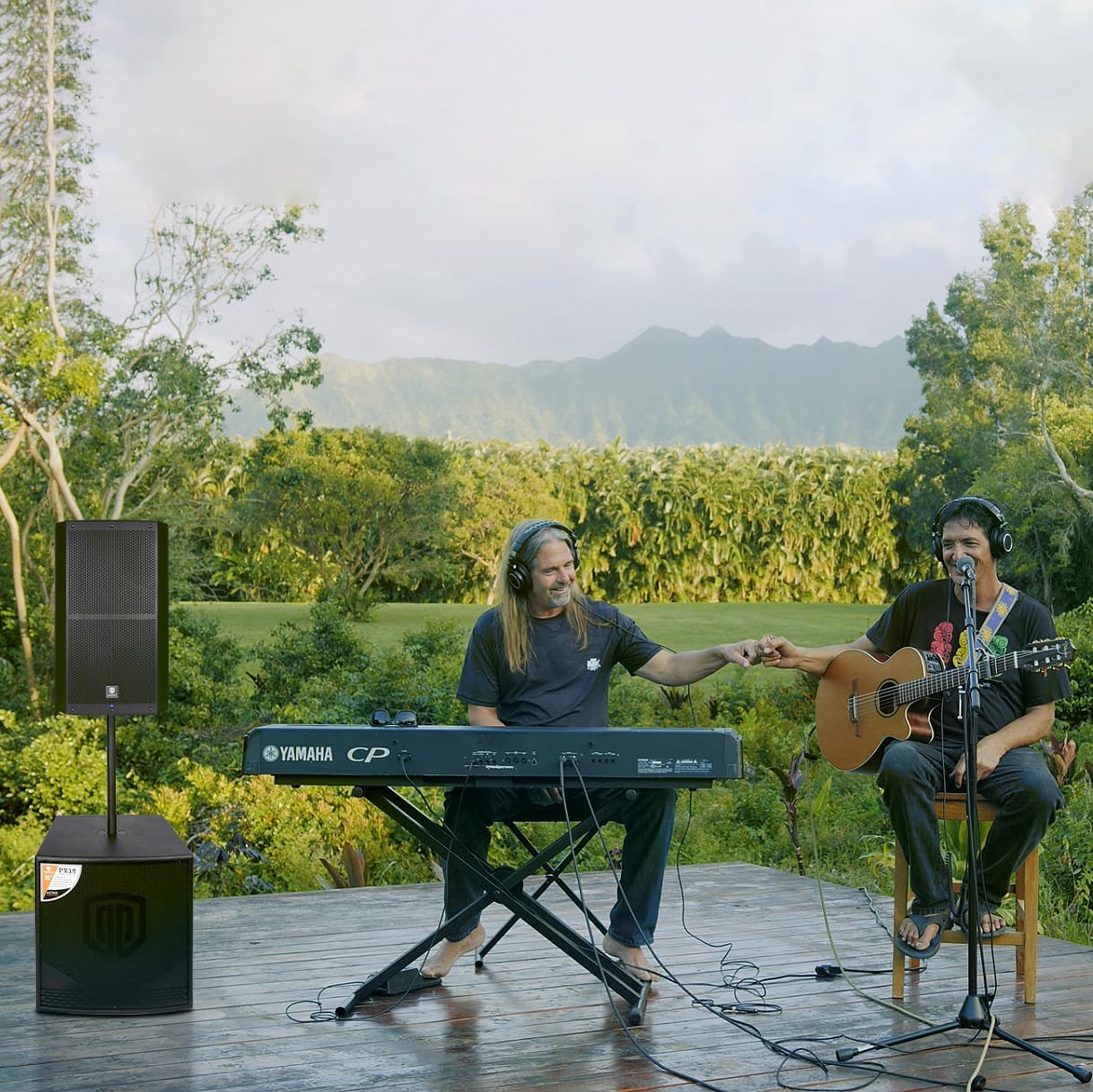
Figure 8: The PRORECK SP-15 being used in an outdoor musical performance, demonstrating its versatility.
Itoju
- Ninu: Always unplug the speaker before cleaning. Use a soft, dry cloth to wipe down the exterior. Do not use abrasive cleaners, waxes, or solvents.
- Ibi ipamọ: If storing the speaker for an extended period, keep it in a cool, dry place, away from direct sunlight and extreme temperatures.
- Afẹfẹ: Regularly check that the ventilation openings are clear of dust and debris to ensure proper heat dissipation.
- Awọn kebulu: Inspect power and audio cables periodically for any signs of wear or damage. Replace damaged cables immediately.
Laasigbotitusita
| Isoro | Owun to le Fa | Ojutu |
|---|---|---|
| Ko si agbara | Power cord not connected; Power outlet faulty; Power switch off; Blown fuse. | Ensure power cord is securely connected. Try a different outlet. Turn power switch ON. Check and replace fuse if necessary (T5A fuse). |
| Ko si ohun jade | Input gain too low; Incorrect input selected; Audio cable faulty; Source device not playing; Bluetooth not paired. | Increase gain control. Verify correct input connection. Test with a different audio cable. Ensure source device is playing audio. Re-pair Bluetooth device. |
| Ohun ti o daru | Input gain too high; Source signal too strong; DSP settings incorrect. | Reduce input gain. Lower output volume on source device. Adjust DSP settings (e.g., EQ, limiters). |
| Bluetooth ko sopọ | Speaker not in pairing mode; Device too far; Interference; Device already connected to another speaker. | Press Bluetooth switch button to enter pairing mode. Move device closer to speaker. Reduce interference from other wireless devices. Disconnect from other Bluetooth devices. |
| Ariwo ariwo tabi ariwo | Ground loop; Faulty cable; Interference from other electronics. | Ensure all equipment is on the same electrical circuit. Try different cables. Move speaker away from other electronic devices. |
Awọn pato
| Ẹya ara ẹrọ | Ẹ̀kúnrẹ́rẹ́ |
|---|---|
| Orukọ awoṣe | SP-15 |
| Agbọrọsọ Iru | Monitor / Powered PA Speaker |
| Amplifier Iru | CLASS D BI-Ampitanna |
| Agbọrọsọ Agbara Ijade ti o pọju | 1400 Watts (P.M.P.O) |
| Iwọn Iwọn Woofer | 15 Inches (with 3-inch voice coil) |
| Horn Coil Size | 1.75 inches |
| Iwọn Igbohunsafẹfẹ | 40Hz - 18kHz |
| Awọn igun Ideri | 120° x 60° |
| Asopọmọra Technology | Bluetooth 5.0, Auxiliary, USB, XLR |
| Awọn igbewọle | Stereo RCA, XLR 1/4-inch combo Aux/Line, XLR 1/4-inch combo Mic/Line |
| Awọn abajade | XLR Mix o wu |
| Ohun elo | Polypropylene (PP) |
| Àwọ̀ | Dudu |
| Awọn iwọn Ọja (D x W x H) | 18" x 19" x 30" (45.7cm x 48.3cm x 76.2cm) |
| Package iwuwo | 23.3 KGS / 51.5 LBS |
| Orisun agbara | Okun Itanna |
| Pataki Awọn ẹya ara ẹrọ | Built-in Digital Signal Processor (DSP) |

Figure 9: Dimensions of the PRORECK SP-15 speaker (15 inch / 380mm width, 16.5 inch / 420mm depth, 27 inch / 690mm height).
Atilẹyin ọja ati Support
The PRORECK SP-15 comes with a limited warranty. For specific details regarding warranty coverage, duration, and terms, please refer to the warranty card included with your product or visit the official PRORECK website. For technical support, troubleshooting assistance beyond this manual, or service inquiries, please contact PRORECK customer service through their official channels. You can often find contact information on the PRORECK webaaye tabi lori apoti ọja.
PRORECK Official Store: Visit PRORECK Store on Amazon
Ask a question about this manual
Ask about setup, troubleshooting, compatibility, parts, safety, or missing instructions. Manuals+ will review the question and use this page’s manual context to help answer it.