
BUFFBEE BK11
BUFFBEE Sound Machine & Alarm Clock
Model: BK11 - User Manual
Ọrọ Iṣaaju
Thank you for choosing the BUFFBEE Sound Machine & Alarm Clock. This versatile 2-in-1 device combines a high-quality sound machine with a fully functional alarm clock, designed to help you achieve restful sleep and wake up refreshed. Its intuitive controls and customizable features make it an essential addition to any bedroom.

Image: The Buffbee Sound Machine and Alarm Clock highlighting its dual functionality as both a sound machine and an alarm clock.
Alaye Aabo
- Ma ṣe fi ẹrọ naa han si omi tabi ọriniinitutu pupọ.
- Kuro lati awọn orisun ooru ati itọsọna oorun taara.
- Lo oluyipada agbara ti a pese nikan.
- Ma ṣe gbiyanju lati tunto tabi tun ẹrọ naa funrararẹ. Kan si atilẹyin alabara fun iranlọwọ.
- Rii daju pe ẹrọ naa wa lori iduro, dada alapin.
Package Awọn akoonu
- BUFFBEE Sound Machine & Alarm Clock (Model: BK11)
- Adapter agbara
- Itọsọna olumulo
Ọja Pariview
Mọ ara rẹ pẹlu awọn ẹya ara ẹrọ ati awọn iṣakoso ti ẹrọ naa:

Image: A detailed diagram illustrating the top panel controls (Alarm, Volume Control, Sound Machine, Night Light) and the rear panel (Display Dimmer, Adapter port).
- Awọn iṣakoso igbimọ ti o ga julọ: Alarm button, Timer button, Volume Up/Down, Previous/Next Sound, Sound Machine button, Night Light button.
- Ifihan iwaju: Digital aago àpapọ.
- Imọlẹ Isalẹ: Integrated colored light.
- Iṣakoso yii: DC 5V Adapter port, 0-100% Display Dimmer knob.
Ṣeto
- Ibi: Place the device on a stable surface, such as a nightstand or desk.
- Asopọ agbara: Insert the power adapter into the DC 5V port on the rear of the device, then plug it into a standard electrical outlet.
- Agbara Ibẹrẹ Tan: The clock display will illuminate.
- Ṣeto Akoko: Refer to the 'Operating Instructions' section for setting the current time.
Awọn ilana Iṣiṣẹ
Ṣiṣeto Akoko naa
- Tẹ mọlẹ Akoko button (clock icon) on the top panel until the hour digits flash.
- Lo awọn Ti tẹlẹ (◀︎) or Itele (▶︎) buttons to adjust the hour.
- Tẹ awọn Akoko bọtini lẹẹkansi lati jẹrisi wakati naa ki o si gbe si eto iṣẹju.
- Lo awọn Ti tẹlẹ (◀︎) or Itele (▶︎) buttons to adjust the minutes.
- Tẹ awọn Akoko button one more time to confirm the minutes and exit time setting.
Ṣiṣeto Itaniji naa
- Tẹ mọlẹ Itaniji button (bell icon) on the top panel until the alarm hour digits flash.
- Lo awọn Ti tẹlẹ (◀︎) or Itele (▶︎) buttons to adjust the alarm hour.
- Tẹ awọn Itaniji button again to confirm the hour and move to alarm minute setting.
- Lo awọn Ti tẹlẹ (◀︎) or Itele (▶︎) buttons to adjust the alarm minutes.
- Tẹ awọn Itaniji button one more time to confirm the minutes. The alarm icon will appear on the display, indicating the alarm is set.
- Lati paa itaniji, tẹ awọn Itaniji bọ́tìnì lẹ́ẹ̀kan. Àmì ìkìlọ̀ náà yóò pòórá.
Using the Sound Machine
The device offers 18 soothing sounds, including 5 white noises, 3 fan sounds, and 10 nature sounds (ocean, lullaby, waves, rain, thunderstorm, brook, croaking, bird chirping, summer night, and campina).
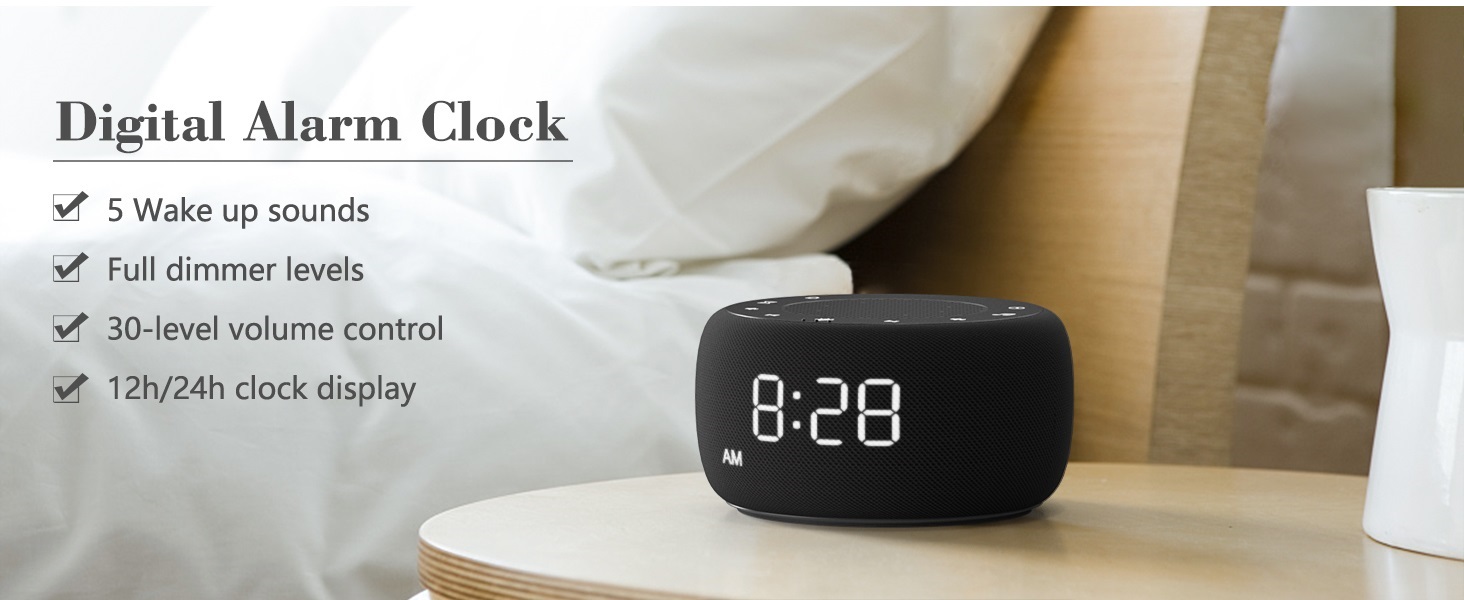
Image: An infographic displaying the 18 soothing sounds categorized into 3 fan sounds, 5 white noises, and 10 nature sounds, including ocean, lullaby, waves, rain, thunderstorm, brook, croaking, bird chirping, summer night, and campina.
- Tẹ awọn Ẹrọ Ohun button (music note icon) to cycle through the available sounds.
- Lo awọn Iwọn didun soke (▲) ati Iwọn didun isalẹ (▼) buttons to adjust the volume (30 levels).
- To turn off the sound, press the Ẹrọ Ohun button until no sound is playing.
Aago orun
Set a timer for the sound machine to automatically turn off.

Image: The top panel of the Buffbee Sound Machine, highlighting the Auto-Off Timer button and the Volume Control buttons.
- Tẹ awọn Aago button (hourglass icon) to cycle through timer options: 15, 30, 60, 90, 120 minutes, or continuous play.
- The selected timer duration will be displayed on the screen.
Adjusting Clock Face Brightness
The clock display brightness can be adjusted from 0% (completely dark) to 100%.

Image: The Buffbee Sound Machine demonstrating its 0-100% display dimmer feature, showing the clock face at 0%, partial, and 100% brightness.
- Wa awọn Ifihan Dimmer knob on the rear of the device.
- Rotate the knob to increase or decrease the brightness of the clock display to your preference.
Using the Bottom Colored Light
The device features a bottom light with 7 color options to create a relaxing ambiance.

Image: The Buffbee Sound Machine displaying its bottom colored light feature, showing various color options and the ability to turn it on or off.
- Tẹ awọn Imọlẹ alẹ button (light bulb icon) to cycle through the 7 color options.
- Continue pressing the button to turn the light off.
Itoju
- Ninu: Mu ẹrọ naa nu pẹlu asọ ti o gbẹ. Ma ṣe lo abrasive ose tabi epo.
- Ibi ipamọ: Nigbati o ko ba wa ni lilo fun awọn akoko ti o gbooro sii, fi ẹrọ naa pamọ si ibi ti o tutu, ti o gbẹ.
Laasigbotitusita
| Isoro | Owun to le Fa | Ojutu |
|---|---|---|
| Ẹrọ naa ko ṣiṣẹ. | Adapter agbara ko sopọ mọ daradara tabi iṣoro ti o wa lati inu ina. | Ensure the power adapter is securely plugged into the device and a working electrical outlet. Try a different outlet. |
| Clock display is too bright/dim. | Display dimmer setting needs adjustment. | Adjust the 0-100% Display Dimmer knob on the rear of the device. |
| Ohun ko pariwo to. | Ti ṣeto iwọn didun ju kekere. | Tẹ awọn Iwọn didun soke (▲) button to increase the volume. The device has 30 volume levels. |
| Itaniji ko dun. | A ko ṣeto itaniji tabi a ti pa a. | Ensure the alarm is set correctly and the alarm icon is visible on the display. |
Awọn pato
| Ẹya ara ẹrọ | Ẹ̀kúnrẹ́rẹ́ |
|---|---|
| Nọmba awoṣe | BK11 |
| Awọn iwọn | 5.63 x 4.57 x 3.03 inches |
| Iwọn | 11.64 iwon |
| Orisun agbara | Agbara Batiri (fun afẹyinti) / Adapter AC |
| Ijade Agbọrọsọ | 5W |
| Ohun Aw | 18 (5 white noises, 3 fan sounds, 10 nature sounds) |
| Awọn ipele iwọn didun | 30 |
| Aago orun | 15, 30, 60, 90, 120 minutes, or continuous |
| Aago Ifihan Imọlẹ | 0-100% adijositabulu |
| Bottom Light Colors | 7 awọn aṣayan |
| Ohun elo | Ṣiṣu, Acrylonitrile Butadiene Styrene (ABS) |
Atilẹyin ọja ati Support
For warranty information and customer support, please refer to the contact details provided on the product packaging or visit the official BUFFBEE webojula. Tọju iwe-ẹri rira rẹ fun awọn ẹtọ atilẹyin ọja.