
1. Ifihan ati Loriview
The Conambo JBT600 is a high-performance Bluetooth headset designed for clear communication in noisy environments. It features advanced noise cancellation technology, extended battery life, and comfortable design, making it ideal for truck drivers, office professionals, and mobile users. This manual provides detailed instructions for setting up, operating, and maintaining your headset to ensure optimal performance and longevity.

Image: The Conambo JBT600 headset, showcasinG apẹrẹ dudu didan rẹ ati gbohungbohun ti a ṣe sinu rẹ.
2. Ohun ti o wa ninu Apoti
Upon unpacking your Conambo JBT600 headset, please verify that all components are present:
- Conambo JBT600 Bluetooth Headset
- USB Iru-C Ngba agbara USB
- Itọsọna olumulo

Image: Diagram illustrating the headset and charging cable included in the package.
3. Awọn ẹya Ọja
- Ifagile ariwo: The JBT600 utilizes ENC 2+1 microphone and CVC8.0 noise reduction technology to effectively block up to 96% of background noise. This ensures crystal-clear communication, allowing you to hear and be heard clearly even in high-noise environments like truck cabins or busy offices.
- Bluetooth 5.1 Asopọmọra: Equipped with advanced Bluetooth 5.1 technology, the headset offers faster data transmission speeds and improved connectivity. It supports quick pairing with up to two devices simultaneously, providing wireless freedom with a range of up to 69 feet (21 meters).
- Itunu Ere: Designed for all-day wear, the single-ear headset features large cushioned ear cups and an anti-squeeze design with a built-in airbag structure. The flexible 270° rotating microphone allows for optimal positioning and comfort.
- Ultra-durable Design: Constructed with dust-proof and moisture-resistant medical-grade silicone material, an adjustable metal headband, and a multi-layer reinforced plastic shell, the headset is built to withstand long-term use and resist aging, suitable for daily and demanding environments.
- Igbesi aye batiri ti o lagbara: The 350mAh battery provides up to 35 hours of continuous talk time and 500 hours of standby time on a single charge. The Type-C jack enables fast charging, requiring only 3 hours for a full charge.

Image: A man wearing the headset while driving a truck, highlighting the 96% noise cancellation feature for clear calls.

Image: A visual representation of the Bluetooth 5.1 chip, emphasizing its advanced technology.

Image: A person wearing the Conambo JBT600 headset, demonstrating its comfortable fit for extended use.
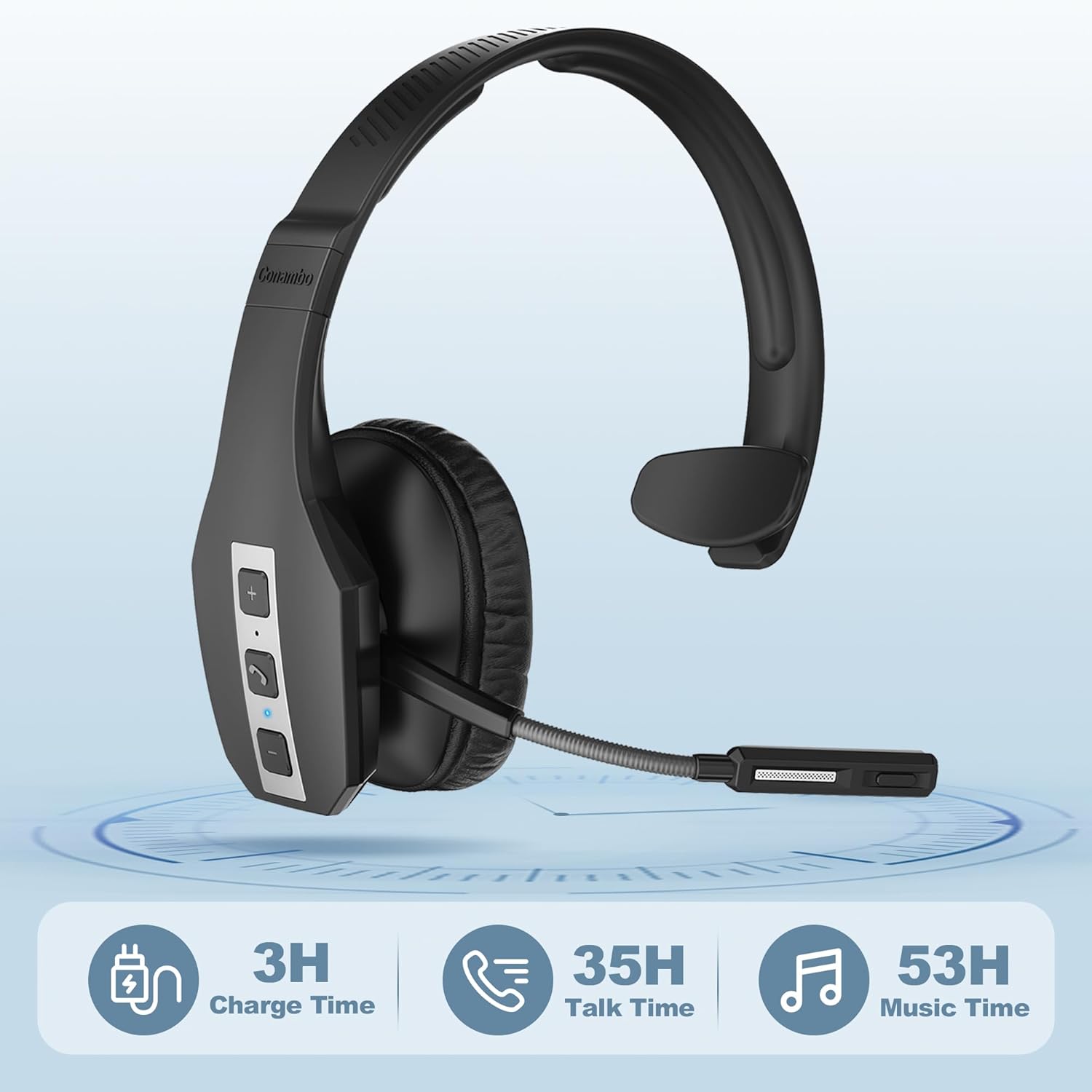
Image: Visual representation of the headset's battery performance, showing 3 hours charge time, 35 hours talk time, and 53 hours music time.
4. Eto
4.1 Ngba agbara si Agbekọri
Before first use, fully charge your headset. Connect the provided USB Type-C cable to the headset's charging port and the other end to a USB power source (e.g., computer USB port, wall adapter). The LED indicator will show charging status and turn off when fully charged. A full charge takes approximately 3 hours.

Image: The Conambo JBT600 headset connected to a laptop via its USB-C charging cable.
4.2 Sisopọ pẹlu ẹrọ kan
- Rii daju pe agbekari ti wa ni pipa.
- Press and hold the Multi-function Button (usually the call button) until the LED indicator flashes blue and red alternately, indicating pairing mode.
- Lori ẹrọ rẹ (foonuiyara, tabulẹti, kọmputa), mu Bluetooth ṣiṣẹ ki o wa awọn ẹrọ to wa.
- Select "JBT600" from the list of found devices.
- Ni kete ti o sopọ, Atọka LED yoo tan buluu laiyara.
4.3 Connecting to Two Devices Simultaneously (Multipoint)
The JBT600 supports multipoint connection, allowing it to be connected to two Bluetooth devices at the same time.
- Pair the headset with the first device as described in Section 4.2.
- Disable Bluetooth on the first device. The headset will re-enter pairing mode.
- Pa agbekari pọ pẹlu ẹrọ keji.
- Re-enable Bluetooth on the first device. The headset should automatically connect to both devices.

Image: The headset shown with two smartphones, illustrating its ability to connect to two devices simultaneously.
5. Awọn ilana Iṣiṣẹ
5.1 Ipilẹ idari
The headset features intuitive controls located on the earcup:
- Titan/Apapa: Tẹ mọlẹ Bọtini iṣẹ-ọpọlọpọ.
- Idahun/Ipe Ipari: Kukuru tẹ bọtini Olona-iṣẹ.
- Kọ Ipe: Tẹ mọlẹ Bọtini iṣẹ-ọpọlọpọ.
- Iwọn didun Up: Tẹ bọtini '+'.
- Iwọn didun isalẹ: Tẹ bọtini '-'.
- Pa ẹ / Mu Gbohungbohun dakẹ: Short press the Mute button (often integrated with the call button or a dedicated button).
- Oluranlọwọ ohun: Double-press the Multi-function Button (if supported by your device).

Aworan: A alaye view of the control buttons (+, call, -) on the side of the headset.
5.2 gbohungbohun Atunṣe
The microphone boom can be rotated 270° to position it optimally for your mouth, ensuring clear voice pickup. Adjust it to be approximately 1-2 inches from your mouth for the best audio quality.
6. Itọju
Proper maintenance will extend the life of your Conambo JBT600 headset.
- Ninu: Use a soft, dry cloth to wipe the headset. For stubborn dirt, a slightly damp cloth can be used, but ensure no moisture enters the charging port or microphone. The medical-grade silicone material is easy to clean.
- Ibi ipamọ: Tọju agbekari naa ni itura, aye gbigbẹ kuro lati orun taara ati awọn iwọn otutu to gaju.
- Itọju Batiri: To preserve battery health, avoid fully discharging the headset frequently. If storing for an extended period, charge it to about 50% every few months.
- Yago fun Kemikali lile: Do not use abrasive cleaners, solvents, or strong detergents, as these can damage the headset's finish and internal components.
7. Laasigbotitusita
If you encounter issues with your Conambo JBT600 headset, refer to the following common solutions:
| Isoro | Owun to le Fa | Ojutu |
|---|---|---|
| Agbekọri ko ni agbara. | Batiri kekere. | Gba agbara agbekọri naa fun o kere ju iṣẹju 30. |
| Ko le so pọ pẹlu ẹrọ. | Agbekọri ko si ni ipo isopo; Bluetooth ti ku lori ẹrọ; ẹrọ naa ti jinna ju. | Ensure headset is in pairing mode (flashing blue/red). Turn on device Bluetooth. Move headset closer to device (within 21m). |
| Ko si ohun tabi didara ohun ti ko dara. | Iwọn didun kere ju; agbekọri ko yan bi ifihan ohun; idamu. | Increase headset and device volume. Check device's audio output settings. Move away from other wireless devices. |
| Gbohungbohun ko ṣiṣẹ. | Microphone muted; incorrect microphone selected on device. | Unmute the microphone. Check device's input settings to ensure JBT600 is selected. |
| Agbekọri ma n ge asopọ nigbagbogbo. | Kò sí ní ìpele tó yẹ; bátìrì kékeré; ìdènà. | Stay within 21m range. Charge the headset. Reduce wireless interference. |
If the problem persists after trying these solutions, please contact Conambo customer support for further assistance.
8. Awọn pato
| Ẹya ara ẹrọ | Ẹ̀kúnrẹ́rẹ́ |
|---|---|
| Orukọ awoṣe | JBT600 |
| Asopọmọra Technology | Ailokun (Bluetooth 5.1) |
| Imọ-ẹrọ Ibaraẹnisọrọ Alailowaya | Bluetooth |
| Ẹya Bluetooth | 5.1 |
| Bluetooth Ibiti | 21 Mita (ẹsẹ 69) |
| Igbesi aye batiri (Aago Ọrọ) | Titi di awọn wakati 35 |
| Akoko gbigba agbara | Awọn wakati 3 |
| Awọn agbekọri Jack | Iru-C |
| Ariwo Iṣakoso | Active Noise Cancellation (CVC 8.0, ENC 2+1 Mic) |
| Ohun elo | Faux Leather, Plastic, Stainless Steel, Medical Grade Silicone |
| Iwọn Nkan | 5.8 iwon (164.4 giramu) |
| Ọja Mefa | 6.5 x 7 x 2.48 inches |
| UPC | 644925633525 |
9. Atilẹyin ọja ati Support
Conambo is committed to providing high-quality products and excellent customer service. For warranty information and support, please refer to the documentation included with your purchase or visit the official Conambo brand store on Amazon.
Our professional technology team is available to assist you within 24 hours for any inquiries or issues you may encounter.
Visit the Conambo Store: Conambo Official Store