
1. Ifihan
The LASERLINER VideoPocket HD 082262A is a compact and versatile industrial endoscope designed for visual inspection in hard-to-reach areas. This device allows for real-time viewing, image capture, and video recording, making it an essential tool for professionals in various fields. This manual provides detailed instructions for the safe and effective operation, maintenance, and troubleshooting of your VideoPocket HD.
2. Awọn ilana aabo
- Aabo gbogbogbo: Read all instructions carefully before use. Keep the device away from water, high temperatures, and direct sunlight.
- Aabo Batiri: Use only specified AA alkaline batteries. Do not mix old and new batteries, or different types of batteries. Remove batteries if the device will not be used for an extended period.
- Camera Cable: Do not bend, pinch, or pull the camera cable excessively. Avoid inserting the camera into live electrical circuits or hazardous environments without proper safety precautions.
- Ninu: Yọ agbara kuro ṣaaju ki o to nu. Lo aṣọ rirọ ati gbigbẹ. Maṣe lo awọn ohun elo fifọ tabi awọn olomi.
- Tunṣe: Ma ṣe gbiyanju lati ṣii tabi tun ẹrọ naa funrararẹ. Tọkasi gbogbo iṣẹ si oṣiṣẹ oṣiṣẹ.
3. Package Awọn akoonu
Daju pe gbogbo awọn nkan wa ninu apo rẹ:
- LASERLINER VideoPocket HD Main Unit
- Camera Cable with 5.2mm Camera Head (1m length)
- Oofa Asomọ
- Digi Asomọ
- Ìkọ Asomọ
- Camera Tip Attachments (for securing magnet, mirror, hook)
- Itọsọna olumulo
4. Ọja Ipariview
The VideoPocket HD features a robust design for industrial use, with an integrated display and flexible camera probe.

Nọmba 1: LASERLINER VideoPocket HD industrial endoscope handheld unit. This image shows the complete device, highlighting its compact form factor and integrated display.

Nọmba 2: Close-up of the 5.2mm camera head with 6 integrated LEDs for illumination. The small diameter allows access into narrow spaces, and the LEDs provide necessary lighting.
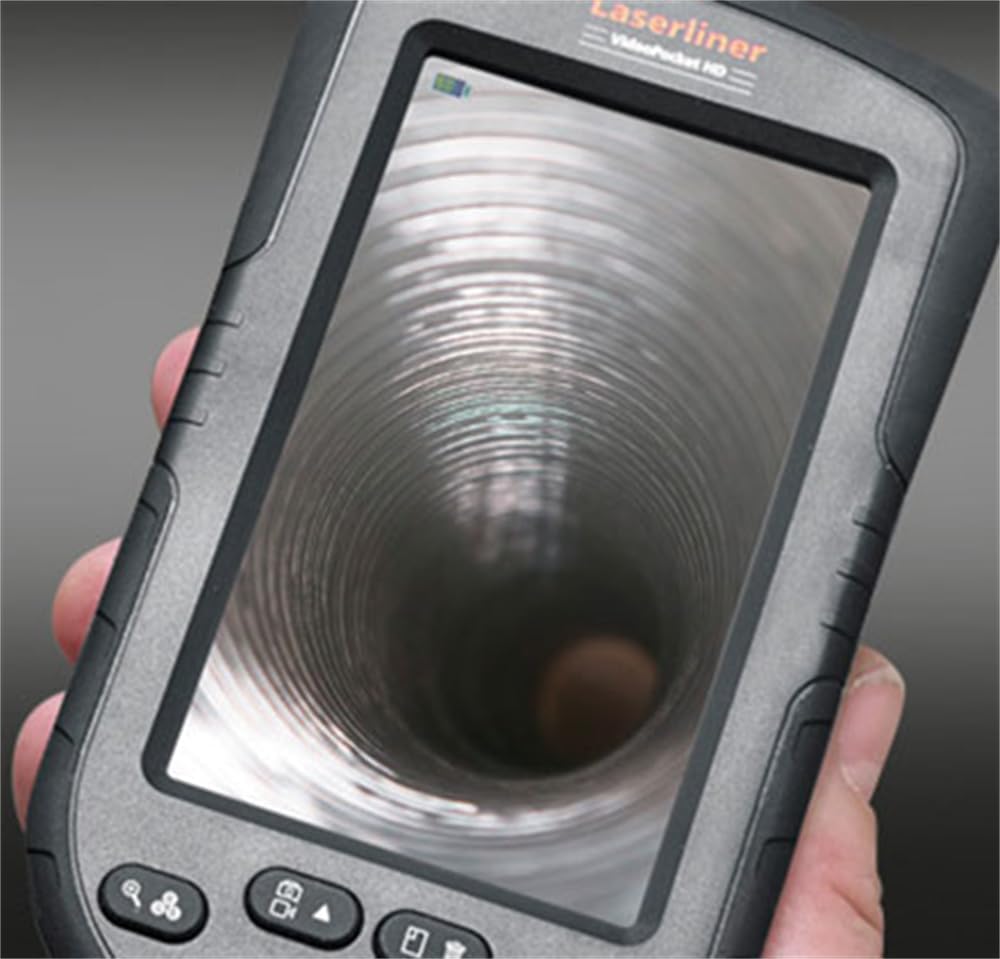
Nọmba 3: LASERLINER VideoPocket HD display showing a live view from inside a corrugated pipe. This demonstrates the device's capability to provide clear visuals during inspection.

Nọmba 4: Apa view of the VideoPocket HD unit, highlighting the MicroUSB port and microSD card slot. These ports are used for data transfer and memory expansion.

Nọmba 5: Ẹyìn view of the LASERLINER VideoPocket HD, showing the integrated storage for the camera cable. This design ensures convenient and secure storage of the probe.
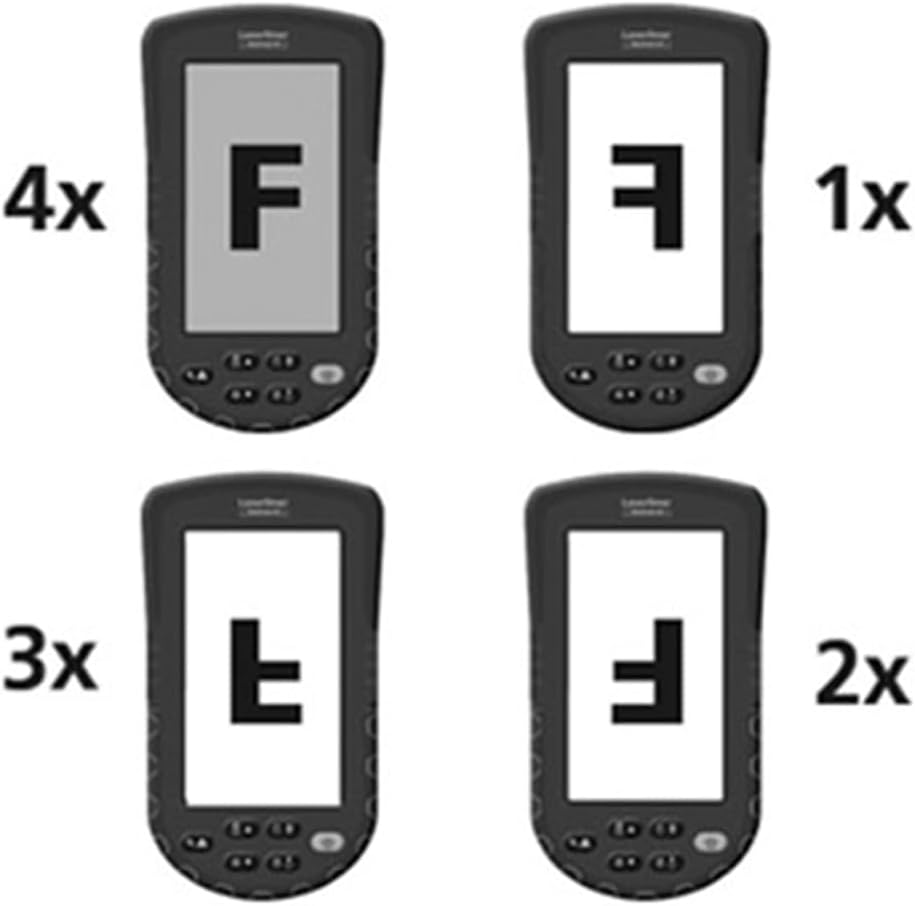
Nọmba 6: Diagram illustrating the 4x digital zoom function of the VideoPocket HD, showing different magnification levels. This feature allows for closer examination of details.
5. Eto
5.1 Fifi sori batiri
- Wa ideri iyẹwu batiri ni ẹhin ẹrọ naa.
- Ṣii ideri nipasẹ sisun tabi ṣiṣi silẹ.
- Insert four (4) AA alkaline batteries, ensuring correct polarity (+/-) as indicated inside the compartment.
- Pa ideri batiri naa ni aabo.
5.2 Fifi Kaadi MicroSD sii
- Locate the microSD card slot on the side of the device (refer to Figure 4).
- Insert a microSD card (up to 32GB, not included) into the slot with the contacts facing down, until it clicks into place.
- Lati yọọ kuro, tẹ kaadi naa rọra titi yoo fi jade.
5.3 Asopọmọra Awọn ẹya ẹrọ
The magnet, mirror, and hook attachments can be secured to the camera head using the provided camera tip attachments.
- Select the desired attachment (magnet, mirror, or hook).
- Carefully slide the camera tip attachment over the camera head.
- Ensure the accessory is firmly seated and aligned with the camera lens if necessary (e.g., mirror).
6. Awọn ilana Iṣiṣẹ
6.1 Titan / Pa a
- Agbara Tan: Tẹ bọtini agbara naa ki o si mu titi ti ifihan yoo fi tan imọlẹ.
- Agbara Pa: Press and hold the Power button until the display turns off.
6.2 Live View ati Lilọ kiri
- Once powered on, the device will display a live feed from the camera probe.
- Use the directional buttons (if present) to navigate through menus or adjust settings.
6.3 Siṣàtúnṣe Imọlẹ
The camera head features 6 LEDs with 10-stage brightness adjustment.
- Locate the brightness adjustment buttons (often marked with sun icons or up/down arrows).
- Press the appropriate button to increase or decrease the LED illumination intensity.
6.4 Using Digital Zoom
The device supports up to 4x digital zoom (refer to Figure 6).
- Press the Zoom button (often marked with a magnifying glass icon) to cycle through zoom levels (1x, 2x, 3x, 4x).
6.5 Yiya Awọn aworan ati Awọn fidio
Ensure a microSD card is inserted before attempting to record.
- Ya aworan: Ninu ifiwe view, press the Photo/Capture button (often marked with a camera icon) to take a still image.
- Ṣe igbasilẹ fidio: Press the Video/Record button (often marked with a video camera icon) to start recording. Press it again to stop recording.
6.6 Viewing Recorded Media
- Enter Playback mode (usually via a dedicated button or menu option).
- Use the directional buttons to browse through captured images and videos.
- Press the OK/Play button to view an image or play a video.
6.7 Nsopọ si Kọmputa kan
Use the MicroUSB port to transfer files si kọmputa kan.
- Connect the device to your computer using a MicroUSB cable (not included).
- Ẹrọ naa yẹ ki o han bi ẹrọ ibi ipamọ yiyọ kuro lori kọnputa rẹ.
- You can then access and transfer the images and videos stored on the microSD card.
7. Itọju
7.1 Ninu
- Ẹka akọkọ: Wipe the main unit and display with a soft, dry, lint-free cloth. For stubborn dirt, a slightly damp asọ le ṣee lo, atẹle pẹlu asọ ti o gbẹ.
- Ori kamẹra: Gently clean the camera lens with a soft lens cleaning cloth or cotton swab. Avoid scratching the lens.
- Ma ṣe fi eyikeyi apakan ti ẹrọ naa bọ inu omi.
7.2 Ibi ipamọ
- Tọju ẹrọ naa ni itura, aye gbigbẹ, kuro lati orun taara ati awọn iwọn otutu to gaju.
- Yọ awọn batiri kuro ti ẹrọ naa ko ba ni lo fun igba pipẹ lati ṣe idiwọ jijo.
- Ensure the camera cable is neatly coiled and stored in its designated compartment (refer to Figure 5).
8. Laasigbotitusita
| Isoro | Owun to le Fa | Ojutu |
|---|---|---|
| Ẹrọ naa ko ṣiṣẹ. | Awọn batiri ti ku tabi fi sii lọna ti ko tọ. | Rọpo awọn batiri pẹlu awọn batiri AA alkaline tuntun, ni idaniloju pe o tọ polarity. |
| Ko si aworan lori ifihan. | Camera cable not properly connected or damaged. | Check the camera cable connection. If problem persists, contact support. |
| Kò le gba àwọn àwòrán/fídíò. | No microSD card inserted or card is full/corrupted. | Insert a valid microSD card. Delete unnecessary filetàbí kí o ṣe àtúnṣe káàdì náà (èyí yóò pa gbogbo dátà rẹ́). |
| Image is too dark/bright. | LED brightness is not adjusted correctly. | Adjust the LED brightness using the dedicated buttons. |
| Ẹ̀rọ náà yóò dì tàbí kí ó má ṣe dáhùn. | Ibùgbé software glitch. | Yọ awọn batiri kuro ki o si tun fi sii lati ṣe atunto lile. |
9. Awọn pato
| Ẹya ara ẹrọ | Sipesifikesonu |
|---|---|
| Brand | laserliner |
| Nọmba awoṣe | 082262A |
| Awọn Iwọn Ọja (W x H x D) | 8.5 x 15.5 x 3.2 cm |
| Iwọn (pẹlu awọn batiri) | 370 g |
| Product Weight (Gross/Shipping) | 810 g |
| Kamẹra Head Diamita | 5.2 mm |
| Camera Cable Length | 1 m |
| Ipinnu kamẹra | 1280 x 720 awọn piksẹli |
| Aaye ti View | 65° |
| Ijinna Ifojusi | 3-8 cm |
| Ifihan Iru | 4.3 inch TFT Awọ Ifihan |
| Ipinnu Ifihan | 480 x 272 awọn piksẹli |
| LED Imọlẹ tolesese | 10 iṣẹju-aayatages |
| Digital Sisun | 4x |
| Ipinnu Yaworan fidio | 1080p (for saved files) |
| Media Media | MicroSD kaadi (to 32GB) |
| Ibudo | MicroUSB |
| Orisun agbara | 4 x AA Alkaline Batiri |
| To wa Awọn ẹya ẹrọ | Magnet, Mirror, Hook, Camera Tip Attachments |
10. Atilẹyin ọja ati Support
10.1 atilẹyin ọja Alaye
This LASERLINER VideoPocket HD 082262A comes with a 1-odun olupese ká atilẹyin ọja lati ọjọ ti o ra. Atilẹyin ọja yi ni wiwa awọn abawọn ninu awọn ohun elo ati iṣẹ-ṣiṣe labẹ lilo deede. Ko bo ibajẹ ti o ṣẹlẹ nipasẹ ilokulo, awọn ijamba, awọn iyipada laigba aṣẹ, tabi yiya ati aiṣiṣẹ deede. Jọwọ ṣe idaduro ẹri rira rẹ fun awọn iṣeduro atilẹyin ọja.
10.2 Onibara Support
For technical assistance, troubleshooting beyond this manual, or warranty inquiries, please contact your retailer or visit the official Laserliner website for support contact information. When contacting support, please have your product model number (082262A) and proof of purchase readily available.