
1. Ifihan
This manual provides detailed instructions for the safe and effective use of your mifa X180 True Wireless Earbuds. Please read this manual thoroughly before using the product and retain it for future reference. The mifa X180 earbuds feature Bluetooth 5.0 connectivity, 4-microphone Environmental Noise Cancellation (ENC) for clear calls, and IPX7 water resistance.
2. Package Awọn akoonu
Daju pe gbogbo awọn ohun ti a ṣe akojọ rẹ si isalẹ wa ninu package ọja rẹ:
- mifa X180 True Wireless Earbuds (Left and Right)
- Ngba agbara Case
- Okun Ngba agbara USB
- Itọsọna olumulo
- Replaceable Ear Tip Set (various sizes)
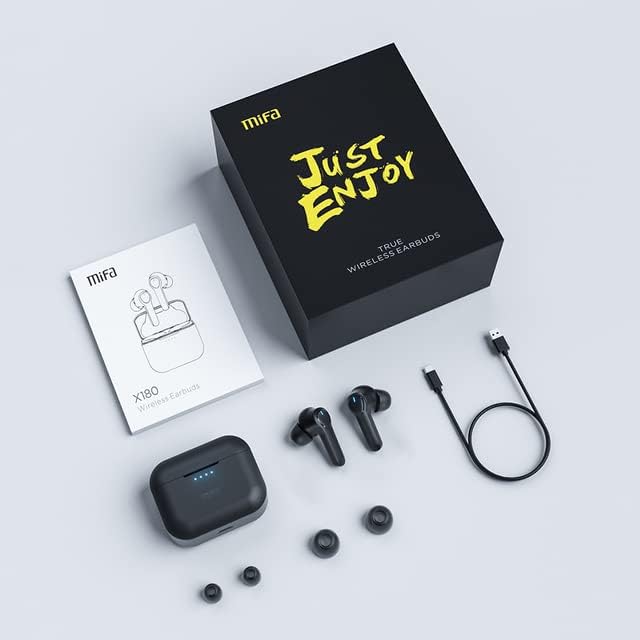
Image: The mifa X180 earbuds, charging case, USB cable, user manual, and extra ear tips laid out on a surface.
3. Ọja Ipariview
The mifa X180 earbuds are designed for comfort and a secure fit, ensuring stability during various activities.

Image: A person wearing a mifa X180 earbud, demonstrating a comfortable and secure fit.
Awọn Irinṣe Akọti:
- Agbegbe Iṣakoso Fọwọkan: For playback, call management, and other functions.
- Awọn gbohungbohun: Multiple microphones for voice pickup and Environmental Noise Cancellation (ENC).
- Awọn olubasọrọ gbigba agbara: Be ni isale ti awọn earbud yio.
- Atọka LED: Displays status such as pairing, charging, and connection.
Awọn ohun elo gbigba agbara:
- Awọn Iho gbigba agbara Earbud: Ó di àwọn ètí ìgbọ́rọ̀ náà mú dáadáa, ó sì ń gba agbára.
- Ibudo Ngba agbara USB-C: Fun gbigba agbara si ọran naa.
- Awọn itọkasi LED: Shows the charging status and battery level of the case.
4. Eto
4.1. Ngba agbara si Earbuds ati Ọran
Ṣaaju lilo akọkọ, gba agbara ni kikun mejeeji awọn agbekọri ati apoti gbigba agbara.
- Fi àwọn agbekọri náà sínú àpótí ìgbóná. Rí i dájú pé wọ́n wà ní ipò tó tọ́; àwọn àmì LED lórí agbekọri náà gbọ́dọ̀ tàn.
- Connect the charging case to a power source using the provided USB charging cable. The case's LED indicators will show the charging progress.
- A full charge provides approximately 5 hours of playback for the earbuds, with the charging case offering an additional 25 hours, totaling up to 30 hours of playback. The earbuds can fast charge in about 1.2 hours.
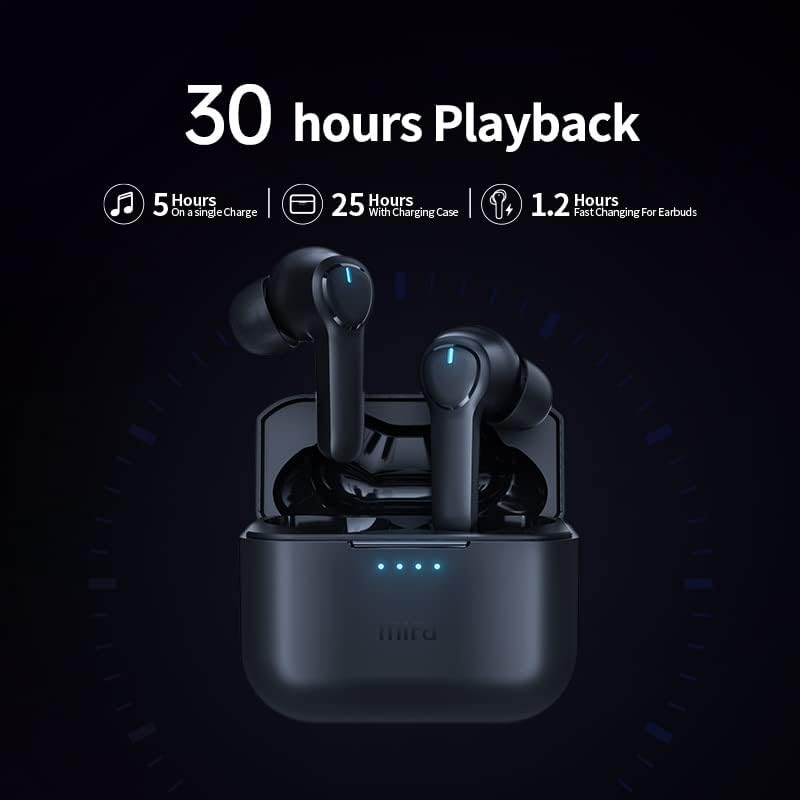
Image: The mifa X180 earbuds in their charging case, illustrating the 30-hour total playback time (5 hours on a single charge + 25 hours with charging case).
4.2. Sisopọ pẹlu Ẹrọ kan
The mifa X180 earbuds feature one-step pairing for convenience.
- Ṣí àpótí ìgbara. Àwọn agbekọri náà yóò wọ inú ipò ìsopọ̀ láìfọwọ́sí, tí LED tí ń tàn lórí àwọn agbekọri náà fi hàn.
- Lori ẹrọ rẹ (foonuiyara, tabulẹti, ati be be lo), jeki Bluetooth.
- Wa fun available Bluetooth devices and select "mifa X180" from the list.
- Once connected, the earbud LED indicator will stop flashing, and your device will confirm the connection.
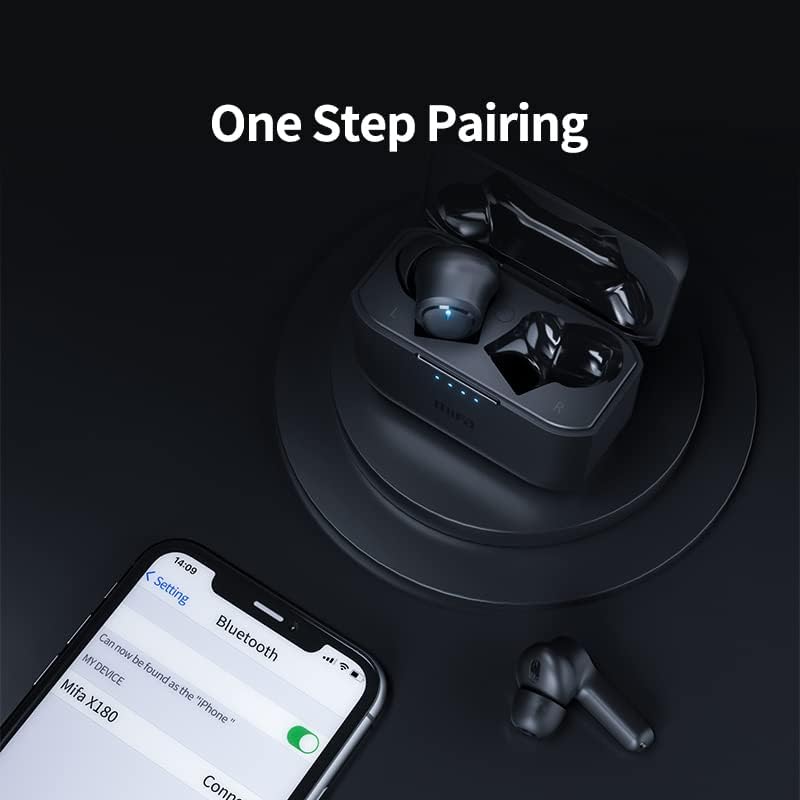
Image: A smartphone displaying the Bluetooth settings with "mifa X180" available for connection, demonstrating the one-step pairing process.
5. Awọn ilana Iṣiṣẹ
5.1. Basic Functions (Touch Controls)
The mifa X180 earbuds utilize touch controls for various functions. Refer to the specific touch patterns in the quick start guide included in your package for detailed operations such as:
- Mu orin ṣiṣẹ / sinmi
- Itele/Orin ti tẹlẹ
- Iwọn didun soke / isalẹ
- Mu oluranlọwọ ohun ṣiṣẹ
5.2. Call Functions with ENC Noise Cancelling
The earbuds are equipped with 4 microphones and Environmental Noise Cancellation (ENC) technology to ensure clear call quality by reducing background noise.
- Idahun/Ipe Ipari: Tẹ agbegbe iṣakoso ifọwọkan lẹẹkan.
- Kọ Ipe: Tẹ mọlẹ agbegbe iṣakoso ifọwọkan fun iṣẹju meji 2.

Image: A diagram illustrating the placement and function of the four microphones on the mifa X180 earbuds, highlighting their role in Environmental Noise Cancellation (ENC) for calls.
5.3. Gaming Mode with Low Latency
Activate Gaming Mode for a low-latency audio experience, ideal for gaming and video playback where audio-visual synchronization is critical. Refer to the quick start guide for instructions on how to toggle Gaming Mode.
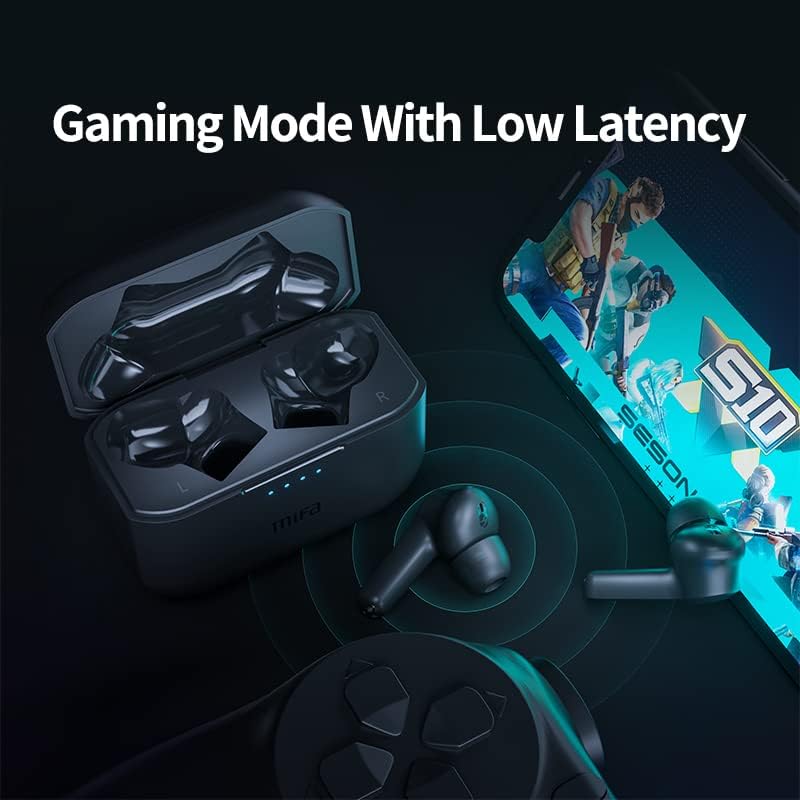
Image: The mifa X180 earbuds and charging case alongside a smartphone displaying a game, emphasizing the low-latency gaming mode feature.
6. Omi Resistance (IPX7)
The mifa X180 earbuds are rated IPX7 waterproof, meaning they can withstand immersion in water up to 1 meter for 30 minutes. This makes them suitable for workouts and light rain. However, the charging case is not waterproof. Do not expose the charging case to water or moisture.
- Do not use the earbuds for swimming or showering.
- Ensure the earbuds are completely dry before placing them back into the charging case to prevent damage.
7. Itọju ati Itọju
To ensure the longevity and optimal performance of your mifa X180 earbuds:
- Ninu: Mọ awọn agbekọri nigbagbogbo, paapaa awọn imọran eti ati awọn olubasọrọ gbigba agbara, pẹlu asọ ti o gbẹ, ti ko ni lint. Maṣe lo awọn kẹmika lile tabi awọn ohun elo abrasive.
- Ibi ipamọ: Nigbati ko ba si ni lilo, tọju awọn afikọti sinu apoti gbigba agbara wọn lati daabobo wọn lati eruku ati ibajẹ.
- Iwọn otutu: Avoid exposing the earbuds and charging case to extreme temperatures (hot or cold) or direct sunlight.
- Gbigba agbara: Lo okun gbigba agbara ti a pese nikan tabi iwe-ẹri deede.
8. Laasigbotitusita
If you encounter issues with your mifa X180 earbuds, try the following solutions:
| Isoro | Ojutu |
|---|---|
| Earbuds ko so pọ |
|
| Ko si ohun lati agbekọri kan |
|
| Ngba agbara ko gba agbara |
|
9. Awọn pato
| Ẹya ara ẹrọ | Ẹ̀kúnrẹ́rẹ́ |
|---|---|
| Awoṣe | X180 |
| Ẹya Bluetooth | 5.0 |
| Earcups Iru | Ologbele-ìmọ |
| Ibiti o ni ihamọ | Titi di 32 Ω |
| Abajade | 10mW |
| Ọna gbigba agbara | Ngba agbara nla |
| Awọn paadi agbekọri Ohun elo | Silikoni |
| Iru Oofa | Neodymium |
| Omi Resistance | IPX7 (Earbuds nikan) |
| Ariwo Iṣakoso | Sound Isolation, Active Noise Cancelling (ENC for calls) |
| Igbesi aye batiri | Approx. 5 hours (earbuds), 25 hours (with charging case) |
10. Atilẹyin ọja ati Support
Your mifa X180 True Wireless Earbuds come with a 12-month warranty. This warranty covers manufacturing defects and ensures that the product is free from defects in material and workmanship under normal use.
For warranty claims, technical support, or any inquiries, please refer to the contact information provided on the product packaging or the official mifa webojula.