
1. Ifihan
O ṣeun fun riraasing the SODLK T300 120W Portable Bluetooth Speaker. This manual provides essential information for setting up, operating, and maintaining your speaker. Please read it thoroughly before use to ensure optimal performance and longevity of your device. Keep this manual for future reference.
2. Alaye Aabo
- Ma ṣe fi agbọrọsọ si awọn iwọn otutu to gaju, imọlẹ orun taara, tabi ọriniinitutu giga.
- Yago fun sisọ tabi tẹriba agbọrọsọ si awọn ipa to lagbara.
- Maṣe ṣajọ, tunṣe, tabi tun agbọrọsọ naa ṣe funrararẹ. Kan si oṣiṣẹ iṣẹ ti o pe fun eyikeyi atunṣe.
- Pa agbohunsoke kuro lati omi ati awọn olomi miiran. Ọja yii kii ṣe mabomire.
- Lo okun USB ti a pese nikan fun gbigba agbara.
- Ma ṣe ṣisẹ agbọrọsọ ni iwọn didun ti o ga ju fun awọn akoko gigun lati ṣe idiwọ ibajẹ igbọran.
3. Package Awọn akoonu
Jọwọ ṣayẹwo package fun awọn nkan wọnyi:
- SODLK T300 Bluetooth Agbọrọsọ
- Okun Ngba agbara USB
- Itọsọna olumulo
4. Ọja Ipariview
The SODLK T300 is a powerful portable Bluetooth speaker designed for robust audio performance. It features a durable exterior, integrated handle, and dynamic LED lighting on the sides. The speaker incorporates advanced audio technology for a rich sound experience.

Aworan: Iwaju view of the SODLK T300 Portable Bluetooth Speaker, showcasing its black finish, front grille, and side LED lights.
Internally, the T300 is equipped with a sophisticated driver system to deliver its 120W output. This includes multiple dynamic driver units and vibrating diaphragms for enhanced bass and clear audio reproduction.

Aworan: Ohun exploded view illustrating the internal components of the SODLK T300 speaker, highlighting the 4 dynamic driver units and DSP sound processing.
5. Eto
5.1 Gbigba agbara si Agbọrọsọ
Before first use, fully charge the speaker. Connect the provided USB charging cable to the speaker's charging port and a compatible USB power adapter (not included). The LED indicator will show charging status and turn off or change color when fully charged.
5.2 Titan / Pa a
- Lati Fi agbara: Press and hold the Power button for a few seconds until the LED lights illuminate and you hear an audible prompt.
- Lati Paarẹ: Press and hold the Power button again for a few seconds until the LED lights turn off and you hear an audible prompt.
6. Awọn ilana Iṣiṣẹ
6.1 Sisopọ Bluetooth
The SODLK T300 features Bluetooth 5.1 for a stable and efficient wireless connection.

Image: Graphic illustrating the benefits of Bluetooth 5.1 connectivity for the SODLK T300, including faster and stronger connection, lower power consumption, better sound, more stable transfer, and higher noise reduction.
- Ensure the speaker is powered on and in Bluetooth pairing mode (the LED indicator will typically flash blue).
- Lori ẹrọ rẹ (foonuiyara, tabulẹti, kọmputa), mu Bluetooth ṣiṣẹ ki o wa awọn ẹrọ to wa.
- Select "SODLK T300" from the list of devices.
- Once paired, the speaker will indicate a successful connection, and the LED light will change.
6.2 Ìsopọ̀ TWS (Stéréó aláilowaya tòótọ́)
To connect two SODLK T300 speakers for a stereo sound experience:
- Rii daju pe awọn agbohunsoke mejeeji wa ni titan ati pe ko sopọ si eyikeyi ẹrọ Bluetooth.
- On one speaker, press the TWS button. It will enter TWS pairing mode.
- Àwọn agbọ́hùn méjì náà yóò so ara wọn pọ̀ láìfọwọ́sí. Nígbà tí a bá ti so wọ́n pọ̀, agbọ́hùn kan yóò ṣiṣẹ́ gẹ́gẹ́ bí ọ̀gá (ìkànnì òsì) àti èkejì gẹ́gẹ́ bí ẹrú (ìkànnì ọ̀tún).
- So ẹrọ rẹ pọ si agbọrọsọ titun nipasẹ Bluetooth gẹgẹbi a ti ṣalaye ni apakan 6.1.
6.3 Playing Music from Various Sources
The SODLK T300 supports multiple playback modes:
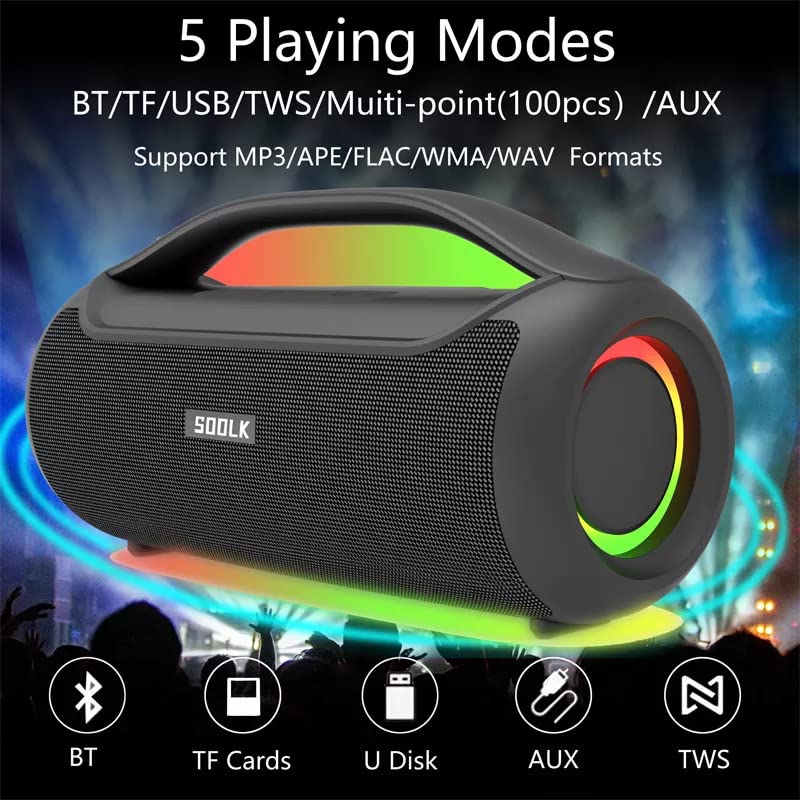
Image: Visual representation of the 5 playing modes supported by the SODLK T300: Bluetooth (BT), TF Cards, U Disk (USB), AUX, and TWS. It also indicates support for MP3/APE/FLAC/WMA/WAV formats.
- Bluetooth: Connect your device wirelessly as described in section 6.1.
- Kaadi TF: Fi káàdì TF (MicroSD) pẹ̀lú ohùn sí i files sinu iho kaadi TF. Agbọrọsọ naa yoo yipada si ipo kaadi TF laifọwọyi ati bẹrẹ si ṣiṣiṣẹ.
- Disiki USB: Fi kọnputa filasi USB sii pẹlu ohun files sinu ibudo USB. Agbọrọsọ naa yoo yipada si ipo USB laifọwọyi ati bẹrẹ si ṣiṣiṣẹ.
- Iṣawọle AUX: Connect an external audio device using a 3.5mm AUX cable (not included) to the AUX port. The speaker will switch to AUX mode.
Use the speaker's control buttons to play/pause, skip tracks, and adjust volume.
6.4 EQ Playing Modes
The speaker offers three equalizer (EQ) modes to optimize your listening experience for different music genres.

Image: Graphic displaying the three EQ playing modes of the SODLK T300: HIFI 6D Surround, Vocal, and Deep Bass, with illustrative icons for each.
Press the EQ button to cycle through the following modes:
- HIFI 6D Surround: Provides an immersive, wide soundstage.
- Ohùn: Enhances clarity for vocals, ideal for podcasts or acoustic music.
- Bass Jin: Ṣe alekun awọn igbohunsafẹfẹ kekere fun esi baasi ti o ni ipa diẹ sii.
6.5 LED ina Iṣakoso
The SODLK T300 features dynamic LED lights. Press the Light button to cycle through different lighting modes or to turn the lights off.
6.6 NFC Connection (Near Field Communication)
For compatible devices, NFC allows for quick and easy Bluetooth pairing.
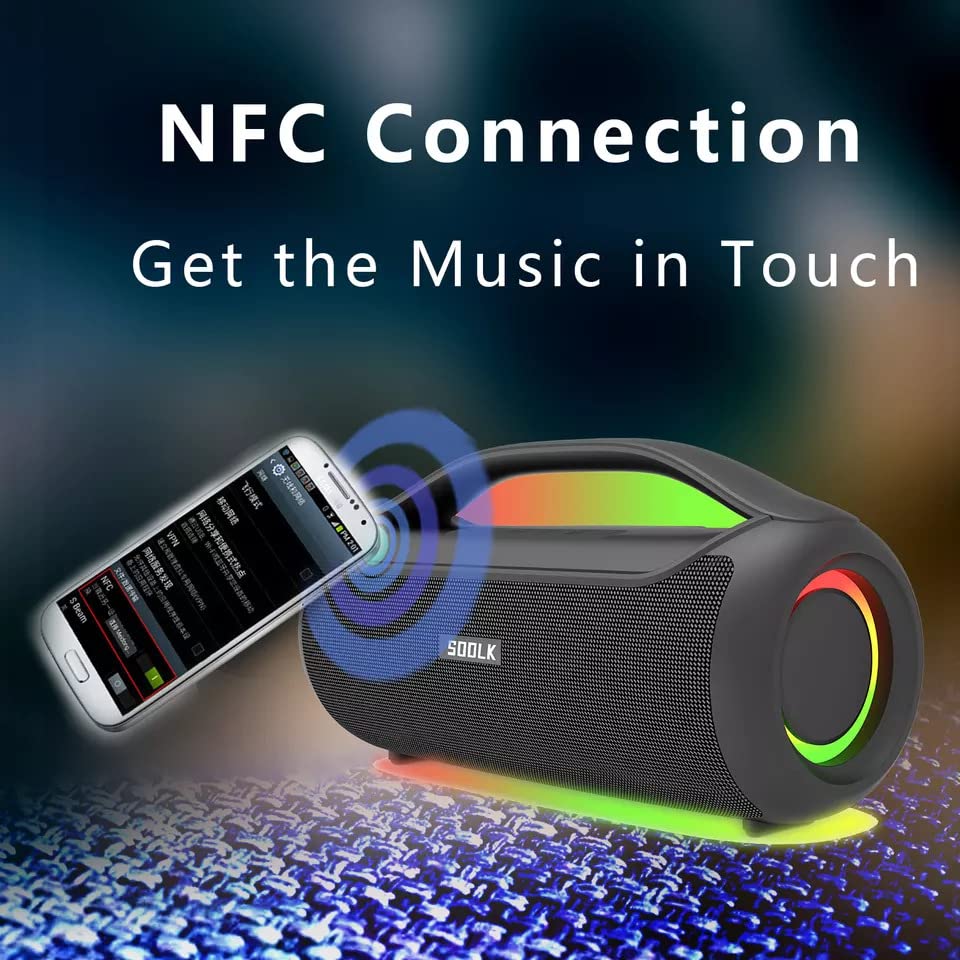
Image: A smartphone being tapped against the SODLK T300 speaker, illustrating the NFC connection process for instant music pairing.
- Rii daju pe NFC ṣiṣẹ lori foonuiyara tabi ẹrọ rẹ.
- Tap your NFC-enabled device gently against the NFC area on the speaker.
- Your device will prompt you to connect via Bluetooth. Confirm the connection.
7. Itọju
7.1 Ninu
Fi aṣọ rírọrùn, gbígbẹ nu agbọrọsọ naa. Má ṣe lo àwọn ohun ìfọṣọ, ọtí líle, tàbí àwọn ohun mímu kẹ́míkà mìíràn, nítorí pé wọ́n lè ba ojú ilẹ̀ jẹ́.
7.2 Ibi ipamọ
When not in use for extended periods, store the speaker in a cool, dry place away from direct sunlight and extreme temperatures. It is recommended to charge the speaker at least once every three months to maintain battery health.
8. Laasigbotitusita
| Isoro | Owun to le Fa | Ojutu |
|---|---|---|
| Agbọrọsọ ko ni agbara lori. | Batiri kekere. | Gba agbara si agbọrọsọ ni kikun. |
| Ko si ohun. | Volume too low; incorrect input mode; device not paired. | Increase volume; switch to correct input mode (BT, AUX, TF, USB); re-pair Bluetooth device. |
| Asopọ Bluetooth kuna. | Agbọrọsọ kii ṣe ni ipo sisopọ; Bluetooth ẹrọ pa; ju jina lati agbọrọsọ. | Ensure speaker is in pairing mode; enable Bluetooth on device; move device closer to speaker. |
| Asopọ TWS kuna. | Speakers already connected to another device; too far apart. | Disconnect speakers from other devices; ensure speakers are close to each other. |
9. Awọn pato
Detailed technical specifications for the SODLK T300 speaker:
| Ẹya ara ẹrọ | Sipesifikesonu |
|---|---|
| Orukọ awoṣe | T300 |
| Agbọrọsọ Iru | Agbọrọsọ Gbigbe |
| Pataki Ẹya | Subwoofer, LED Light, TWS Connection |
| Asopọmọra Technology | Bluetooth 5.1, Auxiliary, TF Card, USB |
| Alailowaya Ibaraẹnisọrọ | Bluetooth |
| Agbọrọsọ Agbara Ijade ti o pọju | 120 Wattis |
| Ipo Ijade Ohun | Sitẹrio |
| Kakiri Ohun ikanni iṣeto ni | 6D |
| Orisun agbara | Agbara Batiri |
| Ọna Iṣakoso | Awọn bọtini Fọwọkan |
| Ọja Mefa | 11.2D x 29.2W x 10.1H |
| Se mabomire | Rara |
| Awọn irinše to wa | USB Cable, Speaker, User Manual |
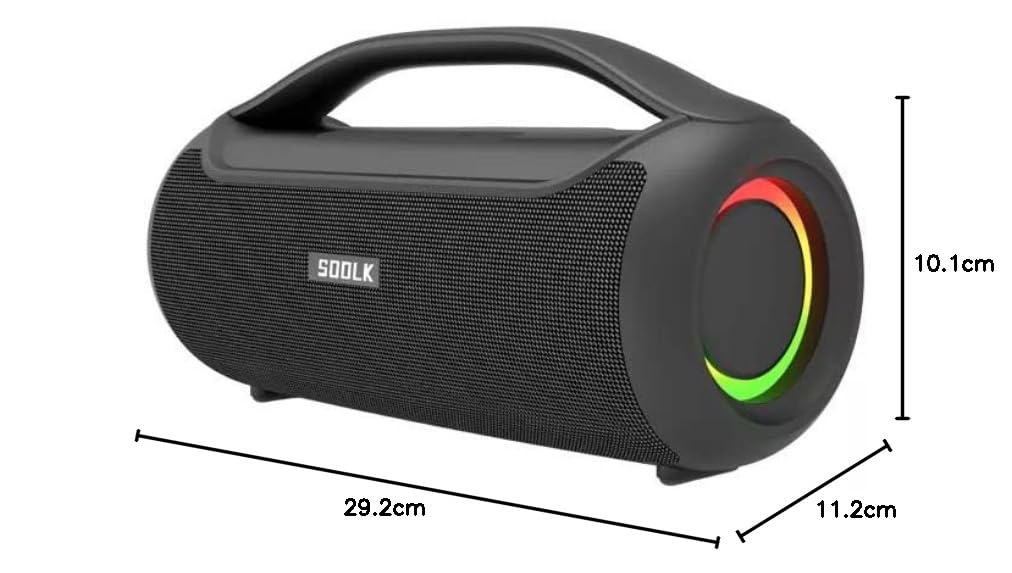
Image: Diagram showing the dimensions of the SODLK T300 speaker: 29.2cm (width), 11.2cm (depth), and 10.1cm (height).
10. Atilẹyin ọja ati Support
The SODLK T300 speaker comes with a 1-odun atilẹyin ọja Láti ọjọ́ tí a rà á. Àtìlẹ́yìn yìí bo àwọn àbùkù iṣẹ́-ọnà àti iṣẹ́-ọnà lábẹ́ lílo déédéé. Kò bo ìbàjẹ́ tí ó wáyé nípasẹ̀ ìlòkulò, jàǹbá, àtúnṣe tí a kò fún ní àṣẹ, tàbí ìbàjẹ́ déédé.
For warranty claims, technical support, or any inquiries, please contact your retailer or the SODLK customer service department with your purchase details.