
DreamSky DS2201
DreamSky DS2201 Onigi Digital Itaniji Aago olumulo
Model: DS2201 | Brand: DreamSky
1. Ifihan
This manual provides detailed instructions for the setup, operation, and maintenance of your DreamSky DS2201 Wooden Digital Alarm Clock. Designed for bedrooms, this electric desk clock features large, easy-to-read numbers, a convenient USB charging port, and adjustable settings for alarm volume and display brightness. Please read this manual thoroughly to ensure proper use and to maximize the functionality of your device.
2. Key Awọn ẹya ara ẹrọ
- Ifihan oni-nọmba nla: Features 1.8-inch large numbers for clear visibility from a distance.
- Imọlẹ Adijositabulu: Offers 5 levels of display brightness, including an 'OFF' option, to suit various lighting conditions.
- Batiri Afẹyinti: Requires 2 AAA alkaline batteries (not included) to maintain alarm function during power outages. The display will not illuminate when operating on battery power alone.
- Aláìmọ́ tí a lè ṣe àtúnṣe: Provides 5 levels of adjustable alarm volume, suitable for both light and heavy sleepers. The alarm sounds for 2 minutes.
- Iṣẹ́ lẹ́ẹ̀kọ̀ọ̀kan: A dedicated snooze button on the top allows for an additional 9 minutes of sleep.
- Ibudo Gbigba agbara USB: Includes a convenient USB port for charging smart devices and other gadgets.
- Akoko Ifipamọ Oju-ọjọ (DST): Equipped with a manual DST button for easy time adjustments.
- Wood Décor Design: A sleek wooden finish integrates well with various room aesthetics.
3. Package Awọn akoonu
Lẹhin ṣiṣi silẹ, jọwọ rii daju pe gbogbo awọn nkan ti o wa ni isalẹ wa ati ni ipo to dara:
- DreamSky DS2201 Onigi Digital Itaniji Aago
- 5V / 1A Power Adapter
- Afowoyi Olumulo (iwe-ipamọ yii)

Figure 3.1: Package contents including the alarm clock, power adapter, and user manual.
4. Eto
4.1 Asopọ agbara
- Connect the provided 5V/1A power adapter to the DC 5V port on the back of the alarm clock.
- So adapter agbara sinu ibudo ina deede. Ifihan aago naa yoo tan imọlẹ.

Figure 4.1: Powering the clock and using the USB charging port.
4.2 Battery Installation (Backup)
For alarm backup during power outages, install 2 AAA alkaline batteries (not included) into the battery compartment on the back of the clock. The display will not be active when running on battery power alone; only the alarm function is maintained.
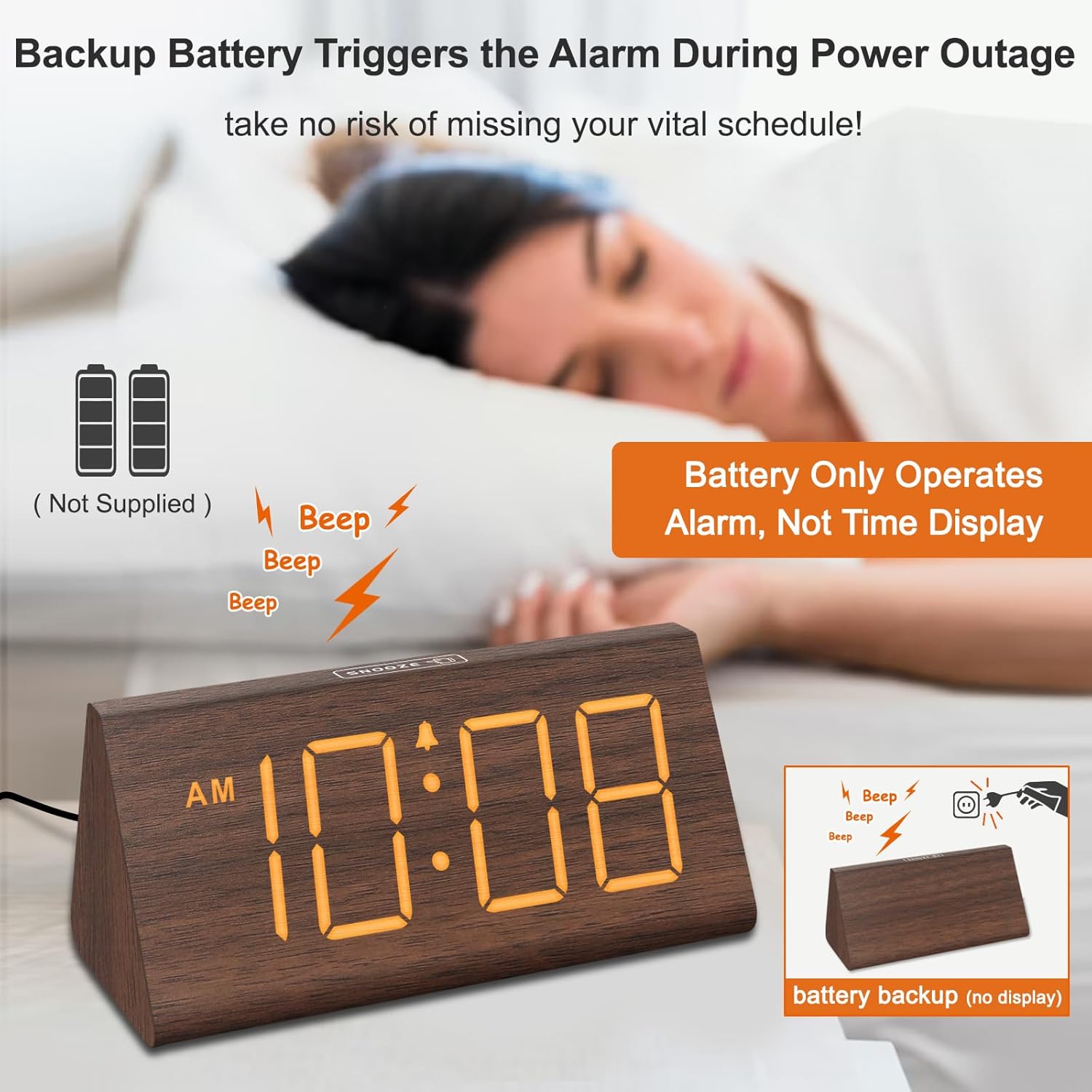
Figure 4.2: Battery compartment for alarm backup.
5. Awọn ilana Iṣiṣẹ
5.1 Eto akoko
- Tẹ awọn Akoko SET button on the back of the clock. The hour digits will flash.
- Lo awọn + ati - awọn bọtini lati ṣatunṣe awọn wakati.
- Tẹ Akoko SET lẹẹkansi lati ṣeto awọn iṣẹju. Awọn nọmba iṣẹju yoo filasi.
- Lo awọn + ati - awọn bọtini lati ṣatunṣe awọn iṣẹju.
- Tẹ Akoko SET igba kẹta lati jẹrisi ati jade ipo eto akoko.
- Lati yipada laarin ọna kika wakati 12 ati wakati 24, tẹ bọtini naa 12/24HR bọtini.
5.2 Eto itaniji
- Tẹ awọn ALAGBARA SET Bọ́tìnì náà. Àwọn nọ́mbà wákàtí ìkìlọ̀ náà yóò máa tàn yanranyanran.
- Lo awọn + ati - awọn bọtini lati ṣatunṣe aago itaniji.
- Tẹ ALAGBARA SET lẹẹkansi lati ṣeto awọn iṣẹju itaniji. Awọn nọmba iṣẹju yoo filasi.
- Lo awọn + ati - awọn bọtini lati ṣatunṣe awọn iṣẹju itaniji.
- Tẹ ALAGBARA SET igba kẹta lati jẹrisi ati jade kuro ni ipo itaniji.
- To turn the alarm ON or OFF, press the TAN/PA button. An alarm icon will appear on the display when the alarm is active.
5.3 Iṣiṣẹ Snooze
Nigbati itaniji ba dun, tẹ bọtini naa ṢEGBE button located on the top of the clock to temporarily silence the alarm for 9 minutes. The alarm will sound again after 9 minutes. To turn off the alarm for the day, press any button on the back of the clock.

Figure 5.1: Snooze button and alarm volume control.
5.4 Atunṣe Imọlẹ
Tẹ awọn DIMMER button on the back of the clock to cycle through 5 levels of brightness (L01 to L05) and an 'OFF' option for the display.

Figure 5.2: Display brightness levels.
5.5 iwọn didun tolesese
Lo awọn VOL+ ati VOL- buttons on the back of the clock to adjust the alarm volume across 5 available levels.
5.6 Akoko Ifipamọ Oju-ọjọ (DST)
To activate or deactivate Daylight Saving Time, press the DST ON / PA button. When activated, the time will advance by one hour, and 'DST' will appear on the display. Press again to revert to standard time.
5.7 Okun gbigba agbara USB
The USB port on the back of the clock can be used to charge compatible smart devices. Simply connect your device's USB charging cable to the port.
6. Itọju
- Clean the clock's surface with a soft, dry cloth.
- Avoid using abrasive cleaners, solvents, or harsh chemicals, as these may damage the finish.
- Pa aago naa mọ kuro ninu oorun taara, iwọn otutu to lagbara, ati ọriniinitutu giga.
7. Laasigbotitusita
| Isoro | Owun to le Fa | Ojutu |
|---|---|---|
| Ifihan naa ti pa tabi ti di dudu. | Power adapter not connected; brightness set to OFF or lowest level; running on battery backup. | Ensure the power adapter is securely plugged in. Press the DIMMER button to adjust brightness. Remember, the display does not light up when on battery backup. |
| Itaniji ko dun. | Alarm is not activated; alarm volume is too low. | Tẹ awọn TAN/PA button to activate the alarm (check for alarm icon on display). Adjust volume using VOL+. |
| Akoko ko tọ. | A kò ṣètò àkókò dáadáa; ètò DST kò tọ́. | Follow instructions in section 5.1 to set the time. Check DST setting using the DST ON / PA bọtini. |
| Gbigba agbara USB ko ṣiṣẹ. | Device not compatible; cable faulty; clock not powered. | Ensure your device is compatible with USB charging. Try a different USB cable. Verify the clock is connected to AC power. |
8. Awọn pato
- Brand: DreamSky
- Awoṣe: DS2201
- Iru ifihan: Oni-nọmba
- Orisun Agbara: Okun Itanna
- Awọn iwọn ọja: 5.96"W x 2.7"H
- Ohun elo: Igi
- Ìwọ̀n Nkan: 11.1 iwon
- Awọn batiri: 2 AAA batteries required (not included, for alarm backup only)
- Asopọmọra: USB
9. Atilẹyin ọja ati Support
Your DreamSky DS2201 Wooden Digital Alarm Clock comes with a Atilẹyinpo rirọpo ọdun 1.
Fun atilẹyin alabara tabi awọn ibeere, jọwọ kan si:
Imeeli: info@dreamsky4u.com