
Ọrọ Iṣaaju
The CHI Touch Activated Compact Hair Dryer is designed for efficient and convenient hair drying. It features an innovative touch sensor for uninterrupted styling, an integrated ion generator to reduce frizz and enhance shine, and variable heat and speed settings for diverse hair types.
Awọn Itọsọna Aabo pataki
ÌKÌLỌ̀: Láti dín ewu ìkọlù iná mànàmáná kù, iná, tàbí ìpalára, máa tẹ̀lé àwọn ìlànà ààbò pàtàkì nígbà tí o bá ń lo àwọn ohun èlò iná mànàmáná.
- Jeki kuro ni arọwọto awọn ọmọde.
- Má ṣe fi omi fọ̀ tàbí kí o fi ohun èlò náà sínú omi.
- Jeki pulọọgi agbara ati okun kuro lati awọn aaye ti o gbona.
- Do not use the hair dryer while bathing or in wet environments.
- Nigbagbogbo yọọ ohun elo lẹsẹkẹsẹ lẹhin lilo.
Ọja Pariview

olusin 1: Iwaju view of the CHI Touch Activated Compact Hair Dryer.

Figure 2: Key features of the hair dryer, including the Ionic Generator, LCD Digital Display, Cold Air & Speed buttons, 5 Heat + 5 Speed buttons, Power + Induction On/Off, Concentrator Nozzle, and Sensor Induction.
Awọn eroja to wa:
- CHI Touch Activated Compact Hair Dryer
- Magnetic Nozzle Concentrator
Eto ati Lilo akọkọ
- Remove the hair dryer and all accessories from its packaging.
- Ensure the appliance is clean and free from any debris.
- Attach the magnetic nozzle concentrator if desired. It can be used to add volume or smoothness to your hairstyle.
- Pulọọgi ẹrọ gbigbẹ irun sinu iṣan itanna to dara.
Awọn ilana Iṣiṣẹ
Titan / Pipa:
- To turn on the hair dryer, press the TAN/PA button located on the handle. The LCD display will illuminate.
- To turn off the hair dryer, press the TAN/PA bọtini lẹẹkansi.
Using the Touch Activation Sensor:
The hair dryer features a unique touch sensor for uninterrupted styling. When activated, the dryer will automatically pause when you release your grip from the sensor and resume when you hold it again.
- To activate the touch sensor, ensure the dryer is on, then place your hand over the sensor area on the handle (indicated by the wavy lines and dot).
- To deactivate the touch sensor and use the dryer conventionally (continuous airflow), press the Power + Induction On/Off button (refer to Figure 2).
Adjusting Heat and Speed Settings:
The hair dryer offers five temperature heat settings and three different speeds to customize your drying experience.
- Use the dedicated buttons (refer to Figure 2) to cycle through the available heat and speed settings. The current setting will be displayed on the LCD screen.
- For a cool shot to set your style, press the Cold Air & Speed bọtini.
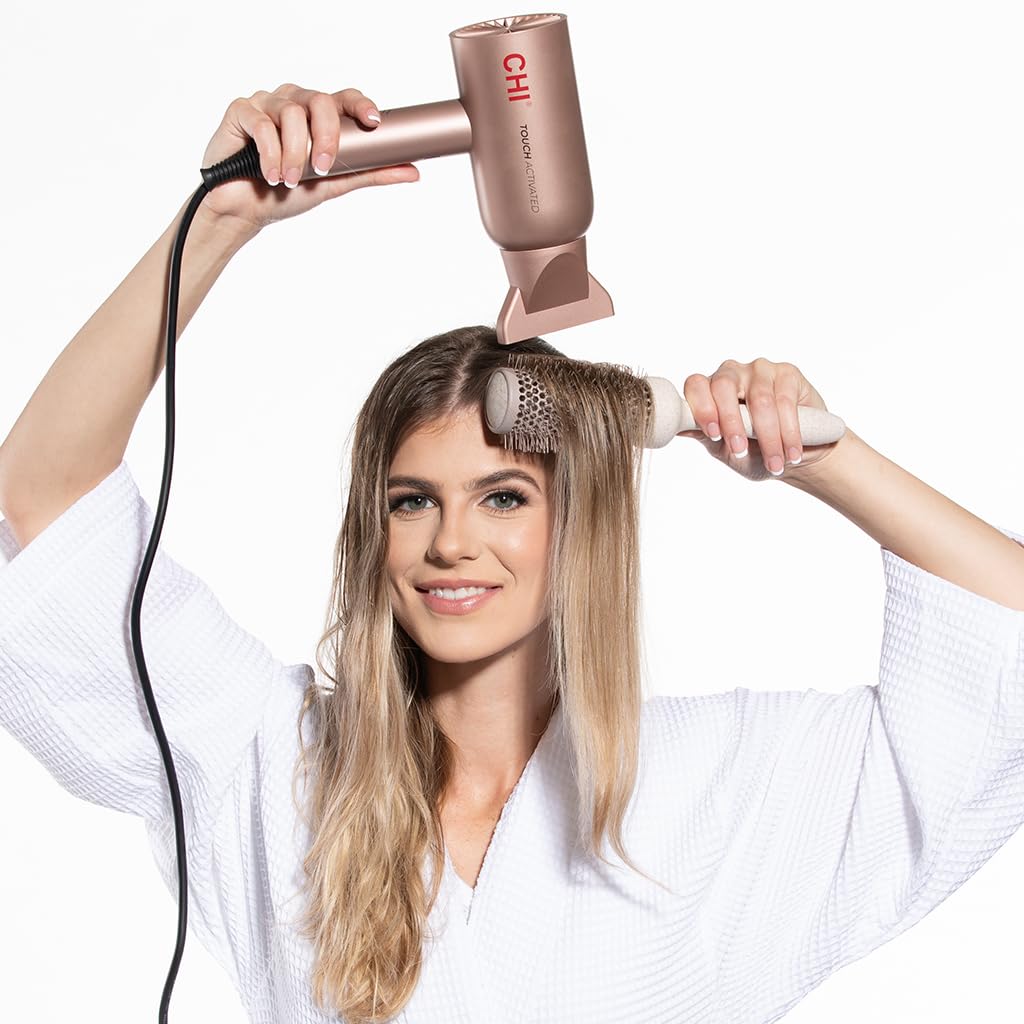
Figure 3: Demonstrating use of the hair dryer for styling.
Itoju
- Yọọ ẹrọ gbigbẹ irun nigbagbogbo ṣaaju ṣiṣe mimọ.
- Mọ ode ti ẹrọ gbigbẹ irun pẹlu ipolowoamp asọ. Maṣe lo awọn afọmọ abrasive.
- Regularly check and clean the air intake filter at the back of the dryer to prevent lint and dust buildup, which can affect performance and lifespan.
- Store the hair dryer in a safe, dry place when not in use.
Laasigbotitusita
Agbe irun ti ko tan:
- Rii daju pe okun agbara ti wa ni edidi ni aabo sinu iṣan itanna ti n ṣiṣẹ.
- Ṣayẹwo ti o ba ti TAN/PA bọtini ti a ti tẹ.
- Daju pe ẹrọ fifọ Circuit ko ti kọlu.
Intermittent Operation (Touch Sensor):
- If the dryer stops and starts unexpectedly, ensure your hand is consistently covering the touch sensor area during use.
- If you prefer continuous operation, deactivate the touch sensor by pressing the Power + Induction On/Off bọtini.
Afẹ́fẹ́ tó dínkù tàbí gbígbóná jù:
- Unplug the dryer and allow it to cool down.
- Check the air intake filter for any lint or hair buildup and clean it thoroughly.
Ti awọn iṣoro ba wa, kan si atilẹyin alabara.
Awọn pato
| Ẹya ara ẹrọ | Ẹ̀kúnrẹ́rẹ́ |
|---|---|
| Nọmba awoṣe | CA8572A |
| Ọja Mefa | 11 x 4 x 7.13 inches |
| Iwọn Nkan | 1.81 iwon |
| Orisun agbara | Okun Itanna |
| Wattage | 1500W (from feature bullets) |
| Nọmba ti Awọn iyara | 3 |
| Nọmba ti Heat Eto | 5 |
| Ibamu Irun Iru | Gbogbo |
| Pataki Awọn ẹya ara ẹrọ | Touch Activated Sensor, Ionic Generator, Compact Design |
| Àwọ̀ | Pink |
Atilẹyin ọja ati Onibara Support
For warranty information or technical assistance, please refer to the official CHI webaaye tabi kan si atilẹyin alabara wọn taara. Tọju iwe-ẹri rira rẹ fun awọn ẹtọ atilẹyin ọja.
Olupese: Farouk Systems