
1. Ifihan
Thank you for choosing the Aigo AC SE 120 Water Cooler. This All-in-One (AIO) liquid cooling system is designed to provide efficient thermal management for your CPU, ensuring stable performance and extended component lifespan. This manual provides detailed instructions for installation, operation, maintenance, and troubleshooting.
Please read this manual thoroughly before installation and use to ensure proper setup and to prevent any damage to your system.
2. Alaye Aabo
- Always disconnect power from your computer before installing or performing maintenance on any components.
- Mu awọn paati pẹlu iṣọra lati yago fun ibajẹ.
- Wọ okun ọwọ-atako-aimi lati ṣe idiwọ isọjade elekitirotatiki (ESD) ibajẹ si awọn paati ifura.
- Do not open the sealed liquid cooling loop. Tampering with the unit may cause leaks and void your warranty.
- Ensure all cables are properly connected and routed to avoid interference with moving parts (e.g., fan blades).
- Jeki kuro ni arọwọto awọn ọmọde.
3. Package Awọn akoonu
Daju pe gbogbo awọn paati wa ati ni ipo to dara ṣaaju tẹsiwaju pẹlu fifi sori ẹrọ.
- Aigo AC SE 120 Water Cooler Unit (Pump, Radiator, Fan pre-installed)
- Mounting Hardware for Intel Sockets (LGA 2066/ 2011-v3 / 2011 / 1700 / 1366 / 1200 / 115X)
- Mounting Hardware for AMD Sockets (FM1 / FM2 / FM2+ / AM2 / AM2+ / AM3 / AM3+ / AM4)
- Lẹẹ igbona (ti a ti lo tẹlẹ tabi ninu tube)
- Itọsọna olumulo

Image: Aigo AC SE 120 Water Cooler unit with its fan, radiator, pump, and various mounting brackets and screws for different CPU sockets.
4. Awọn pato
| Socket Compatibility (Intel) | LGA 2066/ 2011-v3 / 2011 / 1700 / 1366 / 1200 / 115X |
| Socket Compatibility (AMD) | FM1 / FM2 / FM2+ / AM2 / AM2+ / AM3 / AM3+ / AM4 |
| Omi Àkọsílẹ Mefa | 71 x 66.5 x 45 mm |
| Radiator Dimensions | 154 x 120 x 27 mm |
| Fan Dimensions | 120 x 120 x 25 mm |
| Iyara fifa soke | 3200 ± 10% RPM |
| Iyara Fan | 800 ~ 1800RPM |
| Fife ategun | 64.05 CFM |
| TDP (Agbara Apẹrẹ Igbona) | 165W |
| Ariwo Ipele | 30 dBA ± 10% |
| Aimi Ipa | 1.85 mmH2O |
| Ti nso Iru | Seramiki |
| Oṣuwọn Voltage | 12V |
| Ọna Itutu | Liquid (Water) |
| Awọn ẹrọ ibaramu | Ojú-iṣẹ |
5. Eto ati fifi sori
This section outlines the general steps for installing your Aigo AC SE 120 Water Cooler. Specific steps may vary slightly depending on your motherboard and PC case. Always refer to your motherboard and case manuals for detailed instructions.
5.1 Prepare the CPU Socket
- Àwọn Socket Intel: Attach the correct Intel backplate to the rear of your motherboard. Secure the standoffs through the motherboard holes from the front.
- Àwọn ihò ìtẹ̀wé AMD: The cooler typically uses the existing AMD backplate. Remove the plastic retention clips from the stock AMD cooler mount, leaving the backplate in place. Install the appropriate AMD standoffs.
- Ensure the CPU is correctly seated in its socket.
- Fi isopropyl alcohol nu oju CPU naa lati yọ eyikeyi ohun elo ooru atijọ tabi aloku kuro.
- Apply a thin, even layer of thermal paste to the center of the CPU's integrated heat spreader (IHS). If thermal paste is pre-applied to the water block, skip this step.
5.2 Install the Radiator and Fan
- Determine the optimal mounting location for the 120mm radiator in your PC case. Common locations include the rear exhaust or top exhaust.
- Mount the 120mm fan to the radiator using the provided screws. Ensure the fan is oriented to push or pull air in the desired direction (e.g., exhaust air out of the case).
- So apejọ radiator mọ apoti PC rẹ nipa lilo awọn skru ti o yẹ.

Aworan: Apa view of the Aigo AC SE 120 Water Cooler, showing the radiator with a white fan attached, and the pump/water block unit.
5.3 Mount the Water Block
- Attach the correct mounting brackets to the water block/pump unit.
- Carefully place the water block onto the CPU, aligning the mounting holes with the standoffs.
- Secure the water block with the provided thumb screws or nuts, tightening them in a diagonal pattern until snug. Do not overtighten.
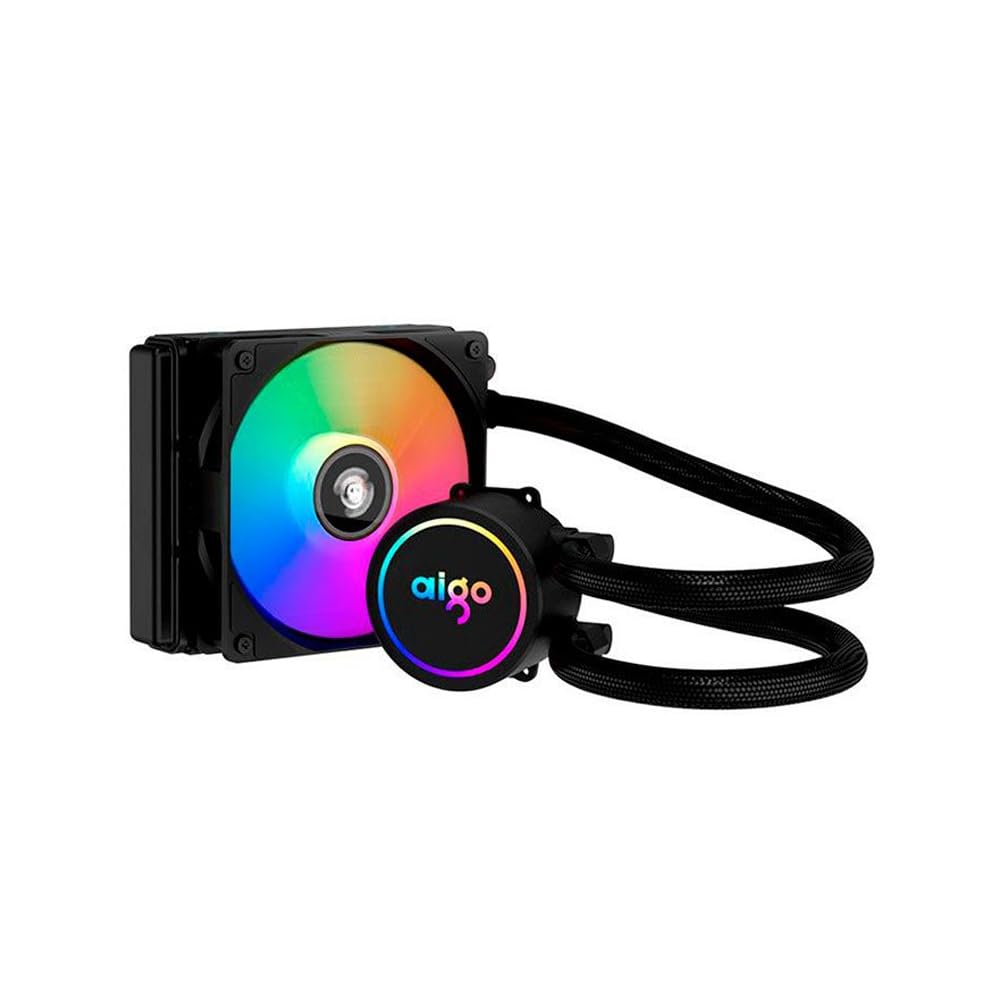
Image: The Aigo AC SE 120 Water Cooler showing the pump unit with an illuminated Aigo logo and a rainbow-colored fan on the radiator.
5.4 So Awọn kebulu pọ
- Connect the pump power cable to a dedicated AIO_PUMP or CPU_FAN header on your motherboard. If your motherboard has neither, use a SYS_FAN header and ensure it is set to run at full speed in the BIOS.
- Connect the fan power cable to the CPU_FAN header on your motherboard. If your motherboard has multiple fan headers, consult your motherboard manual for the recommended CPU fan header.
- If your cooler has RGB lighting, connect the RGB cable to a compatible RGB header on your motherboard (e.g., 3-pin ARGB or 4-pin RGB, depending on the cooler's connector type).
- Route all cables neatly to avoid obstructing airflow or interfering with other components.
6. Awọn ilana Iṣiṣẹ
Once installed, the Aigo AC SE 120 Water Cooler operates automatically based on your motherboard's fan control settings.
- Agbara Ibẹrẹ Tan: After installation, power on your computer. The pump and fan should start operating.
- Eto BIOS/UEFI: Access your motherboard's BIOS/UEFI settings to ensure the CPU_FAN and AIO_PUMP headers are configured correctly. It is recommended to set the pump header to run at full speed (100%) for optimal cooling performance. Fan speeds can be adjusted based on temperature curves for a balance of cooling and noise.
- Imọlẹ RGB: If connected to an RGB header, the lighting effects can typically be controlled via your motherboard's RGB software (e.g., ASUS Aura Sync, MSI Mystic Light, Gigabyte RGB Fusion, ASRock Polychrome Sync).
- Abojuto: Use system monitoring software to check CPU temperatures and ensure the cooler is functioning effectively.

Aworan: Oke-isalẹ view of the Aigo AC SE 120 Water Cooler, highlighting the illuminated Aigo logo on the pump and the rainbow lighting of the fan.
7. Itọju
Regular maintenance helps ensure optimal performance and longevity of your water cooler.
- Pipa eruku: Lẹsẹkẹsẹ nu awọn imu imooru ati awọn abẹfẹfẹ afẹfẹ lati yago fun ikọlu eruku, eyiti o le ṣe idiwọ ṣiṣan afẹfẹ ati dinku ṣiṣe itutu agbaiye. Lo afẹfẹ fisinuirindigbindigbin tabi fẹlẹ rirọ.
- Ayewo Olufẹ: Check the fan for any signs of wear, damage, or excessive noise. Replace if necessary.
- Ayẹwo okun: Visually inspect the hoses for any kinks, cracks, or signs of leakage. While AIOs are sealed, regular checks are recommended.
- Lẹẹ igbona: The thermal paste typically lasts for several years. If you notice a significant increase in CPU temperatures over time, consider reapplying fresh thermal paste. This requires carefully removing the water block, cleaning both surfaces, and applying new paste.
8. Laasigbotitusita
If you encounter issues with your Aigo AC SE 120 Water Cooler, refer to the following common problems and solutions:
| Isoro | Owun to le Fa | Ojutu |
|---|---|---|
| Awọn iwọn otutu Sipiyu giga |
|
|
| Afẹ́fẹ́ Kò Yípo |
|
|
| Pump Not Running / Unusual Noise |
|
|
| Imọlẹ RGB Ko Ṣiṣẹ |
|
|
9. Atilẹyin ọja ati Support
The Aigo AC SE 120 Water Cooler comes with a 12-osu atilẹyin ọja lati ọjọ ti o ra. Atilẹyin ọja yi ni wiwa awọn abawọn iṣelọpọ ati ailagbara labẹ awọn ipo lilo deede.
Atilẹyin ọja naa ko ni aabo:
- Ìbàjẹ́ tí ó wáyé nípasẹ̀ ìfisílé tí kò tọ́, àìlòtọ́, ìlòkulò, tàbí àìbìkítà.
- Bibajẹ ti o ṣẹlẹ nipasẹ awọn iyipada laigba aṣẹ tabi awọn atunṣe.
- Bibajẹ ti o ṣẹlẹ nipasẹ awọn ajalu adayeba tabi awọn ijamba.
For technical support, warranty claims, or further assistance, please contact your retailer or the Aigo customer service department. Please have your proof of purchase and product model number (ACSE120-BK) ready when contacting support.