
1. Ifihan
Thank you for choosing the TTEC Dynamite Duo Portable Wireless Bluetooth Speaker. This manual provides essential information for setting up, operating, and maintaining your speaker. Please read it carefully before use to ensure optimal performance and longevity of your device.
The TTEC Dynamite Duo offers a 360-degree wireless sound experience, featuring dual passive radiators and dual active drivers for rich audio. With Bluetooth 5.0 connectivity, up to 12 hours of battery life, and an IP65 certified water and dust resistant design, it is built for versatile use. It also includes a built-in microphone for hands-free calls and supports True Wireless Stereo (TWS) pairing for an enhanced audio experience.
2. Alaye Aabo
- Má ṣe fi agbọ́rọ̀sọ náà sí ojú otútù tó le koko, oòrùn tààrà tàbí iná tó ṣí sílẹ̀.
- While the speaker is IP65 certified for water and dust resistance, it is not designed for submersion in water. Avoid prolonged exposure to heavy rain or splashing.
- Do not disassemble, repair, or modify the speaker. This may void the warranty and pose safety risks.
- Jeki agbọrọsọ kuro lọdọ awọn ọmọde ati awọn ohun ọsin.
- Lo okun gbigba agbara ti a pese nikan tabi iwe-ẹri deede.
- Sọ agbọrọsọ mọ pẹlu asọ asọ ti o gbẹ. Ma ṣe lo abrasive ose tabi epo.
- Jọ́ agbọ́hùnsọ̀ àti bátìrì rẹ̀ kúrò ní ìbámu pẹ̀lú òfin àdúgbò.
3. Package Awọn akoonu
Jọwọ ṣayẹwo package fun awọn nkan wọnyi:
- 1 x TTEC Dynamite Duo Portable Bluetooth Speaker
- 1 x Okun AX
- 1 x Micro USB Ngba agbara USB
- 1 x Okun Gbigbe
- 1 x Itọsọna olumulo (iwe yii)
4. Ọja Ipariview
Familiarize yourself with the components and controls of your TTEC Dynamite Duo speaker.
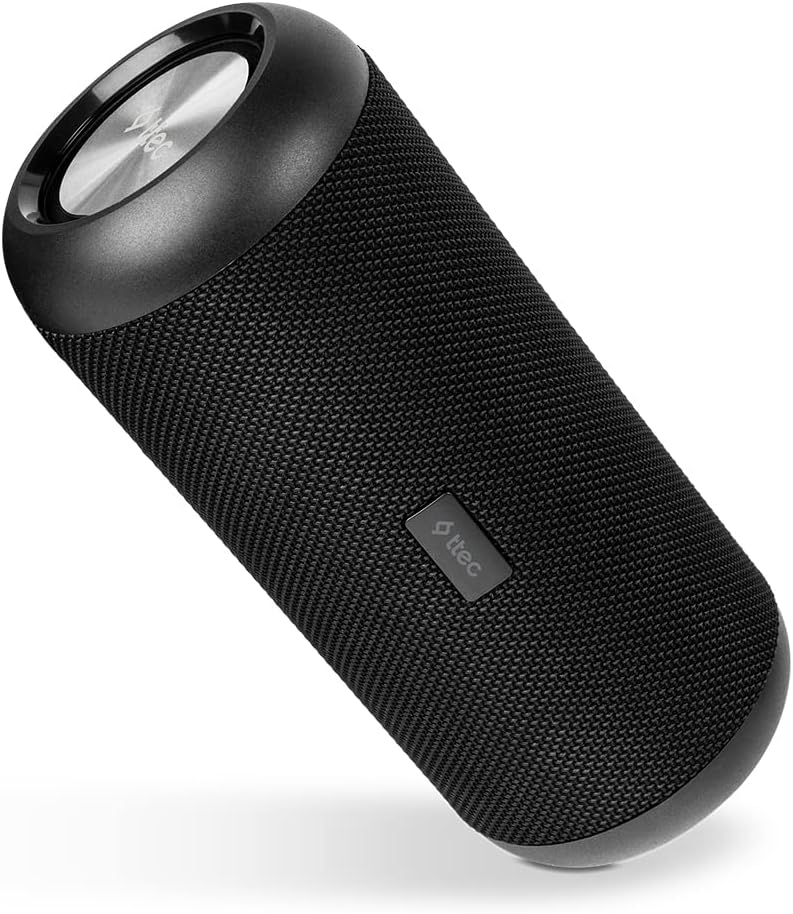
Nọmba 4.1: Akọkọ view of the TTEC Dynamite Duo Portable Bluetooth Speaker, showcasing apẹrẹ iyipo ati grille agbọrọsọ rẹ.

Nọmba 4.2: Close-up of the control panel on the TTEC Dynamite Duo speaker, showing the power, play/pause, volume, and mode buttons.

Nọmba 4.3: View of the charging port (Micro USB) and auxiliary input (AUX) on the TTEC Dynamite Duo speaker, typically located under a protective flap.
Awọn idari ati Awọn itọkasi:
- Bọtini agbara: Tẹ mọlẹ lati tan agbọrọsọ TAN/PA.
- Bọ́tìnnì Ṣíṣe/Sánu duro: Press to play or pause music. During a call, press to answer or end a call. Press and hold to reject an incoming call.
- Iwọn didun isalẹ / Bọtini orin ti iṣaaju: Tẹ lati dinku iwọn didun. Tẹ mọlẹ lati lọ si orin ti tẹlẹ.
- Iwọn didun Up / Bọtini orin atẹle: Tẹ lati mu iwọn didun pọ si. Tẹ ki o si dimu lati lọ si orin ti o tẹle.
- Bọtini Ipo: Tẹ lati yipada laarin awọn ipo titẹ sii Bluetooth ati AUX.
- Atọka LED: Displays charging status, Bluetooth pairing status, and operational mode.
5. Eto
5.1 Gbigba agbara si Agbọrọsọ
Before first use, fully charge the speaker. Use the provided Micro USB cable.
- Connect the Micro USB end of the charging cable to the speaker's charging port (refer to Figure 4.3).
- Connect the USB-A end to a USB power adapter (not included) or a computer's USB port.
- Atọka LED yoo ṣe afihan ipo gbigba agbara (fun apẹẹrẹ, pupa fun gbigba agbara, pipa tabi alawọ ewe fun gbigba agbara ni kikun).
- A full charge takes approximately [X] hours (specific time not provided, user should refer to product packaging or quick start guide if available).
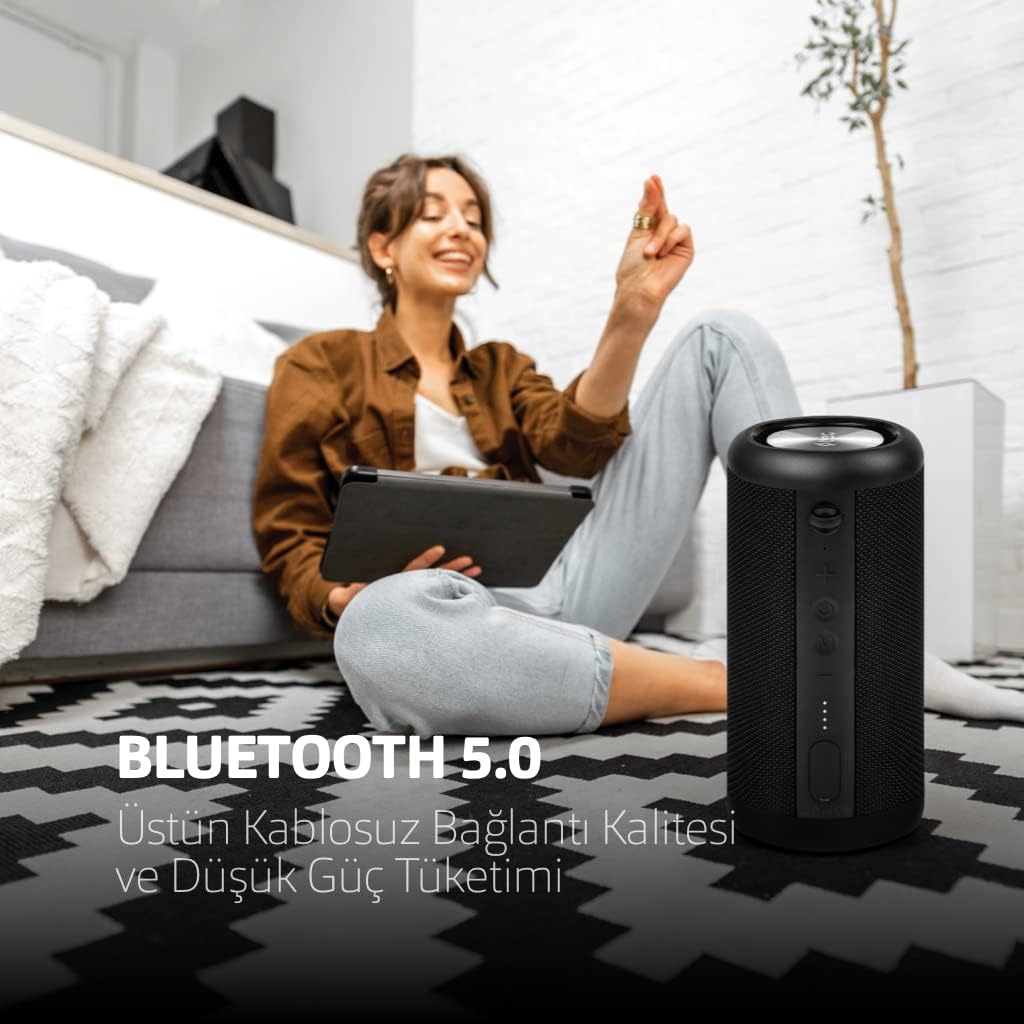
Nọmba 5.1: The TTEC Dynamite Duo speaker highlighting its extended battery life of up to 12 hours on a single charge.
5.2 Agbara Tan / Pa
- Lati Fi agbara: Press and hold the Power Button (refer to Figure 4.2) for approximately 3 seconds until you hear an audible prompt and the LED indicator lights up.
- Lati Paarẹ: Press and hold the Power Button for approximately 3 seconds until you hear an audible prompt and the LED indicator turns off.
5.3 Sisopọ Bluetooth
Connect your TTEC Dynamite Duo speaker to a Bluetooth-enabled device.
- Ensure the speaker is powered on and in Bluetooth pairing mode (the LED indicator will typically flash blue rapidly). If not, press the Mode Button to switch to Bluetooth mode.
- Lori ẹrọ rẹ (foonuiyara, tabulẹti, kọǹpútà alágbèéká), mu Bluetooth ṣiṣẹ ki o wa awọn ẹrọ to wa.
- Select "TTEC Dynamite Duo" from the list of found devices.
- Once successfully paired, the LED indicator will turn solid blue, and you will hear a confirmation sound.
- Agbọrọsọ yoo tun sopọ laifọwọyi si ẹrọ ti o so pọ to kẹhin nigbati o ba wa ni ina, ti ẹrọ Bluetooth ba nṣiṣẹ ati laarin iwọn.
5.4 Otitọ Sitẹrio Alailowaya (TWS) Sisọpọ
Connect two TTEC Dynamite Duo speakers for a stereo sound experience.
- Ensure both Dynamite Duo speakers are powered on and not connected to any other Bluetooth device.
- On one of the speakers (this will be the primary speaker), press and hold the Play/Pause button for approximately 3-5 seconds until you hear a pairing tone. The LED indicator will flash.
- The two speakers will automatically search for and connect to each other. Once connected, you will hear a confirmation sound, and the LED indicators on both speakers will change (e.g., primary speaker flashes slowly, secondary speaker is solid blue).
- Now, pair your device to the primary speaker via Bluetooth as described in Section 5.3. The audio will play in stereo through both speakers.

Nọmba 5.2: Illustration of two TTEC Dynamite Duo speakers wirelessly connected to each other, enabling True Wireless Stereo (TWS) audio playback.
5.5 AUX Asopọ
Use the AUX cable to connect the speaker to devices without Bluetooth functionality.
- Agbara lori agbọrọsọ.
- Connect one end of the provided AUX cable to the speaker's AUX port (refer to Figure 4.3).
- Connect the other end of the AUX cable to the audio output jack of your device.
- The speaker will automatically switch to AUX mode, or you may need to press the Mode Button to select AUX input.
- In AUX mode, playback controls (play/pause, next/previous track) on the speaker may not function, and you will need to control playback from your connected device. Volume control on the speaker will still work.
6. Awọn ilana Iṣiṣẹ
6.1 Orin Sisisẹsẹhin (Ipo Bluetooth)
- Ṣiṣẹ/Daduro: Press the Play/Pause Button.
- Orin t’okan: Press and hold the Volume Up / Next Track Button.
- Tẹlẹ Orin: Press and hold the Volume Down / Previous Track Button.
6.2 ipe Management
With the built-in microphone, you can manage phone calls when connected via Bluetooth.
- Idahun Ipe: Press the Play/Pause Button when an incoming call rings.
- Ipe Ipari: Press the Play/Pause Button during an active call.
- Kọ Ipe: Press and hold the Play/Pause Button when an incoming call rings.
6.3 Iṣakoso iwọn didun
- Mu iwọn didun pọ si: Press the Volume Up / Next Track Button.
- Din iwọn didun silẹ: Press the Volume Down / Previous Track Button.
7. Itọju
- Ninu: Wipe the speaker with a soft, dry, lint-free cloth. Do not use liquid cleaners, aerosols, or solvents.
- Ibi ipamọ: Tí o kò bá lò ó fún ìgbà pípẹ́, fi agbọ́hùnsọ̀ náà sí ibi tí ó tutù tí ó sì gbẹ, tí kò sí ìmọ́lẹ̀ oòrùn tààrà àti ooru tó le koko. A gbani nímọ̀ràn láti gba agbára bátírì náà lẹ́ẹ̀kan ní oṣù mẹ́ta kí ó lè máa ṣiṣẹ́ dáadáa.
- Omi ati Eruku Resistance: Ensure the protective flap covering the charging and AUX ports is securely closed to maintain the IP65 water and dust resistance.

Nọmba 7.1: The TTEC Dynamite Duo speaker demonstrating its IP65 certification, making it resistant to water splashes and dust ingress.
8. Laasigbotitusita
| Isoro | Owun to le Fa | Ojutu |
|---|---|---|
| Agbọrọsọ ko ni tan. | Batiri kekere. | Gba agbara si agbọrọsọ ni kikun. |
| Ko le so pọ nipasẹ Bluetooth. | Agbọrọsọ kò sí ní ipò ìsopọ̀; ẹ̀rọ Bluetooth ti pa; ó jìnnà jù sí ẹ̀rọ náà. | Ensure speaker is in pairing mode (flashing LED). Turn on device Bluetooth. Move speaker closer to device. Forget "TTEC Dynamite Duo" on your device and re-pair. |
| Ko si ohun. | Iwọn didun kere ju; ipo titẹ sii ti ko tọ; ẹrọ ko dun ohun. | Increase speaker and device volume. Press Mode button to select correct input (Bluetooth/AUX). Ensure audio is playing on your device. |
| Iparun ohun. | Iwọn didun ga ju; kekere batiri; kikọlu. | Reduce volume on speaker and device. Charge the speaker. Move away from other electronic devices. |
| Sisopọ TWS kuna. | Speakers already paired to other devices; incorrect pairing procedure. | Rii daju pe awọn agbohunsoke mejeeji ti ge asopọ lati awọn ẹrọ miiran. Tẹle awọn igbesẹ sisopọ TWS ni pẹkipẹki (Abala 5.4). |
9. Awọn pato
| Brand: | TTEC |
| Orukọ awoṣe: | Duo Dynamite |
| Irú Agbọrọsọ: | Ile-iṣọ |
| Imọ-ẹrọ Asopọmọra: | Bluetooth 5.0 |
| Ipo Ijade Ohun: | Sitẹrio |
| Orisun Agbara: | Agbara Batiri |
| Igbesi aye batiri: | Titi di wakati 12 |
| Omi & Eruku Resistance: | IP65 Certified (Resistant to water jets and dust, not submersible) |
| Gbohungbohun ti a ṣe sinu: | Bẹẹni |
| Ọna Iṣakoso: | Awọn bọtini |
| Awọn iwọn ọja: | 9D x 9W x 21H |
| Iwọn Ọja: | 1.22 kilo |
| Awọn ẹrọ ibaramu: | Smartphones, tablets, laptops, game consoles, MP3 players |
| Olupese: | Tesan |
10. Atilẹyin ọja ati Support
The TTEC Dynamite Duo Portable Wireless Bluetooth Speaker comes with a limited warranty. Please refer to the warranty card included in your package or contact your retailer for specific terms and conditions.
For technical support or further assistance, please contact the retailer where you purchased the product or visit the official TTEC webojula fun onibara iṣẹ alaye.