
Ọrọ Iṣaaju
Thank you for choosing the Hoco ES50 Rima Air Conduction Sports Bluetooth Headset. This manual provides detailed instructions on how to set up, operate, and maintain your new headset. Please read this manual thoroughly before using the product to ensure proper functionality and longevity.
The Hoco ES50 features Bluetooth V5.0 connectivity, an ear-hook design for comfortable wear, and air conduction sound technology, allowing you to enjoy audio while remaining aware of your surroundings. It offers up to 6 hours of use time and up to 120 hours of standby time, making it ideal for sports and daily activities.
Ọja Pariview
Familiarize yourself with the components and design of your Hoco ES50 headset.
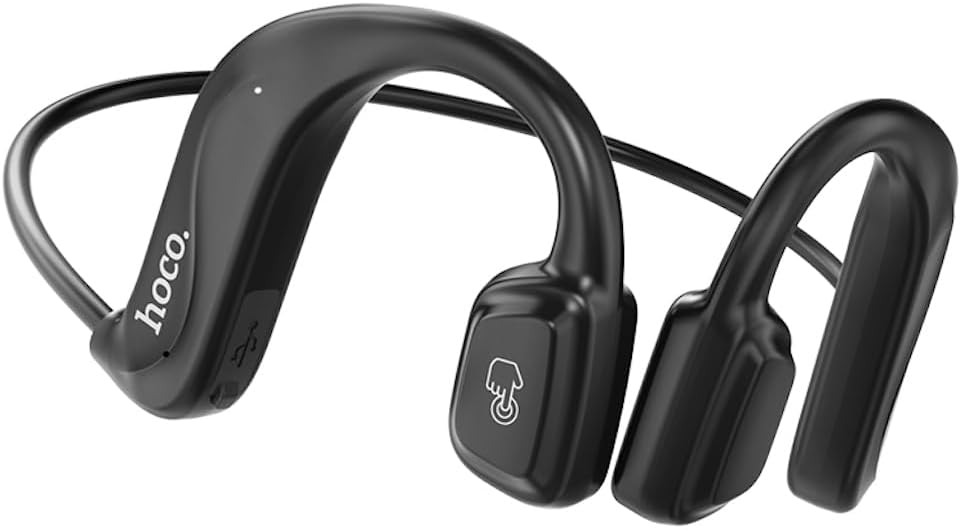
Nọmba 1: Iwaju view of the Hoco ES50 headset, showcasing the ear-hook design and main control area with the 'hoco.' logo and a touch-sensitive button icon.
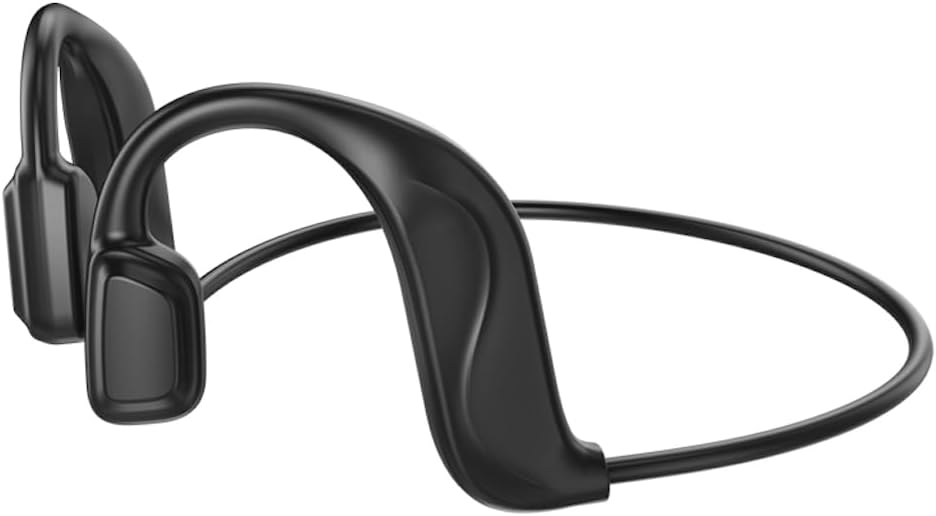
Nọmba 2: Ẹyìn view of the Hoco ES50 headset, highlighting the flexible neckband connecting the two ear units.
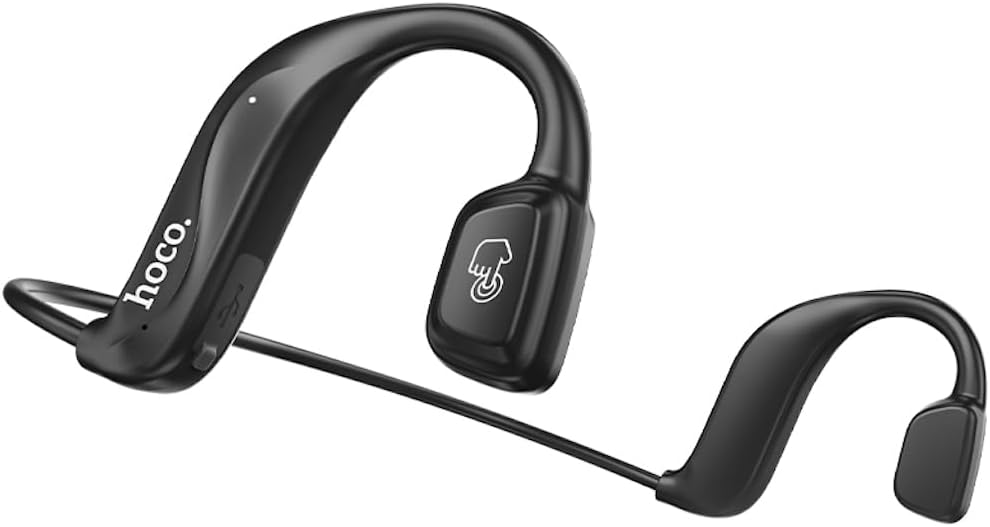
Nọmba 3: Igun view of the Hoco ES50 headset, showing the ergonomic shape designed to fit comfortably around the ear.

Nọmba 4: Sun mo tipetipe view of the main ear unit, detailing the 'hoco.' branding, charging port, and indicator light.

Nọmba 5: The Hoco ES50 headset being worn by a person, demonstrating its discreet and secure fit during use.

Nọmba 6: Retail packaging of the Hoco ES50 headset, showing product features and branding.
Ṣeto
1. Ngba agbara si Agbekọri
Before first use, fully charge the headset. The battery capacity is 140mAh, and a full charge takes approximately 2 hours.
- Connect the charging cable (included) to the charging port on the headset.
- So opin okun miiran pọ si orisun agbara USB (fun apẹẹrẹ, ibudo USB kọnputa, ohun ti nmu badọgba ogiri).
- The indicator light will show charging status (refer to product specific light behavior, usually red for charging, blue/off for full).
- Ni kete ti o ti gba agbara ni kikun, ge asopọ okun gbigba agbara.
2. Sisopọ Bluetooth
Pair your Hoco ES50 headset with your Bluetooth-enabled device (smartphone, tablet, etc.).
- Rii daju pe agbekari ti wa ni pipa.
- Press and hold the multi-function button on the headset until the indicator light flashes red and blue alternately, indicating pairing mode.
- Lori ẹrọ rẹ, lọ si awọn eto Bluetooth ki o tan-an Bluetooth.
- Wa fun available devices. You should see "Hoco ES50" or a similar name appear in the list.
- Select "Hoco ES50" to connect. Once connected, the indicator light on the headset will typically stop flashing and remain solid blue or turn off.
- Tí a bá béèrè fún ọ̀rọ̀ìpamọ́, tẹ "0000" (odò mẹ́rin).
Akiyesi: The headset will automatically attempt to reconnect to the last paired device when powered on, if the device's Bluetooth is active and within range.
Awọn ilana Iṣiṣẹ
Titan / Paa
- Agbara Tan: Press and hold the multi-function button for approximately 3 seconds until you hear a power-on prompt and the indicator light flashes.
- Agbara Pa: Press and hold the multi-function button for approximately 5 seconds until you hear a power-off prompt and the indicator light turns off.
Sisisẹsẹhin Orin
- Ṣiṣẹ/Daduro: Tẹ bọtini iṣẹ-ọpọlọpọ lẹẹkan.
- Orin t’okan: Tẹ bọtini iṣẹ-pupọ lẹẹmeji.
- Tẹlẹ Orin: Triple-click the multi-function button.
Isakoso Ipe
- Idahun/Ipe Ipari: Tẹ bọtini iṣẹ-ọpọlọpọ lẹẹkan nigba ipe ti nwọle tabi ipe lọwọ.
- Kọ Ipe: Tẹ mọlẹ bọtini iṣẹ-ọpọlọpọ fun isunmọ awọn aaya 2 nigba ipe ti nwọle.
- Nọmba Ikẹhin Tun Tun: Double-click the multi-function button when not on a call.
Oluranlọwọ ohun
To activate your device's voice assistant (Siri, Google Assistant, etc.):
- Press and hold the multi-function button for approximately 1 second (or as per specific model instruction) until you hear a prompt.
Akiyesi: When not connected to a device, double-clicking the multi-function button will produce a beep sound, indicating a voice prompt switch function.
Itoju
Proper care and maintenance will extend the lifespan of your Hoco ES50 headset.
Ninu
- Fi aṣọ rirọ, gbigbẹ, ati ti ko ni awọ nu agbekọri naa.
- Ma ṣe lo awọn olutọpa abrasive, awọn nkanmimu, tabi awọn ohun elo aerosol.
- Yago fun gbigba ọrinrin sinu eyikeyi awọn ṣiṣi.
Ibi ipamọ
- Tọju agbekari naa ni itura, aye gbigbẹ kuro lati orun taara ati awọn iwọn otutu to gaju.
- When not in use for extended periods, charge the headset periodically (e.g., once every three months) to maintain battery health.
Laasigbotitusita
If you encounter issues with your Hoco ES50 headset, refer to the following common problems and solutions:
| Isoro | Owun to le Fa | Ojutu |
|---|---|---|
| Agbekọri ko ni agbara. | Batiri kekere. | Gba agbara si agbekari ni kikun. |
| Ko le so pọ pẹlu ẹrọ. | Agbekọri ko si ni ipo isopo; Bluetooth ti ku lori ẹrọ; ẹrọ naa ti jinna ju. | Ensure headset is in pairing mode (flashing red/blue). Turn on Bluetooth on your device. Move device closer to headset. Forget previous pairings on device and try again. |
| Ko si ohun tabi iwọn kekere. | Volume too low on headset or device; headset not connected; audio source issue. | Increase volume on both headset and connected device. Ensure headset is properly connected. Try playing audio from a different source. |
| Intermittent connection or static. | kikọlu; ẹrọ jina ju; kekere batiri. | Move closer to your device. Avoid strong electromagnetic interference. Charge the headset. |
| Voice prompt switch beep when not connected. | This is a feature, not a problem. | This indicates the voice prompt switch function is active when the headset is not connected to a device. |
Ti iṣoro naa ba wa, jọwọ kan si atilẹyin alabara.
Awọn pato
| Orukọ awoṣe | ES50 |
| Brand | HOCO |
| Asopọmọra Technology | Ailokun (Bluetooth) |
| Imọ-ẹrọ Ibaraẹnisọrọ Alailowaya | Bluetooth 5.0 (Chip: BK 3266) |
| Agbara Batiri | 140mAh |
| Akoko gbigba agbara | O fẹrẹ to awọn wakati 2 |
| Ọrọ / Orin Time | Titi di wakati 6 |
| Akoko Iduro | Titi di wakati 120 |
| Gbigbe Eti Agbekọri | In Ear (Air Conduction, Ear-hook design) |
| Agbekọri Fọọmù ifosiwewe | Ninu Eti |
| Ariwo Iṣakoso | Ko si |
| Awọn agbekọri Jack | Ko si Jack |
| Àwọ̀ | Dudu |
| Awọn irinše to wa | Awọn iṣu Eti |
| Olupese | HOCO |
| Ilu isenbale | China |
| Nọmba Awoṣe Nkan | ES50 Black |
| ASIN | B0C5KQDBQ8 |
| Package Mefa | 18.4 x 14.1 x 4.4 cm; 21g |
Atilẹyin ọja ati Support
HOCO products are manufactured to the highest quality standards. For information regarding warranty coverage, please refer to the warranty card included with your product or visit the official HOCO webojula.
For technical support, troubleshooting assistance, or service inquiries, please contact HOCO customer support through their official channels. Keep your purchase receipt and product model number (ES50) handy when contacting support.
Awọn orisun Ayelujara: For the latest information, FAQs, and support, please visit the official HOCO webojula.