
Ọrọ Iṣaaju
This manual provides detailed instructions for the proper setup, operation, and maintenance of your Geevon TX19 Wireless Remote Outdoor Sensor. Please read this manual thoroughly before use to ensure optimal performance and longevity of the device.
The Geevon TX19 sensor is designed to measure outdoor temperature and humidity, transmitting data wirelessly to a compatible Geevon weather station or indoor/outdoor thermometer. It is an essential component for monitoring environmental conditions in various outdoor settings.
Ọja Pariview
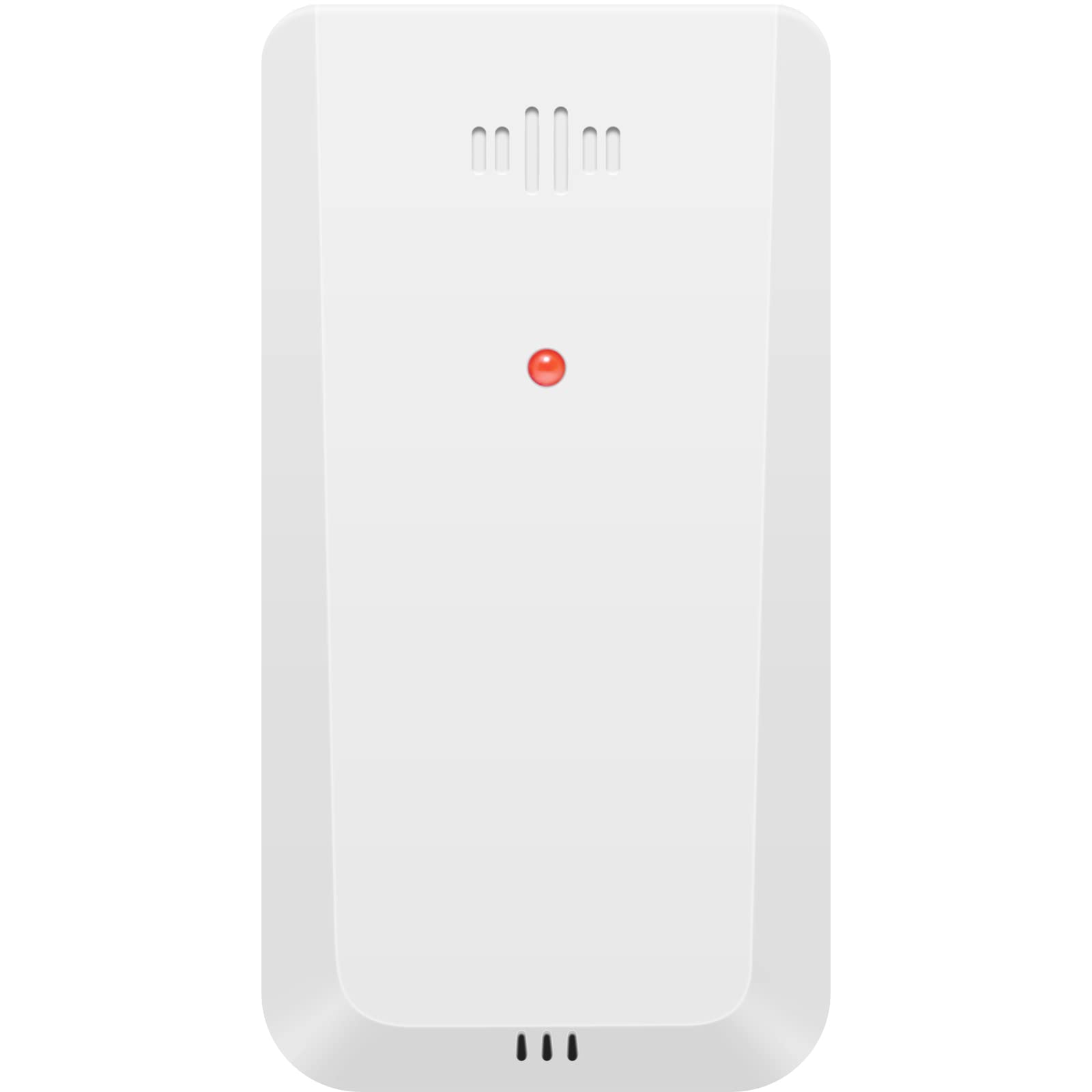
Aworan: Iwaju view of the Geevon TX19 Wireless Remote Outdoor Sensor. The sensor is white with a red indicator light and ventilation slots at the top and bottom.
Awọn ẹya pataki:
- Wọ́n ń wọn iwọn otutu àti ọriniinitutu tó wà níta gbangba.
- Wireless transmission via 433 MHz signal.
- Transmission range up to 200 feet (60 meters).
- Data transmitted every 30 seconds.
- Supports up to 3 channels for monitoring multiple locations with additional sensors.
- Compatible with specific Geevon weather stations and thermometers (models 208270, 208667, 208664, 215019, 8688, and 228646).
Awọn eroja to wa:
- 1 x Geevon TX19 Wireless Remote Outdoor Sensor
Ṣeto
- Fifi sori batiri:
Open the battery compartment on the back of the sensor. Insert two (2) AAA batteries, ensuring correct polarity (+/-). Close the battery compartment securely.
Important Battery Notes: Do not use heavy-duty or rechargeable batteries. For low-temperature conditions, lithium batteries are recommended as alkaline batteries may perform improperly. Do not mix old and new batteries.
- Aṣayan ikanni:
Locate the channel switch inside the battery compartment or on the sensor. Select the desired channel (1, 2, or 3). If using multiple sensors, assign a unique channel to each sensor.
- Sisopọ pẹlu Ẹrọ Akọkọ:
Once batteries are installed and a channel is selected, the sensor will automatically begin transmitting data. Ensure your compatible Geevon weather station or thermometer is powered on and within range to receive the signal. Refer to your main unit's manual for specific pairing instructions if needed.
- Ibi sensọ:
For accurate readings, place the sensor in a ventilated outdoor environment. Avoid direct sunlight, as this can cause artificially high temperature readings. Keep the sensor away from heat sources (e.g., vents, appliances) and moisture sources (e.g., sprinklers, gutters).
Ensure the sensor is within 200 feet (60 meters) of the main unit. Maintain a distance of at least 3 feet (1 meter) from electronic devices that may cause wireless interference, such as TVs, microwaves, computers, or radios.
Compatibility Note: This sensor is compatible with Geevon Weather Station models 208270, 208667, 208664, 215019, 8688, and Indoor/Outdoor Thermometer model 228646. Please verify your main unit's compatibility before purchasing or using this sensor.
Awọn ilana Iṣiṣẹ
The Geevon TX19 sensor operates automatically once properly set up. It continuously monitors outdoor temperature and humidity and transmits this data wirelessly to your compatible Geevon weather station or thermometer.
- Gbigbe Data: The sensor transmits updated data every 30 seconds.
- Multi-Location Monitoring: If you are using multiple TX19 sensors (up to three), your main weather station will display temperature and humidity readings for each assigned channel, allowing you to monitor different outdoor locations simultaneously.
No user interaction is required for daily operation beyond initial setup and periodic battery replacement.
Itoju
- Rirọpo Batiri: The sensor requires two (2) AAA batteries. Replace batteries approximately every 6 months, or when the low battery indicator appears on your main weather station. Follow the battery installation guidelines in the Setup section.
- Ninu: Periodically wipe the exterior of the sensor with a soft, damp cloth. Do not use abrasive cleaners or immerse the sensor in water. Ensure no water or other liquids enter the sensor's internal components.
- Ibi to dara julọ: Regularly check the sensor's placement to ensure it remains in a ventilated area, away from direct sunlight, heat sources, and excessive moisture, to maintain accurate readings.
Laasigbotitusita
| Isoro | Owun to le Fa | Ojutu |
|---|---|---|
| No readings on main unit / Sensor not connecting |
|
|
| Awọn kika iwọn otutu / ọriniinitutu ti ko pe |
|
|
| Aye batiri kukuru |
|
|
Awọn pato
| Nọmba awoṣe | TX19-W (Manufacturer Part Number: GN-TX19-CA) |
| Brand | Geevon |
| Orisun agbara | Battery Powered (2 x AAA batteries required) |
| Igbesi aye batiri | O fẹrẹ to oṣu 6 |
| Asopọmọra Technology | 433 MHz Alailowaya |
| Gbigbe Range | Titi de 200 ẹsẹ (60 mita) |
| Akoko Idahun | 30 aaya |
| inu ile / ita gbangba Lilo | Ita gbangba |
| Oke otutu Rating | Awọn iwọn Celsius 60 |
| Ọja Mefa | 4 x 2 x 12 cm |
| Iwọn Nkan | 40 giramu |
| Ohun elo | Ṣiṣu |
| Pataki Awọn ẹya ara ẹrọ | Pre-Calibrated, Wireless |
| Ilu isenbale | China |
Alaye atilẹyin ọja
The Geevon TX19 Wireless Remote Outdoor Sensor comes with a 1 Odun atilẹyin ọja lati ọjọ ti o ra. Atilẹyin ọja yi ni wiwa awọn abawọn iṣelọpọ ati ailagbara labẹ lilo deede. Jọwọ ṣe idaduro ẹri rira rẹ fun awọn iṣeduro atilẹyin ọja.
The warranty does not cover damage caused by misuse, accident, unauthorized modification, improper installation, or use with incompatible devices. For detailed warranty terms and conditions, please contact customer support.
Onibara Support
For any questions, technical assistance, or warranty inquiries regarding your Geevon TX19 Wireless Remote Outdoor Sensor, please contact our customer support team:
Imeeli: support@geevon.com
Please provide your product model (TX19-W) and a detailed description of your issue when contacting support for faster service.


