
Roberts PLAY11BK
Ìwé Ìtọ́sọ́nà Olùlò Rédíò Oní-ẹ̀rọ Alágbékalẹ̀ Roberts Redio Digital Play11 DAB/DAB+/FM
Model: PLAY11BK
Ọrọ Iṣaaju
Thank you for choosing the Roberts Radio Digital Play11. This portable radio offers high-quality audio with DAB, DAB+, and FM reception. Designed for ease of use, it features a headphone jack for personal listening and flexible power options. This manual provides essential information for setting up, operating, and maintaining your device.
Alaye Aabo
Jọ̀wọ́ ka gbogbo ìlànà ààbò kí o sì lóye wọn kí o tó lo ọjà yìí. Pa àwọn ìlànà wọ̀nyí mọ́ fún ìtọ́kasí ọjọ́ iwájú.
- Ma ṣe fi redio han si ojo, ọrinrin, tabi awọn iwọn otutu to gaju.
- Yago fun gbigbe ẹrọ naa si nitosi awọn orisun ooru tabi ni imọlẹ orun taara.
- Use only the specified power supply (USB-C cable) or 4 x AA batteries.
- Ma ṣe gbiyanju lati ṣajọpọ tabi yi ẹyọ naa pada. Tọkasi gbogbo iṣẹ si oṣiṣẹ oṣiṣẹ.
- Ensure proper ventilation; do not cover ventilation openings.
- Sọ awọn batiri sọnu ni ifojusọna ni ibamu si awọn ilana agbegbe.
Ohun ti o wa ninu Apoti
Lẹhin ṣiṣi silẹ, jọwọ rii daju pe gbogbo awọn nkan wọnyi wa:
- Roberts Radio Digital Play11
- Quick Bẹrẹ Itọsọna
- USB-C agbara USB
- Ailewu ati iwe pelebe atilẹyin ọja
Ọja Pariview
Familiarize yourself with the main components and controls of your Play11 radio.

Aworan: Iwaju view of the Roberts Play11 radio with labels indicating the On/Off button, Volume knob, Antenna, LCD Display, Select knob, Favourites button, Info/Menu button, Mode button, and Next/Previous buttons.
- Bọtini Tan/Pa: Ṣe agbara ẹrọ naa tan tabi pa.
- Bọtini Iwọn didun: Ṣe atunṣe ipele iṣelọpọ ohun.
- Eriali: Faagun fun gbigba redio to dara julọ.
- Ifihan LCD: Shows station information, time, and menu options.
- Yan Knob: Lilọ kiri awọn akojọ aṣayan ati jẹrisi awọn aṣayan.
- Favourites (2 sec) Button: Press and hold to save a favourite station; short press to recall.
- Info | Menu Button: Displays station information; press and hold to access the main menu.
- Bọtini Ipo: Switches between DAB, DAB+, and FM modes.
- Next | Previous Buttons: Ó ń lọ kiri nípasẹ̀ àwọn ibùdó tàbí àwọn àṣàyàn àkójọ.
- Jack agbekari: For private listening (3.5mm AUX Out Port).
- Ibudo USB-C: Fun ipese agbara.

Aworan: Isunmọ view of the Roberts Play11 radio, highlighting the 3.5mm headphone jack on the side for personal listening.
Ṣeto
1. Agbara Ipese
The Play11 can be powered by either batteries or the included USB-C power cable.

Aworan: Ẹyin view of the Roberts Play11 radio, illustrating the battery compartment for 4x AA batteries (not included) and the USB-C power input port.
- Iṣẹ Batiri: Open the battery compartment on the rear of the radio. Insert 4 x AA (LR6) batteries, ensuring correct polarity. Close the compartment securely. Batteries are not included.
- Isẹ akọkọ: Connect the supplied USB-C power cable to the USB-C port on the radio and plug the other end into a suitable USB power adapter (not supplied).
2. Eriali
Extend the telescopic antenna fully for optimal reception in both DAB/DAB+ and FM modes.
3. Agbara akọkọ Lori
Tẹ awọn Tan/Pa a button to power on the radio. If this is the first time using the radio, it will automatically perform a full scan for DAB/DAB+ stations.
Awọn ilana Iṣiṣẹ
Switching Modes (DAB/DAB+/FM)
Tẹ awọn Ipo button repeatedly to cycle between DAB, DAB+, and FM radio modes.
DAB / DAB + Redio
- Scanning for Stations: After initial power-on, the radio will automatically scan. To perform a manual scan, press and hold the Alaye | Akojọ aṣyn button, navigate to "Full Scan" using the Yan knob, and press Yan lati jẹrisi.
- Selecting Stations: Yiyi awọn Yan knob to browse available stations. Press the Yan knob to tune into the desired station.
- Saving Presets (Favourites): Tẹ̀ sí ibùdó tí o fẹ́. Tẹ̀ kí o sì di mú Favourites (2 sec) button until "Preset Store" appears. Rotate the Yan knob to choose a preset number (1-10) and press Yan lati fipamọ.
- ÌRallNT Pres Awọn tito tẹlẹ: Kukuru tẹ awọn Favourites (2 sec) bọtini. Yiyi awọn Yan knob to choose the desired preset and press Yan to tune in.
Redio FM
- Scanning for Stations: Ni ipo FM, tẹ mọlẹ Next | Previous awọn bọtini lati ṣe ọlọjẹ laifọwọyi fun ibudo to wa atẹle.
- Itọsọna Afowoyi: Yiyi awọn Yan knob to manually tune to a specific frequency.
- Saving Presets (Favourites): Tẹ̀ sí ibùdó tí o fẹ́. Tẹ̀ kí o sì di mú Favourites (2 sec) button until "Preset Store" appears. Rotate the Yan knob to choose a preset number (1-10) and press Yan lati fipamọ.
- ÌRallNT Pres Awọn tito tẹlẹ: Kukuru tẹ awọn Favourites (2 sec) bọtini. Yiyi awọn Yan knob to choose the desired preset and press Yan to tune in.
Lilo Agbekọri
Connect standard 3.5mm headphones to the headphone jack on the side of the radio for private listening. The internal speaker will automatically mute when headphones are connected.
Itoju
- Ninu: Mu redio nu pẹlu asọ ti o gbẹ. Ma ṣe lo abrasive ose tabi epo.
- Rirọpo Batiri: When using batteries, replace all four AA batteries simultaneously when the low battery indicator appears on the display. Ensure correct polarity.
- Ibi ipamọ: If storing the radio for an extended period, remove the batteries to prevent leakage.
Laasigbotitusita
| Isoro | Owun to le Fa | Ojutu |
|---|---|---|
| Ko si agbara | Batteries are flat or incorrectly inserted; USB-C cable not connected properly. | Replace batteries, ensuring correct polarity. Check USB-C cable connection and power adapter. |
| Gbigba DAB/FM ti ko dara to | Antenna not fully extended; weak signal area; interference. | Fully extend the telescopic antenna. Try repositioning the radio. Perform a full scan for DAB stations. |
| Ko si ohun | Volume too low; headphones connected; unit muted. | Increase volume. Disconnect headphones. Check if the unit is muted (though this model doesn't have a dedicated mute button, ensure volume is not at zero). |
| Awọn bọtini ko dahun | Ibùgbé software glitch. | Turn the radio off and on again. If problem persists, remove power source (batteries/USB-C) for a few minutes, then reconnect. |
Awọn pato
| Awoṣe | PLAY11BK |
| Tuner Iru | DAB, DAB +, FM |
| Awọn tito tẹlẹ | 10 DAB, 10 FM |
| Orisun agbara | 4 x AA batteries (not included) or USB-C (4.5 Volts) |
| Ni wiwo Hardware | USB Iru C |
| Jack agbekọri | 3.5mm |
| Ifihan Iru | LCD |
| Awọn iwọn (LxWxH) | 17.4 x 6 x 11 cm |
| Iwọn | 357 g |
| Ohun elo | Plastic, Polycarbonate (PC) |
Atilẹyin ọja ati Support
Your Roberts Radio Digital Play11 comes with a 2-year warranty. Please refer to the included Safety and Warranty leaflet for detailed terms and conditions. For technical support or service inquiries, please visit the official Roberts Radio webojula tabi kan si wọn onibara iṣẹ Eka.
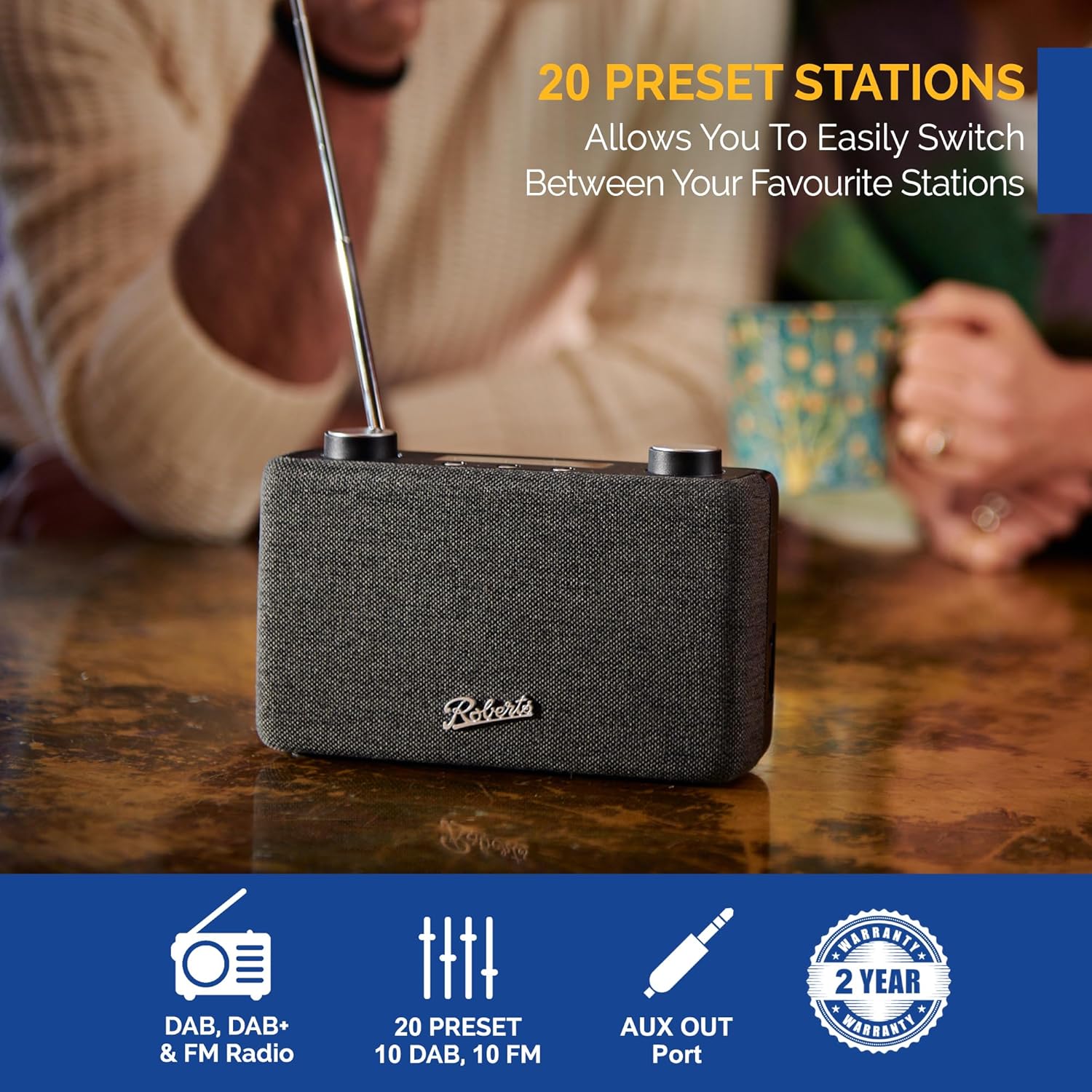
Image: The Roberts Play11 radio displayed alongside icons indicating DAB/DAB+ & FM Radio, 20 Presets, AUX Out Port, and a 2-Year Warranty badge.
Ask a question about this manual
Ask about setup, troubleshooting, compatibility, parts, safety, or missing instructions. Manuals+ will review the question and use this page’s manual context to help answer it.