
1. Ifihan
This manual provides detailed instructions for the operation and maintenance of your fojep K9 Pro Bone Conduction Headphones. Please read this manual thoroughly before using the product to ensure proper function and longevity.
The fojep K9 Pro is a versatile audio device featuring bone conduction technology, IP68 waterproofing, Bluetooth connectivity, and an integrated 32GB MP3 player. It is designed for various activities including swimming, running, cycling, and general fitness.
2. Ọja Ipariview
The fojep K9 Pro headphones utilize bone conduction to deliver sound, keeping your ears open to ambient sounds. They are designed for comfort and durability in various environments.

Image 2.1: fojep K9 Pro Bone Conduction Headphones. This image shows the headphones partially submerged in water, highlighting their waterproof design. The control buttons are visible on the left side.
2.1 Key Awọn ẹya ara ẹrọ
- Imọ-ẹrọ Iwa Egungun: Delivers sound through cheekbones, leaving ear canals open.
- IP68 Mabomire Rating: Suitable for swimming and submersion up to two meters for two hours.
- Ẹrọ orin MP3 32GB ti a ṣe sinu rẹ: Store music directly on the device for use without a phone, especially useful for swimming.
- Asopọmọra Bluetooth: Gbigbe ohun alailowaya lati awọn ẹrọ ibaramu.
- Akoko ere 7: Extended battery life for prolonged use.
- ENC Noise Canceling Microphone: Enhances call clarity by reducing ambient noise.
- Ìwúwo Fúyẹ́ àti Apẹrẹ Itunu: Ergonomic fit for extended wear during physical activities.
3. Eto ati Ibẹrẹ Lilo
3.1 Package Awọn akoonu
Jẹrisi pe gbogbo awọn ohun kan wa ninu package:
- fojep K9 Pro Bone Conduction Headphones
- Ngba agbara USB
- Afowoyi Olumulo (iwe-ipamọ yii)
- Ear Plugs (for use in noisy environments)
3.2 Ngba agbara si awọn Agbekọri
- So okùn gbigba agbara pọ mọ ibudo gbigba agbara lori agbekọri naa.
- So opin okun miiran pọ si ohun ti nmu badọgba agbara USB (kii ṣe pẹlu) tabi ibudo USB ti kọnputa kan.
- Atọka LED yoo fihan ipo gbigba agbara. Gbigba agbara ni kikun maa n gba to wakati mẹta.
- Ni kete ti o ti gba agbara ni kikun, ge asopọ okun gbigba agbara.
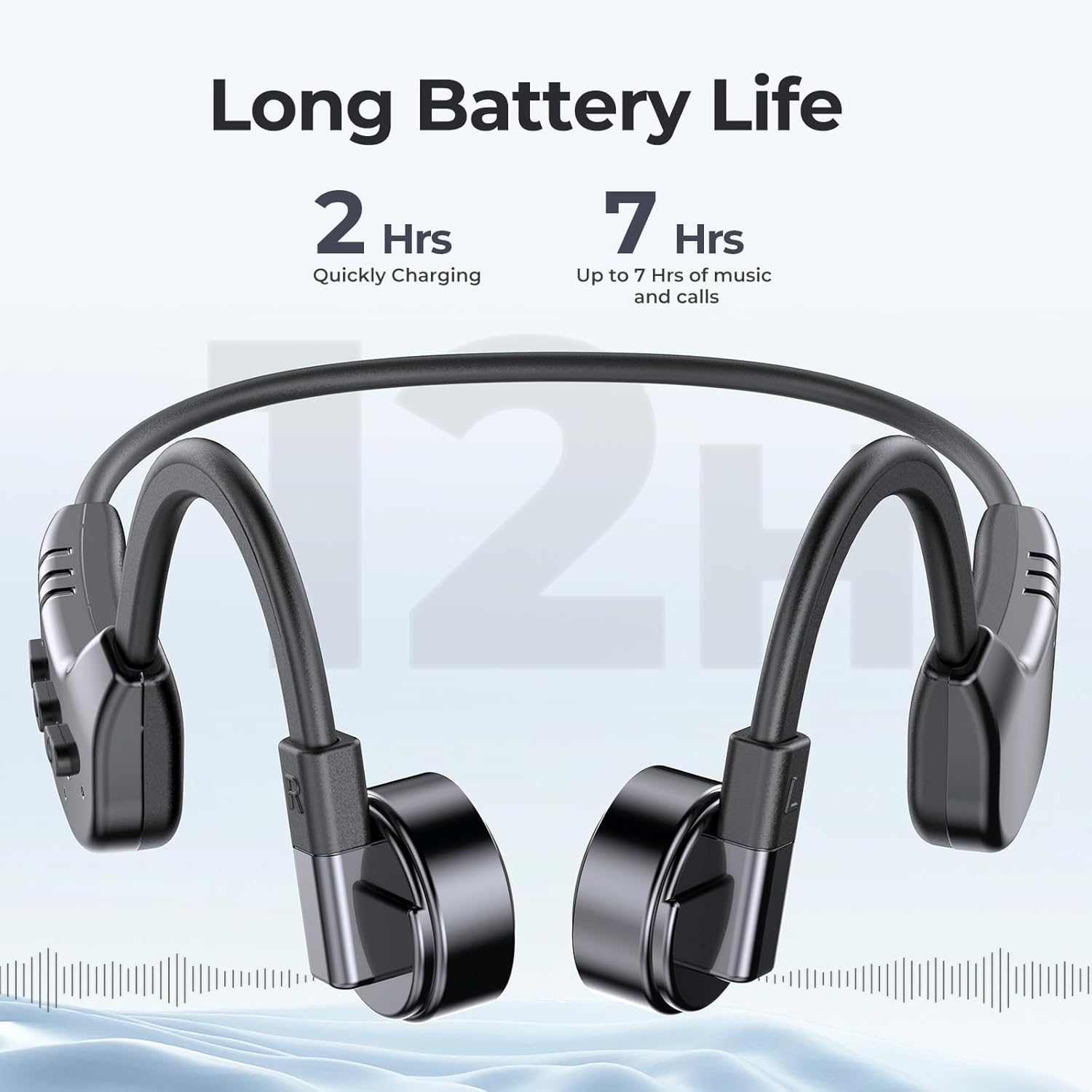
Image 3.1: fojep K9 Pro headphones with battery life indication. This image illustrates the headphones and highlights their quick charging time (2 hours) and extended playtime (7 hours).
3.3 Titan / Pa a
- Agbara Tan: Tẹ bọtini agbara ki o si mu titi ti ifihan LED yoo fi tan imọlẹ.
- Agbara Pa: Tẹ mọlẹ bọtini agbara titi ti itọkasi LED yoo wa ni pipa.
4. Awọn ilana Iṣiṣẹ
4.1 Wọ Awọn Agbekọri
Place the headphones with the transducers resting on your cheekbones, just in front of your ears. The band should wrap around the back of your head.
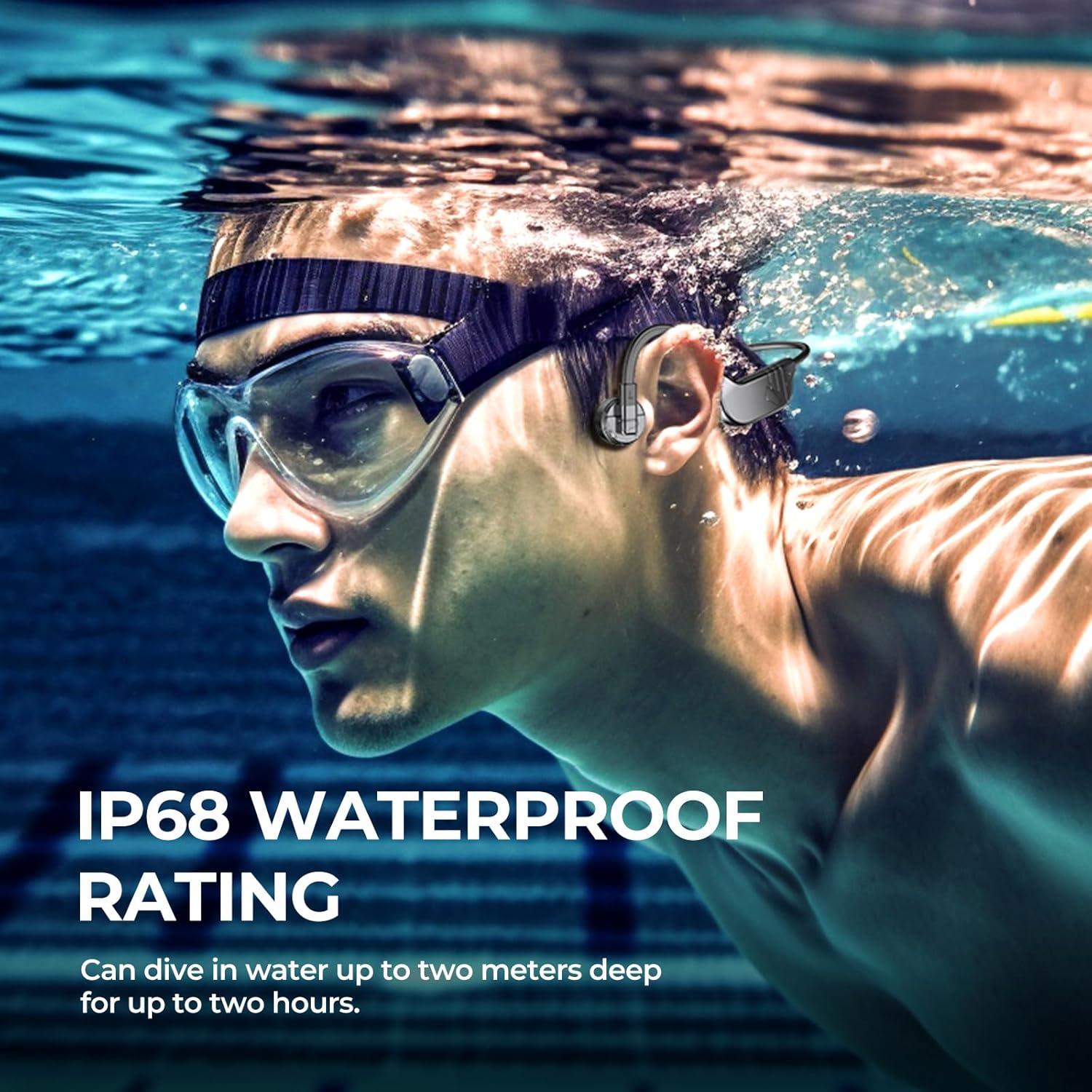
Image 4.1: User wearing fojep K9 Pro headphones during swimming. This image demonstrates the proper placement of the headphones on the head, with the transducers resting on the cheekbones, and highlights the IP68 waterproof rating.
4.2 Ipo Bluetooth
- Pipọpọ: With the headphones powered off, press and hold the Power button for approximately 5-7 seconds until the LED indicator flashes red and blue, indicating pairing mode.
- On your device (smartphone, tablet, etc.), enable Bluetooth and search for "fojep K9 Pro" (or similar name).
- Select the headphones to connect. The LED indicator will turn solid blue once connected.
- Akiyesi: Bluetooth signals may be affected underwater. For swimming, use MP3 mode.
4.3 MP3 Player Mode (Built-in 32GB Memory)
The headphones have a built-in 32GB memory for storing audio files, ideal for activities where Bluetooth connectivity is limited, such as swimming.
- Gbigbe Files: Connect the headphones to a computer using the charging cable. The headphones will appear as a removable drive.
- Fa ati ju ohun rẹ silẹ files (fún àpẹẹrẹ, MP3 format) sínú fódà ìpamọ́ àwọn agbekọri.
- Safely eject the headphones from your computer.
- Awọn ọna Yipada: Refer to the control buttons section for switching between Bluetooth and MP3 modes.

Image 4.2: User enjoying music with fojep K9 Pro headphones, highlighting the 32GB internal storage. This image shows a woman wearing the headphones, emphasizing the convenience of storing music directly on the device.
4.4 Awọn bọtini Iṣakoso
The headphones feature intuitive control buttons for managing playback, volume, and calls.
- Bọtini agbara: Tan-an/paa, tẹ ipo sisopọ sii.
- Iwọn didun soke (+): Mu iwọn didun pọ si, orin ti o tẹle (tẹ ni gigun).
- Iwọn didun isalẹ (-): Dín iwọn didun kù, orin ti o ti kọja (tẹ ni gígùn).
- Multi-function Button (often integrated with Power or a dedicated button): Play/Pause, Answer/End Call, Switch between Bluetooth/MP3 mode (specific press sequence may vary, refer to quick start guide if provided separately).

Image 4.3: Close-up of fojep K9 Pro headphone control buttons. This image details the physical buttons on the headphone unit, including power, volume, and potentially a multi-function button.
4.5 Ṣiṣe ati gbigba awọn ipe
Nígbà tí a bá sopọ̀ mọ́ fóònù alágbéka nípasẹ̀ Bluetooth:
- Idahun Ipe: Tẹ bọtini Olona-iṣẹ lẹẹkan.
- Ipe Ipari: Tẹ bọtini iṣẹ-ọpọlọpọ lẹẹkan nigba ipe kan.
- Kọ Ipe: Tẹ mọlẹ bọtini iṣẹ-ọpọlọpọ fun iṣẹju-aaya 2.
- Oluranlọwọ ohun: Double-press the Multi-function button (if supported by your device).
5. Itọju ati Itọju
- Ninu: Mu awọn agbekọri nu pẹlu asọ, damp asọ. Maṣe lo awọn kẹmika ti o lewu tabi awọn afọmọ abrasive.
- Ibi ipamọ: Tọju awọn agbekọri naa ni itura, aye gbigbẹ kuro lati orun taara ati awọn iwọn otutu to gaju.
- Ifihan omi: While IP68 rated, it is recommended to rinse the headphones with fresh water after use in chlorinated or saltwater and allow them to dry completely before charging.
- Ibudo gbigba agbara: Ensure the charging port is dry before connecting the charging cable to prevent damage.
6. Laasigbotitusita
| Isoro | Owun to le Solusan |
|---|---|
| Awọn agbekọri ko ṣiṣẹ. | Rii daju pe awọn agbekọri ti gba agbara ni kikun. Sopọ si orisun agbara ati ṣayẹwo itọkasi gbigba agbara. |
| Ko le so pọ nipasẹ Bluetooth. |
|
| Ko si ohun tabi iwọn kekere. |
|
| Bluetooth signal drops underwater. | This is expected behavior. Use the built-in MP3 player mode for underwater listening. |
| Cannot transfer MP3 files. |
|
7. Awọn pato
| Ẹya ara ẹrọ | Ẹ̀kúnrẹ́rẹ́ |
|---|---|
| Orukọ awoṣe | K9 Pro |
| Brand | fojep |
| Asopọmọra Technology | Ailokun (Bluetooth) |
| Imọ-ẹrọ Ibaraẹnisọrọ Alailowaya | Bluetooth |
| Omi Resistance Ipele | IP68 mabomire |
| -Itumọ ti ni Memory | 32GB MP3 Player |
| Igbesi aye batiri | Titi di awọn wakati 7 |
| Akoko gbigba agbara | O fẹrẹ to awọn wakati 2 |
| Ọna Iṣakoso | Fọwọkan, Iṣakoso ohun |
| gbohungbohun kika | Built-In with ENC Noise Canceling |
| Gbigbe Eti | Ṣii Eti |
| Iwọn Nkan | 200 g |
| Ohun elo | Ṣiṣu |
8. Atilẹyin ọja ati Support
For warranty information and customer support, please refer to the product packaging or contact fojep customer service through their official webaaye tabi alagbata ti o ti ra ọja naa. Jeki ẹri rira rẹ fun awọn iṣeduro atilẹyin ọja.
Awọn orisun Ayelujara: For additional support, FAQs, and product updates, visit the official fojep webojula.
9. Alaye Aabo
- Má ṣe gbìyànjú láti tú tàbí yí àwọn agbekọri náà padà.
- Avoid exposing the headphones to extreme temperatures or direct flame.
- Jeki kuro ni arọwọto awọn ọmọde.
- Lo awọn okùn gbigba agbara ati awọn adapter ti a fọwọsi nikan.
- Be aware of your surroundings when using the headphones, especially during outdoor activities, due to the open-ear design.