
1. Ifihan
This manual provides detailed instructions for the proper use and maintenance of your Micool DY20PLUS Bluetooth Earpiece. Please read this manual thoroughly before using the product to ensure safe and efficient operation. The Micool DY20PLUS is a single-ear Bluetooth headset designed for clear communication, featuring noise cancellation and extended talk time.
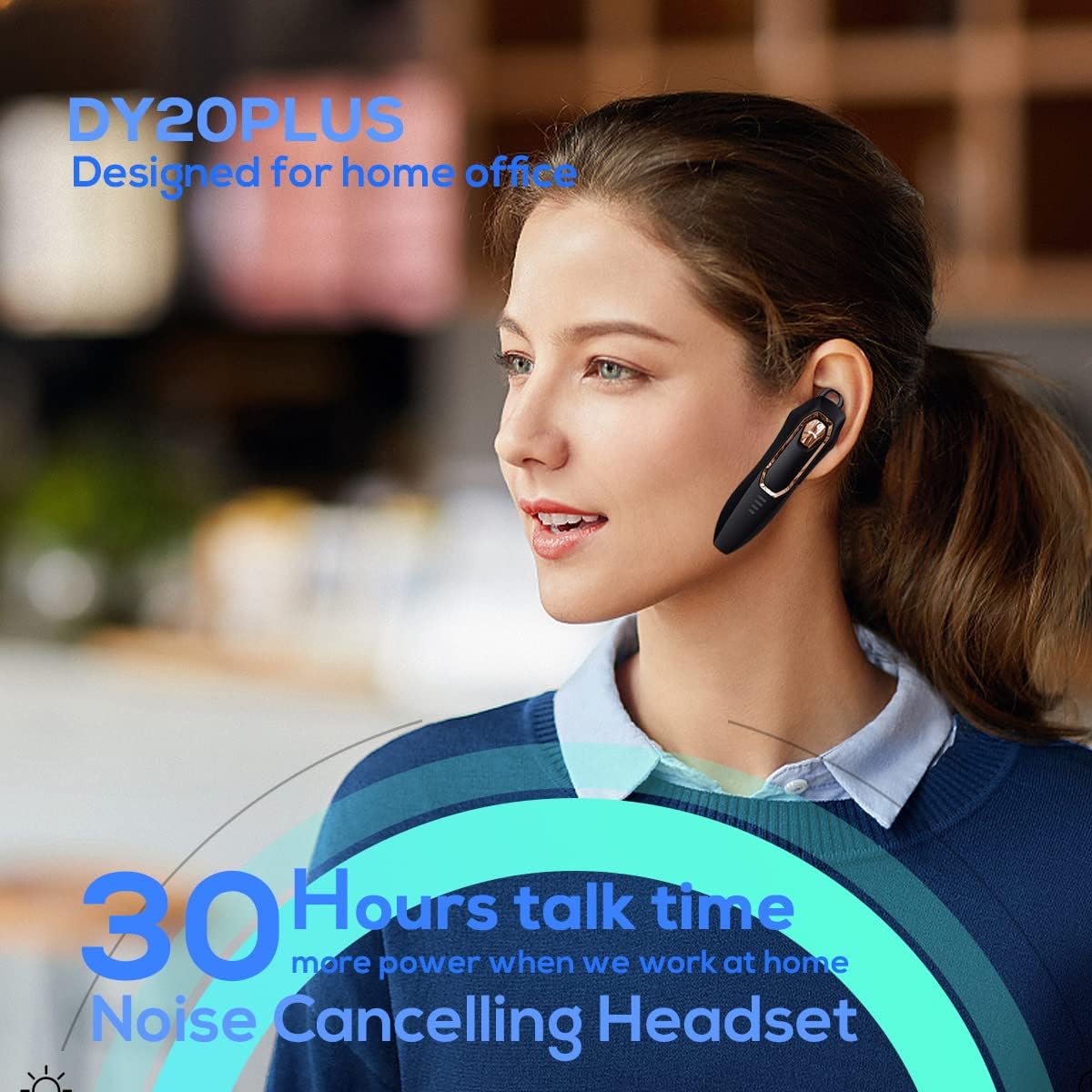
Figure 1: Micool DY20PLUS Bluetooth Earpiece
Fidio 1: Pariview of Micool Bluetooth Headset features, including noise cancellation and long battery life.
2. Package Awọn akoonu
Jọwọ ṣayẹwo package fun awọn nkan wọnyi:
- Micool DY20PLUS Bluetooth Earpiece
- Okun Ngba agbara USB
- Àwọn ìkọ́ etí (oríṣiríṣi ìwọ̀n)
- Itọsọna olumulo
3. Ọja Ipariview
Familiarize yourself with the buttons and indicators on your Micool DY20PLUS earpiece:

Figure 2: Earpiece controls and functions.
- MFB (Bọtini Iṣẹ-pupọ): Tan-an/pa a, mu ṣiṣẹ/duro, dahun/pari awọn ipe.
- Iwọn didun soke (+): Mu iwọn didun pọ si, orin ti o tẹle (tẹ ni gigun).
- Iwọn didun isalẹ (-): Dín iwọn didun kù, orin ti o ti kọja (tẹ ni gígùn).
- Bọtini Mute: Mute/unmute microphone during a call.
- Atọka LED: Ṣe afihan agbara, isopọpọ, ati ipo gbigba agbara.
- Ibudo gbigba agbara: USB ibudo fun gbigba agbara.
4. Eto
4.1 Charging the Earpiece
Before first use, fully charge the earpiece. Connect the provided USB charging cable to the earpiece's charging port and a USB power source. The LED indicator will show charging status and turn off when fully charged. A full charge provides up to 30 hours of talk time.
4.2 Sisopọ Bluetooth
To connect your Micool DY20PLUS earpiece to your mobile phone or other Bluetooth-enabled device:
- Ensure the earpiece is turned off.
- Press and hold the MFB until the LED indicator flashes red and blue alternately, indicating pairing mode.
- Lori ẹrọ rẹ, mu Bluetooth ṣiṣẹ ki o wa awọn ẹrọ to wa.
- Select "DY20PLUS" from the list of devices.
- Ni kete ti o sopọ, Atọka LED yoo tan buluu laiyara.
The earpiece supports connecting to two devices simultaneously. After pairing with the first device, disable Bluetooth on it, then pair with the second device. Re-enable Bluetooth on the first device, and both should connect.
Video 2: Demonstrates Bluetooth pairing and setting up the "Speak Caller's Name" function using the RealTTS app.
5. Awọn ilana Iṣiṣẹ
5.1 Agbara Tan / Pa
- Agbara Tan: Press and hold the MFB for approximately 3 seconds until the LED indicator flashes blue.
- Agbara Pa: Press and hold the MFB for approximately 3 seconds until the LED indicator flashes red and then turns off.
5.2 ipe Management
- Idahun Ipe: Kukuru tẹ MFB lẹẹkan.
- Ipe Ipari: Kukuru tẹ MFB lẹẹkan nigba ipe.
- Kọ Ipe: Tẹ MFB gun fun iṣẹju-aaya 2.
- Pakẹ́/Yipadanu: Short press the dedicated Mute button during a call.
- Switch Call Audio: During a call, you can switch the audio output between the earpiece and your phone. Refer to your phone's call interface for this option.
5.3 Sisisẹsẹhin Orin
- Ṣiṣẹ/Daduro: Kukuru tẹ MFB lẹẹkan.
- Orin t’okan: Tẹ bọtini iwọn didun Up (+) gun.
- Tẹlẹ Orin: Tẹ bọtini Iwọn didun isalẹ (-) gun.
5.4 Iṣakoso iwọn didun
- Mu iwọn didun pọ si: Kukuru tẹ bọtini Iwọn didun Up (+).
- Din iwọn didun silẹ: Kukuru tẹ bọtini Iwọn didun isalẹ (-).
5.5 Iranlọwọ ohun
Double-tap the MFB to activate your device's voice assistant (Siri, Cortana, Bixby, Google Assistant, etc.). This allows for hands-free control of your connected device.
6. Itọju
- Keep the earpiece dry. Do not expose it to extreme temperatures.
- Clean the earpiece with a soft, dry cloth. Avoid using harsh chemicals.
- Store the earpiece in a cool, dry place when not in use.
- Avoid dropping or subjecting the earpiece to strong impacts.
7. Laasigbotitusita
| Isoro | Owun to le Fa | Ojutu |
|---|---|---|
| Ko le agbara lori | Batiri kekere | Charge the earpiece fully. |
| Ko le so pọ pẹlu ẹrọ | Earpiece not in pairing mode; Bluetooth off on device; too far apart. | Ensure earpiece is in pairing mode (flashing red/blue). Turn on Bluetooth on your device. Keep devices within 1 meter during pairing. |
| Ko si ohun tabi didara ohun ti ko dara | Volume too low; earpiece not selected as audio output; interference. | Adjust volume on both earpiece and device. Check device's audio output settings. Move away from sources of interference. |
| Caller's name not announced | RealTTS app not installed or permissions not granted. | Download and install the "RealTTS" app. Ensure Bluetooth and contact access permissions are granted to the app. |
8. Awọn pato
| Ẹya ara ẹrọ | Ẹ̀kúnrẹ́rẹ́ |
|---|---|
| Orukọ awoṣe | DY20PLUS |
| Brand | Micool |
| Ẹya Bluetooth | 5.0 |
| Alailowaya Ibiti | Titi de awọn mita 50 (150 ẹsẹ) |
| Aago Ọrọ | Titi di wakati 30 |
| Ariwo Iṣakoso | Active Noise Cancellation (2 Microphones) |
| Iwọn | 12g (Imọlẹ-ina) |
| Ibamu | Bluetooth-enabled devices (phones, laptops, tablets) |
| Ohun elo | Ṣiṣu |
| UPC | 768399519588 |
9. Atilẹyin ọja ati Support
Micool products come with a standard manufacturer's warranty. For specific warranty details, please refer to the warranty card included in your product packaging or visit the official Micool website. If you encounter any issues or require technical assistance, please contact Micool customer support through their official channels.