
Ọrọ Iṣaaju
This manual provides detailed instructions for the installation, operation, and maintenance of your TEYES CC3 2K Car Radio Multimedia System, specifically designed for Volvo S80 models from 1998 to 2006. Please read this manual thoroughly before using the device to ensure proper functionality and safety.
Package Awọn akoonu
The following items are included in your TEYES CC3 2K package. Please verify all components upon unboxing.
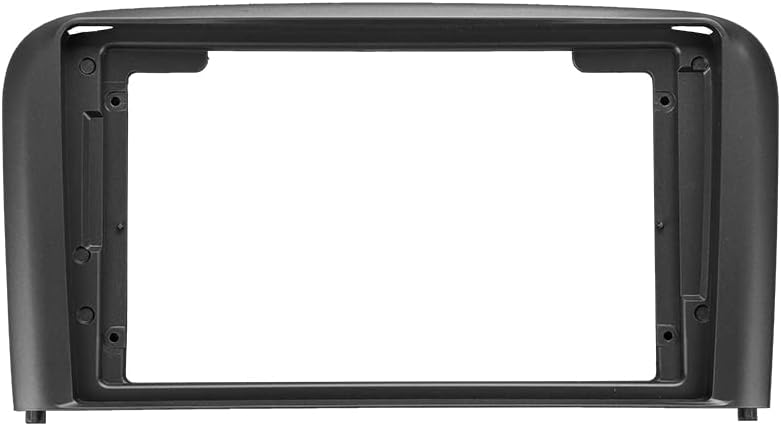
1x OEM Panel: Custom-fit panel for Volvo S80 (1998-2006) dashboard integration.

1x Head Unit: The TEYES CC3 2K multimedia player.

1x 4G WiFi Antenna: For internet connectivity.

1x Audio & Video Harness + RCA: Fun sisopọ awọn orisun ohun / fidio ita.

1x GPS Antenna: Fun iṣẹ lilọ kiri.

1x Screws & Screwdriver Set: Fun fifi sori ẹrọ.
1x USB Harness: Fun sisopọ awọn ẹrọ USB.

1x Cleaning Cloth: For screen maintenance.

1x Wiring Diagram: Fun awọn asopọ itanna.
1x Electronic Instruction Manual: Digital user guide.
1x AHD 1080p Rear Camera: For reverse assistance and video recording.
1x AUX Cable: For auxiliary audio input.
1x Power Cable: For connecting the unit to the vehicle's power supply.
Eto ati fifi sori
This section guides you through the installation process of the TEYES CC3 2K head unit in your Volvo S80 (1998-2006). Professional installation is recommended.
Ibamu Ọkọ
The TEYES CC3 2K is designed for Volvo S80 models manufactured between 1998 and 2006. Ensure your vehicle's dashboard matches the provided images for proper fitment.
Fifi sori Loriview
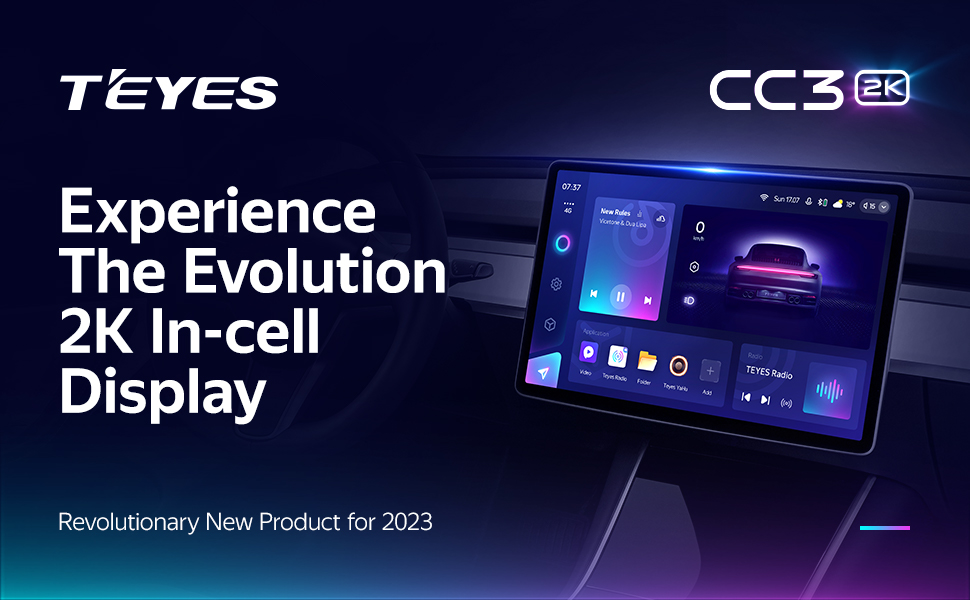
Image showing the car dashboard before and after the installation of the TEYES CC3 2K head unit in a Volvo S80.
The installation involves replacing the original car radio with the TEYES CC3 2K head unit and its custom OEM panel. Refer to the included wiring diagram for specific connections.
Asopọmọra Peripherals
- Eriali GPS: Connect the GPS antenna to the designated port on the head unit. Position the antenna in a location with a clear view ti ọrun fun ti aipe ifihan agbara gbigba.
- 4G/WiFi Antenna: Attach the 4G and WiFi antennas to their respective ports to enable internet connectivity.
- Awọn okun USB: The unit includes USB cables for data transfer and connecting external devices.

Image showing three USB output cables for data transfer and device connection.
The system provides multiple USB outputs to support high-speed data transmission and connection of various USB devices. While it supports most original car USB functions, compatibility may vary by vehicle model.
- Kamẹra Tẹhin: Connect the AHD 1080p rear camera to the video input. This enables real-time viewing of the vehicle's rear view and supports video recording.
- Awọn idari Kẹkẹ idari: The unit supports integration with existing steering wheel buttons.

Image showing steering wheel control buttons, indicating compatibility with the head unit.
The system supports the original car steering wheel buttons. Functionality can be customized through settings, including short press and long press actions.
Awọn ilana Iṣiṣẹ
The TEYES CC3 2K operates on the Android platform, offering a wide range of multimedia and navigation features.
Àpapọ ati Interface
- 2K In-cell Touch Screen: The unit features a 9.5-inch 2K in-cell display with integrated touch screen technology, providing vivid and accurate colors (157% Gamut Coverage).

Image displaying the TEYES CC3 2K head unit with its 9.5-inch screen and dimensions (228mm width, 130mm height).
- Atẹlu olumulo: The Android operating system provides a customizable interface with various color styles.
- Pipin Ipo iboju: Utilize the freestyle combination split screen mode to run multiple applications simultaneously.
Audio Awọn ẹya ara ẹrọ
- Dual DSP: Equipped with 2*DSP ADAU1701 + ROHM32107 for enhanced audio processing.
- Ijade ohun: Supports optical and coaxial digital audio output for high-fidelity sound.
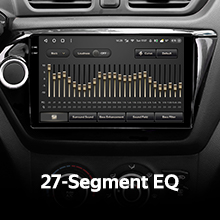
- Agbẹgbẹ: Features a 27-segment EQ for precise audio customization.
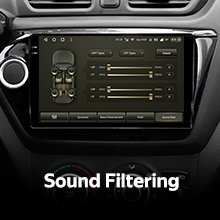
- Sound Filtering: Advanced sound filtering options are available.
- Redio: Includes a premium local radio tuner with RDS support.
Asopọmọra ati Lilọ kiri
- Bluetooth: Features an upgraded Bluetooth module (QCC3031QFN Qualcomm) for stable wireless connections.
- Ayelujara: Supports 4G internet connectivity and WiFi hotspot functionality.
- GPS Lilọ kiri: Integrated GPS with North America map type support.
Kámẹ́rà àti Gbígbàsílẹ̀
- Ẹyìn View Kamẹra: Akoko gidi viewing of the vehicle's rear view is available with the included AHD 1080p rear camera.
- Gbigbasilẹ fidio: The system supports video recording functionality.
Software and Performance
- Olupilẹṣẹ: Powered by an 8-core 2.0GHz processor for smooth performance.
- Iranti: Features 6GB RAM and 128GB ROM.
- Awọn ohun elo: Includes creative 3D software such as TEYES Vision and TEYES Yahu.
Ọja Pariview Fidio
Official TEYES CC3 2K product overview video, demonstrating key features and user interface.
Itoju
To ensure the longevity and optimal performance of your TEYES CC3 2K head unit, follow these maintenance guidelines:
- Isọsọ iboju: Use the provided cleaning cloth or a soft, lint-free cloth to gently wipe the screen. Avoid abrasive cleaners or solvents that could damage the display.
- Awọn imudojuiwọn sọfitiwia: Periodically check for and install software updates to ensure you have the latest features and security enhancements. Refer to the electronic instruction manual for update procedures.
- Awọn ipo Ayika: Yago fun ṣiṣafihan ẹyọkan si awọn iwọn otutu to gaju, imọlẹ orun taara fun awọn akoko gigun, tabi ọrinrin pupọ.
Laasigbotitusita
If you encounter issues with your TEYES CC3 2K, refer to the following common troubleshooting steps:
- Ko si Agbara:
- Check all power connections and ensure they are securely fastened.
- Verify the vehicle's fuse related to the car radio.
- Ko si Ohun:
- Rii daju pe iwọn didun ko dakẹ tabi ṣeto si o kere julọ.
- Ṣayẹwo awọn asopọ agbọrọsọ.
- Verify audio settings in the system menu.
- Awọn ọrọ ifihan agbara GPS:
- Rí i dájú pé eriali GPS so pọ̀ dáadáa àti pé ó mọ́ kedere view ti ọrun.
- Gbe ọkọ lọ si agbegbe ti o ṣii kuro lati awọn ile giga tabi awọn ewe ipon.
- Iboju ifọwọkan Ko dahun:
- Perform a soft reset of the unit (refer to the electronic instruction manual for details).
- Rii daju pe iboju jẹ mimọ ati laisi idoti.
- Awọn iṣoro Asopọmọra Bluetooth:
- Ensure Bluetooth is enabled on both the head unit and the device you are trying to connect.
- Delete previous pairings and attempt to re-pair the device.
For persistent issues, consult the electronic instruction manual or contact TEYES customer support.
Awọn pato
| Ẹya ara ẹrọ | Apejuwe |
|---|---|
| Brand | OWO |
| Awoṣe | CC3 2K |
| Ọkọ Iṣẹ Iru | Car (Volvo S80 1998-2006) |
| Iwon iboju | 9.5 inches |
| Ifihan Iru | LED, 2K In-cell Touchscreen |
| Eto isesise | Android |
| isise | 8 ohun kohun, 2.0GHz |
| Iranti (Ramu) | 6 GB |
| Ibi ipamọ (ROM) | 128 GB |
| Asopọmọra Technology | Bluetooth (QCC3031QFN Qualcomm), USB, WiFi, Hotspot, 4G Internet |
| GPS | Supported Satellite Navigation System, North America Map Type |
| Ipo Ijade Ohun | Stereo, Optical and Coaxial Digital Audio Output |
| DSP | 2*DSP ADAU1701 + ROHM32107 |
| Kamẹra ẹhin | 1* AHD 1080p rear camera included, supports real-time viewing and video recording |
| Awọn irinše to wa | Head unit, USB cable, GPS antenna, AUX cable, 4G WiFi antenna, e-book, frame, power cable, AHD 1080p rear camera |
| Olupese | Shenzhen TEYES High tech Co., Ltd. |
| Odun awoṣe | 2023 |
Alaye atilẹyin ọja
The TEYES CC3 2K Car Radio Multimedia System comes with a 1-odun atilẹyin ọja from the date of purchase. This warranty covers manufacturing defects and malfunctions under normal use. It does not cover damage caused by improper installation, accidents, misuse, unauthorized repairs, or modifications.
Jọwọ ṣe idaduro ẹri rira rẹ fun awọn iṣeduro atilẹyin ọja.
Onibara Support
For technical assistance, troubleshooting, or warranty inquiries, please contact TEYES customer support. Refer to the electronic instruction manual for contact details or visit the official TEYES webojula.
Olupese: Shenzhen TEYES High tech Co., Ltd.