anyloop Smart Watch G96 User Manual
1.85" Fitness Tracker with Call Function, Heart Rate, SpO2, and 100+ Sport Modes
1. Bibẹrẹ
Thank you for choosing the anyloop Smart Watch G96. This manual provides essential information for setting up and operating your device.

Figure 1: anyloop Smart Watch G96
1.1. Unboxing ati Ni ibẹrẹ idiyele
Upon unboxing, ensure all components are present: the anyloop Smart Watch G96, charging cable, and user manual. Before first use, fully charge the device using the provided magnetic charging cable. The watch will automatically power on and display the charging status.
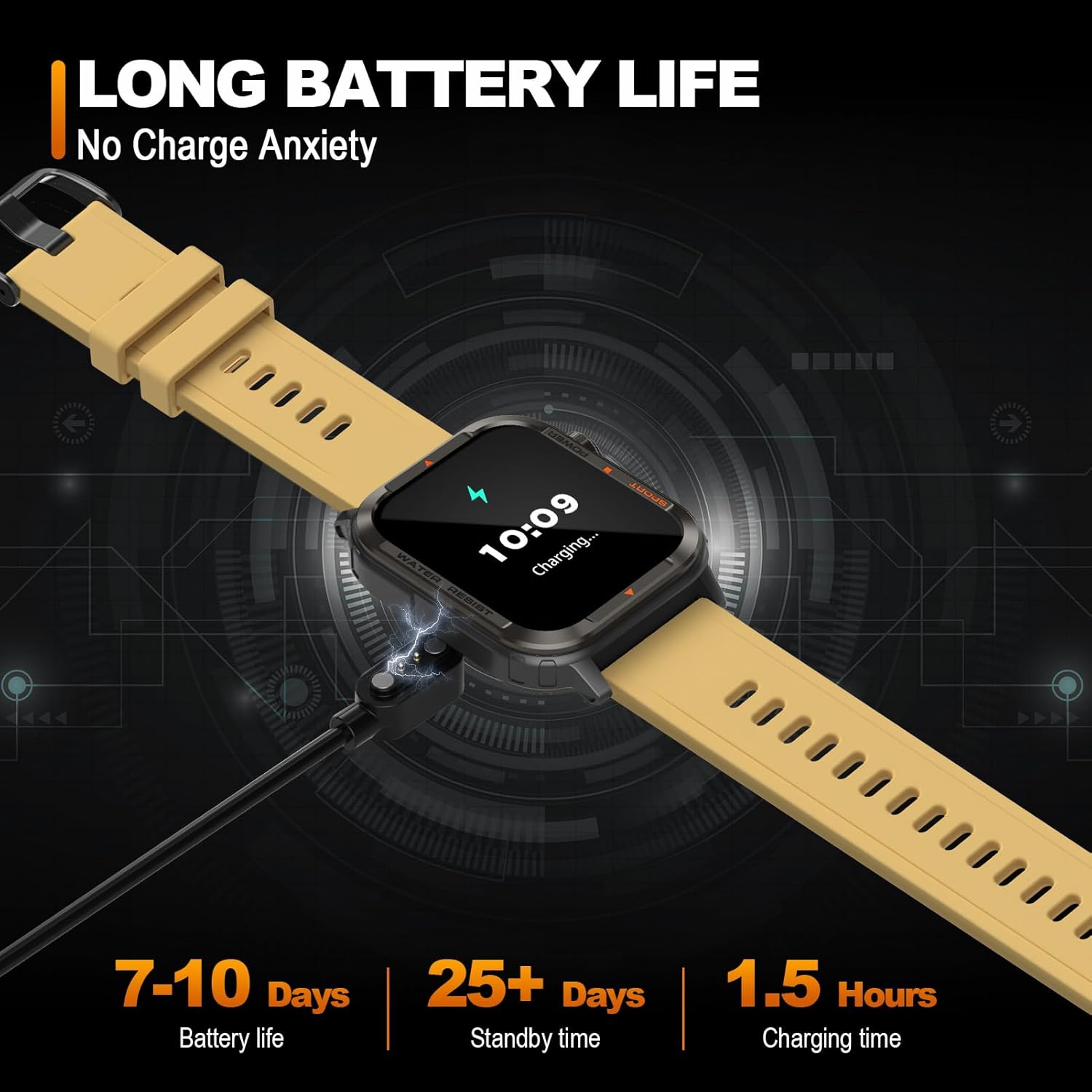
Figure 2: Magnetic Charging of the Smart Watch
1.2. Fifi sori App ati Sisopọ
To unlock the full functionality of your smart watch, download and install the 'Da Fit' application on your smartphone. Scan the QR code provided in the watch's manual or search for 'Da Fit' in your device's app store (Google Play Store for Android, Apple App Store for iOS).
Once installed, open the 'Da Fit' app and follow the on-screen instructions to create your profile and grant necessary permissions. Navigate to the 'Add Device' section within the app and select 'G96' from the list of available devices to initiate pairing. Ensure Bluetooth is enabled on your smartphone.
Fidio 1: Pariview of anyloop Smart Watch G96 features and initial setup process.
1.3. Profile Setup and Notifications
Pari pro ti ara ẹni rẹfile in the 'Da Fit' app, including gender, birth date, height, and weight, for accurate health and fitness tracking. Configure notification settings to receive alerts from desired applications (e.g., messages, calls, social media) directly on your watch.
Fídíò 2: Àlàyé tó kún rẹ́rẹ́view of the anyloop Smart Watch G96, including app integration and call functionality.
2. Ṣiṣẹ rẹ Smart Watch
2.1. Ipilẹ Lilọ kiri
- Afi ika te: Swipe left/right to navigate between main screens, swipe up/down to access quick settings or notifications. Tap to select.
- Awọn bọtini ẹgbẹ: The top button typically serves as a power/back button. The bottom button (often orange) is a dedicated shortcut for sport modes.
2.2. Customizing Watch oju
The anyloop G96 offers over 100 watch face options through the 'Da Fit' app. You can also upload a custom photo as your watch face. Long-press the watch screen to quickly switch between pre-loaded faces.

Figure 3: Multifunctional display of the Smart Watch
2.3. Ipe Iṣẹ
With Bluetooth connectivity, the watch allows you to answer and make calls directly from your wrist. Ensure the 'Phone' and 'Audio Bluetooth' settings are enabled in the watch's quick settings or the 'Da Fit' app for full call functionality.
2.4. Iṣakoso Orin
Control music playback on your smartphone directly from the watch. This includes play, pause, skip tracks, and volume adjustment.
2.5. Alarms and Reminders
Set multiple alarms through the 'Da Fit' app. The watch will vibrate to alert you. You can also set reminders for hydration and sedentary alerts to encourage activity.
3. Abojuto Ilera
The anyloop G96 Smart Watch provides comprehensive health monitoring features:

Figure 4: All-Day Health Monitoring Features
- Abojuto Oṣuwọn Ọkàn: Real-time and continuous heart rate tracking. Set an upper limit for heart rate warnings.
- Atẹgun ẹjẹ (SpO2) Abojuto: Ṣe iwọn awọn ipele itẹlọrun atẹgun ẹjẹ.
- Titele orun: Automatically monitors sleep patterns, including deep sleep, light sleep, and awake time, providing insights into sleep quality.
- Abojuto Wahala: Ṣe atẹle awọn ipele wahala jakejado ọjọ naa.
Health data is synchronized with the 'Da Fit' app for detailed analysis and historical trends.
4. Amọdaju Titele
The anyloop G96 is designed for active lifestyles, offering extensive fitness tracking capabilities:

Figure 5: Powerful Sport Tracking Features
- Awọn ipo ere idaraya 100+: Supports a wide range of indoor and outdoor activities, allowing you to monitor workouts and design training programs.
- Àtòjọ iṣẹ́: Ṣe àtòjọ àwọn ìgbésẹ̀, ìjìnnà, àwọn kalori tí a jó, àti àwọn ìṣẹ́jú tí ń ṣiṣẹ́.
- GPS Exercise: Utilize your phone's GPS through the app to track outdoor activities with route mapping.
- Awọn igbasilẹ adaṣe: View detailed summaries of your past workouts in the 'Da Fit' app.
5. Itọju
5.1. Omi Resistance
The anyloop G96 Smart Watch is IP67 rated for water resistance, making it suitable for daily wear and activities like hand washing or light rain. Avoid prolonged submersion or hot water exposure.
5.2. Ninu
Clean the watch and strap regularly with a soft, damp asọ. Yago fun lilo awọn kẹmika lile tabi awọn ohun elo abrasive.
5.3. Itọju batiri
To prolong battery life, avoid extreme temperatures. Charge the watch using the provided magnetic charger. The watch features a battery-saving mode for extended use.
5.4. Watch Band Replacement
The watch band can be easily removed and replaced with compatible 22mm quick-release bands.
6. Laasigbotitusita wọpọ oran
- Aago naa ko so pọ mọ ara wọn: Ensure Bluetooth is enabled on your phone and the watch is within range. Restart both devices and try pairing again. Check if the 'Da Fit' app has all necessary permissions.
- Awọn iwifunni ko gba: Verify notification permissions for the 'Da Fit' app and individual apps on your phone. Ensure 'Do Not Disturb' mode is not active on either device.
- Awọn kika ti ko pe: Ensure the watch is worn snugly on your wrist, not too tight or too loose. Clean the sensor regularly. For GPS tracking, ensure your phone's GPS is active and the app has location permissions.
- Batiri mimu yarayara: Reduce screen brightness, shorten screen-on time, and disable continuous heart rate monitoring if not needed.
- Iboju ko dahun: Restart the watch by long-pressing the power button. If unresponsive, allow the battery to fully drain and then recharge.
7. Awọn alaye ọja
| Ẹya ara ẹrọ | Sipesifikesonu |
|---|---|
| Nọmba awoṣe | G96 (a1203c5a-fe5e-4ce5-9ade-361943a649aa) |
| Iwọn Ifihan | 1.85 Inches TFT colorful screen |
| Ipinnu | 240*280 |
| Agbara Batiri | 250mAh litiumu Iwon |
| Igbesi aye batiri | Awọn ọjọ 7-10 (lilo deede) |
| Waterproofing Level | IP67 |
| Sensọ Oṣuwọn Ọkàn | Easy core 3605 |
| Asopọmọra | Bluetooth |
| Ibamu System isẹ | Android 4.4 tabi loke, iOS 8.0 tabi loke |
| Ọja Mefa | 1.46 x 1.83 x 0.38 inches |
| Iwọn Nkan | 3.52 iwon (0.1 kilo) |
8. Atilẹyin ọja ati Support
The anyloop Smart Watch G96 comes with a standard manufacturer's warranty. For detailed warranty information, product support, or technical assistance, please refer to the warranty card included in your product packaging or visit the official anyloop webojula. Tọju iwe-ẹri rira rẹ bi ẹri rira.