
CHUWI Hi10X Pro
CHUWI Hi10 XPro Android 14 Tablet User Manual
Comprehensive guide for your CHUWI Hi10 XPro Tablet.
1. Ifihan
The CHUWI Hi10 XPro is a versatile 10.1-inch Android 14 tablet designed for both productivity and entertainment. Featuring an Unisoc T606 Octa-Core processor, 8GB RAM, and 128GB ROM (expandable up to 1TB), it offers smooth performance for various applications. This tablet supports 4G LTE and 5G WiFi connectivity, includes a 7000mAh battery, and comes with 13MP rear and 5MP front cameras. This manual provides essential information for setting up, operating, and maintaining your device.

olusin 1.1: Iwaju ati ki o ru view of the CHUWI Hi10 XPro Tablet.
2. Ohun ti o wa ninu Apoti
Jẹrisi pe gbogbo awọn ohun kan wa ninu package:
- CHUWI Hi10 XPro Tablet
- 5V/2A adapter (PSE, CE, UL, FCC certified)
- Multi-language manual
- Ijẹrisi ibamu
- Ijẹrisi didara
- Kaadi atilẹyin ọja
- 128GB Micro SD Kaadi
3. Eto
3.1 Gbigba agbara akọkọ
Before first use, fully charge the tablet using the provided 5V/2A adapter and Type-C cable. The battery indicator on the screen will show charging progress.
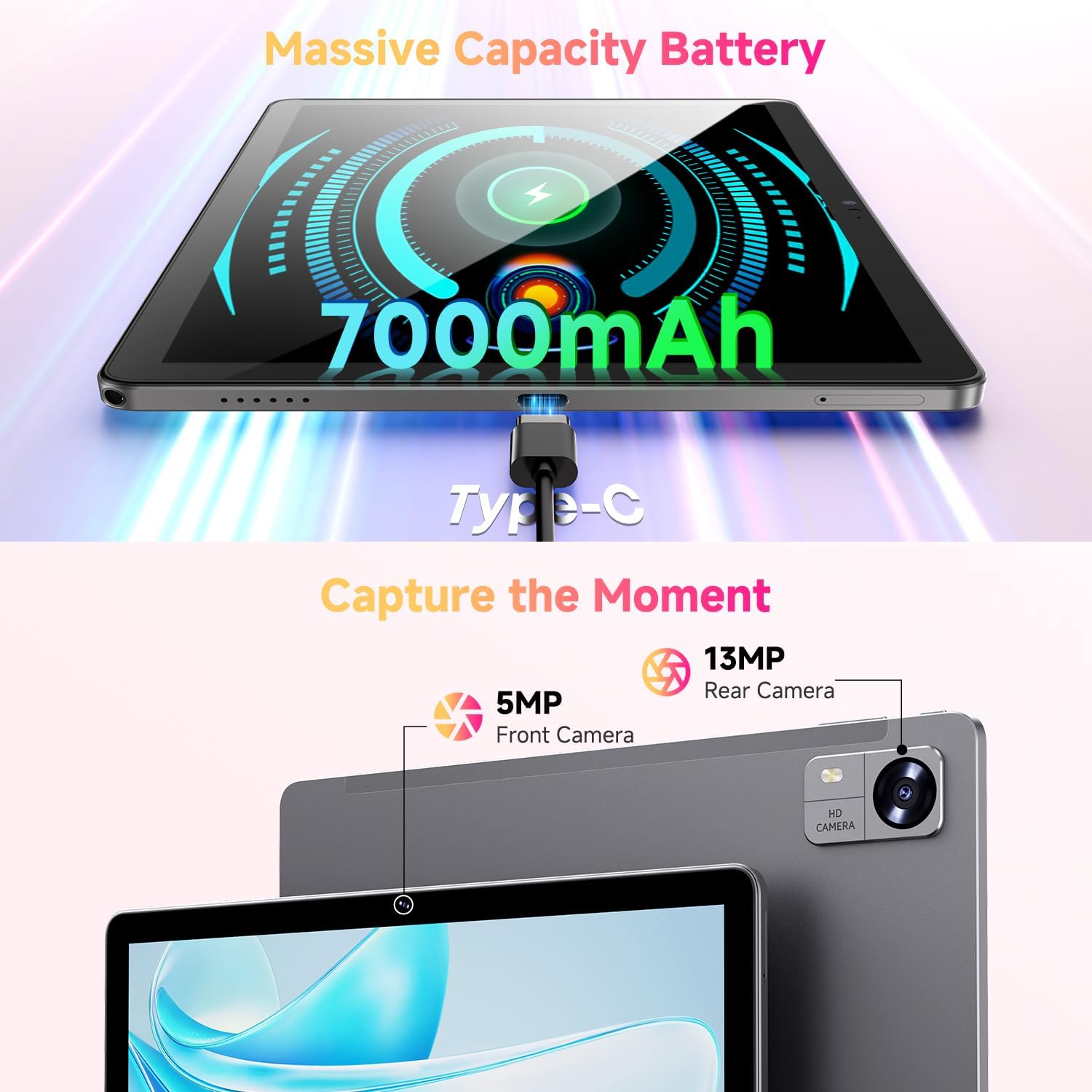
Figure 3.1: Charging the tablet via Type-C port.
3.2 Agbara Tan / Pa
- Agbara Tan: Press and hold the Power button on the side of the tablet until the CHUWI logo appears.
- Agbara Pa: Press and hold the Power button until a power-off menu appears. Select "Power off" to shut down the device.
- Tun bẹrẹ: From the power-off menu, select "Restart" to reboot the device.
3.3 Kaadi SIM ati TF Kaadi fifi sori
The tablet supports dual SIM cards and a TF (MicroSD) card for expanded storage. Use the provided SIM ejector tool to open the tray.
- Wa kaadi SIM/TF kaadi ni ẹgbẹ ti tabulẹti.
- Fi ohun elo SIM ejector sii sinu iho kekere ti o tẹle atẹ naa ki o tẹ rọra titi ti atẹ naa yoo fi jade.
- Fi awọn kaadi SIM Nano-SIM rẹ ati/tabi kaadi MicroSD sinu awọn iho ti a yan lori atẹ naa, ki o rii daju pe o tọ itọsọna naa.
- Fi iṣọra tẹ atẹ naa pada sinu tabulẹti titi ti o fi tẹ sinu aaye.
*Important Note for Cellular Functionality: Please register the IMEI number of your device with local carriers before using cellular network functions. Failure to do so may result in the SIM card functions (network and calls) being disabled by the carriers after a period of use.
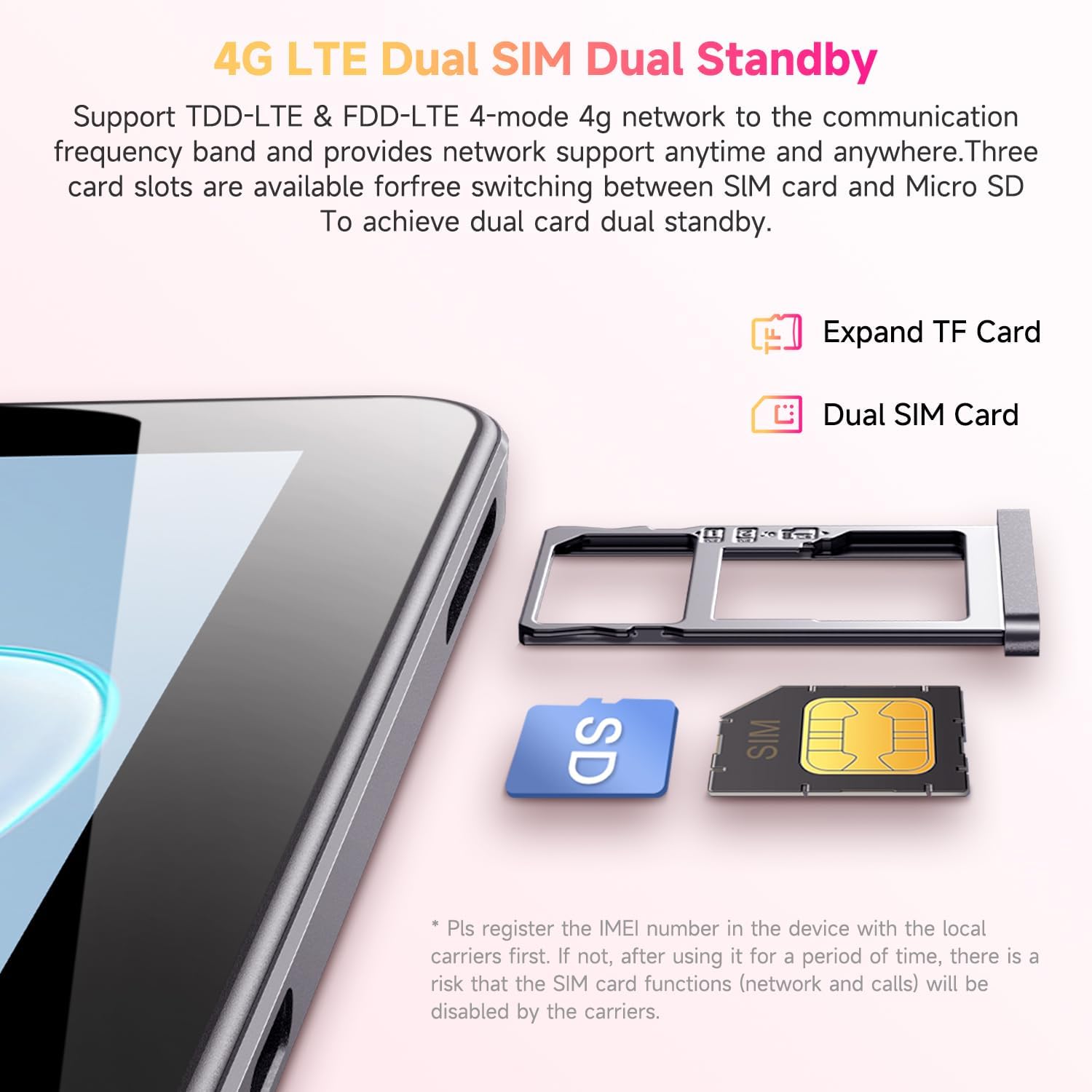
Figure 3.2: Inserting SIM and TF cards into the tray.
3.4 Oṣo oluṣeto akọkọ
Lori agbara akọkọ, tabulẹti yoo ṣe itọsọna fun ọ nipasẹ ilana iṣeto akọkọ. Tẹle awọn itọnisọna loju iboju lati:
- Yan ede rẹ.
- Sopọ si nẹtiwọki Wi-Fi kan.
- Wọle pẹlu akọọlẹ Google rẹ tabi ṣẹda tuntun kan.
- Ṣeto titiipa iboju (PIN, apẹrẹ, ọrọ igbaniwọle).
- Review ati ki o gba ofin ati ipo.
4. Awọn ilana Iṣiṣẹ
4.1 Ifihan ati Lilọ kiri
The CHUWI Hi10 XPro features a 10.1-inch HD IPS touchscreen with a resolution of 1280x800 pixels, providing clear and vibrant visuals. Navigation is primarily touch-based, with gestures and on-screen buttons for home, back, and recent apps.

Figure 4.1: The tablet's 10.1-inch HD IPS display.
4.2 Išẹ ati Ibi ipamọ
Equipped with a 1.6GHz Unisoc T606 Octa-Core processor and Mali-G57 GPU, the tablet ensures smooth operation for daily tasks, browsing, and light gaming. It comes with 8GB RAM (4GB physical + 4GB virtual) and 128GB of internal storage, expandable up to 1TB via a MicroSD card.

Figure 4.2: Illustration of the Unisoc T606 Octa-Core Processor.

Figure 4.3: Visual representation of storage and connectivity options.
4.3 Asopọmọra
The tablet supports dual-band 2.4G+5G WiFi (802.11ac) for stable and fast internet connections, and Bluetooth 5.0 for connecting wireless accessories. Dual 4G LTE support allows for mobile data and calls (with proper SIM registration).
4.4 kamẹra Awọn iṣẹ
Capture moments with the 13MP rear camera and take clear selfies or make video calls with the 5MP front camera.
4.5 batiri Life
The built-in 7000mAh battery provides approximately 8-10 hours of usage on a full charge, depending on usage patterns.
4.6 Android 14 Eto iṣẹ
The CHUWI Hi10 XPro runs on Android 14, offering enhanced privacy controls, efficient memory management, and multitasking capabilities. It supports Widevine L1 for high-definition streaming on platforms like Netflix, Prime Video, and Disney+.
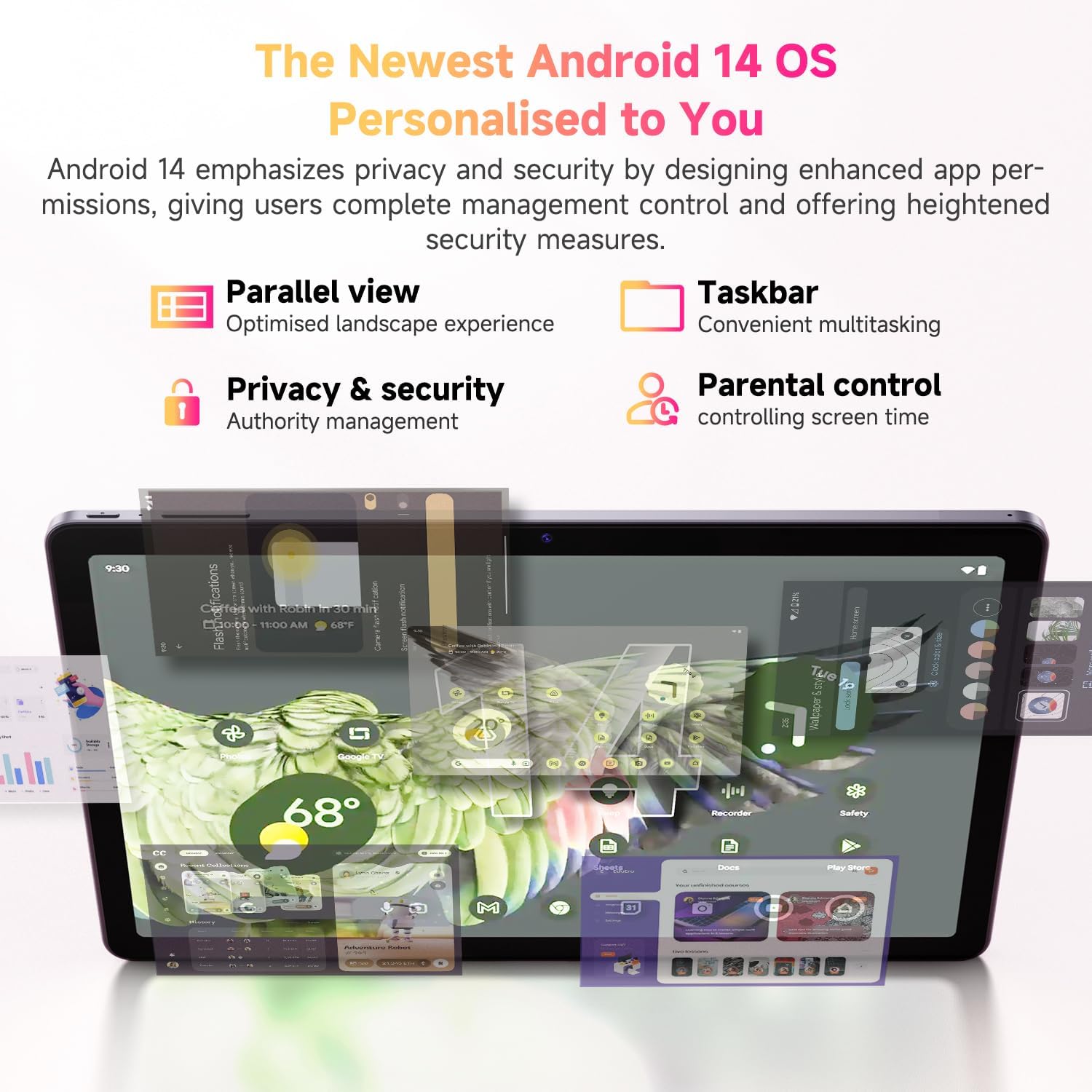
Figure 4.4: Key features of the Android 14 operating system.
4.7 Osise Video ọja
Fidio 4.1: Ifihan fidio ọja osise kanasing the CHUWI Android 13 Tablet Hi10 XPro Tablet 10.1 Inch 8+128GB. This video highlights various features and usage scenarios of the tablet, including its sleek design, display quality, and performance capabilities.
5. Awọn pato
| Ẹya ara ẹrọ | Sipesifikesonu |
|---|---|
| Brand | CHUWI |
| Orukọ awoṣe | Hi10 XPro |
| Iwọn ifihan iboju duro | 10.1 inches |
| Ipinnu iboju | 1280 x 800 awọn piksẹli |
| isise | 1.6 GHz Unisoc T606 Octa-Core |
| Olupilẹṣẹ Graphics | Mali-G57 |
| Àgbo | 8GB (4GB+4GB virtual) |
| Lile Drive / Flash Memory Iwon | 128 GB SSD |
| Expandable Ibi ipamọ | Up to 1TB with MicroSD card |
| Eto isesise | Android 14 |
| Alailowaya Iru | 802.11ac (2.4G+5G WiFi), Bluetooth 5.0 |
| Cellular Asopọmọra | Dual 4G LTE |
| Ẹyìn WebKame.awo-ori Ipinnu | 13 MP |
| Ipinnu Kamẹra iwaju | 5 MP |
| Agbara Batiri | 7000mAh litiumu polima |
| Apapọ batiri Life | Awọn wakati 8-10 |
| Iwọn Nkan | 15.5 iwon (isunmọ 438g) |
| Ọja Mefa | 9.41 x 6.2 x 0.29 inches (isunmọ 239.3 x 158 x 7.5 mm) |
| Àwọ̀ | Dudu |
| Iṣẹ GPS | Supported (GPS, Glonass, Galileo, Beidou) |
| Widevine Certification | L1 Supported |
6. Itọju
- Ninu: Lo asọ ti ko ni lint lati nu iboju ati ara tabulẹti naa. Yago fun lilo awọn kẹmika lile tabi awọn ohun elo abrasive.
- Awọn imudojuiwọn sọfitiwia: Periodically check for system updates in the tablet's settings to ensure optimal performance and security.
- Itọju Batiri: Lati pẹ aye batiri, yago fun awọn iwọn otutu to gaju ati ma ṣe jẹ ki batiri naa ṣan patapata nigbagbogbo.
- Isakoso Ibi ipamọ: Nigbagbogbo ko wulo files and apps to maintain sufficient free storage space for smooth operation.
- Idaabobo: Consider using a screen protector and a protective case to guard against scratches and accidental damage.
7. Laasigbotitusita
Táblẹ́ẹ̀tì 7.1 Kò ní ṣiṣẹ́
- Rii daju pe tabulẹti ti gba agbara to. Sopọ mọ ṣaja fun o kere 30 iṣẹju.
- Tẹ bọtini agbara ki o si mu fun awọn aaya 10-15 lati fi agbara mu lati tun bẹrẹ.
7.2 Wi-Fi Asopọ oran
- Check if Wi-Fi is enabled in the tablet's settings.
- Tun olulana Wi-Fi rẹ bẹrẹ.
- Gbagbe nẹtiwọki ni awọn eto tabulẹti ki o tun sopọ.
- Rii daju pe o wa laarin ifihan Wi-Fi.
7.3 o lọra Performance
- Pa awọn ohun elo abẹlẹ ti ko wulo.
- Pa cache ati data rẹ rẹ́ fún àwọn ohun èlò tí a sábà máa ń lò.
- Rii daju aaye ibi-itọju ọfẹ ti o to.
- Tun tabulẹti bẹrẹ.
7.4 Apps Crashing or Not Responding
- Force close the app from recent apps or app settings.
- Ko kaṣe app ati data kuro.
- Yọọ kuro ki o tun fi ohun elo naa sori ẹrọ.
- Rii daju pe sọfitiwia tabulẹti ti wa ni imudojuiwọn.
8. Atilẹyin ọja ati Support
CHUWI offers a One-year reassuring quality assurance for the Hi10 XPro tablet. This includes long-term technical support and 24-hour online customer service.
For technical assistance or warranty claims, please contact CHUWI customer service. You can typically find contact information by logging into your Amazon account, finding your order, and selecting "Contact the seller."
For more information, visit the official CHUWI webaaye ayelujara tabi tọka si kaadi atilẹyin ọja ti o wa ninu package ọja rẹ.
Ask a question about this manual
Ask about setup, troubleshooting, compatibility, parts, safety, or missing instructions. Manuals+ will review the question and use this page’s manual context to help answer it.