
GATEXPERT SW200DC-HOMELINK
GATEXPERT SW200DC-Homelink Automatic Dual Swing Gate Opener Instruction Manual
Model: SW200DC-HOMELINK
Ọrọ Iṣaaju
This manual provides detailed instructions for the installation, operation, and maintenance of your GATEXPERT SW200DC-Homelink Automatic Dual Swing Gate Opener. Please read this manual thoroughly before installation and use to ensure proper function and safety. This system is designed for dual swing gates up to 200kg (440lbs) and 2 meters (6.56ft) per arm.
Alaye Aabo
IKILO: Improper installation or use can lead to serious injury or property damage. Always follow these safety guidelines:
- Rí i dájú pé onímọ̀-ẹ̀rọ iná mànàmáná tó mọṣẹ́ ló ṣe gbogbo ìsopọ̀ iná mànàmáná, kí o sì tẹ̀lé àwọn ìlànà ìbílẹ̀.
- Pa awọn ọmọde ati awọn ohun ọsin kuro ni agbegbe ẹnu-ọna nigba iṣẹ.
- Do not operate the gate opener if any part is damaged or malfunctioning.
- Ṣayẹwo ẹnu-ọna ati ṣiṣi nigbagbogbo fun awọn ami ti wọ tabi ibajẹ.
- Ge asopọ agbara ṣaaju ṣiṣe eyikeyi itọju tabi atunṣe.
- Install safety devices such as photocells to prevent the gate from closing on obstructions.
- Ensure the gate has proper mechanical stops in both open and closed positions.

Apejuwe aworan: A warning label indicating "Swing Gate Can Cause Serious Injury or Death. Keep Clear. Read Manual." This emphasizes the importance of safety during installation and operation.
Package Awọn akoonu
Daju pe gbogbo awọn paati wa ṣaaju ki o to bẹrẹ fifi sori:
Apejuwe aworan: An oke view of the GATEXPERT SW200DC-Homelink Automatic Dual Swing Gate Opener kit laid out in its packaging. It includes two gate opener arms, a control box, two remote controls, mounting brackets, hardware, and an instruction manual.
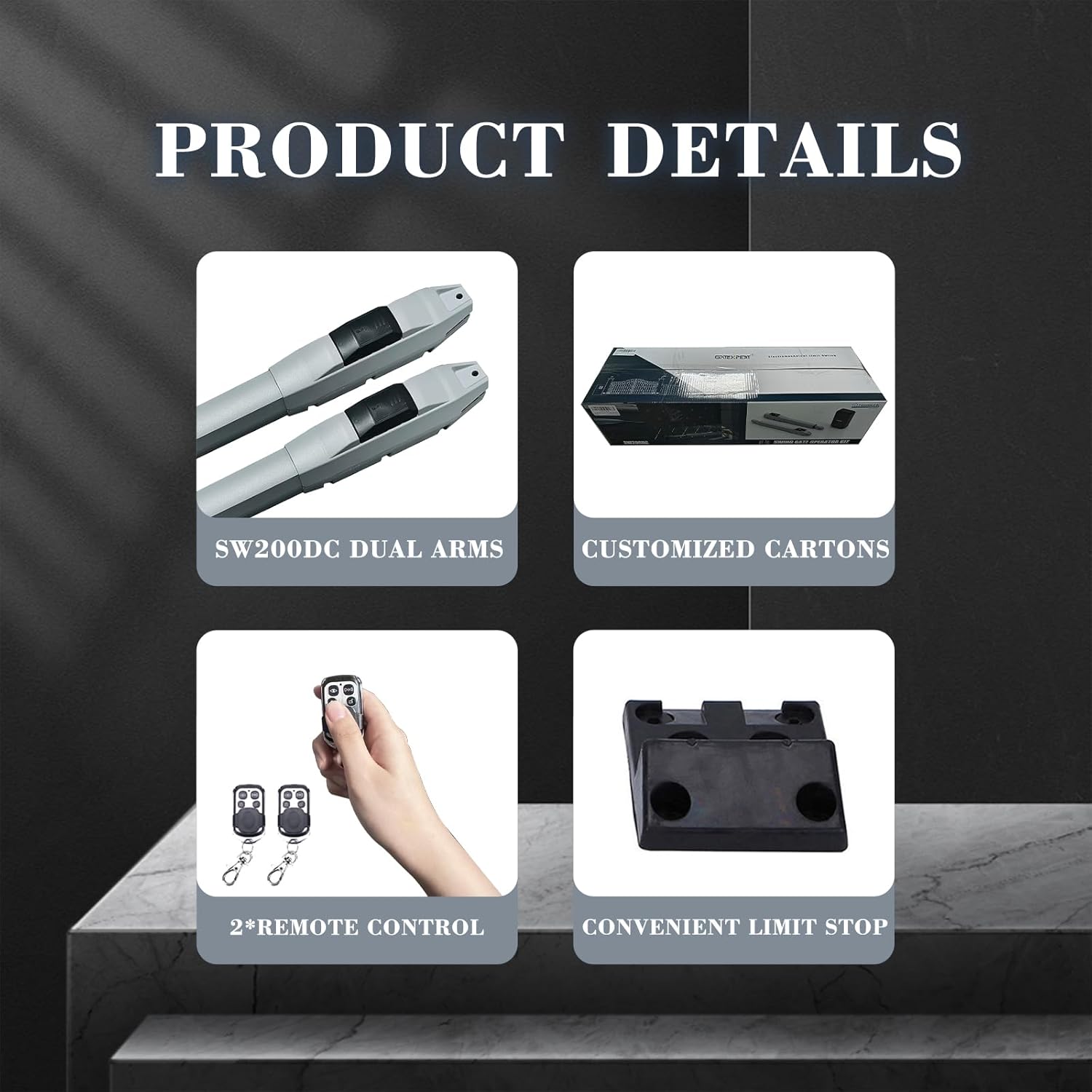
- 2 x SW200DC Gate Opener Arms
- 1 x Control Box with Built-in 24V DC Control Board
- 2 x Remote Controls (315MHz RT03-B)
- Mounting Hardware (brackets, bolts, pins, etc.)
- Ilana itọnisọna
- Awọn aami Ikilọ
Awọn pato
| Ẹya ara ẹrọ | Sipesifikesonu |
|---|---|
| Nọmba awoṣe | SW200DC-HOMELINK |
| Max Gate Weight (per arm) | 200 kg (440 lbs) |
| Max Gate Length (per arm) | Mita 2 (ẹsẹ 6.56) |
| Orisun agbara | AC/DC (110V AC or 24V Solar System) |
| Voltage | 110 Volt (AC) |
| Awọn iwọn otutu ti nṣiṣẹ | -20°C si +60°C |
| Latọna Iṣakoso Igbohunsafẹfẹ | 315MHz (GATEXPERT RT03-B compatible) |
| Iwọn Nkan | 33.1 iwon |
| Package Mefa | 32 x 10.7 x 8.2 inches |
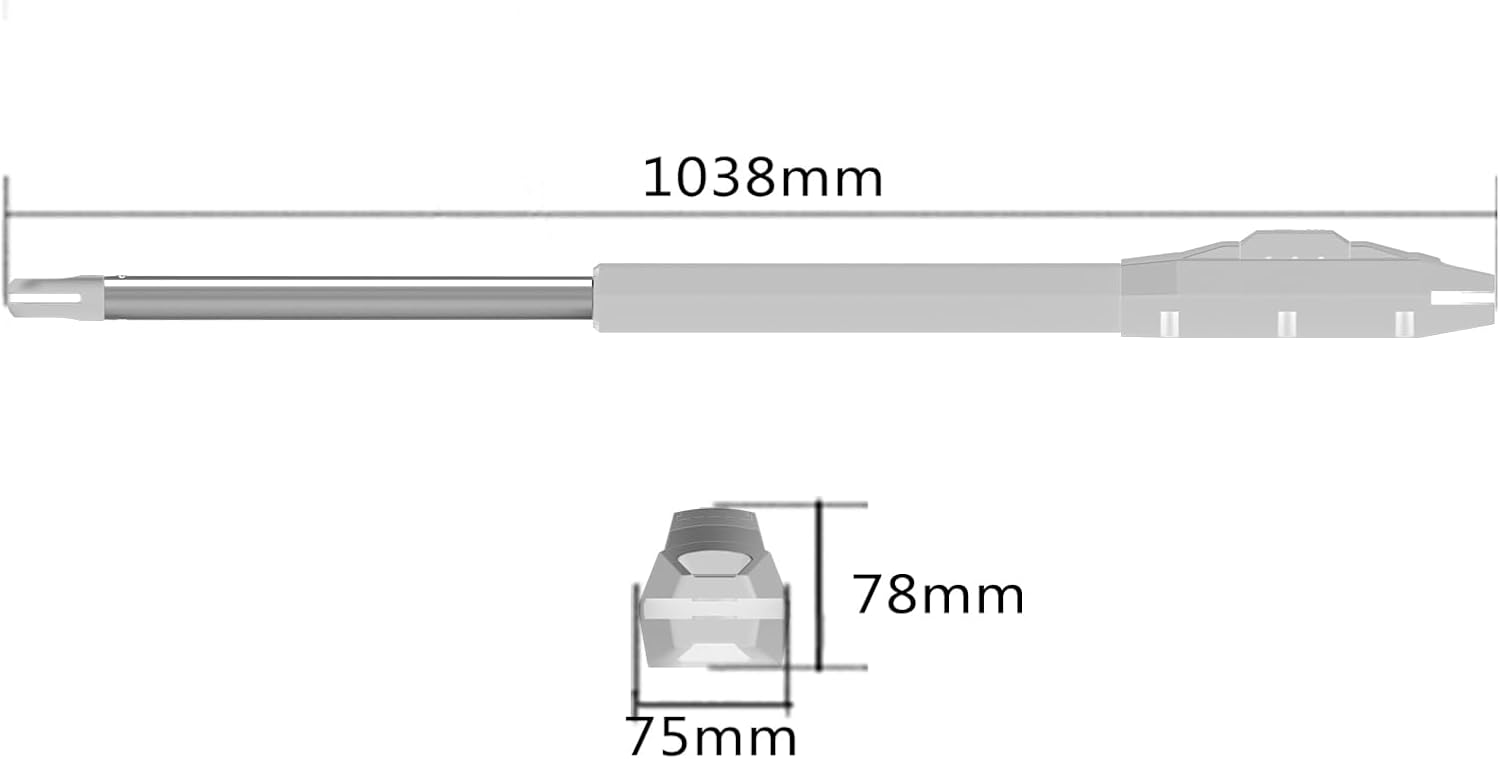
Apejuwe aworan: A technical drawing showing the dimensions of one gate opener arm. The total length is 1038mm, with a width of 75mm and a height of 78mm for the main body.
Eto ati fifi sori
Careful planning and precise installation are essential for optimal performance and safety. It is recommended to consult a professional installer if you are unsure about any steps.
1. Igbaradi Aye
- Rii daju pe ẹnu-ọna naa nṣiṣẹ laisiyonu pẹlu ọwọ ati pe o jẹ iwọntunwọnsi daradara.
- Clear any obstructions from the gate's path.
- Confirm adequate space for the opener arms to extend and retract.
2. Mounting the Gate Opener Arms
Mount the opener arms securely to the gate and gate post using the provided brackets and hardware. The exact mounting position will depend on your gate's design and opening angle. Refer to the detailed diagrams in the full manual for specific measurements.
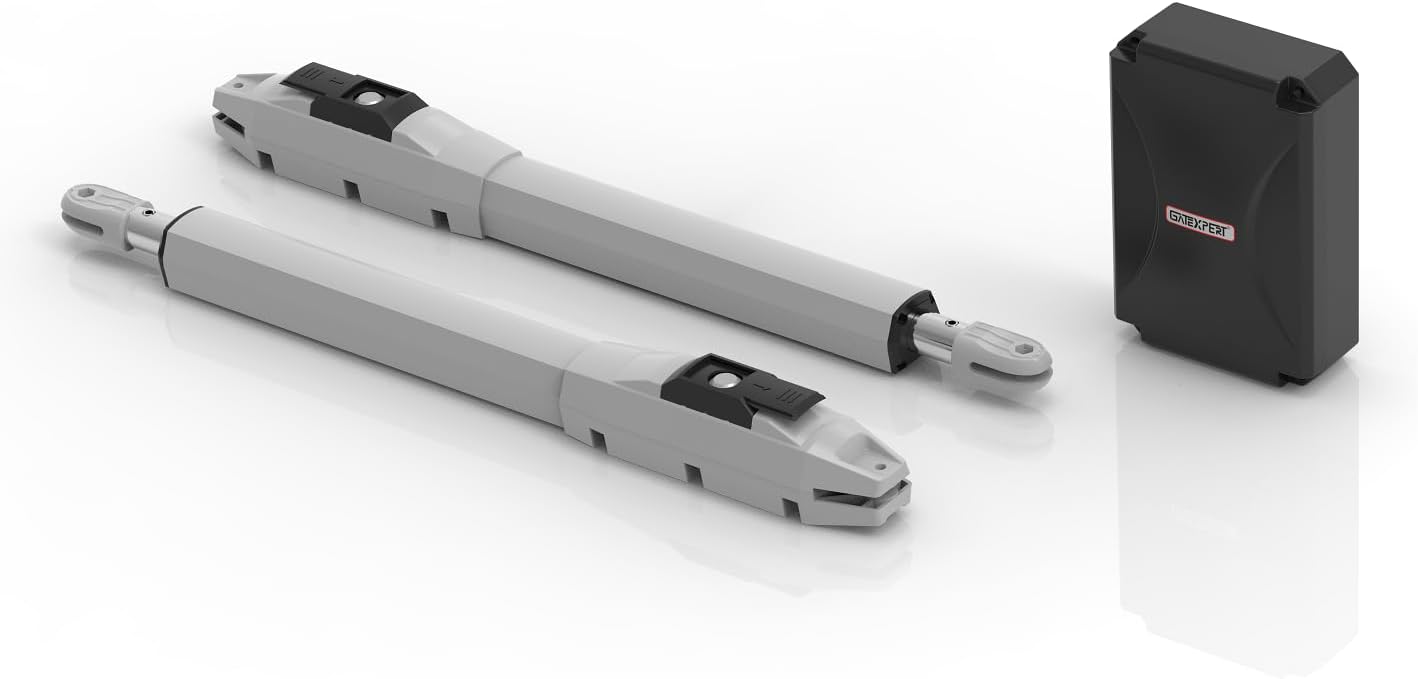
Apejuwe aworan: A view of the two gate opener arms and the control box. The arms are designed to push and pull the gate leaves, while the control box houses the electronics.

Apejuwe aworan: An illustration showing the GATEXPERT gate opener system installed on a dual swing gate. One arm is visible extending from a pillar to the gate, with the control box mounted on the pillar.
3. Itanna Awọn isopọ
The control box features a built-in transformer, allowing operation with either a 110V AC power supply or a 24V solar system. Connect the power supply and motor wires to the control board as indicated in the wiring diagram found in the complete manual.

Apejuwe aworan: Ohun ti abẹnu view of the GATEXPERT control box, showing the circuit board and wiring terminals. This board manages the gate opener's functions and power supply.
4. Travel Setting
Performing the travel setting is critical for the gate opener to function correctly. This process teaches the system the gate's open and closed positions. Follow the specific instructions in the full manual for initiating and completing the travel setting procedure.
Awọn ilana Iṣiṣẹ
1. Isẹ Iṣakoso latọna jijin
The two included remote controls (GATEXPERT RT03-B, 315MHz) are pre-programmed at the factory to the first button. Pressing this button will open or close the gate. If additional remotes are needed, refer to the full manual for programming instructions. Only GATEXPERT RT03-B remotes are compatible.
Apejuwe aworan: Two GATEXPERT remote controls are shown alongside the Homelink Compatible logo. This indicates the system can be integrated with vehicle-based Homelink systems.
2. Homelink Compatibility
This gate opener is compatible with Homelink systems, allowing you to open the gate using a button in your car. Follow your vehicle's Homelink programming instructions to link it with the GATEXPERT RT03-B remote control signal.
3. Low Consumption Mode
To conserve energy, the control board automatically enters a low consumption mode after one minute of inactivity on the initial screen.
Itoju
Regular maintenance ensures the longevity and safe operation of your gate opener system.
- Oṣooṣu: Inspect the gate and opener arms for any loose hardware, signs of wear, or corrosion. Ensure the gate moves freely without the opener.
- Ni idamẹrin: Check all electrical connections for tightness and signs of damage. Clean any debris from the gate's path and around the opener arms.
- Ọdọọdún: Lubricate moving parts of the gate and opener arms as recommended in the full manual. Test all safety features, such as photocells.
- Keep the control box clean and free from moisture and insects.
Laasigbotitusita
If you encounter issues with your gate opener, refer to the following common problems and solutions. For more complex issues, consult the full manual or contact customer support.
| Isoro | Owun to le Fa | Ojutu |
|---|---|---|
| Ẹnu-ọna ko dahun si latọna jijin. | Dead remote battery, remote out of range, remote not programmed, power issue. | Replace remote battery. Move closer to the gate. Re-program remote. Check power supply to control box. |
| Gate opens partially or not at all. | Obstruction, incorrect travel setting, motor issue, low power. | Remove obstructions. Re-do travel setting. Check power supply. Inspect motor for damage. |
| Gate reverses unexpectedly. | Safety sensor (photocell) triggered, obstruction. | Clear path of gate. Clean or adjust safety sensors. |
| Ẹnubodè ṣe awọn ariwo dani. | Lack of lubrication, worn parts, loose hardware. | Lubricate moving parts. Inspect for worn components and tighten hardware. |
Atilẹyin ọja ati Support
GATEXPERT offers a 12-month warranty for this product. Free return and replacement are available within 30 days. For any questions or technical assistance, please contact GATEXPERT customer support via email. We are committed to helping you resolve any issues.
Fun iranlọwọ siwaju sii, jọwọ ṣabẹwo si GATEXPERT Store on Amazon.
Ask a question about this manual
Ask about setup, troubleshooting, compatibility, parts, safety, or missing instructions. Manuals+ will review the question and use this page’s manual context to help answer it.