
Ọrọ Iṣaaju
This manual provides detailed instructions for the proper setup, operation, and maintenance of your GATEXPERT RT77 Remote Control. The RT77 remote is designed for use with GATEXPERT automatic sliding and swing gate openers. Please read this manual thoroughly before use to ensure safe and efficient operation.
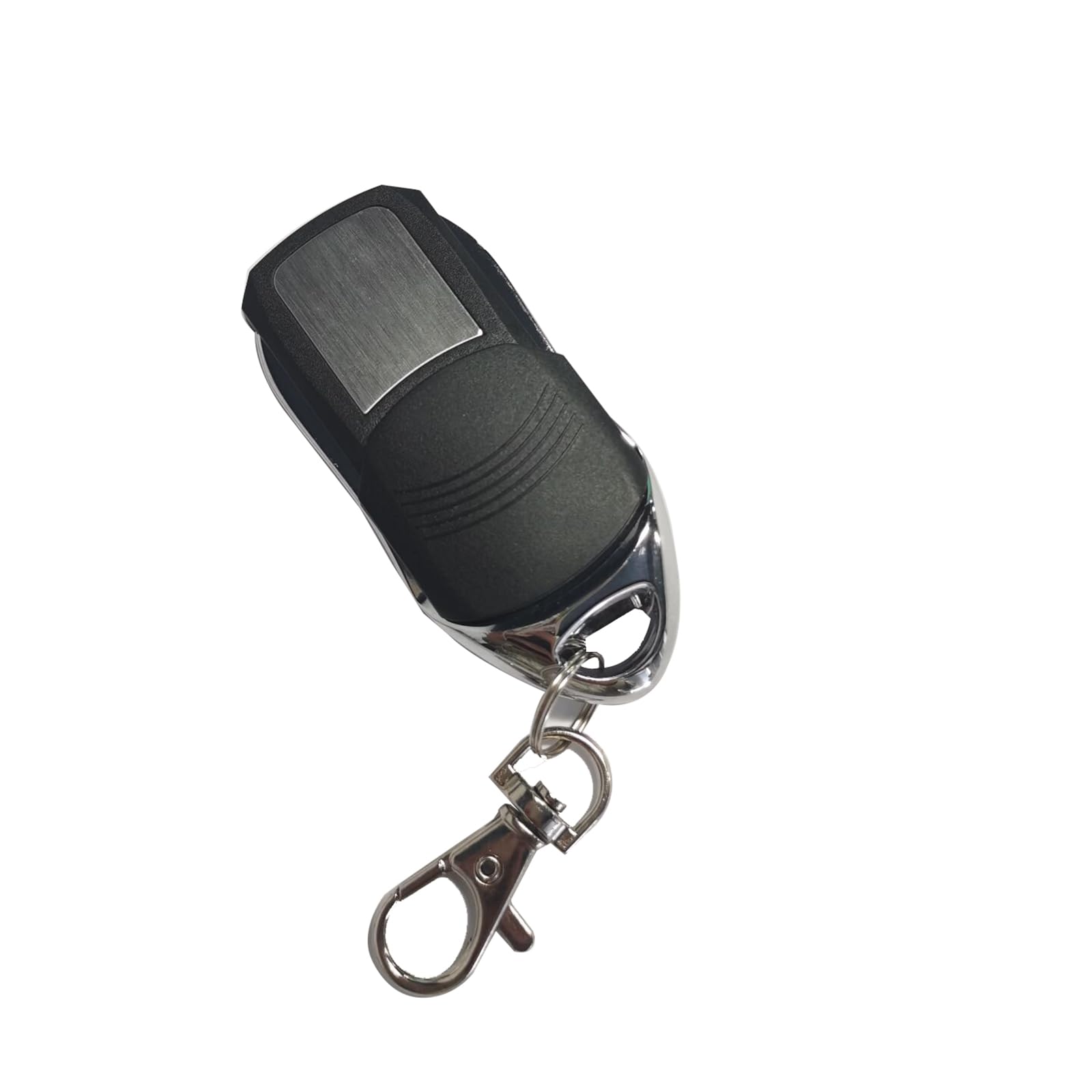
Aworan: Iwaju view of the GATEXPERT RT77 Remote Control with its protective sliding cover closed.
Ọja Awọn ẹya ara ẹrọ
- Ibamu: Exclusively designed for GATEXPERT gate openers and door openers.
- Idaabobo: Features an IP54 rating and a sliding cover to prevent accidental button presses.
- Agbara: Operates on a 12V 27A battery.
- Apẹrẹ: Compact and portable for convenient carrying.
Ṣeto
1. Fifi sori batiri
The GATEXPERT RT77 remote control requires one 12V 27A battery (not included). Follow these steps to install or replace the battery:
- Locate the small screws on the back panel of the remote control.
- Using a small screwdriver, carefully remove the screws and open the remote casing.
- Insert the 12V 27A battery, ensuring the correct polarity (+ and -) as indicated inside the battery compartment.
- Pa casing and secure it with the screws.

Aworan: Ti abẹnu view of the RT77 remote control, showing the circuit board and the 12V 27A battery compartment.
2. Pairing with Your GATEXPERT Gate Opener
To operate your gate opener, the RT77 remote control must be paired with the receiver unit of your GATEXPERT gate opener. The exact pairing procedure may vary slightly depending on your specific gate opener model. Refer to your gate opener's instruction manual for precise steps. Generally, the process involves:
- Locate the "Learn" or "Code" button on your GATEXPERT gate opener's control board.
- Press and release the "Learn" button. An indicator light on the control board will typically illuminate or flash.
- Within a few seconds, press the desired button (A, B, C, or D) on your RT77 remote control.
- The indicator light on the control board should flash or change state, confirming successful pairing.
- Test the remote control by pressing the paired button. The gate opener should respond.
If you encounter difficulties, consult the manual for your specific GATEXPERT gate opener model or contact customer support.
Awọn ilana Iṣiṣẹ
The GATEXPERT RT77 remote control features a sliding cover for button protection and four programmable buttons (A, B, C, D).

Aworan: Iwaju view of the RT77 remote control with the sliding cover retracted, revealing the four control buttons labeled A, B, C, and D.
- Open the Sliding Cover: Slide the protective cover downwards to reveal the control buttons.
- Activate Gate Opener: Press the button (A, B, C, or D) that you have programmed to your gate opener. The gate should begin to open or close.
- Duro isẹ: Press the same button again to stop the gate's movement mid-cycle, if your gate opener supports this function.
- Close the Sliding Cover: After use, slide the cover upwards to protect the buttons from accidental presses and environmental elements.
Ensure you have a clear line of sight to your gate and that no obstructions are present before operating the gate opener.
Itoju
- Rirọpo Batiri: Replace the 12V 27A battery when the remote's range decreases or it stops responding. Refer to the "Battery Installation" section for instructions.
- Ninu: Fi aṣọ rírọrùn, gbígbẹ, fọ iṣakoso latọna jijin. Yẹra fun lilo awọn ohun elo fifọ tabi awọn olomi, nitori awọn wọnyi le ba c jẹ.asing tabi ti abẹnu irinše.
- Ibi ipamọ: Store the remote control in a dry place, away from extreme temperatures and direct sunlight.
Laasigbotitusita
| Isoro | Owun to le Fa | Ojutu |
|---|---|---|
| Remote does not operate the gate. |
|
|
| Dinku ibiti o ṣiṣẹ. |
|
|
| Gate operates unexpectedly. |
|
|
Awọn pato
| Nọmba awoṣe | RT77 |
| Brand | GATEXPERT |
| Nọmba apakan | RT77 |
| Orisun agbara | 12V 27A Battery (not included) |
| Iwọn Nkan | 1.44 iwon |
| Ọja Mefa | 2.87 x 1.18 x 0.59 inches |
| Àwọ̀ | Dudu |
| Awọn irinše to wa | Isakoṣo latọna jijin x1 |
| IP Rating | IP54 |
Alaye atilẹyin ọja
GATEXPERT products are manufactured to high-quality standards. For specific warranty details regarding your RT77 remote control, please refer to the warranty information provided with your GATEXPERT gate opener or contact GATEXPERT customer support directly. Keep your purchase receipt as proof of purchase.
Onibara Support
If you have any questions, require technical assistance, or need further information regarding your GATEXPERT RT77 Remote Control, please contact GATEXPERT customer support. You can typically find contact information on the GATEXPERT official website or through the seller on the platform where you purchased the product.
Fun awọn orisun afikun ati alaye ọja, ṣabẹwo si osise naa GATEXPERT Store on Amazon.