
Fenton RP118B
Fenton RP118B Bluetooth Turntable User Manual
Model: RP118B
1. Ifihan
This manual provides essential information for the safe and efficient operation of your Fenton RP118B Bluetooth Turntable. Please read it thoroughly before using the device and retain it for future reference.

Image 1.1: The Fenton RP118B Bluetooth Turntable in its open position, showcasing a vinyl record ready for playback.
2. Awọn ilana aabo
- Orisun Agbara: Rii daju pe ipese agbara ibaamu voltage pato lori kuro.
- Omi ati Ọrinrin: Ma ṣe fi ẹrọ naa han si ojo tabi ọrinrin. Ma ṣe gbe awọn nkan ti o kun fun awọn olomi, gẹgẹbi awọn vases, sori ẹyọ.
- Afẹfẹ: Ensure adequate ventilation. Do not cover ventilation openings.
- Ooru: Maṣe gbe ẹyọ naa si nitosi awọn orisun ooru gẹgẹbi awọn imooru, awọn iforukọsilẹ ooru, awọn adiro, tabi awọn ohun elo miiran (pẹlu ampliifiers) ti o gbe ooru jade.
- Ninu: Mọ pẹlu asọ gbigbẹ nikan.
- Ṣiṣẹ: Tọkasi gbogbo iṣẹ si awọn oṣiṣẹ iṣẹ ti o peye.
3. Package Awọn akoonu
Rii daju pe gbogbo awọn nkan wa lori ṣiṣi silẹ:
- Fenton RP118B Bluetooth Turntable
- Adapter agbara
- USB Cable (for PC encoding)
- Ilana itọnisọna
4. Ọja Ipariview
The Fenton RP118B turntable is designed for playing vinyl records. Its black polyurethane leather suitcase design provides a classic aesthetic. This turntable offers three playback speeds (33, 45, and 78 RPM). It features integrated stereo speakers for clear sound reproduction. Bluetooth connectivity allows for connecting external speakers, headphones, and other devices. The PC encoding function via USB enables conversion of vinyl records to MP3 files for digital archiving. The turntable includes a tonearm with manual or automatic stop functionality and a 3.5mm AUX input. Its belt drive system ensures stable record playback. The RP118B combines traditional vinyl playback with modern features in a compact format.

Aworan 4.1: Pariview of the Fenton RP118B's key features, including USB encoding, headphone output, integrated speakers, Bluetooth, and Line In.
4.1. Awọn iṣakoso ati Awọn isopọ

Aworan 4.2: alaye view of the turntable's control panel and connection ports.
- Platter: Supports the vinyl record.
- Ohun orin: Ó di stylus mú, ó sì ń tọ́pasẹ̀ àwọn ihò àwo orin náà.
- Stylus/Needle: Ó ka àwọn ìwífún ohùn láti inú àwo orin náà.
- Yiyan Iyara: Switch between 33, 45, and 78 RPM.
- Yipada Idaduro Aifọwọṣe: Enables or disables automatic tonearm stop at the end of a record.
- Bọlu Agbara/Iwọn didun: Ó ń tan/pa ẹ̀rọ náà, ó sì ń ṣe àtúnṣe ìwọ̀n ohùn agbọ́hùnsọ̀.
- Imọlẹ Atọka: Shows power and Bluetooth status.
- Jack agbekari: Fun sisopọ olokun.
- Line In (AUX) Jack: Fún sísopọ̀ àwọn orísun ohùn láti òde.
- Ibudo USB: For PC connection for MP3 encoding.
- Line Out (RCA) Jacks: Fun asopọ si ita amplifiers tabi agbara agbohunsoke.
- Iṣawọle DC 5V: Fun sisopọ ohun ti nmu badọgba agbara.
- BT OUT/PHONO/BT IN Switch: Selects Bluetooth transmission, Phono output, or Bluetooth reception mode.
5. Eto
5.1. Unpacking ati Placement
- Carefully remove the turntable from its packaging.
- Gbé ẹ̀rọ náà sí orí ilẹ̀ tí ó dúró ṣinṣin, tí ó tẹ́jú, tí ó jìnnà sí oòrùn tààrà, àwọn orísun ooru, àti eruku tàbí ìgbọ̀nsẹ̀ tí ó pọ̀ jù.
- Remove any protective materials from the tonearm and stylus.
5.2. Asopọ agbara
- Connect the DC 5V power adapter to the DC 5V input port on the turntable.
- Plug the adapter into a suitable wall outlet.
5.3. External Audio Connections (Optional)
- To External Speakers/Ampolutọpa: Connect RCA cables (not included) from the "Line Out" jacks on the turntable to the audio input of your amplifier tabi agbara agbohunsoke.
- Sí Àwọn Agbọ́rọ̀: Pulọọgi awọn agbekọri 3.5mm sinu jaketi agbekọri.
- From External Audio Source (AUX In): Connect a 3.5mm audio cable (not included) from your external device (e.g., MP3 player, smartphone) to the "Line In" jack on the turntable.
6. Awọn ilana Iṣiṣẹ
6.1. Ṣíṣe àwo orin fínílì
- Open the turntable lid.
- Fi igbasilẹ vinyl sori apẹrẹ.
- Select the appropriate speed (33, 45, or 78 RPM) using the speed selector switch. For 45 RPM records, place the included 45 RPM adapter on the spindle.
- Turn the Power/Volume knob clockwise to power on the unit.
- Set the BT OUT/PHONO/BT IN switch to "PHONO" mode.
- Lift the tonearm using the cue lever and position it over the desired track of the record.
- Gently lower the tonearm onto the record using the cue lever. The record will begin to play.
- Ṣàtúnṣe iwọn didun náà nípa lílo bọtini Power/Volume.
- At the end of the record, if the Auto Stop switch is ON, the platter will stop rotating. If OFF, the platter will continue to rotate, and you must manually lift the tonearm.
- Láti dá ìṣiṣẹ́ orin dúró, gbé ohun orin náà sókè kí o sì dá a padà sí ibi ìsinmi rẹ̀.

Image 6.1: The three-speed turntable platter, capable of playing 33 1/3, 45, and 78 RPM records.
6.2. Bluetooth Reception (BT IN)
Use this function to stream audio from your smartphone or tablet to the turntable's built-in speakers.
- Turn the Power/Volume knob clockwise to power on the unit.
- Set the BT OUT/PHONO/BT IN switch to "BT IN" mode. The indicator light will flash, indicating pairing mode.
- Enable Bluetooth on your smartphone or tablet and search for "Fenton RP118B" (or similar).
- Select the turntable from the list of available devices to pair. Once paired, the indicator light will stop flashing and remain solid.
- Play music from your device. Audio will be streamed through the turntable's speakers.
- Adjust the volume using the Power/Volume knob on the turntable and/or your connected device.

Image 6.2: The turntable utilizing Bluetooth wireless technology to receive audio from a smartphone.
6.3. Bluetooth Transmission (BT OUT)
Use this function to stream audio from your playing vinyl record to external Bluetooth speakers or headphones.
- Ensure your external Bluetooth speaker or headphones are in pairing mode.
- Turn the Power/Volume knob clockwise to power on the unit.
- Set the BT OUT/PHONO/BT IN switch to "BT OUT" mode. The indicator light will flash.
- The turntable will automatically search for and attempt to pair with nearby Bluetooth audio devices.
- Nígbà tí a bá so wọ́n pọ̀, ìmọ́lẹ̀ àmì náà yóò dáwọ́ dúró.
- Begin playing a vinyl record as described in section 6.1. The audio will be transmitted to your paired Bluetooth device.
- Adjust the volume on your connected Bluetooth speaker or headphones.
6.4. USB Encoding (Vinyl to MP3)
This feature allows you to convert your vinyl records into digital MP3 files lori kọmputa rẹ.
- Connect the turntable to your computer using the supplied USB cable.
- Install the necessary recording software on your computer (software typically provided on a CD or available for download from the manufacturer's webaaye).
- Follow the instructions provided with the recording software to capture the audio from your vinyl record.
- Play the vinyl record on the turntable as you would normally. The audio will be sent to your computer for recording.
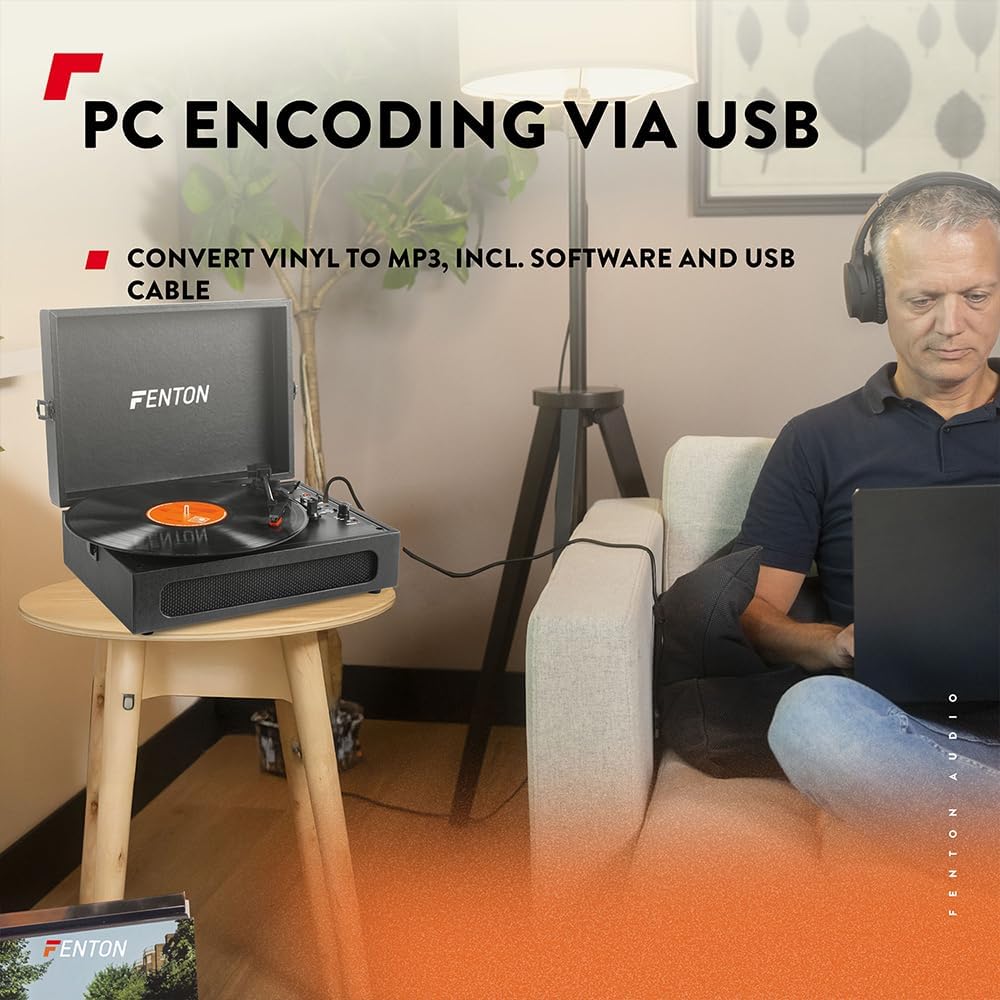
Image 6.3: USB encoding in progress, converting vinyl audio to MP3 files lori kọmputa kan.
6.5. Using the AUX Input (Line In)
Connect an external audio device (e.g., smartphone, MP3 player) to the turntable's built-in speakers.
- Connect a 3.5mm audio cable from your external device's headphone or line-out jack to the "Line In" jack on the turntable.
- Turn the Power/Volume knob clockwise to power on the unit.
- Ensure the BT OUT/PHONO/BT IN switch is not in "BT IN" mode (it can be in PHONO or BT OUT, as Line In is a separate input).
- Play audio from your external device. The sound will be routed through the turntable's speakers.
- Adjust the volume using the Power/Volume knob on the turntable and/or your connected device.
7. Itọju
7.1. Nu Turntable naa
- Yọọ ẹyọ kuro nigbagbogbo lati iṣan agbara ṣaaju ṣiṣe mimọ.
- Use a soft, dry cloth to wipe the exterior surfaces. Do not use abrasive cleaners, waxes, or solvents.
- Gently brush the stylus with a soft brush designed for stylus cleaning, moving from back to front.
- Jẹ́ kí a ti ìbòrí eruku náà pa nígbà tí a kò bá lò ó láti dènà kí eruku kó jọ.
7.2. Rírọ́pò Stylus
The stylus is a consumable part and will wear out over time. A worn stylus can damage your records and degrade sound quality. Replace the stylus after approximately 300-500 hours of playback, or if you notice a significant drop in sound quality or visible damage.
- Consult the manufacturer's website or your retailer for compatible replacement styli.
- Follow the instructions provided with the replacement stylus for proper installation.
8. Laasigbotitusita
| Isoro | Owun to le Fa | Ojutu |
|---|---|---|
| Ko si agbara | Power adapter not connected; Power outlet not working; Power/Volume knob off. | Ensure power adapter is securely connected. Try a different outlet. Turn Power/Volume knob clockwise to ON. |
| Ko si ohun lati ọdọ awọn agbohunsoke | Volume too low; BT OUT/PHONO/BT IN switch in incorrect position; Headphones connected. | Increase volume. Set switch to "PHONO" for vinyl or "BT IN" for Bluetooth reception. Disconnect headphones. |
| Ohun daru tabi fo | Record dirty or damaged; Stylus worn or dirty; Turntable not level. | Clean record. Clean or replace stylus. Place turntable on a level surface. |
| Awọn oran sisopọ Bluetooth | Device too far; Turntable not in pairing mode; Incorrect BT mode selected. | Move device closer. Ensure turntable is in "BT IN" (for reception) or "BT OUT" (for transmission) mode and indicator is flashing. Restart both devices. |
| Record stops prematurely (Auto Stop) | Auto Stop switch is ON. | This is normal operation. If you prefer continuous rotation, set the Auto Stop switch to OFF. |
9. Awọn pato
| Brand | Fenton |
| Nọmba awoṣe | RP118B |
| Àwọ̀ | Dudu |
| Ohun elo | Polyurethane |
| Motor Iru | Igbanu-ìṣó |
| Sisisẹsẹhin Awọn iyara | 33 1/3, 45, 78 RPM |
| Awọn ẹrọ ibaramu | Personal computer, MP3 player, smartphone, headphones, speakers, tablet |
| Ẹya Bluetooth | 5.0 (for reception and transmission) |
| USB Išẹ | PC encoding (Vinyl to MP3) |
| Awọn abajade Audio | RCA Line Out, 3.5mm Headphone Jack |
| Awọn igbewọle Audio | 3.5mm AUX Ni |
| Awọn Agbọrọsọ Ese | Yes, stereo |
| Iwọn Nkan | 3.25 kilo |
| Ibi ti ina elekitiriki ti nwa | DC 5V (Adapter wa ninu rẹ) |

Image 9.1: Dimensions of the Fenton RP118B turntable.
10. Atilẹyin ọja ati Support
For warranty information, please refer to the documentation included with your purchase or visit the official Fenton website. For technical support or service inquiries, please contact your retailer or the manufacturer directly.
Manufacturer: Tronios B.V.
Ask a question about this manual
Ask about setup, troubleshooting, compatibility, parts, safety, or missing instructions. Manuals+ will review the question and use this page’s manual context to help answer it.