
Ọrọ Iṣaaju
This manual provides instructions for the proper use and maintenance of your Casio DS-2B-GD-W-DP 12-Digit Practical Calculator. Please read this manual thoroughly before using the calculator to ensure optimal performance and longevity.

olusin 1: Iwaju view of the Casio DS-2B-GD-W-DP calculator, showing the display and key layout.
Ṣeto
Orisun agbara
The Casio DS-2B-GD-W-DP calculator operates using a dual power system: solar power and battery power. It automatically switches between these sources based on ambient light conditions.
- Agbara oorun: The calculator is powered by solar cells when sufficient light is available. Ensure the solar panel, located above the display, is exposed to light for operation.
- Agbara Batiri: When light is insufficient, the calculator automatically switches to battery power. No user intervention is required for this transition.
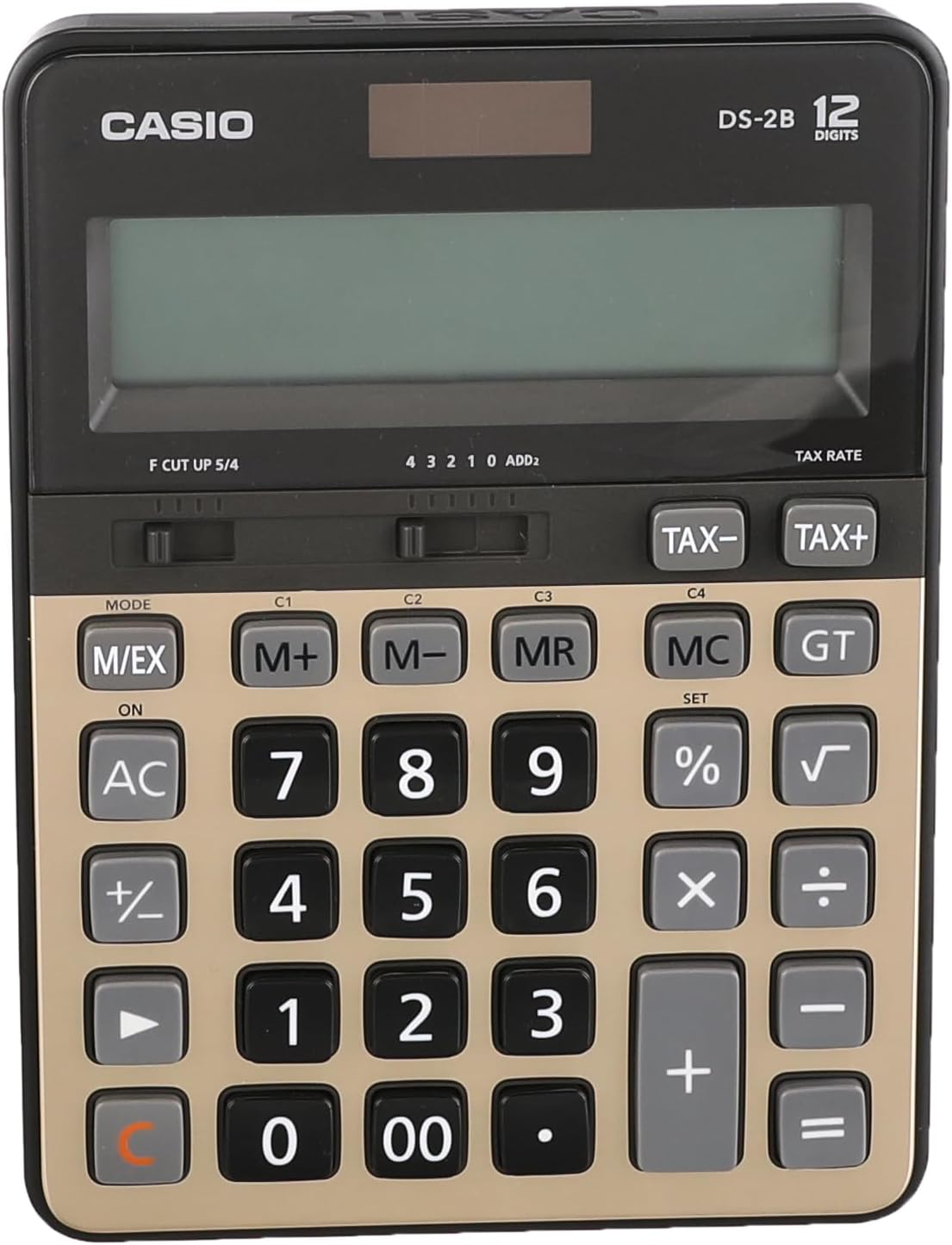
olusin 2: Top view of the calculator, highlighting the solar panel and large display area.
Lilo akọkọ
- Place the calculator in a well-lit area.
- Tẹ awọn ON/AC Bọtini lati tan ẹrọ iṣiro ati ko awọn iṣiro iṣaaju eyikeyi kuro.
- The display should show "0". If the display is blank, ensure adequate light is available or that the battery is functional.
Awọn ilana Iṣiṣẹ
Awọn iṣiro ipilẹ
- Afikun: Tẹ nọmba akọkọ sii, tẹ +, tẹ nọ́mbà kejì, tẹ =.
- Iyokuro: Tẹ nọmba akọkọ sii, tẹ -, tẹ nọ́mbà kejì, tẹ =.
- Ilọpo: Tẹ nọmba akọkọ sii, tẹ ×, tẹ nọ́mbà kejì, tẹ =.
- Pipin: Tẹ nọmba akọkọ sii, tẹ ÷, tẹ nọ́mbà kejì, tẹ =.
- Pa ìwọlé rẹ mọ́: Tẹ CE (often combined with AC) to clear the last entered number.
- Gbogbo rẹ̀ mọ́ kedere: Tẹ AC to clear all calculations and reset the display to zero.
Awọn iṣẹ iranti
The calculator includes independent memory functions for storing and recalling values.
- M+: Ṣe afikun iye ti o han si iranti.
- M-: Yọkuro iye ti o han lati iranti.
- Ọgbẹni: Recalls the value stored in memory to the display.
- MC: Pa iranti kuro.
Iṣiro-ori
The calculator features dedicated keys for tax calculations.
- TAX+: Ṣe afikun owo-ori si iye ti o han.
- TAX-: Yọ owo-ori kuro ni iye ti o han.
Note: The tax rate must be set prior to using these functions. Refer to the full Casio manual for detailed instructions on setting the tax rate.

Figure 3: Close-up of the calculator's key layout, showing function keys like M+, M-, MR, MC, TAX+, and TAX-.
Itoju
Ninu
- Mu ẹṣiro nu pẹlu asọ ti o gbẹ.
- Fun idoti agidi, fẹẹrẹ dampen awọn asọ pẹlu omi ati ki o kan ìwọnba detergent, ki o si mu ese gbẹ lẹsẹkẹsẹ.
- Ma ṣe lo awọn olomi ti o lagbara, awọn olutọpa abrasive, tabi awọn ẹrọ fifọ sokiri taara sori ẹrọ iṣiro.
Ibi ipamọ
- Tọju ẹrọ iṣiro naa ni itura, aye gbigbẹ kuro lati orun taara ati awọn iwọn otutu to gaju.
- Avoid exposing the calculator to excessive moisture or dust.
Batiri Rirọpo
The calculator uses a button-cell battery as a backup power source. If the display becomes dim or unresponsive in sufficient light, the battery may need replacement. Battery replacement should ideally be performed by a qualified technician or according to the detailed instructions in the comprehensive Casio manual to avoid damaging the device.
Laasigbotitusita
| Isoro | Owun to le Fa | Ojutu |
|---|---|---|
| Ifihan ti ṣofo tabi baibai. | Insufficient light for solar power. / Battery is low or depleted. | Move the calculator to a brighter area. / Replace the battery (refer to Maintenance section). |
| Calculator does not respond to key presses. | Calculator is off. / Temporary malfunction. | Tẹ ON/AC. / Remove the calculator from light for a few minutes, then re-expose to light and press ON/AC. |
| Awọn abajade iṣiro ti ko tọ. | Incorrect input. / Incorrect mode setting. | Verify input numbers and operations. / Press AC to clear and restart. Check mode settings if applicable (e.g., decimal point selector). |
Awọn pato
- Awoṣe: Casio DS-2B-GD-W-DP
- Awọn nọmba: 12
- Orisun Agbara: Solar & Battery (Dual Power)
- Iru ifihan: Extra Large LCD
- Iru bọtini: Durable anti-fade plastic keys
- Awọn iwọn (L x W x H): Isunmọ 18.95 x 14 x 0.25 cm
- Ìwúwo: O fẹrẹ to 305 g
- Ohun elo: Ṣiṣu
- Awọn iṣẹ: Basic arithmetic, Memory (M+, M-, MR, MC), Tax calculation (TAX+, TAX-), Percentage (%), Square Root (√), Grand Total (GT), Mark-up (MU), Decimal Selector (F, CUT, UP, 5/4), Rounding Selector (4, 3, 2, 1, 0, ADD2).
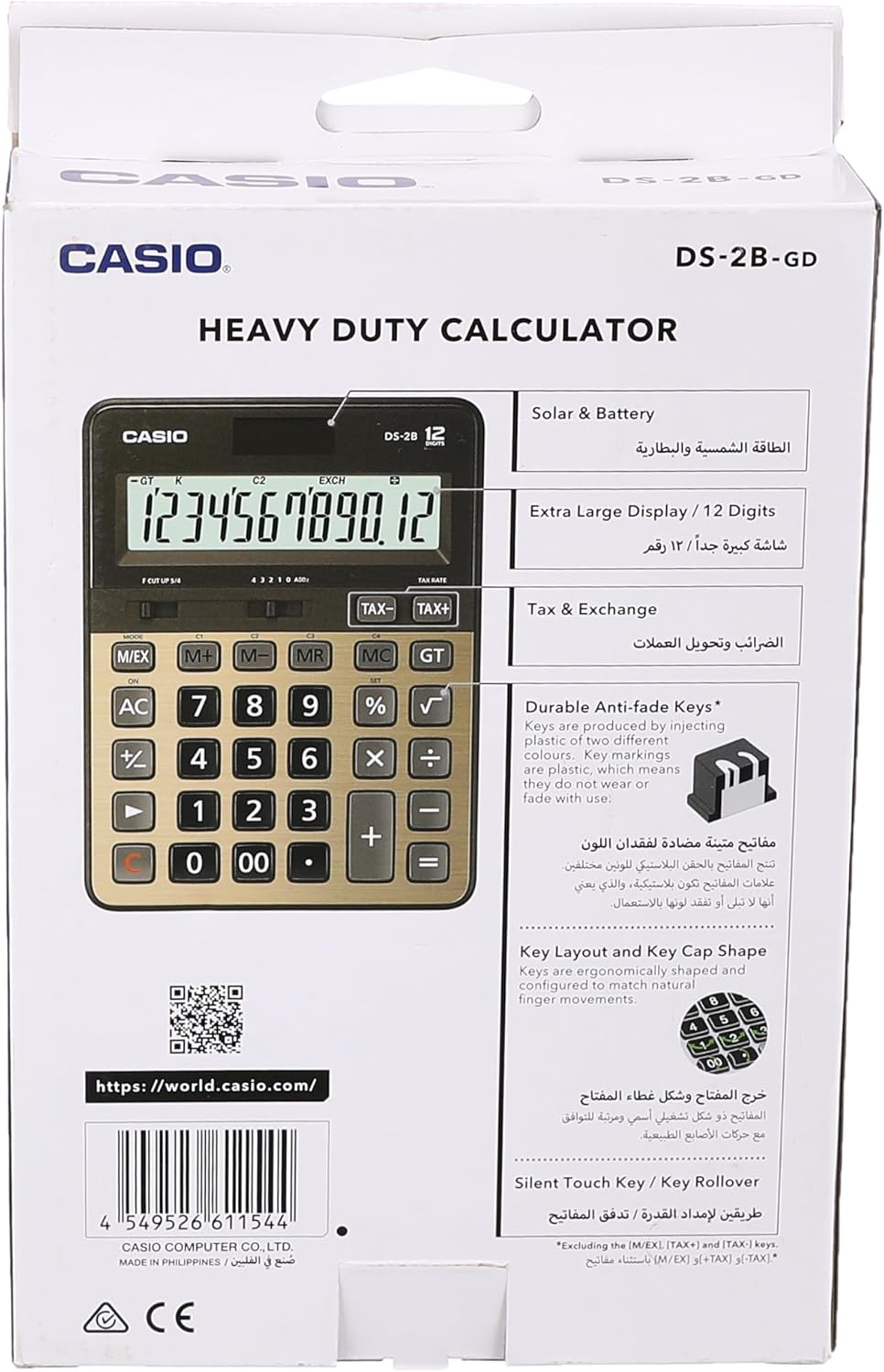
Figure 4: Product packaging highlighting key features such as solar & battery power, extra large display, and durable keys.
Atilẹyin ọja ati Support
For detailed warranty information and customer support, please refer to the documentation included with your purchase or visit the official Casio webojula.
- Casio osise Webojula: https://world.casio.com
- Olupese: Casio Computer Co., Ltd.
- Nọmba awoṣe: DS-2B-GD-W-DP
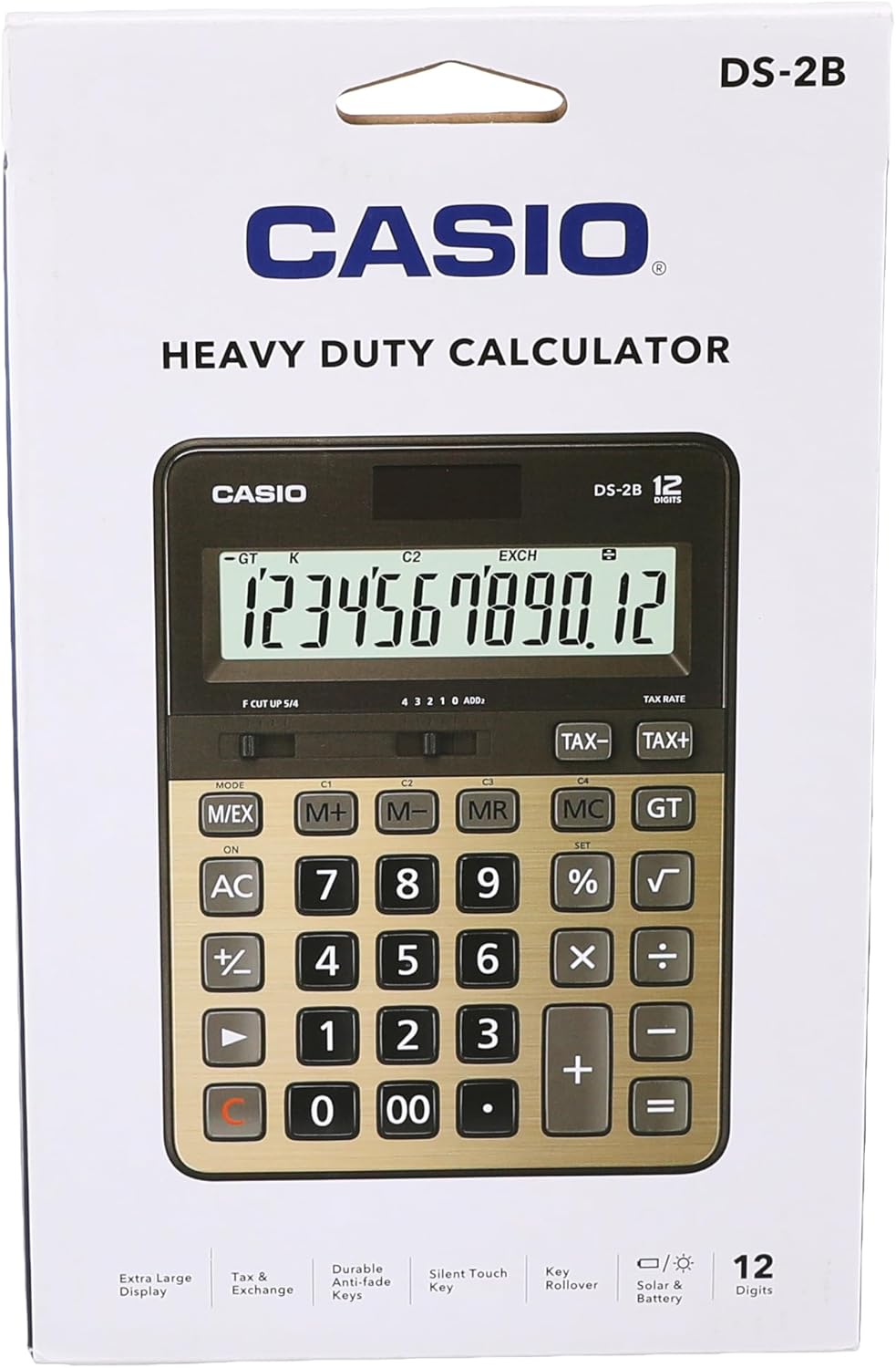
olusin 5: Ẹyìn view of the product packaging, displaying the barcode and official webaaye fun alaye siwaju.