
1. Ifihan
Thank you for choosing the Sades Whisper Wireless Multiplatform Gaming Headset. This manual provides detailed instructions for setting up, operating, and maintaining your headset to ensure optimal performance and longevity. The Sades Whisper headset offers premium audio, long-lasting battery life, fast charging, and comfortable use, designed for an immersive gaming experience across multiple platforms.
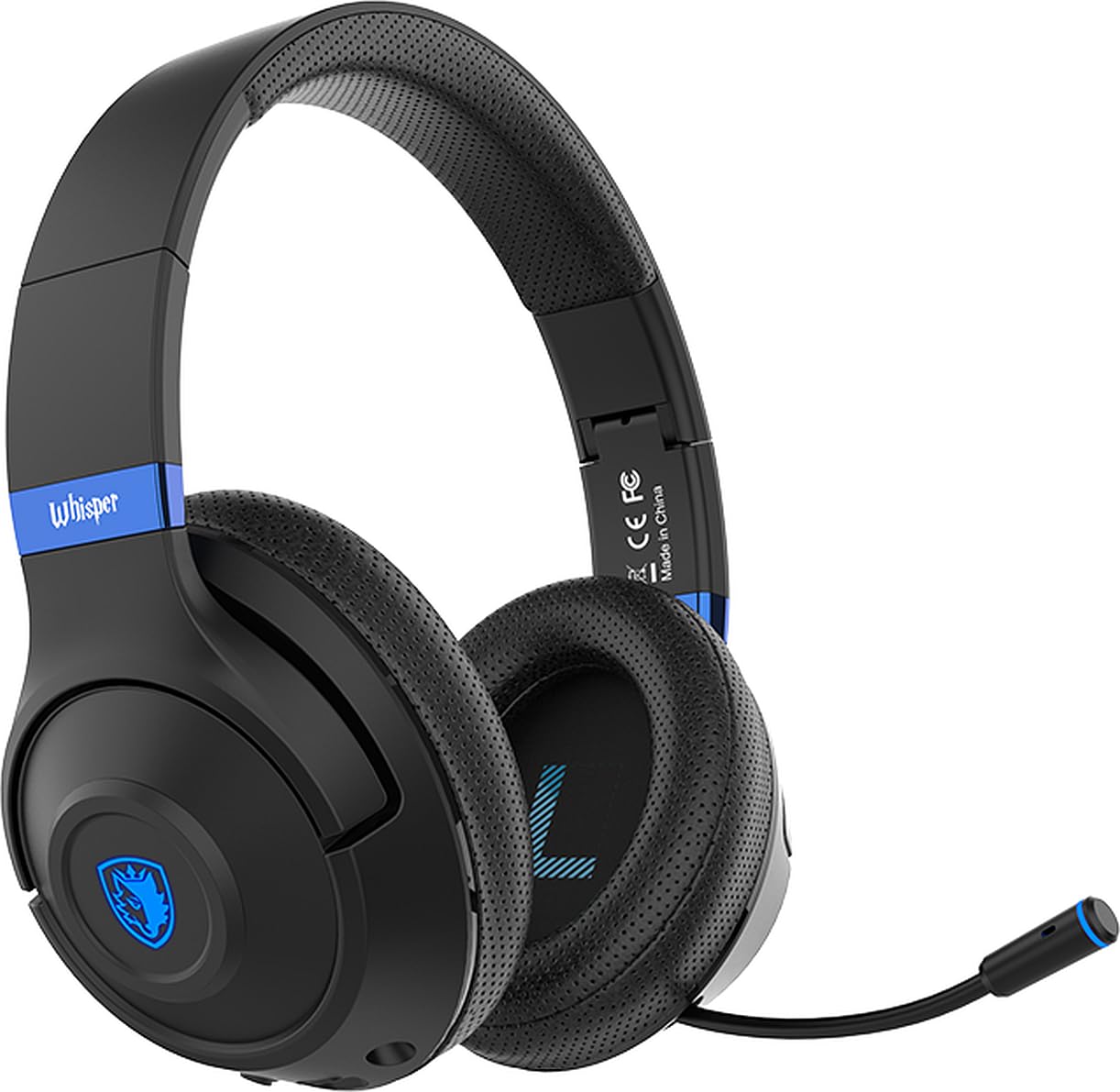
Image 1.1: Sades Whisper Wireless Gaming Headset. This image displays the overall design of the Sades Whisper headset, highlighting its sleek black finish and blue accents.
2. Ọja Ipariview
2.1 Key Awọn ẹya ara ẹrọ
- Flexible Retractable Microphone: Fun ibaraẹnisọrọ kedere.
- Fashion Blue Lights: Enhances the gaming environment.
- Gbigba agbara ni kiakia: Via Type-C port.
- Soft Earmuffs: For extended comfort.
- Comfortable Tiara (Headband): Atunṣe fun ibamu to ni aabo.
- Folding Headphones: Fun irọrun gbigbe ati ibi ipamọ.
- Akọkọ ti o le ṣatunṣe: Ensures a personalized fit.
2.2 Headset Components and Controls
Familiarize yourself with the various parts and controls of your Sades Whisper headset.

Image 2.1: Headset Controls. This image provides a detailed view of the control buttons located on the earcup, including volume, multifunction, and power buttons, along with the Type-C charging port and 3.5mm audio jack.
- Iṣakoso iwọn didun: Ṣe atunṣe ipele iṣelọpọ ohun.
- Multifunction Button (M Button): Controls various functions such as play/pause, mute, game mode, and call management.
- Bọtini agbara: Used for powering on/off, pairing, and other functions.
- Iru Ibudo-C: Fun gbigba agbara agbekari.
- Jack Audio 3.5mm: Fun asopọ onirin.
- Gbohungbohun ti o le fa pada: Can be extended for use and retracted for storage.
3. Eto
3.1 Gbigba agbara akọkọ
Before first use, fully charge your Sades Whisper headset. Connect the provided Type-C charging cable to the headset's Type-C port and a compatible USB power source. A full charge takes approximately 2 hours and provides up to 32 hours of battery life.
3.2 Titan / Pa a
- Lati Fi agbara: Tẹ bọtini agbara ki o si mu titi ti ifihan LED yoo fi tan imọlẹ.
- Lati Paarẹ: Tẹ mọlẹ bọtini agbara titi ti itọkasi LED yoo wa ni pipa.
4. Awọn ilana Iṣiṣẹ
4.1 Asopọmọra Aw
The Sades Whisper headset supports both wireless (Bluetooth 5.3) and wired (3.5mm audio jack) connections.

Image 4.1: Dual Connection Options. This image illustrates the headset's ability to connect wirelessly via Bluetooth 5.3 and through a wired 3.5mm audio cable, showing compatibility with various devices.
4.1.1 Bluetooth Connection (Wireless)
- Ensure the headset is powered on and in pairing mode (LED indicator will flash, typically blue). If not, press and hold the Power button or Multifunction button to initiate pairing.
- On your device (mobile phone, TV with Bluetooth, laptop, MAC, iPad, etc.), go to Bluetooth settings and search for available devices.
- Select "Sades Whisper" from the list of found devices to pair.
- Once connected, the LED indicator will typically show a steady blue light.
4.1.2 3.5mm Asopọ onirin waya
For devices without Bluetooth or when a wired connection is preferred (e.g., PS4, PS5, Xbox, phones with 3.5mm jack), use the included 3.5mm audio cable.
- So opin kan ti okun ohun 3.5mm sinu jaketi ohun 3.5mm ti agbekọri naa.
- Plug the other end into the 3.5mm audio port of your device.
- The headset will operate in wired mode, bypassing Bluetooth functionality.
4.2 Gbohungbohun Lilo
The Sades Whisper features an omni-directional retractable microphone with noise reduction capabilities for clear voice capture.
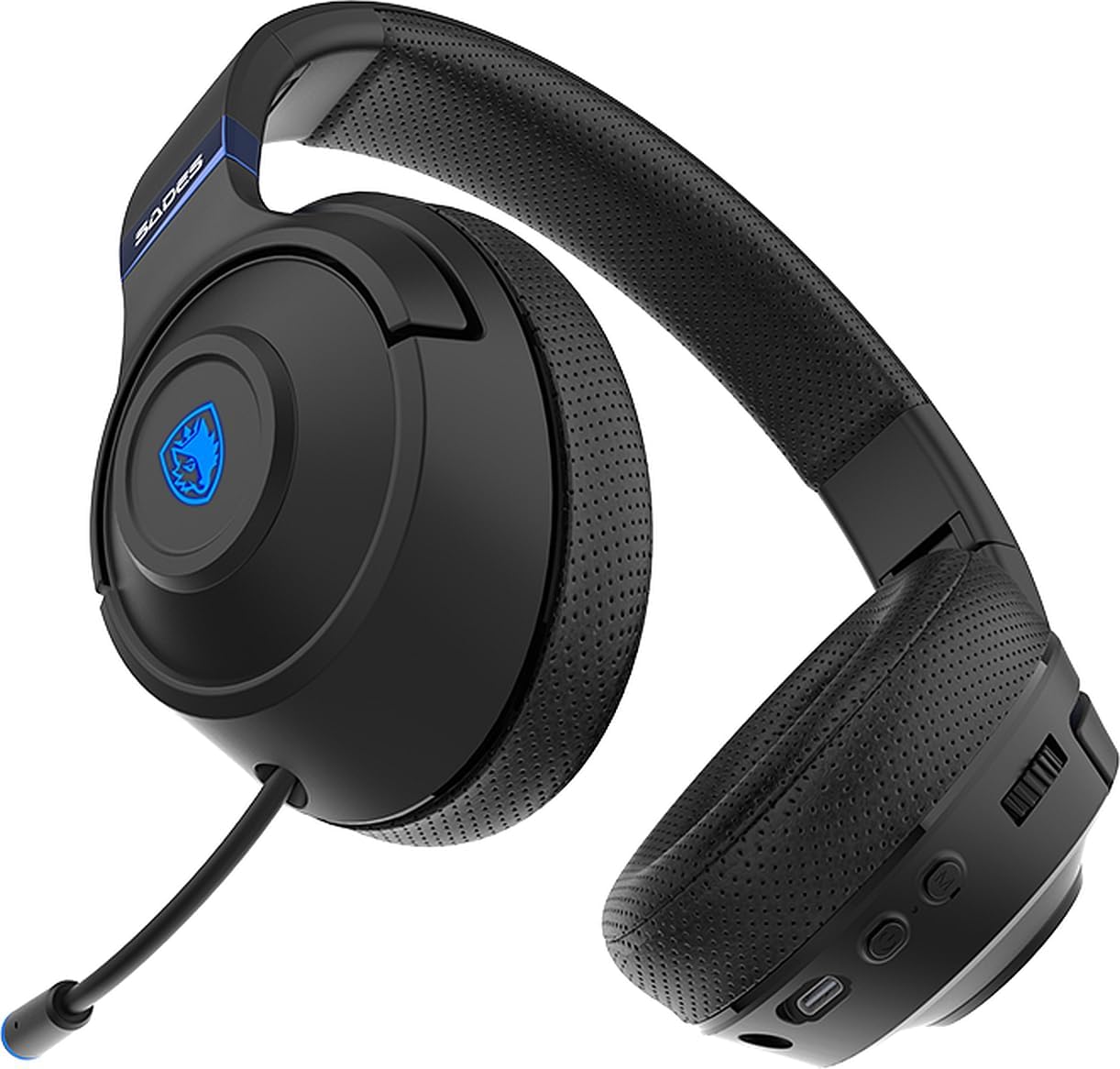
Image 4.2: Retractable Microphone. This image shows the flexible, retractable microphone extended from the headset, ready for use.
- Lati Lo: Gently pull out the microphone from its housing until it is in position. Adjust its flexible arm for optimal voice pickup.
- Lati Tọju: Gently push the microphone back into its housing until it is fully retracted.
- Pa Iṣẹ́ Dakẹ́ Use the multifunction button on the headset to mute or unmute the microphone during calls or gaming.
5. Itọju
Proper maintenance ensures the longevity and performance of your Sades Whisper headset.
- Ninu: Use a soft, dry cloth to clean the headset. Do not use abrasive cleaners or solvents. For earcups, a slightly damp asọ le ṣee lo, ṣugbọn rii daju pe ko si ọrinrin ti o wọ awọn grilles agbọrọsọ.
- Ibi ipamọ: When not in use, store the headset in a cool, dry place. The foldable design allows for compact storage.
- Itọju Batiri: Avoid fully discharging the battery frequently. Charge the headset regularly, even if not in constant use, to maintain battery health.
- Yago fun awọn ipo to gaju: Do not expose the headset to extreme temperatures, humidity, or direct sunlight.

Image 5.1: Foldable Headset Design. This image demonstrates the headset's foldable earcups, illustrating its compact form factor for easy storage and transport.
6. Laasigbotitusita
If you encounter issues with your Sades Whisper headset, refer to the following common solutions:
6.1 Ko si Ohun tabi Iwọn kekere
- Ṣayẹwo Iwọn didun: Ensure the volume control on the headset and your connected device is turned up.
- Asopọmọra: Verify that the headset is properly connected via Bluetooth or the 3.5mm cable. For Bluetooth, ensure it is paired and connected.
- Device Output: Confirm that your device's audio output is set to the Sades Whisper headset.
- Ipele Batiri: A low battery can affect performance. Charge the headset fully.
6.2 Ko le Sopọ nipasẹ Bluetooth
- Ipo sisopọ: Ensure the headset is in Bluetooth pairing mode (LED flashing).
- Bluetooth ẹrọ: Rii daju pe Bluetooth ti ṣiṣẹ lori ẹrọ rẹ.
- Ijinna: Keep the headset within 10 meters (33 feet) of your device.
- Ìjánu: Lọ kuro ni awọn ẹrọ alailowaya miiran ti o le fa kikọlu.
- Gbagbe Ẹrọ: On your device, try forgetting "Sades Whisper" from the Bluetooth list and then re-pairing.
6.3 Gbohungbohun Ko Ṣiṣẹ
- Ipo Gbohungbohun: Ensure the microphone is fully extended and positioned correctly.
- Pa Iṣẹ́ Dakẹ́ Check if the microphone is muted using the headset's multifunction button.
- Awọn Eto Ẹrọ: Verify that the correct microphone input (Sades Whisper) is selected in your device's audio settings.
7. Awọn pato
| Ẹka | Sipesifikesonu |
|---|---|
| Nọmba awoṣe | SA-205 |
| Ẹya Bluetooth | V5.3 |
| Bluetooth Profile Atilẹyin | A2DP, HFP, SP, AVRCP |
| Bluetooth Ibiti | 10 mita (33 ẹsẹ) |
| Agbọrọsọ Opin | 40mm |
| Ifamọ Agbọrọsọ | 113±3dB/ 1kHz |
| Idahun igbohunsafẹfẹ Agbọrọsọ | 20-20kHz |
| Impedance Agbọrọsọ | 32 Ω/ 1 kHz |
| Speaker Handling Power Capacity | 20mW |
| Gbohungbohun Dimension | 4mm |
| Ifamọ Gbohungbohun | -42 +/- 3 dB/ 1 kHz |
| Idahun Igbohunsafẹfẹ Gbohungbohun | 100-10kHz |
| Imudanu Gbohungbohun | <2.2 KΩ 1 kHz |
| Gbohungbo Itọsọna | Omni-itọnisọna |
| Igbesi aye batiri | Titi di wakati 32 |
| Akoko gbigba agbara | Approximately 2 hours (via Type-C) |
| Batiri Iru | 602040 |
| Awọn iwọn (Gbigbe) | 21.5 x 17.3 x 10 cm |
| Ìwúwo (Sowo) | 440 giramu |
| Ibamu | Mobile phone, TV with Bluetooth, mobile devices with Bluetooth (laptop, MAC, iPad, etc.), 3.5mm audio devices (PS4, PS5, XBOX, phones) |
8. Atilẹyin ọja ati Support
For warranty information and customer support, please refer to the documentation provided with your purchase or contact your retailer. You may also visit the official Sades webAaye fun iranlọwọ siwaju ati iforukọsilẹ ọja.