
Ọrọ Iṣaaju
This manual provides detailed instructions for the setup, operation, maintenance, and troubleshooting of your Divoom Songbird Karaoke Bluetooth Speaker. Please read this manual thoroughly before using the product to ensure proper function and longevity.

Figure 1: The Divoom Songbird Karaoke Bluetooth Speaker system, including the main speaker unit, two wireless microphones, and their charging base.
Package Awọn akoonu
Ṣaaju ki o to tẹsiwaju pẹlu eto, jọwọ rii daju pe gbogbo awọn paati wa ninu package naa:
- 1 x SongBird-HQ Speaker Unit
- 2 x Awọn gbohungbohun Alailowaya
- 1 x Microphone Charging Base
- 1 x Itọsọna olumulo (iwe yii)
- 1 x Okun Ngba agbara USB-C
- 1 x Aux Cable
- 1 x Giftbag (packaging)

Figure 2: All items included in the Divoom Songbird Karaoke Bluetooth Speaker package, showing the speaker, microphones, cables, and manual.
Ṣeto
1. Ngba agbara ẹrọ
The Divoom Songbird speaker and microphones are powered by internal Lithium Ion batteries. For optimal performance, fully charge all components before first use.
- Connect the provided USB-C cable to the charging port on the speaker unit and to a compatible USB power adapter (not included).
- Place the two microphones onto their charging base. Ensure they are seated correctly for charging.
- Charging indicators (LEDs) on the speaker and microphones will illuminate during charging and turn off or change color when fully charged.
2. Agbara akọkọ Lori
- To power on the speaker, locate the power button (refer to Figure 3 for control layout) and press and hold it until you hear an audible prompt or see an indicator light.
- To power on the microphones, slide the power switch on each microphone to the 'ON' position.

Figure 3: Top panel of the Divoom Songbird speaker, illustrating the various control knobs and buttons for operation.
Awọn ilana Iṣiṣẹ
1. Asopọ Bluetooth
The Divoom Songbird speaker uses Bluetooth for wireless audio streaming.
- Rí i dájú pé a ti tan agbọrọsọ naa ati pe o wa ni ipo asopọ Bluetooth (nigbagbogbo LED ti n tàn kiri ni a maa n fihan).
- On your mobile device or computer, navigate to the Bluetooth settings.
- Wa fun available devices and select "Divoom Songbird" from the list.
- Once connected, the speaker will provide an audible confirmation, and the LED indicator will become solid.
2. Iranlọwọ (AUX) Asopọ
For wired audio playback, use the provided 3.5mm Aux cable.
- Connect one end of the Aux cable to the 3.5mm Aux-in port on the speaker.
- Connect the other end to the headphone jack or audio output of your audio source (e.g., smartphone, MP3 player).
- The speaker will automatically switch to AUX mode or may require manual selection via a mode button.
3. Using the Microphones for Karaoke
The two wireless microphones are designed for karaoke functionality.
- Ensure both the speaker and microphones are powered on.
- Àwọn gbohùngbohùn náà gbọ́dọ̀ so pọ̀ mọ́ agbọ́hùnsọ láìfọwọ́sowọ́pọ̀. Tí kò bá rí bẹ́ẹ̀, wo apá ìṣòro.
- Adjust microphone volume and echo effects using the dedicated knobs on the speaker's top panel (refer to Figure 3).
- Sing into the microphone while playing music through the speaker via Bluetooth or AUX.

Figure 4: The two wireless microphones for the Divoom Songbird speaker, shown resting in their charging base.
Itoju
1. Ninu
Láti mú kí ìrísí àti iṣẹ́ agbọ̀rọ̀sọ rẹ máa ṣiṣẹ́ dáadáa:
- Fi aṣọ rirọ, gbẹ, tí kò ní àwọ̀ nu àwọn ojú ìta.
- Do not use abrasive cleaners, alcohol, benzene, or other chemical solvents, as these may damage the finish.
- Yago fun gbigba ọrinrin sinu eyikeyi awọn ṣiṣi.
2. Ibi ipamọ
Nigbati ko ba wa ni lilo fun awọn akoko ti o gbooro sii:
- Store the speaker and microphones in a cool, dry place, away from direct sunlight and extreme temperatures.
- Ensure the batteries are partially charged (around 50%) before long-term storage to preserve battery health.
3. Itọju batiri
The device contains a built-in rechargeable Lithium Ion battery. To maximize battery lifespan:
- Yago fun gbigba agbara si batiri ni kikun nigbagbogbo.
- Avoid leaving the device plugged in constantly after it's fully charged.
- Charge the device at least once every three months if not in regular use.
Laasigbotitusita
If you encounter issues with your Divoom Songbird speaker, refer to the following common problems and solutions:
| Isoro | Owun to le Fa | Ojutu |
|---|---|---|
| Kò sí agbára/Ẹ̀rọ tí yóò tan | Batiri ti dinku. | Charge the speaker and microphones fully using the provided USB-C cable. |
| Ko le sopọ nipasẹ Bluetooth | Agbọrọsọ ko si ni ipo sisopọ; ẹrọ Bluetooth wa ni pipa; ju jina lati agbọrọsọ. | Ensure speaker is in pairing mode. Turn Bluetooth off and on again on your device. Move closer to the speaker (within 10 meters). Forget the device on your phone and re-pair. |
| Ko si ohun lati agbọrọsọ | Volume is too low; incorrect input mode; audio source issue. | Increase volume on both the speaker and your audio source. Ensure the correct input mode (Bluetooth/AUX) is selected. Check if the audio source is playing correctly. |
| Awọn gbohungbohun ko ṣiṣẹ | Microphones are off; not charged; not paired with speaker. | Ensure microphones are powered on and charged. Power cycle both the speaker and microphones. They should automatically pair. |
Awọn pato
Detailed technical specifications for the Divoom Songbird Karaoke Bluetooth Speaker:
- Nọmba awoṣe: 90100058218
- Brand: Divoom
- Awọn iwọn ọja: 28 x 10 x 25 cm
- Ìwọ̀n Nkan: 1.3 kg
- Orisun Agbara: Agbara Batiri (Batiri Lithium ion 1 to wa)
- Agbara ohun: 50 Watt
- Awọn gbohungbohun: Dual Microphone 24bit
- Igbesi aye batiri: O fẹrẹ to awọn wakati 8
- Imọ-ẹrọ Asopọmọra: Iranlọwọ, Bluetooth
- Orisi Asopọmọra: 3.5 mm Jack
- Awọn ẹya pataki: Bluetooth, To ṣee gbe
- Àwọ̀: Alawọ ewe
- Awọn lilo ti a ṣe iṣeduro: For music players, Karaoke
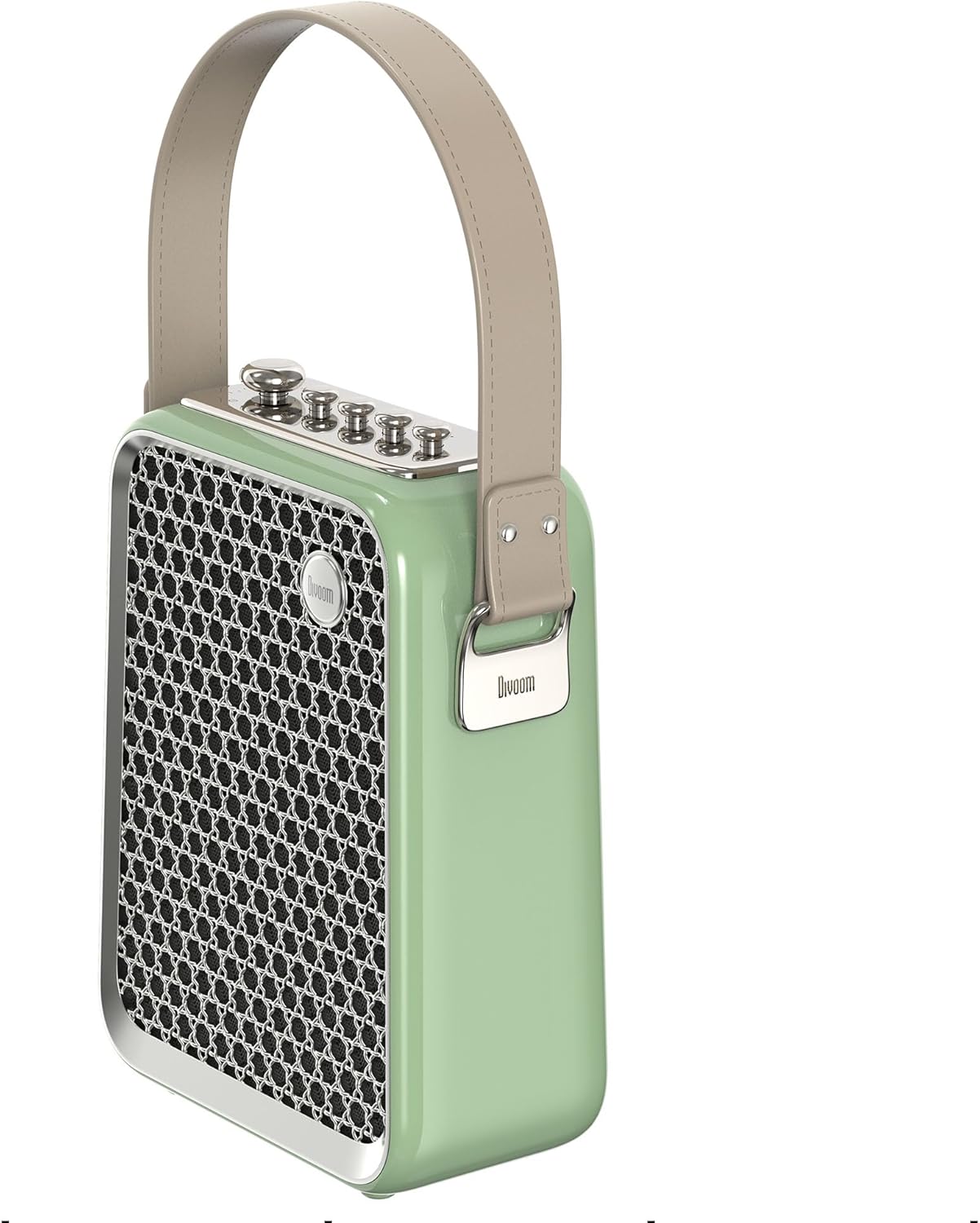
olusin 5: Ẹgbẹ profile of the Divoom Songbird speaker, highlighting its compact dimensions and integrated carrying handle.
Atilẹyin ọja ati Support
Alaye atilẹyin ọja
This product may be eligible for extended warranty plans and accidental damage protection plans. Please refer to your purchase documentation or contact your retailer for specific warranty terms and conditions applicable to your region.
- Eto Atilẹyin ọja ti o gbooro sii Ọdun 1: Wa fun rira.
- 1 Year Accidental Damage Protection Plan: Wa fun rira.
- Ètò Àtìlẹ́yìn Ọdún 2: Wa fun rira.
Onibara Support
For technical assistance, troubleshooting beyond this manual, or warranty claims, please contact Divoom customer support. Visit the official Divoom website for contact information or refer to the support details provided with your product packaging.
O tun le ṣàbẹwò awọn Divoom brand page on Amazon fun alaye siwaju sii.