
1. Ifihan
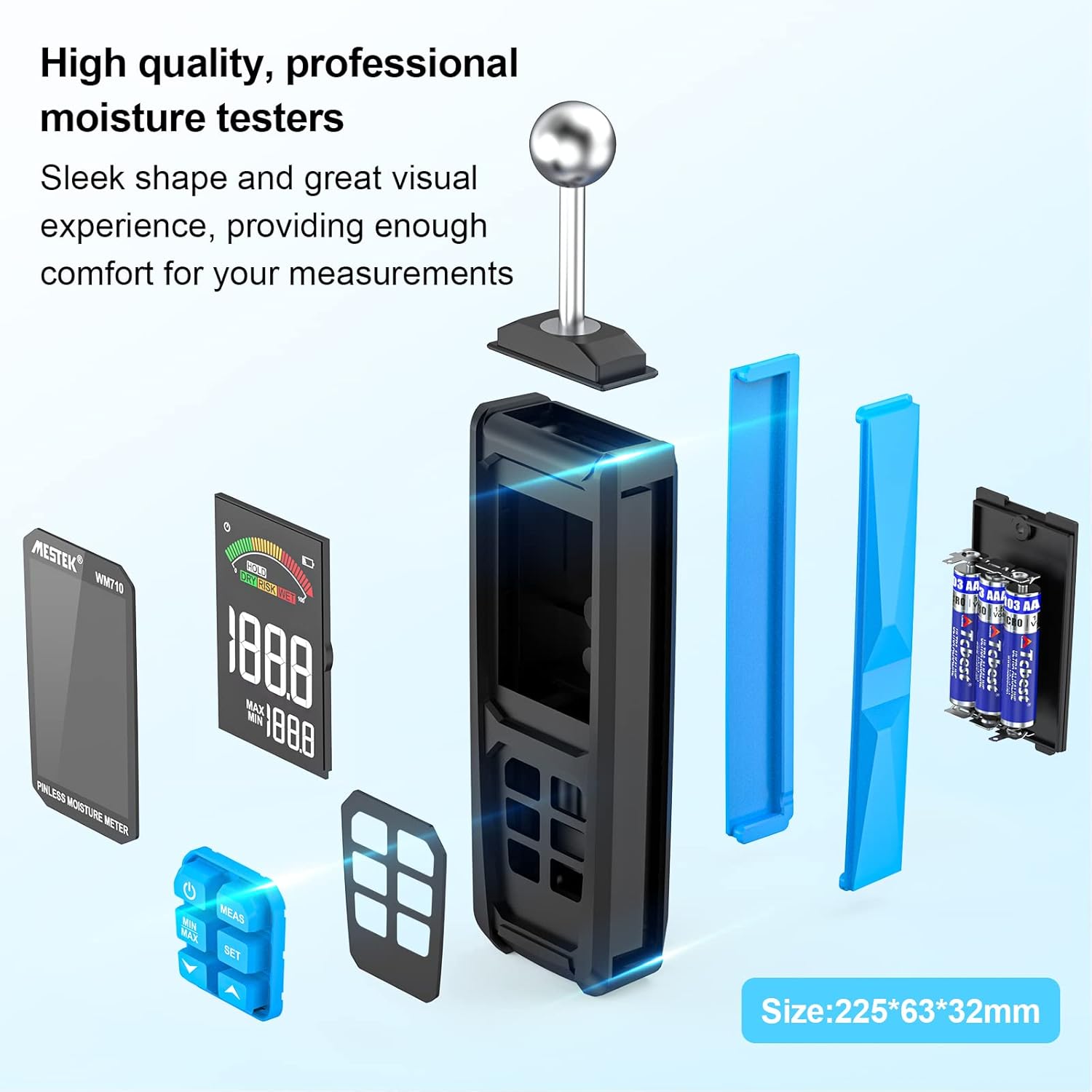
The MESTEK WM710A is a professional, non-destructive pinless moisture meter designed for detecting moisture content in various building materials. This device utilizes a spherical probe to send and receive high-frequency signals, allowing for damage-free moisture assessment. It is an essential tool for homeowners, builders, carpenters, and gardeners to identify leaks and moisture-related issues in wood, walls, concrete, and other construction materials.
This manual provides detailed instructions on how to set up, operate, and maintain your MESTEK WM710A moisture meter to ensure accurate and reliable measurements.
2. Awọn ẹya Ọja
- Ìwọ̀n Tí Kò Lè Parun: Detects moisture without damaging the material. The spherical probe allows for easy measurement in corners and narrow areas.
- Ibi Iwọn Wiwọn: Measures moisture from 0.0% to 100.0% with a resolution of 0.1%. Maximum measurement depth is 40mm.
- Iṣatunṣe aifọwọyi: Simple three-second press of the 'MEAS' button initiates automatic calibration for consistent accuracy.
- Large HD Color Display: Features a 3-inch high-definition color LCD screen with an analog bar for intuitive and clear readings.
- Audible Alarm Function: Provides audible alerts based on user-settable thresholds for 'Wet', 'Risk', and 'Dry' conditions.
- Data Retention & Max/Min Record: Allows for data hold and displays maximum/minimum measured values simultaneously.
- Tiipa Aifọwọyi: The device automatically powers off after 30 minutes of inactivity to conserve battery life.
- Apẹrẹ ti o tọ: Robust construction with a soft rubber exterior for enhanced durability.
3. Package Awọn akoonu
Nigbati o ba ṣii package, jọwọ rii daju pe gbogbo awọn nkan wọnyi wa pẹlu:
- 1 x MESTEK WM710A Pinless Moisture Meter
- 3 x AAA batiri
- 1 x Itọsọna olumulo
- 1 x Screwdriver
- 1 x Apo Ibi ipamọ
4. Eto
4.1 Fifi sori batiri
To power on your MESTEK WM710A, you need to install the included AAA batteries:
- Wa yara batiri ni ẹhin ẹrọ naa.
- Lo screwdriver ti a pese lati ṣii ideri apo batiri naa.
- Fi awọn batiri AAA meji sii, ki o rii daju pe polarity ti o tọ (+/-).
- Rọpo ideri kompaktimenti batiri ki o ni aabo pẹlu dabaru.
Apejuwe: This image shows the back of the MESTEK WM710A moisture meter with the battery compartment open. A hand is inserting AAA batteries into the compartment, and a small screwdriver is visible, indicating the tools needed for installation.
5. Awọn ilana Iṣiṣẹ
5.1 Power On and Calibration
Follow these steps to power on the device and perform initial calibration:
- Tẹ awọn Agbara bọtini (
 ) to turn on the moisture meter.
 - Hold the spherical probe in the air, away from any materials, to ensure a dry environment for calibration.
- Tẹ mọlẹ MEAS button for approximately three seconds until 'CAL' appears on the screen, indicating automatic calibration is in progress.
- Once calibration is complete, the display will show '0.0' or a very low value, ready for measurement.
Apejuwe: This image provides a visual four-step guide for operating the MESTEK WM710A. It shows pressing the power button, holding the probe in a dry area for calibration, pressing the MEAS button, and the display showing 'CAL' during calibration.
5.2 Gbigba Awọn wiwọn
To measure moisture content:
- Place the spherical probe directly onto the surface of the material you wish to measure. Ensure full contact between the probe and the material.
- The device will instantly display the moisture reading on the LCD screen. The measurement depth is between 20-40mm.
- The color analog bar on the display will indicate the moisture level: Alawọ ewe for Dry, Yellow for Risk, and Pupa for Wet.

Apejuwe: A close-up of the MESTEK WM710A's large backlit LCD display, showing the current measured value, maximum and minimum recorded values, and a color-coded analog bar indicating moisture levels (Dry, Risk, Wet).

Apejuwe: This image shows the MESTEK WM710A moisture meter being used to measure moisture on a wall surface, demonstrating the non-destructive nature of the spherical probe.
5.3 Data Hold and Max/Min Record
- To hold the current measurement on the screen, press the DIMU button. Press it again to release.
- The device automatically records the maximum (MAX) and minimum (MIN) moisture values during a measurement session. These values are displayed below the current reading.
- Si view only the MAX or MIN value, press the MIN / MAX bọtini.

Apejuwe: A close-up of the MESTEK WM710A display showing the 'HOLD' indicator, signifying that the current measurement is frozen on the screen.

Apejuwe: The MESTEK WM710A held against a wall, demonstrating its ability to automatically detect and display the maximum and minimum moisture values within a test range to help locate wet and dry areas.
5.4 Ṣíṣeto Àwọn Ààlà Ìkìlọ̀
The MESTEK WM710A allows you to set custom alarm thresholds for 'Risk' and 'Wet' conditions:
- Tẹ awọn SET bọtini lati tẹ ipo eto itaniji sii.
- Lo awọn Up (
 ) ati Isalẹ () arrow buttons to adjust the desired 'Risk' or 'Wet' value.
 - Tẹ SET again to switch between 'Risk' and 'Wet' thresholds.
- Once the desired values are set, press the Agbara bọtini lati jade ni ipo eto.

Apejuwe: The moisture meter in use on a wooden surface, illustrating the 'Dry', 'Risk', and 'Wet' indicators on the display, which change based on the measured moisture content. An exclamation mark indicates an alarm condition.
5.5 Video ifihan
Apejuwe: An official product video demonstrating the features and usage of the MESTEK WM710A Pinless Moisture Meter, including battery installation, calibration, measurement on different materials, and alarm functions.
6. Awọn ohun elo wiwọn
The MESTEK WM710A is versatile and can be used on a wide range of materials:
- Wood Materials: Ideal for checking moisture levels in various types of wood before cutting or for assessing existing wooden structures.
- Awọn odi: Suitable for detecting moisture in plaster, stucco, and brick walls.
- Concrete & Cement: Effective for measuring moisture in concrete slabs and cement surfaces.
- Aja: Can be used to check for moisture in ceiling materials.
Note: This device is not designed for use on metallic materials.

Apejuwe: Four images demonstrating the MESTEK WM710A being used to measure moisture in different materials: wood, a powder/brick wall, concrete, and a ceiling, showcasing awọn oniwe-versatility.
7. Awọn pato
| Ẹya ara ẹrọ | Sipesifikesonu |
|---|---|
| Nọmba awoṣe | WM710A |
| Brand | MESTEK |
| Ijinle Wiwọn | 20-40mm |
| Iwọn Iwọn | Ọdun 0.0 - Ọdun 100.0 |
| Ipinnu | 0.1% |
| Ifihan | Large HD Color LCD (3 inches) |
| Orisun agbara | 3 x Awọn batiri Alkaline AAA |
| Awọn iwọn Ọja (W x H) | 32mm x 225mm |
| Iwọn Ọja | 360 giramu |
| Awọn iwọn otutu ti nṣiṣẹ | Titi di 50°C |
| Tiipa aifọwọyi | Lẹhin iṣẹju 30 ti aiṣiṣẹ |
| Awọn irinše to wa | WM710A Hygrometer, 3 AAA Batteries, User Manual, Screwdriver, Storage Bag |
8. Itọju
- Ninu: Mu ẹrọ naa nu pẹlu asọ ti o gbẹ. Ma ṣe lo abrasive ose tabi epo.
- Ibi ipamọ: Store the moisture meter in a cool, dry place when not in use. If storing for an extended period, remove the batteries to prevent leakage.
- Rirọpo Batiri: Replace batteries when the low power reminder appears on the display to ensure accurate readings.
- Itọju Iwadii: Keep the spherical probe clean and free from debris to maintain optimal performance.
9. Laasigbotitusita
If you encounter issues with your MESTEK WM710A, please refer to the following common problems and solutions:
- Ẹrọ ko ni agbara lori:
- Ṣayẹwo boya awọn batiri ti fi sori ẹrọ ni deede pẹlu polarity to tọ.
- Rọpo pẹlu awọn batiri AAA tuntun.
- Awọn kika ti ko pe:
- Ensure the device is calibrated in a dry environment before use.
- Make sure the spherical probe has full contact with the material surface.
- Avoid measuring near metallic objects, as this can interfere with readings.
- Itaniji ko dun:
- Verify that the alarm thresholds are set correctly in the settings menu.
- Check if the measured moisture level exceeds the set threshold.
10. Atilẹyin ọja ati Support
The MESTEK WM710A Pinless Moisture Meter comes with a 2-odun atilẹyin ọja from the date of purchase. This warranty covers manufacturing defects and ensures the product's quality and performance under normal use.
For any questions, technical support, or warranty claims, please contact MESTEK customer service. We aim to respond to all inquiries within 24 hours.
Ibi iwifunni: Please refer to the contact details provided in your product packaging or visit the official MESTEK webojula fun support.