
1. Ifihan
The OQIMAX Aux Bluetooth 5.0 Adapter is a versatile 2-in-1 wireless device designed to add Bluetooth functionality to your non-Bluetooth audio equipment. It can operate as both a Bluetooth transmitter and a Bluetooth receiver, allowing you to stream audio wirelessly to or from various devices such as car stereo systems, home stereo systems, wired headphones, computers, and televisions.
2. Ọja Ipariview
2.1 Package Awọn akoonu
- OQIMAX Aux Bluetooth 5.0 Adapter
- Okun Ngba agbara USB
- Itọsọna olumulo
Note: An audio connection cable (e.g., 3.5mm AUX cable) is not included and must be purchased separately if required for your setup.
2.2 Device irinše

Aworan: Pariview of the OQIMAX Aux Bluetooth 5.0 Adapter, highlighting its microphone, multifunction button, indicator light, transmitter/receiver switch, Aux In/Out port, and 5V/1A charging port.
- Gbohungbohun: Fun ipe ti ko ni ọwọ.
- Multifunction Button (M / Power / Play / Pause): Used for power on/off, play/pause music, answer/end/reject calls, and redial.
- Imọlẹ Atọka: Ṣe afihan ipo ẹrọ (sọpọ, ti sopọ, gbigba agbara).
- Transmitter / Receiver Switch: Toggles between TX (Transmitter) and RX (Receiver) modes.
- Aux In / Out Port: 3.5mm audio jack for connecting to audio devices.
- 5V/1A Charging Port: Micro USB port for charging the device.
3. Eto ati gbigba agbara
3.1 Ngba agbara si Ẹrọ

Image: The OQIMAX adapter connected to a charging port, illustrating its battery life and charging time.
Before first use, fully charge the adapter. Connect the provided USB charging cable to the 5V/1A charging port on the adapter and to a standard USB power source (e.g., car charger, wall adapter, computer USB port).
- Ina atọka naa yoo fihan ipo gbigba agbara.
- Gbigba agbara ni kikun gba to wakati mẹta.
- Once fully charged, the device provides up to 8 hours of working time for music playback or calls.
3.2 Titan / Pa a
- Lati Fi agbara: Press and hold the Multifunction Button until the indicator light turns on.
- Lati Paarẹ: Press and hold the Multifunction Button until the indicator light turns off.
4. Awọn ọna ṣiṣe

Image: A visual representation of the adapter's dual functionality, showing how it connects in Transmitter Mode (TX) to send audio from wired sources to Bluetooth headphones/speakers, and in Receiver Mode (RX) to receive audio from smartphones/tablets to wired car stereos/headphones/speakers.
4.1 Ipo olugba (RX)
In RX mode, the adapter receives audio wirelessly from a Bluetooth-enabled device (e.g., smartphone, tablet, laptop) and outputs it to a non-Bluetooth audio device (e.g., car stereo, wired headphones, wired speaker).
- Switch the adapter to Ipo RX using the Transmitter/Receiver switch.
- Connect the adapter's Aux In/Out port to the audio input of your non-Bluetooth device (e.g., car stereo AUX-in, headphone jack) using a 3.5mm audio cable (not included).
- Power on the adapter. The indicator light will flash, indicating it is in pairing mode.
- On your Bluetooth-enabled device, search for Bluetooth devices and select "OQIMAX Adapter" (or similar name) to pair.
- Once paired, the indicator light will become solid. You can now play audio from your Bluetooth device, and it will be transmitted to your connected non-Bluetooth audio system.
4.2 Ipo Atagba (TX)
In TX mode, the adapter takes audio from a non-Bluetooth audio source (e.g., TV, computer, wired home stereo) and transmits it wirelessly to a Bluetooth audio device (e.g., Bluetooth headphones, Bluetooth speaker).
- Switch the adapter to Ipo TX using the Transmitter/Receiver switch.
- Connect the adapter's Aux In/Out port to the audio output of your non-Bluetooth source device (e.g., TV headphone jack, computer audio out) using a 3.5mm audio cable (not included).
- Power on the adapter. The indicator light will flash, indicating it is in pairing mode.
- Fi awọn agbekọri Bluetooth rẹ tabi agbọrọsọ sinu ipo sisọpọ.
- The adapter will automatically search for and connect to nearby Bluetooth audio devices. Once paired, the indicator light will become solid. You can now listen to audio from your wired source on your Bluetooth audio device.
5. Ọwọ-Ọfẹ Npe
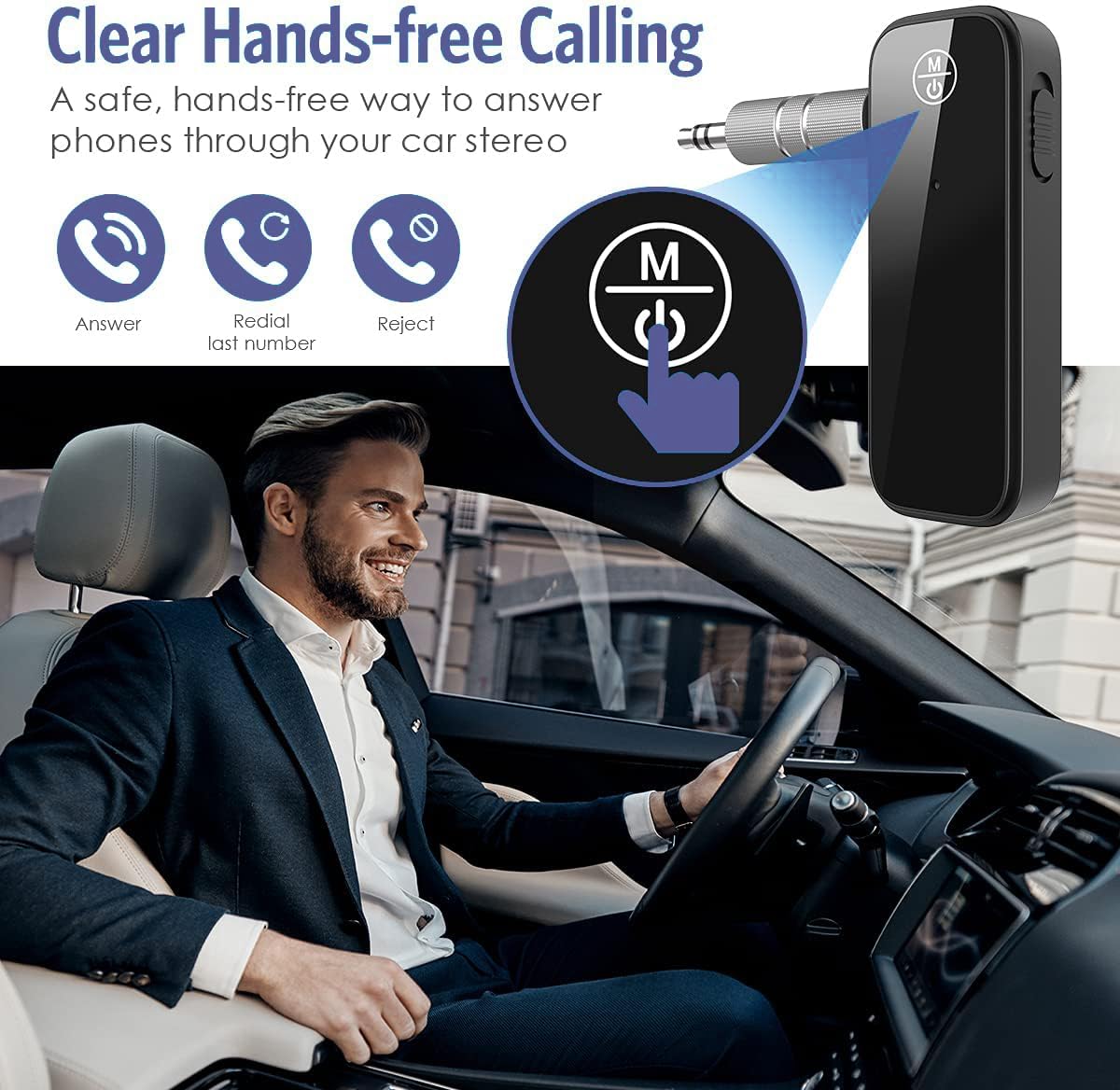
Image: The OQIMAX adapter enabling hands-free calls in a car, demonstrating its call management features.
When the adapter is in RX mode and connected to your smartphone, you can use its built-in microphone and Multifunction Button for hands-free calling.
- Idahun Ipe: Tẹ Bọtini Multifunction lẹẹkan.
- Ipe Ipari: Tẹ Bọtini Iṣẹ-ọpọlọpọ lẹẹkan nigba ipe.
- Kọ Ipe: Press and hold the Multifunction Button for 2 seconds when a call comes in.
- Nọmba Ikẹhin Tun Tun: Tẹ bọtini Multifunction lẹẹmeji.
6. Itọju
- Jeki ẹrọ naa gbẹ. Yago fun ifihan si ọrinrin tabi olomi.
- Ma ṣe gbiyanju lati tunto tabi yi ẹrọ naa pada. Eyi yoo sọ atilẹyin ọja di ofo ati pe o le fa ibajẹ.
- Nu ẹrọ naa pẹlu asọ ti o tutu, ti o gbẹ. Maṣe lo awọn kẹmika ti o lewu tabi awọn afọmọ abrasive.
- Tọju ẹrọ naa ni itura, aye gbigbẹ nigbati o ko ba wa ni lilo.
7. Laasigbotitusita
- Ko si Agbara: Rí i dájú pé ẹ̀rọ náà ti gba agbára tán pátápátá. So ó pọ̀ mọ́ orísun agbára nípa lílo okùn USB tí a fi ń gba agbára.
- Ko le So pọ:
- Ensure the adapter is in the correct mode (RX for receiving, TX for transmitting).
- Make sure the adapter is in pairing mode (indicator light flashing).
- Ensure the other device (smartphone, headphones) is also in pairing mode.
- Move the devices closer together (within 33 feet / 10 meters) and ensure no major obstacles.
- Turn off and on both devices, then try pairing again.
- The adapter automatically reconnects to the last paired device. If you want to pair a new device, ensure the previous device's Bluetooth is off or out of range.
- Ko si Ohun:
- Check that the 3.5mm audio cable is securely connected to both the adapter and the audio device.
- Ensure the adapter is in the correct mode (RX or TX) for your setup.
- Verify that both the adapter and the connected audio devices have their volumes turned up.
- Confirm that the adapter is successfully paired and connected (solid indicator light).
- Poor Audio Quality / Intermittent Connection:
- Ensure devices are within the optimal operating range (up to 33 feet / 10 meters) without significant physical obstructions (walls, doors, etc.).
- Avoid interference from other wireless devices (Wi-Fi routers, other Bluetooth devices).
- Rí i dájú pé adapter náà ti gba agbára tán pátápátá. Batiri tí kò tó lè ní ipa lórí iṣẹ́ rẹ̀.
8. Awọn pato
- Brand: OQIMAX
- Awoṣe: B0CC1ZXKGZ
- Ẹya Bluetooth: 5.0
- Awọn ọna ṣiṣe: Olùgbéjáde (TX) / Olùgbà (RX)
- Ni wiwo Hardware: Bluetooth, Bluetooth 5
- Orisi Asopọmọra: AX, Bluetooth
- Awọn ẹrọ ibaramu: Headphones, Smartphones, Speakers, Tablets, Televisions, Car Stereo Systems, Home Stereo Systems
- Awọn ẹya pataki: Built-In Microphone, Hands-Free Calling, Auto Reconnection
- Orisun Agbara: Battery Powered (Rechargeable battery included)
- Iṣagbewọle gbigba agbara: 5V/1A (USB Micro)
- Akoko gbigba agbara: O fẹrẹ to awọn wakati 2
- Akoko iṣẹ: Up to 8 hours (music/calls)
- Iwọn Alailowaya: Up to 33 feet (10 meters) without obstacles
- Awọn iwọn: 12.4 x 6.7 x 1.9 cm
- Ìwúwo: 30 g
9. Alaye Aabo
- Má ṣe fi ẹ̀rọ náà sí ojú otútù tó le koko, oòrùn tààrà tàbí iná tó ṣí sílẹ̀.
- Jeki kuro ni arọwọto awọn ọmọde.
- Sọ ẹrọ naa ati batiri rẹ ni ifojusọna ni ibamu si awọn ilana agbegbe.
- Use only the provided or a certified charging cable and adapter to prevent damage.
10. Atilẹyin ọja ati Support
For warranty information, technical support, or customer service inquiries, please refer to the product packaging or contact OQIMAX customer support through the retailer where the product was purchased. Please have your product model number (B0CC1ZXKGZ) and purchase details ready when contacting support.