
HOCO EQ3 EARBUDS
HOCO EQ3 True Wireless Earbuds User Manual
Model: EQ3 EARBUDS
1. Ifihan
Thank you for choosing the HOCO EQ3 True Wireless Earbuds. These earbuds are designed to provide a high-quality audio experience with seamless Bluetooth 5.3 connectivity, intuitive touch controls, and a comfortable in-ear fit. This manual will guide you through the setup, operation, and maintenance of your new earbuds to ensure optimal performance and longevity.
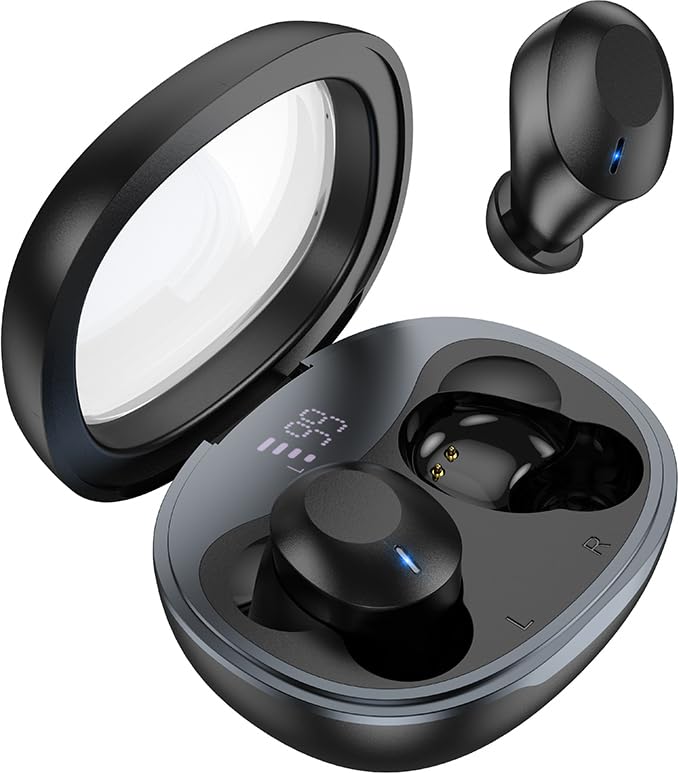
Image: The HOCO EQ3 earbuds, one in the transparent charging case displaying a digital battery percentage, and one earbud removed from the case.
2. Alaye Aabo
- Ma ṣe tuka, tunṣe, tabi tun ọja naa pada. Eyi le fa ina, iparun itanna, tabi ibajẹ pipe si ọja naa.
- Keep the device away from liquids, moisture, or humidity.
- Yago fun ṣiṣafihan ẹrọ naa si awọn iwọn otutu to gaju (isalẹ 0°C tabi loke 45°C).
- Maṣe lo ẹrọ naa lakoko iji ãrá.
- Clean the earbuds and charging case with a soft, dry cloth. Do not use harsh chemicals or abrasive materials.
- Sọ ọjà náà nù ní ọ̀nà tó tọ́ gẹ́gẹ́ bí òfin àdúgbò. Má ṣe fi ìdọ̀tí ilé pamọ́.
3. Ohun ti o wa ninu Apoti
Jọwọ ṣayẹwo awọn akoonu package lati rii daju pe gbogbo awọn ohun kan wa:
- HOCO EQ3 True Wireless Earbuds (Left and Right)
- Alailowaya Ngba agbara Case
- Okun Ngba agbara USB
- Ear Cushions (Multiple Sizes: XS/S/M/L)
- Protective Case (if included as an accessory)
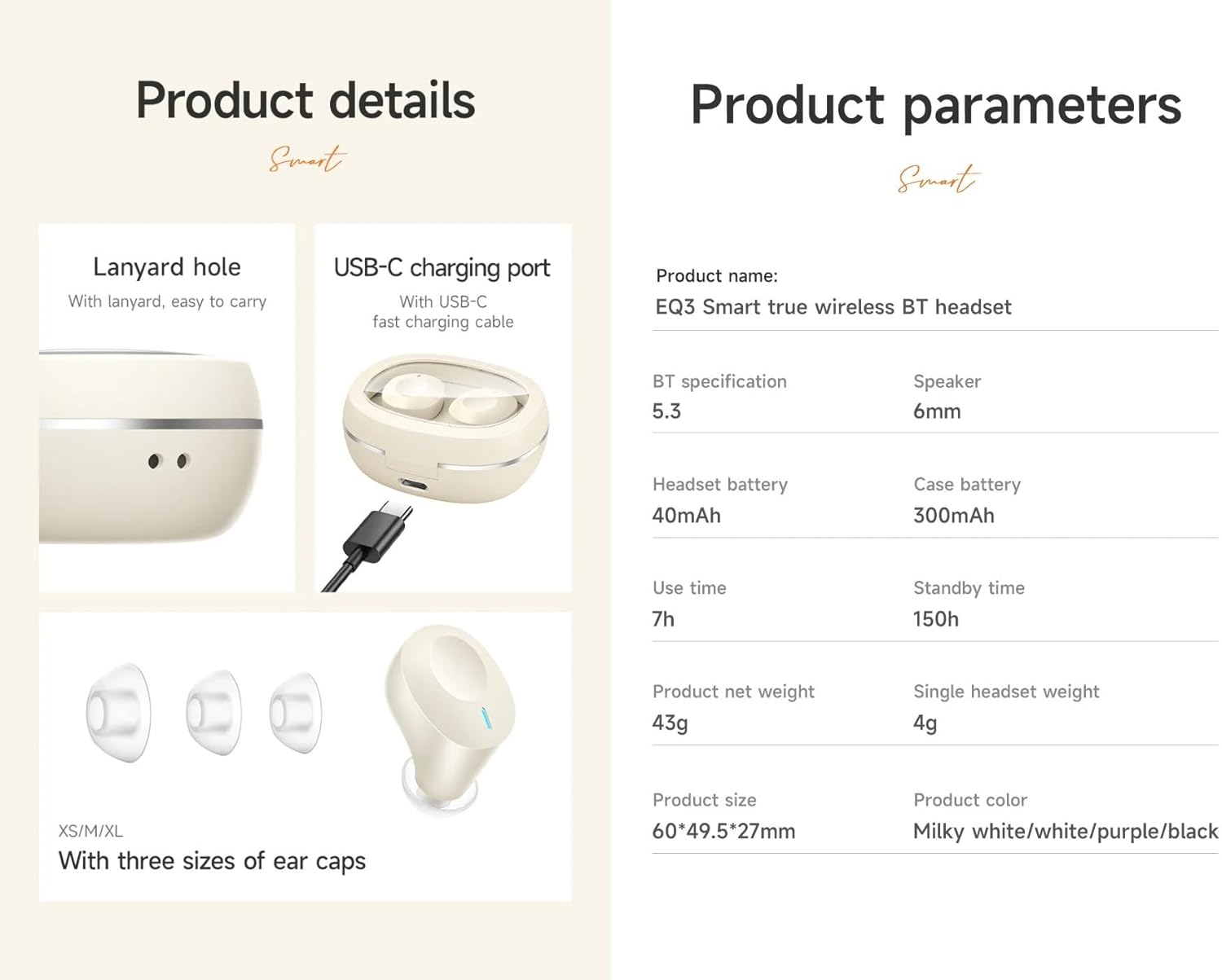
Image: An infographic detailing product features such as the USB-C charging port, lanyard hole, and different sizes of ear caps (XS/S/M/L).
4. Ọja Ipariview
The HOCO EQ3 earbuds feature a compact design with a transparent charging case that includes a digital power display. Each earbud is equipped with touch control areas for easy operation.
Ngba agbara Case
- Ideri Sihin: Allows visibility of earbuds and digital display.
- Ifihan Agbara Oni-nọmba: Ṣe afihan ogorun batiri to kutage ti ọran gbigba agbara.
- Ibudo Ngba agbara USB-C: Fún àtúnṣe àpò náà.
- Iho Lanyard: Fun irọrun gbigbe.
Awọn agbekọri
- Agbegbe Iṣakoso Fọwọkan: Ti o wa ni ita ita ti agbekọri kọọkan fun awọn iṣẹ oriṣiriṣi.
- Atọka LED: Displays pairing status and charging status.
- Gbohungbohun: For clear calls.
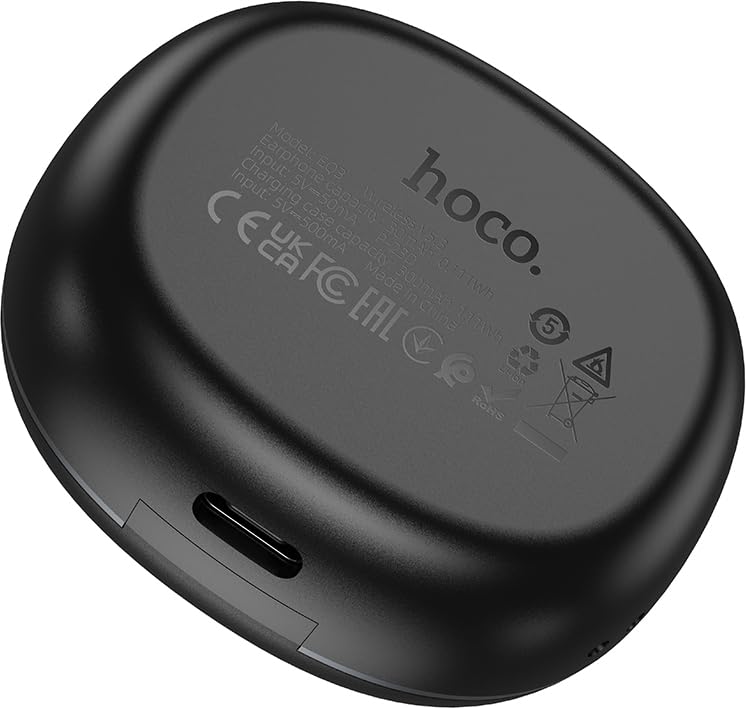
Image: The back of the HOCO EQ3 charging case, showing regulatory marks and basic electrical specifications.
5. Eto
5.1 Ngba agbara si Earbuds ati Ọran
- Fi àwọn ètí ìgbọ́rọ̀ méjèèjì sínú àpótí ìgbóná. Rí i dájú pé wọ́n wà ní ipò tó tọ́ ní àwọn ihò wọn (L fún òsì, R fún ọ̀tún).
- Connect the USB charging cable to the USB-C port on the charging case and the other end to a compatible USB power source (e.g., computer USB port, wall adapter).
- The digital display on the charging case will show the charging status. The earbuds' LED indicators will also show charging status.
- A full charge for the case takes approximately 1.5-2 hours. The earbuds charge automatically when placed in the case.
5.2 Sisopọ pọ pẹlu Ẹrọ Bluetooth kan
- Rii daju pe awọn agbekọri ti gba agbara.
- Open the lid of the charging case. The earbuds will automatically power on and enter pairing mode. The LED indicators on the earbuds will flash, indicating they are ready to pair.
- Lori ẹrọ rẹ (foonuiyara, tabulẹti, ati bẹbẹ lọ), mu Bluetooth ṣiṣẹ ki o wa awọn ẹrọ titun.
- Select "HOCO EQ3" from the list of available devices.
- Once connected, the earbuds' LED indicators will stop flashing and remain solid or turn off, and you will hear a confirmation tone.
- The earbuds support master-slave switching, allowing either earbud to be used independently.

Image: An infographic illustrating the automatic connection feature when the charging case cover is opened, and highlighting the high-fidelity sound quality from the dynamic coil unit.
6. Awọn ilana Iṣiṣẹ
The HOCO EQ3 earbuds feature intuitive touch controls. The touch control area is located on the outer surface of each earbud.

Image: A diagram illustrating the touch control functions for the HOCO EQ3 earbuds, including single tap, double tap, triple tap, and long press.
6.1 Sisisẹsẹhin Orin
- Ṣiṣẹ/Daduro: Tap the touch area on either the Left (L) or Right (R) earbud once.
- Orin t’okan: Double tap the touch area on either the Left (L) or Right (R) earbud.
- Tẹlẹ Orin: Triple tap the touch area on either the Left (L) or Right (R) earbud.
6.2 ipe Management
- Idahun/Ipe Ipari: Fọwọ ba agbegbe ifọwọkan lori boya agbekọri lẹẹkan.
- Kọ Ipe: Tẹ ibi ifọwọkan naa fun igba pipẹ lori agbekọri mejeeji fun iṣẹju-aaya meji.
6.3 Iranlọwọ ohun
- Mu Oluranlọwọ ohun ṣiṣẹ (Siri, Oluranlọwọ Google, ati bẹbẹ lọ): Tẹ ibi ifọwọkan naa fun igba pipẹ lori agbekọri mejeeji fun iṣẹju-aaya meji.
7. Itọju
7.1 Ninu
- Nigbagbogbo nu afikọti ati apoti gbigba agbara lati ṣe idiwọ eruku ati ikojọpọ idoti.
- Lo asọ ti o tutu, ti o gbẹ, ti ko ni lint lati nu awọn aaye naa.
- For the ear tips, remove them from the earbuds and clean with a damp asọ, lẹhinna gbẹ daradara ṣaaju ki o to tunpo.
- Do not use alcohol, benzene, or other volatile liquids for cleaning.
7.2 Ibi ipamọ
- Nigbati o ko ba si ni lilo, tọju awọn afikọti sinu apoti gbigba agbara wọn lati daabobo wọn ki o jẹ ki wọn gba agbara.
- Tọju ẹrọ naa ni itura, aye gbigbẹ, kuro lati orun taara ati awọn iwọn otutu to gaju.
8. Laasigbotitusita
If you encounter any issues with your HOCO EQ3 earbuds, please refer to the following common solutions:
| Isoro | Owun to le Fa | Ojutu |
|---|---|---|
| Earbuds ko titan | Batiri kekere | Place earbuds in the charging case and charge the case fully. |
| Ko le so pọ pẹlu ẹrọ | Bluetooth off, earbuds not in pairing mode, or previously paired. | Ensure Bluetooth is on. Open case lid to enter pairing mode. Forget "HOCO EQ3" from your device's Bluetooth list and try pairing again. |
| Agbekọri agbekọri kan ṣoṣo ti n ṣiṣẹ | One earbud not connected or low battery. | Place both earbuds back into the charging case, close the lid for 5 seconds, then open again. Ensure both are charged. |
| Ko si ohun tabi iwọn didun kekere | Device volume too low, earbud volume too low, or poor connection. | Increase volume on your device. Ensure earbuds are properly connected. Clean ear tips if blocked. |
| Ngba agbara ko gba agbara | Aṣiṣe USB tabi orisun agbara. | Try a different USB-C cable and power adapter. Ensure the cable is securely connected. |
9. Awọn pato
Detailed technical specifications for the HOCO EQ3 True Wireless Earbuds:
| Ẹya ara ẹrọ | Sipesifikesonu |
|---|---|
| Orukọ awoṣe | EQ3 EARBUDS |
| Ẹya Bluetooth | 5.3 (Chip: JL AC6983D2) |
| Imọ-ẹrọ Ibaraẹnisọrọ Alailowaya | Bluetooth |
| Agbara Batiri Earbud | 40mAh (agbohungbohun kọọkan) |
| Ngba agbara Batiri Case | 300mAh |
| Use Time (Single Charge) | Titi di wakati 15 |
| Lapapọ akoko ere (pẹlu Ọran Gbigba agbara) | Titi di wakati 28 |
| Akoko Iduro | wakati meji 150 |
| Ọna Iṣakoso | Iṣakoso ifọwọkan |
| Omi Resistance Ipele | Omi sooro |
| Ariwo Iṣakoso | Fagilee Ariwo Ti nṣiṣe lọwọ (ANC) |
| Awọn irinše to wa | Cable, Ear Cushions, Protective Case, Wireless Charging Case |
| Ohun elo | Ṣiṣu |
| Iwọn Nkan | 48 Grams (Total weight: 43g from feature bullets) |
| Ọja Mefa | 60 x 49.5 x 27 mm (Case); 25 x 15 x 7 cm (Package) |
| Àwọ̀ | Dudu |

Image: An infographic highlighting key features such as 28 hours total listening time, Hi-Fi sound quality, Bluetooth 5.3, LED digital display, magnetic switch, lightweight design, TWS stereo, and touch control.
10. Atilẹyin ọja ati Support
For warranty information and customer support, please refer to the warranty card included in your product packaging or contact HOCO customer service through their official website or authorized distributors. Please retain your proof of purchase for warranty claims.
Olupese: HOCO
Packer: Pejy
Olukowọle: Pejy
Ask a question about this manual
Ask about setup, troubleshooting, compatibility, parts, safety, or missing instructions. Manuals+ will review the question and use this page’s manual context to help answer it.